
1. Introduction
This manual provides detailed instructions for the assembly, operation, maintenance, and troubleshooting of your Nautilus U616 Upright Bike. Please read this manual thoroughly before using the bike to ensure safe and effective operation.
Product Overview
The Nautilus U616 upright bike is designed to provide an effective cardiovascular workout. It features Bluetooth LE connectivity for syncing with fitness apps, a blue backlit Dual Track multi-LCD display console for monitoring workout data, and goal tracking functionality. Users can set and track exercise goals for workout time, distance traveled, and calories burned. Key features include 29 programs, 25 levels of resistance, 4 user profiles, acoustic chambered speakers, and grip heart rate monitoring.
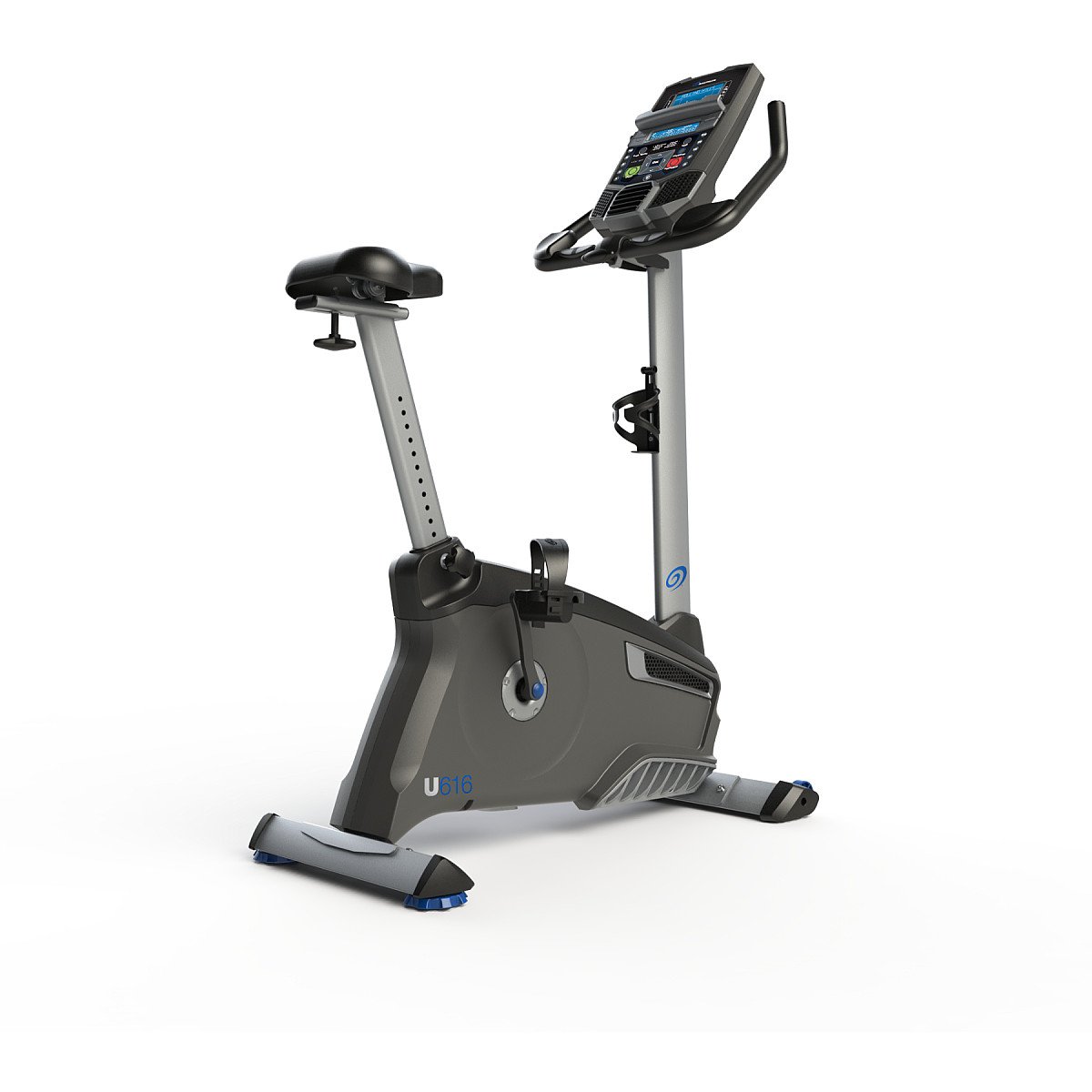
Figure 1.1: Front view of the Nautilus U616 Upright Bike, showcasing the console, handlebars, seat, and pedals.
2. Setup
Unpacking and Assembly
Carefully remove all components from the packaging. Ensure all parts are present according to the included parts list. Assembly typically requires two people for certain steps, particularly when connecting the console to the frame and adjusting handlebars, to ensure proper wire connection and stability.
- Step 1: Attach the front and rear stabilizers to the main frame.
- Step 2: Install the pedals, ensuring they are tightened securely. Note that the left pedal is reverse-threaded.
- Step 3: Mount the seat post and seat. Adjust the seat height and fore/aft position for comfort.
- Step 4: Connect the console mast to the main frame, carefully routing and connecting the necessary wires for the console.
- Step 5: Attach the console to the console mast, ensuring all electrical connections are secure.
- Step 6: Install the handlebars and adjust their angle as desired.

Figure 2.1: Angled view of the Nautilus U616 Upright Bike, highlighting the console and seat adjustments.
Initial Power-Up
Once assembled, connect the power adapter to the bike and then to a standard electrical outlet. The console should illuminate, indicating the bike is ready for use. If the console does not power on, check all electrical connections.
3. Operating Instructions
Console Features
The Nautilus U616 features a blue backlit Dual Track LCD display, which shows up to 13 workout details simultaneously across two windows. The console allows for selection from 29 workout programs and 25 levels of magnetic resistance. Up to 4 user profiles can be stored, enabling personalized workout tracking.
Workout Programs and Resistance
Use the console buttons to navigate through the 29 available workout programs, which include various intensity levels and training types. Adjust the resistance level from 1 to 25 using the dedicated buttons on the console to increase or decrease workout intensity.
Heart Rate Monitoring
The bike is equipped with grip heart rate sensors located on the handlebars. Grasp these sensors during your workout to display your heart rate on the console. The system is also telemetry-enabled, allowing for compatibility with a separately purchased chest strap for continuous heart rate monitoring.
Bluetooth Connectivity
The U616 bike features Bluetooth LE connectivity. To connect, enable Bluetooth on your mobile device and open a compatible fitness application (e.g., Nautilus Trainer app). Follow the app's instructions to pair with your bike. This allows for workout data synchronization and goal tracking.
USB Charging Port
A USB charging port is integrated into the console, allowing you to charge your mobile devices during your workout.
Audio System
The bike includes acoustic chambered speakers. Connect your audio device to the console's audio input jack to play music through the integrated speakers.

Figure 3.1: Side view of the Nautilus U616 Upright Bike, illustrating its compact design and the 'U616' model designation.
Product Video Overview
Video 3.1: An official product video providing a general overview of the Nautilus U616 Upright Bike's features and design.
4. Maintenance
General Care and Cleaning
Regular cleaning and inspection will prolong the life of your Nautilus U616 Upright Bike. Wipe down the console and frame with a damp cloth after each use to remove sweat and dust. Avoid using abrasive cleaners or solvents.
- Weekly: Check all bolts and nuts for tightness. Ensure pedals are securely fastened.
- Monthly: Inspect the drive belt for any signs of wear or damage.
- Annually: Have the bike professionally inspected for optimal performance and safety.
5. Troubleshooting
Common Issues and Solutions
- No Power to Console:
Ensure the power adapter is securely plugged into both the bike and a working electrical outlet. Check for any damaged wires or loose connections, especially where the console connects to the mast. - Resistance Not Working:
If the resistance mechanism is not functioning correctly, it may indicate an issue with the internal servo motor or its connections. Verify all internal wiring connections are secure. If the problem persists, contact customer support. - Pedal Clicking/Ticking Noise:
This can often be resolved by ensuring the pedals are tightened securely. If the noise continues, the pedals may need to be replaced. The U616 uses standard 9/16 inch pedals. - Bluetooth Connectivity Issues:
Ensure Bluetooth is enabled on your mobile device and the fitness app is updated. Try restarting both the bike (by unplugging and replugging) and your mobile device. - Inaccurate Heart Rate Reading:
Ensure your hands are firmly gripping the heart rate sensors. Dry hands or excessive movement can affect accuracy. For consistent readings, consider using a compatible chest strap.
6. Specifications
| Feature | Specification |
|---|---|
| Model Name | U616 |
| Resistance Mechanism | Magnetic |
| Number of Resistance Levels | 25 |
| Display Type | Blue backlit Dual Track LCD |
| Workout Programs | 29 |
| User Profiles | 4 |
| Connectivity | Bluetooth LE |
| Charging Port | USB |
| Heart Rate Monitoring | Grip sensors, Telemetry enabled |
| Audio | Acoustic chambered speakers |
| Power Source | Corded Electric |
| Item Weight | 76 Pounds (approx. 34.5 kg) |
| Item Dimensions (LxWxH) | 41.5 x 23 x 12.8 inches (approx. 105.4 x 58.4 x 32.5 cm) |
| UPC | 708447907875 |
| Part Number | 100390 |
7. Warranty and Support
For detailed warranty information, including coverage periods and terms, please refer to the warranty card included with your product or visit the official Nautilus website. For technical assistance, replacement parts, or any other support inquiries, please contact Nautilus customer service through their official channels.
Online Support: Visit the Nautilus official website for FAQs, product registration, and contact information.
Customer Service: Refer to your product documentation for specific contact numbers or email addresses.


