
1. Introduction
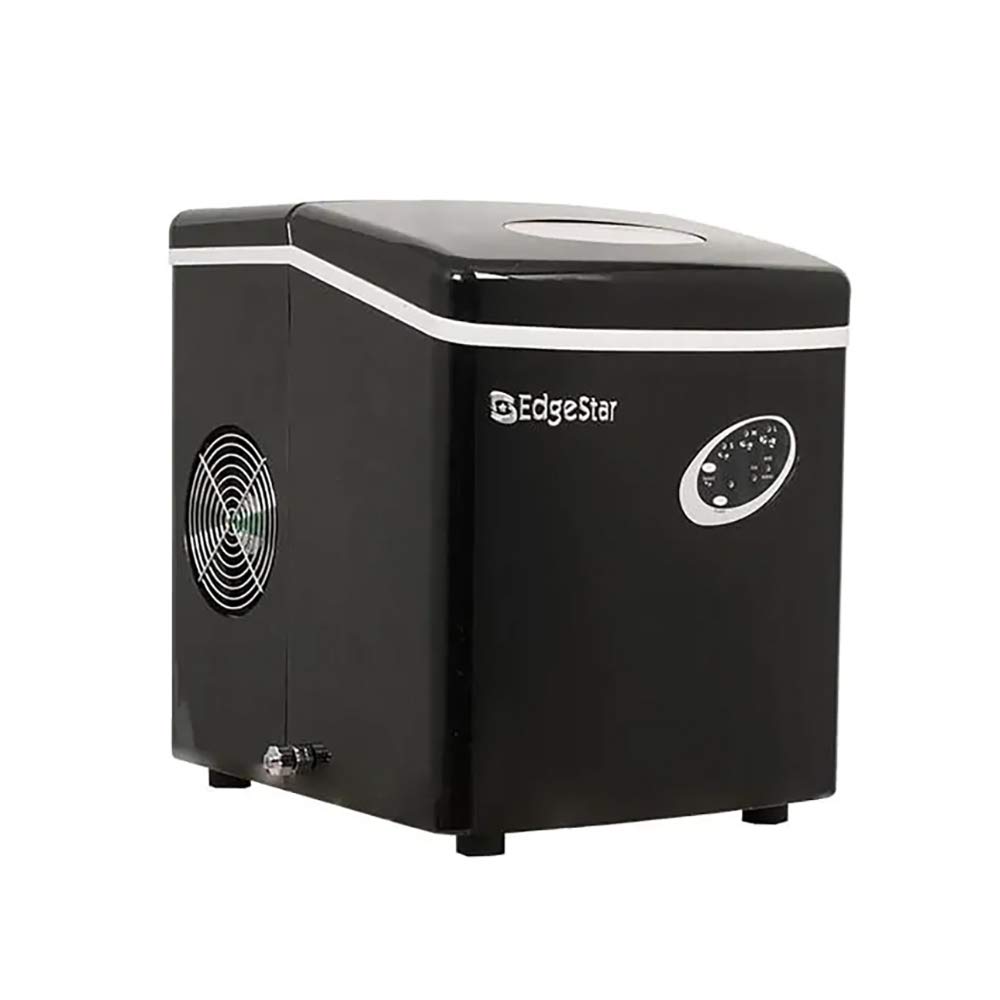
The EdgeStar IP210BL is a portable countertop ice maker designed for convenience and efficiency. This unit produces ice quickly and is suitable for various settings, including homes, RVs, boats, and dry bars. It operates without the need for a direct water line or drain hookup, making it highly versatile.
2. Safety Information
- Ensure the unit is connected to a standard 115 Volt outlet.
- Do not touch the evaporator while the unit is making ice, as it may cause injury.
- Keep the ice maker away from heat sources and direct sunlight.
- Always unplug the unit before cleaning or performing maintenance.
- Allow the unit to sit upright for at least 24 hours after transport before plugging it in to allow refrigerants to settle.
3. Product Features
- Fast Ice Production: Produces ready-to-serve ice in approximately 10 minutes.
- High Capacity: Capable of producing up to 28 pounds of ice per day.
- Ice Cube Sizes: Offers three selectable ice cube sizes: Small (S), Medium (M), and Large (L).
- Insulated Storage Bin: Integrated bin holds up to 2.5 pounds of ice.
- Water Reuse Design: Automatically reuses water from melted ice to produce new ice, minimizing waste.
- User-Friendly Controls: Simple touch-sensitive controls for operation.
- Portability: Compact and lightweight design for easy transport and placement.
4. Setup
- Unpack the Unit: Carefully remove all packaging materials and inspect the ice maker for any damage.
- Placement: Place the ice maker on a stable, level surface away from direct sunlight and heat sources. Ensure adequate ventilation around the unit.
- Initial Cleaning: Before first use, clean the interior of the unit with a mild detergent and warm water. Rinse thoroughly and wipe dry.
- Add Water: Open the lid and fill the water reservoir with potable water up to the maximum fill line. Do not overfill.
- Connect Power: Plug the power cord into a grounded 115 Volt electrical outlet.
5. Operating Instructions
Control Panel Overview
This image displays the control panel of the EdgeStar IP210BL Portable Countertop Ice Maker. It features indicator lights for 'ADD WATER' (red) and 'ICE FULL' (red), a 'SELECT' button to choose between Large (L), Medium (M), and Small (S) ice cube sizes (indicated by green lights), and an 'ON/OFF' button (indicated by a green light when on).
- Power On/Off: Press the ON/OFF button to turn the unit on or off. The green indicator light next to ON/OFF will illuminate when the unit is active.
- Select Ice Size: After turning on the unit, press the SELECT button to cycle through the available ice cube sizes: Small (S), Medium (M), or Large (L). The corresponding green indicator light will illuminate.
- Ice Production: The unit will begin the ice-making cycle. Ice will be produced and dropped into the insulated storage bin.
- 'ADD WATER' Indicator: If the water reservoir is low, the red ADD WATER indicator light will turn on. Refill the reservoir with water and the unit will resume operation.
- 'ICE FULL' Indicator: When the ice storage bin is full, the red ICE FULL indicator light will turn on, and the unit will pause ice production. Remove ice from the bin to resume production.
- Using the Ice Scoop: Use the provided ice scoop to retrieve ice from the storage bin.
Product Overview Video
This video provides a visual overview of the EdgeStar IP210BL Portable Countertop Ice Maker, showcasing its compact design, quick ice production, and ease of use. It highlights how the unit makes ice and its various features.
6. Maintenance
- Regular Cleaning: Clean the interior of the ice maker regularly, especially the water reservoir and ice bin, to prevent mineral buildup and ensure hygienic ice production. Use a solution of water and vinegar for descaling if necessary, then rinse thoroughly.
- Draining the Unit: The unit features a drain plug, typically located at the bottom or side. Periodically drain any remaining water from the reservoir, especially before storing the unit or if it will not be used for an extended period.
- Exterior Cleaning: Wipe the exterior with a soft, damp cloth. Do not use abrasive cleaners or solvents.
- Storage: When storing the ice maker, ensure it is completely dry. Store it in a cool, dry place, away from direct sunlight.
7. Troubleshooting
| Problem | Possible Cause | Solution |
|---|---|---|
| 'ADD WATER' light is on | Water reservoir is empty or low. | Fill the water reservoir with potable water. |
| 'ICE FULL' light is on | Ice bin is full. | Remove ice from the storage bin. |
| No ice production | Unit not plugged in, water reservoir empty, or ambient temperature too high. | Ensure power connection, fill water reservoir, or move unit to a cooler environment. |
| Ice melts quickly | The unit is an ice maker, not a freezer. | Transfer ice to a freezer for long-term storage. |
8. Specifications
- Brand: EdgeStar
- Model: IP210BL
- Capacity: 28 Pounds (ice production per day)
- Wattage: 300 watts
- Voltage: 115 Volts
- Item Weight: 24 Pounds
- UPC: 722651301274, 737946107264, 846844010979
9. Warranty and Support
For warranty information or technical support, please refer to the documentation included with your product or visit the official EdgeStar website. Contact customer service for assistance with any issues not covered in this manual.


