
1. Important Safety Information
Please note that our walkie talkies FCC ID is: 2AAR8RETEVISRT388. Our walkie talkies meet FCC part 95 rule. Please use this product responsibly and ensure children are supervised during use.
Battery Safety: Use 4 qualified AAA batteries per unit (not included). Do not mix old and new batteries. Turn off the device and remove batteries if not in use for a long period to prevent leakage.
2. Product Overview
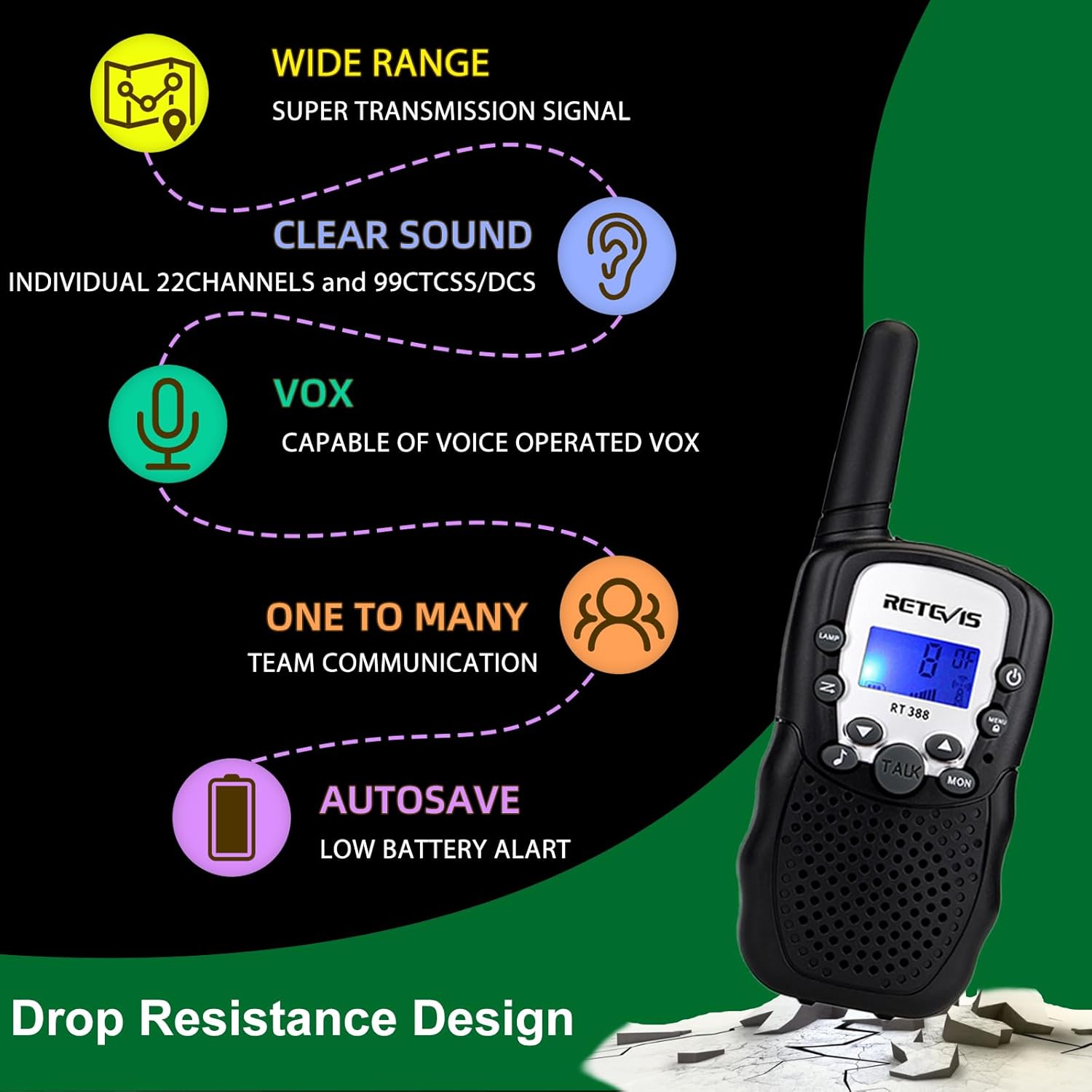
The Retevis RT388 is a compact and user-friendly walkie talkie designed for children aged 6-12. It offers reliable two-way communication with a range of up to 1 kilometer in optimal conditions. Key features include 22 FRS channels, a built-in LED flashlight, VOX function for hands-free operation, adjustable volume, and clear sound quality with auto squelch.

A pair of black Retevis RT388 walkie talkies, showcasing their compact design and front panel controls. The LCD screens are illuminated, displaying channel 8 and a full battery indicator.
3. What's in the Box
- 2 x RT388 Walkie Talkies
- 2 x Belt Clips
- 1 x User Manual
4. Battery Installation
Each Retevis RT388 walkie talkie requires 4 AAA batteries (not included). To install the batteries:
- Locate the battery compartment on the back of the walkie talkie.
- Unscrew the battery compartment cover and remove it.
- Insert 4 AAA batteries, ensuring correct polarity (+/-).
- Replace the battery compartment cover and secure it with the screw.

This image shows the back of the Retevis RT388 walkie talkie with the battery compartment open, revealing the slots for four AAA batteries. The model number and regulatory information are visible on a label.
This diagram illustrates the compact dimensions of the Retevis RT388 walkie talkie (5.5 inches tall, 2.1 inches wide, 1.1 inches deep) and its modular parts: the main unit, bottom cover, battery house, and belt clip. It also indicates that the device is powered by 4 AAA batteries (not included).
5. Basic Operation
Video demonstrating the basic operation of Retevis RT388 Kids Walkie Talkies, including power, volume, channel, VOX, and keyboard lock settings.
5.1 Power On/Off
- To turn on/off the radio, press and hold the Power button for 3 seconds. A BEEP sound will confirm the action.
5.2 Volume Adjustment
- Press the Up (▲) or Down (▼) button to increase or decrease the volume level.
5.3 Channel Selection
- Press the Menu button once. The channel number on the display will flash.
- Use the Up (▲) or Down (▼) button to select your desired channel (1-22).
- Press the PTT (Push-To-Talk) button to save the setting.
5.4 VOX Function (Voice Operated Exchange)
- Press the Menu button three times. The VOX level will flash on the display.
- Use the Up (▲) or Down (▼) button to select the VOX level (1-3, 1 being least sensitive, 3 most sensitive, or OFF).
- Press the PTT button to save the setting.
5.5 Call Ringtone Selection
- Press the Menu button four times. The call ringtone number will flash.
- Use the Up (▲) or Down (▼) button to select your preferred ringtone (1-10).
- Press the PTT button to save the setting.
5.6 Keyboard Lock
- To lock the keyboard, press and hold the Menu button until a lock icon appears on the display.
- To unlock, press and hold the Menu button again until the lock icon disappears.

The image illustrates the keyboard lock function of the Retevis RT388 walkie talkie. The screen shows a lock symbol, and accompanying text explains that a long press of the menu button activates or deactivates the keyboard lock.
5.7 Scan Function
- Press the SCAN button (usually marked with 'Z' or a magnifying glass icon) to activate the channel scan function. The radio will scan through all available channels.
- Press the SCAN button again to stop scanning.
5.8 Resetting the Radio
- In the shutdown state, press the Power button and the Menu button at the same time to reset the radio to its factory default settings.
6. Features
- Communication: One-to-one or one-to-many communication. If channels and CTCSS/DCS codes match, units can communicate.
- Hands-Free & Audio Jack: VOX function allows speaking without pressing PTT. A 2.5mm headphone jack is available for private listening (headphones not supplied).
- Integrated LED Flashlight: Provides illumination for evening activities, emergencies, or power outages.
- Clear Sound: Adjustable volume and auto squelch function reduce background noise for clear tones.
- Portability: Includes a belt clip for easy attachment to clothing or bags.
7. Usage Scenarios
The Retevis RT388 walkie talkies are versatile and suitable for various activities, promoting communication and fun for children.
- Outdoor activities and adventures
- Camping and hiking trips
- Family activities and shopping malls
- Indoor games and imaginative play

A composite image demonstrating diverse usage scenarios for the Retevis RT388 walkie talkies, including children engaged in outdoor activities, adventures, camping, and indoor games, highlighting the product's versatility.
Video demonstrating the long-range capabilities and clear sound quality of the Retevis RT388 walkie talkies in an outdoor setting.
8. Troubleshooting
- No Power: Ensure batteries are correctly installed and fully charged. Replace batteries if necessary.
- No Sound/Poor Sound Quality: Check volume level. Ensure both walkie talkies are on the same channel and CTCSS/DCS code. Move closer to the other unit if range is an issue.
- Cannot Transmit: Ensure the PTT button is fully pressed. Check if the keyboard lock is active.
- Interference: Change to a different channel or CTCSS/DCS code to avoid interference from other users.
- Short Range: Obstacles like buildings, hills, or dense foliage can reduce range. Try moving to an open area.
9. Specifications
| Item Weight | 2.8 ounces |
| Product Dimensions | 0.55 x 1.1 x 2.17 inches (or 1.1"D x 2.17"W x 5.5"H) |
| Item Model Number | FA7027A |
| Batteries Required | 8 AAA batteries (4 per unit) |
| Number of Channels | 22 |
| Frequency Range | FRS |
| Maximum Talking Range | 1 Kilometers (approx. 0.62 miles) |
| Water Resistance Level | Not Water Resistant |
10. Warranty and Support
Retevis offers a simple and convenient return process, a 90-day warranty, and a 30-day return policy with no questions asked. For further support or inquiries, please refer to the contact information provided with your purchase or visit the official Retevis website.


