
1. Introduction
The Detecto MB130 Digital Pediatric Scale is designed to provide accurate and dependable weight measurements for infants and toddlers. Its versatile design includes a comfortable contoured weighing tray for babies, which can be removed to convert the unit into a platform scale for standing toddlers. Key features include a zero function for taring, a breast milk intake function, and an automatic shut-off to conserve battery life.
2. Safety Information
- Always place the scale on a firm, flat, and stable surface to ensure accurate readings and prevent tipping.
- Do not expose the scale to extreme temperatures, direct sunlight, or high humidity.
- Keep the scale away from water and other liquids.
- Ensure the child is always supervised when on the scale. Never leave a child unattended.
- Do not overload the scale beyond its maximum capacity of 44 lbs (20 kg).
- Use only the specified power sources (9V battery or AC adapter).
- Clean the scale with a soft, damp cloth. Do not use abrasive cleaners or immerse the unit in water.
3. Product Overview and Components
The Detecto MB130 scale consists of a main base unit with a digital display and control buttons, and a removable contoured weighing tray.

Figure 3.1: Front view of the Detecto MB130 scale with the contoured weighing tray attached. The digital display and control buttons are visible on the base unit.
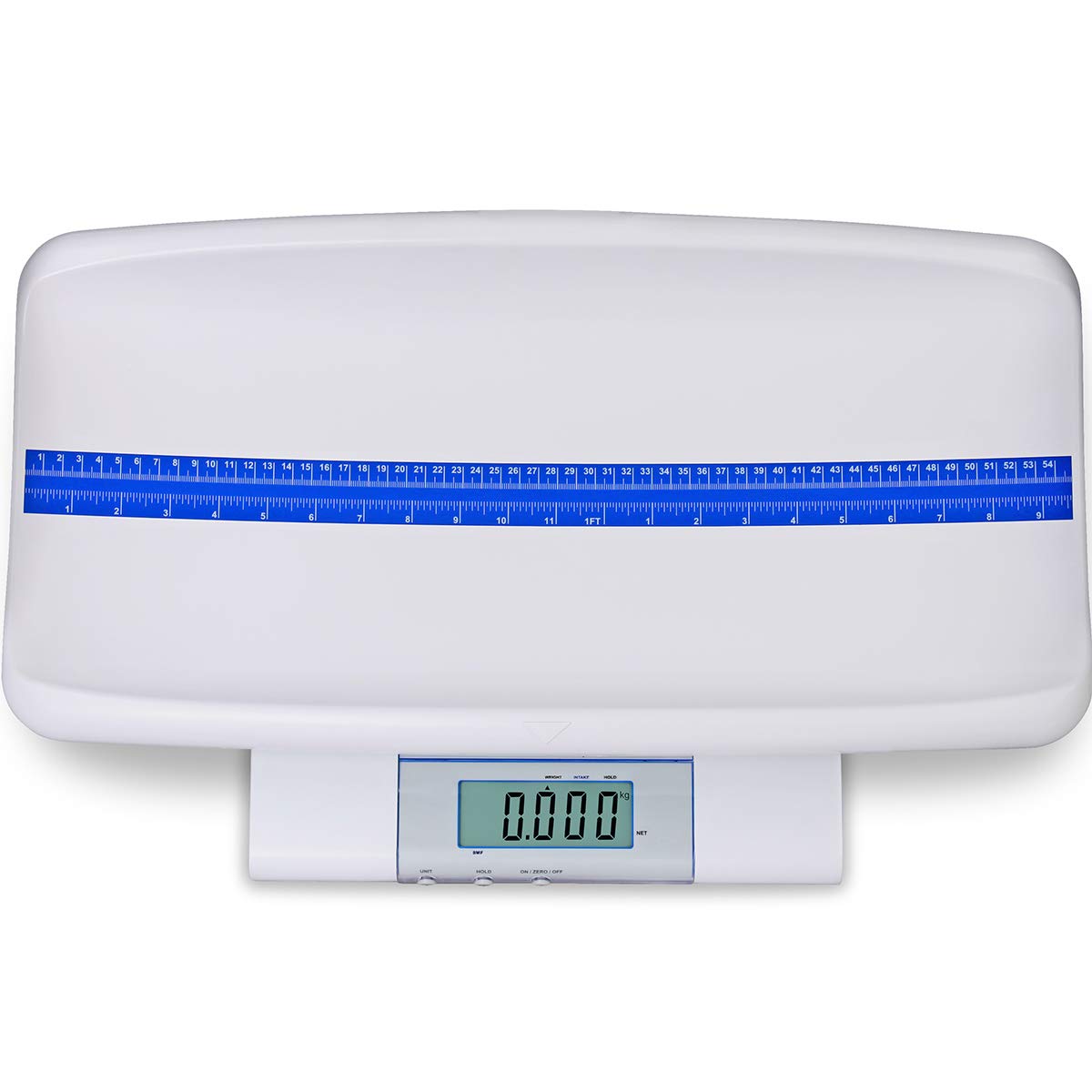
Figure 3.2: Top view of the contoured weighing tray, highlighting the integrated measuring tape for infant length measurement. The tape measures up to 21-9/16 inches (55 cm).

Figure 3.3: An infant positioned on the Detecto MB130 scale's contoured tray, demonstrating its use for weighing babies.

Figure 3.4: A medical professional operating the Detecto MB130 scale while weighing an infant, showing the digital display with a weight reading.
Control Buttons:
- UNIT: Toggles between measurement units (pounds 'lb' and kilograms 'kg').
- HOLD: Activates the hold function to stabilize the reading for a moving child.
- ON/ZERO/OFF: Powers the scale on, performs the zero/tare function, and powers the scale off.
4. Setup
4.1 Power Source
The Detecto MB130 scale can be powered by either a 9V battery (not included) or an AC adapter (included).
- Battery Installation: Locate the battery compartment on the underside of the scale. Open the cover, insert one 9V battery, ensuring correct polarity (+/-), and close the cover securely.
- AC Adapter Connection: Plug the AC adapter into the power input port on the side or back of the scale, then plug the adapter into a standard electrical outlet.
4.2 Attaching the Weighing Tray
For weighing infants, attach the contoured weighing tray to the base unit. Align the tray with the designated slots or guides on the scale base and gently press down until it clicks securely into place. Ensure it is stable and does not wobble.
4.3 Removing the Weighing Tray (for Toddlers)
To use the scale as a platform for standing toddlers, carefully lift the contoured weighing tray from the base unit. The scale can then be used as a flat platform scale.
5. Operating Instructions
5.1 Powering On/Off
- To Power On: Press the ON/ZERO/OFF button. The display will light up and show '0.00' or '0.000'.
- To Power Off: Press and hold the ON/ZERO/OFF button for a few seconds until the display turns off. The scale also features an automatic shut-off after two minutes of inactivity to conserve battery life.
5.2 Zero/Tare Function
The zero function allows you to remove the weight of any blankets, bedding, or toys placed on the scale before weighing the child, ensuring an accurate measurement of the child's weight only.
- Place any items (e.g., blanket) on the scale before placing the child.
- Press the ON/ZERO/OFF button. The display will reset to '0.00' or '0.000', effectively taring out the weight of the items.
- You can now place the child on the scale for an accurate weight reading.
5.3 Unit Selection
To switch between pounds (lb) and kilograms (kg):
- With the scale powered on, press the UNIT button. The display will toggle between 'lb' and 'kg'.
5.4 Weighing an Infant (with tray)
- Ensure the contoured tray is securely attached.
- Power on the scale and ensure it displays '0.00'. If using a blanket, place it on the tray and press ON/ZERO/OFF to tare.
- Carefully place the infant in the center of the contoured tray.
- Allow the reading to stabilize. If the infant is moving, press the HOLD button to capture a stable weight.
- Read the weight displayed on the LCD.
- You can also use the integrated measuring tape on the tray to measure the infant's length.
5.5 Weighing a Toddler (without tray)
- Remove the contoured weighing tray.
- Power on the scale and ensure it displays '0.00'.
- Carefully guide the toddler to stand in the center of the scale platform.
- Allow the reading to stabilize. If the toddler is moving, press the HOLD button to capture a stable weight.
- Read the weight displayed on the LCD.
5.6 Breast Milk Intake Function
This function helps determine the amount of breast milk consumed by comparing the baby's weight before and after feeding.
- Weigh the baby before feeding and note the weight.
- Feed the baby.
- Weigh the baby after feeding.
- The scale will automatically alternate the display between the baby's current weight and the difference from the first weight, indicating the milk intake.
6. Maintenance
6.1 Cleaning
- Wipe the scale surface and tray with a soft, damp cloth.
- For disinfection, use a mild, non-abrasive disinfectant solution.
- Do not use harsh chemicals, abrasive cleaners, or immerse the scale in water.
- Ensure the scale is completely dry before storage or next use.
6.2 Battery Replacement
When the battery indicator appears on the display, or if the scale fails to power on with batteries, replace the 9V battery. Follow the battery installation steps in Section 4.1.
7. Troubleshooting
- Scale not turning on: Check battery installation/charge or AC adapter connection. Ensure the power outlet is functional.
- Inaccurate readings: Ensure the scale is on a flat, stable surface. Re-zero the scale before weighing. Check for obstructions under the scale or tray. Ensure the child is still during measurement or use the HOLD function.
- Display shows 'Err' or 'OL': This indicates an overload. The weight limit has been exceeded. Remove the weight immediately.
- Display is dim or flickering: Replace the battery or ensure the AC adapter is providing stable power.
8. Specifications
| Feature | Description |
|---|---|
| Units | lb, kg |
| Capacity | 0 – 22 lb x 0.01 lb / 22 – 44 lb x 0.02 lb 0 – 10 kg x 5 g / 10 – 20 kg x 10 g |
| Display | 1 inch (25 mm) high, 5 digit LCD |
| Tray Dimensions | 22 in W x 11.3 in D x 3.7 in H |
| Measuring Tape | Up to 21-9/16 in (55 cm) with 1/16 in (1 mm) increments |
| Product Dimensions | 14 x 24 x 8 inches |
| Weight Limit | 44 Pounds (20 kg) |
| Special Features | Breast Milk Intake, Zero Function, Auto Shut Off, Integral Measuring Tape |
| Color | White |
| Power Source | 1 x 9V battery (not included) or AC adapter (included) |
9. Warranty and Support
For warranty information, technical support, or service inquiries regarding your Detecto MB130 Digital Pediatric Scale, please contact Detecto customer service directly. Refer to the product packaging or the official Detecto website for the most current contact details and warranty terms.


