Introduction
This manual provides essential instructions for the setup, operation, and maintenance of your Koller Products 5-Gallon Aquarium Kit. Please read this manual thoroughly before assembly and use to ensure proper function and the well-being of your aquatic pets.
Important Safety Instructions
- Always unplug all electrical components before performing any maintenance or cleaning.
- Do not attempt to lift or carry the aquarium when filled with water. Damage to the tank or personal injury may occur.
- Ensure the aquarium is placed on a sturdy, level surface capable of supporting its full weight when filled with water.
- Keep electrical cords away from water and ensure they are properly routed to prevent tripping hazards.
- This product is intended for indoor use only.
- Keep out of reach of children and pets.
Package Contents
Your Koller Products 5-Gallon Aquarium Kit includes the following items:
- 5-Gallon Aquarium Tank (Crystal-Clear Clarity, Plastic)
- Full Hood with Integrated LED Lighting
- Internal Power Filter (45 GPH flow rate)
- Koller Products S Filter Cartridge (AQ10FC-60)
- User Set-Up Instructions
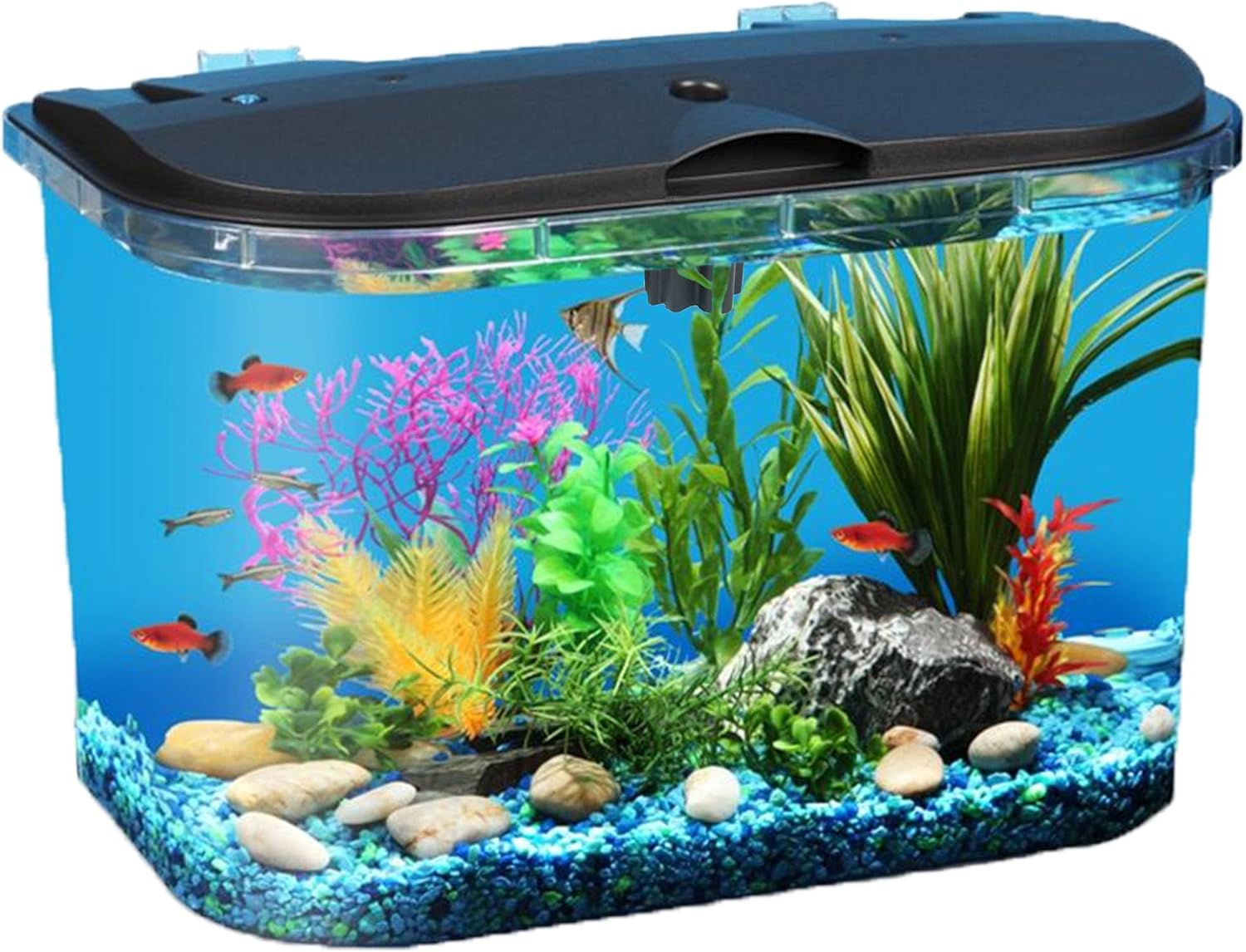
Image: The complete Koller Products 5-Gallon Aquarium Kit, showcasing the tank, hood, and internal components.
Setup Guide
- Placement: Choose a flat, sturdy surface away from direct sunlight, heat sources, and drafts. Ensure the surface can support approximately 45 lbs (5 gallons of water + tank weight + decor).
- Rinse Components: Thoroughly rinse the aquarium tank, filter, and any decorative items (gravel, plants, ornaments - sold separately) with clean, cool water. Do not use soap or detergents.
- Add Substrate and Decor: Place your chosen gravel or substrate (not included) at the bottom of the tank. Arrange any decorations or artificial plants as desired.
- Install Filter: Position the internal power filter inside the tank, ensuring the intake is submerged and the outflow is above the water line or creates gentle surface agitation. Insert the Koller Products S Filter Cartridge into the filter housing.
- Fill with Water: Carefully fill the aquarium with dechlorinated water. Use a plate or plastic bag on the substrate to minimize disturbance. Fill to approximately one inch below the top edge of the tank.
- Install Hood and Lighting: Place the full hood onto the aquarium. Connect the LED lighting power cord to a suitable electrical outlet.
- Connect Filter Power: Plug in the internal power filter. Ensure it starts circulating water.
- Cycling the Aquarium: Before adding fish, it is crucial to cycle your aquarium. This process establishes beneficial bacteria that convert harmful waste products into less toxic substances. Consult a reputable aquarium guide for detailed cycling instructions.

Image: A fully set up Koller Products 5-Gallon Aquarium Kit, demonstrating proper placement of filter and lighting.
Operating Instructions
LED Lighting Operation
The energy-efficient LED lighting features 30 LEDs and offers multiple modes: white, warm, blue, and white-blue mix. Easily switch modes with a touch of a button. It includes a timer (2/4/8 hours) and memory function for personalized settings.

Image: Close-up of the LED lighting on the aquarium hood, showing different color options.
Light Mode Selection:
- Press the light button (usually on the hood) to cycle through white, warm, blue, and mixed white-blue modes.
- To turn off the light, press and hold the light button for 1 second.
Timer Function:
- To set a 2-hour timer: Press and hold the blue button for 3 seconds until the Daylight White color light flashes 2 times.
- To set a 4-hour timer: Press and hold the blue button for 3 seconds until the Daylight White color light flashes 3 times.
- To set an 8-hour timer: Press and hold the blue button for 3 seconds until the Daylight White color light flashes 4 times.
- To cancel the timer: Press and hold the blue button for 3 seconds until the Daylight White color light flashes 1 time.
- The memory function retains your last setting even after external power interruption.
Internal Power Filter
The powerful internal power filter cleans and purifies aquarium water at a flow rate of 45 gallons per hour, effectively removing organic pollutants including discolorations, odors, heavy metals, and toxic gases.
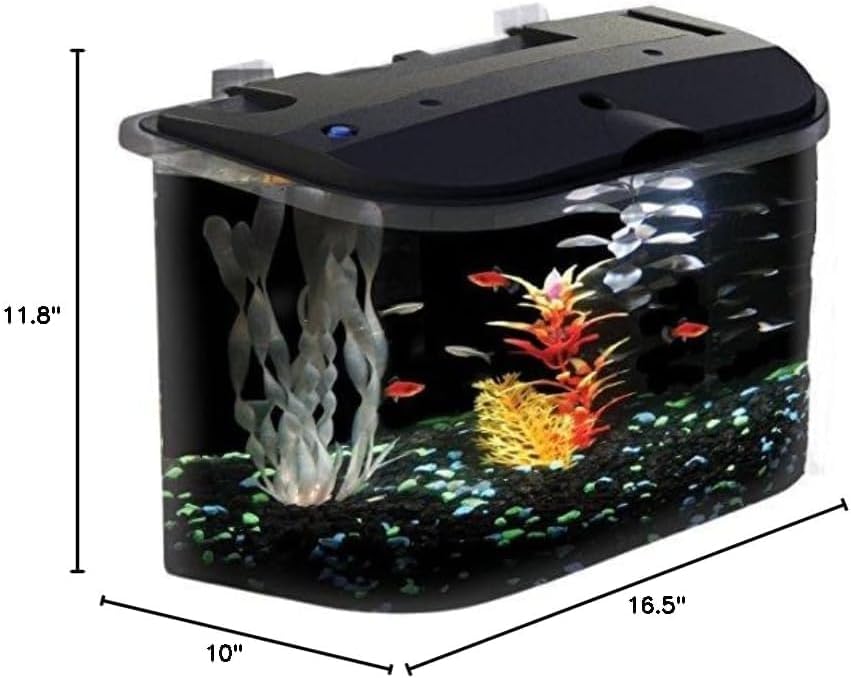
Image: Close-up of the internal power filter, showing its compact design and water outflow.
Feeding Fish:
The hood features a convenient feeding flap, allowing you to feed your fish without fully opening the lid.

Image: The feeding flap on the aquarium hood, designed for easy access to feed fish.
Maintenance
- Filter Cartridge Replacement: The aquarium power filter uses Koller Products S replacement filter cartridges (AQ10FC-60). Replace the filter cartridge every 3 to 4 weeks, or when water flow is diminished, to maintain optimal water quality.
- Water Changes: Perform a 25% water change every 3 to 4 weeks using a gravel vacuum. The frequency may vary depending on the number of fish and daily feedings.
- Cleaning: Clean the interior and exterior surfaces of the tank regularly to remove algae and water spots. Use an aquarium-safe cleaning pad for the interior. Avoid abrasive cleaners.
- Humidifier (if applicable): If your model includes a humidifier feature, fill the internal tank with distilled water only. Do not use tap water or tank water to avoid mineral buildup and potential contamination.
Troubleshooting
| Problem | Possible Cause | Solution |
|---|---|---|
| Filter not working or weak flow | Clogged filter cartridge, air in pump, power issue. | Replace filter cartridge. Ensure pump is fully submerged and free of air. Check power connection. |
| LED lights not working | Power connection issue, light unit malfunction. | Check power adapter and connections. Ensure the light button is pressed correctly. |
| Water cloudy | New tank syndrome (bacterial bloom), overfeeding, insufficient filtration. | Perform partial water change. Reduce feeding. Ensure filter is clean and functioning. Continue cycling if new. |
| Humidifier not producing mist | Low water level in humidifier tank, clogged mist outlet. | Refill humidifier tank with distilled water. Clean mist outlet gently. |
Specifications
- Model Name: PanaView
- Item Model Number: AQ15005
- Tank Volume: 5 Gallons
- Material: Plastic (Crystal-Clear Clarity)
- Dimensions (L x W x H): 16.5" x 10" x 11.8"
- Item Weight: 4.8 Pounds
- Filter Flow Rate: 45 GPH
- Special Feature: Shatter Resistant
- Included Components: Fish Tank, Full Hood, Internal Power Filter, Koller Products S Filter Cartridge, LED Lighting, User Set-Up Instructions
Warranty and Support
Warranty information is typically included with the product packaging. For specific warranty details or customer support, please refer to the documentation provided in your kit or visit the official Koller Products website.
Helpful Product Videos
Koller Products 6.5-Gallon Aquarium Kit Overview
Video: An overview of a similar Koller Products aquarium kit, demonstrating features and setup. Note: This video features a 6.5-gallon model, but many features are comparable.
Easy Assembly of Full Aquarium Kit
Video: A step-by-step guide on assembling a full aquarium kit, including adding substrate, water, and installing components. Note: This video features a different model, but the assembly principles are similar.


