
Introduction
Thank you for choosing the Orient Men's FUX00002B0 SP Analog Display Japanese Quartz Black Watch. This manual provides essential information for the proper setup, operation, maintenance, and care of your timepiece. Please read these instructions carefully to ensure optimal performance and longevity of your watch.
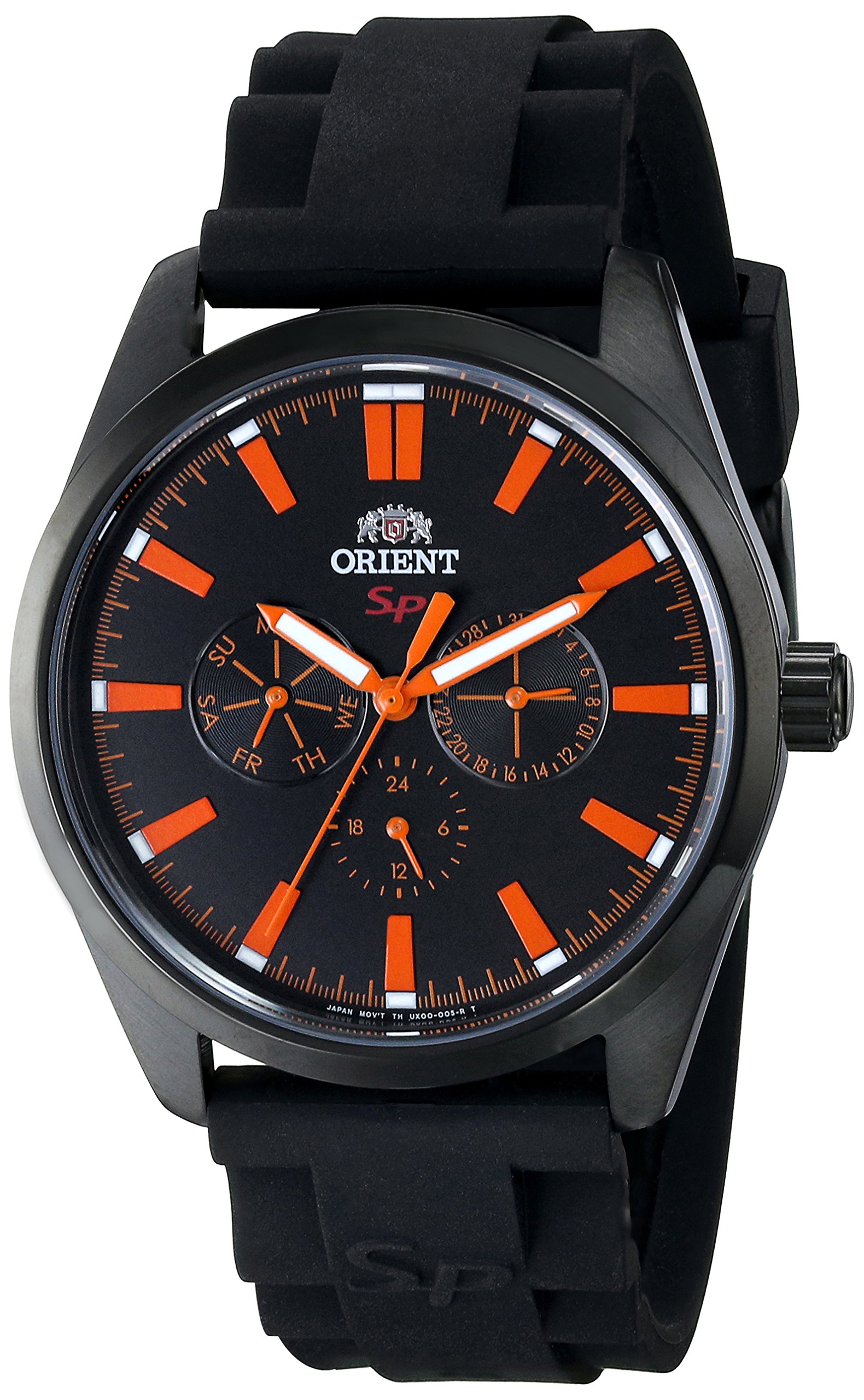
Image: The Orient FUX00002B0 watch displayed on a wrist, showcasing its black dial, orange accents, and black strap.
Setup
1. Unboxing and Initial Inspection
Upon receiving your watch, carefully remove it from its packaging. Inspect the watch for any visible damage or defects. Ensure all protective films are removed from the crystal and case back.

Image: An open black watch box with the Orient logo, ready to house or present the watch.
2. Setting the Time
- Pull the crown out to the second click position. The small seconds hand will stop.
- Turn the crown to set the hour and minute hands to the desired time.
- Push the crown back into the normal position. The small seconds hand will resume movement.
Note: This model does not feature a date display.
Operating Your Watch
Reading the Time
The watch features a traditional analog display with hour, minute, and a small seconds hand. The small seconds hand is located in a sub-dial, providing continuous timekeeping.
Water Resistance
Your Orient FUX00002B0 watch is water-resistant to 50 meters (165 feet). This means it is suitable for short periods of recreational swimming and showering. However, it is not suitable for diving or prolonged water activities. Ensure the crown is fully pushed in before any contact with water.
Maintenance and Care
Cleaning
Wipe the watch case and strap regularly with a soft, dry cloth to remove dust and perspiration. For stubborn dirt, a slightly damp cloth can be used, followed by a dry cloth. Avoid using chemical cleaners or abrasive materials.
Battery Replacement
As a quartz watch, your timepiece is powered by a battery. When the watch stops or the seconds hand begins to skip, it indicates a low battery. Battery replacement should be performed by a qualified watch technician to ensure proper sealing and water resistance.
Water Resistance Care
To maintain the water resistance of your watch, avoid operating the crown while the watch is wet. Gaskets and seals can degrade over time; it is recommended to have the water resistance checked periodically by a professional, especially if the watch is frequently exposed to water.
Storage
When not wearing your watch, store it in a cool, dry place away from direct sunlight, extreme temperatures, and strong magnetic fields. The original watch box is ideal for storage.
Troubleshooting
- Watch Not Running:
Check if the crown is fully pushed in. If the watch still does not run, the battery may need replacement. Consult a professional watch technician.
- Incorrect Time:
Reset the time according to the "Setting the Time" instructions. If the time continues to be inaccurate, the movement may require servicing.
- Condensation Under Crystal:
If condensation appears under the crystal, it indicates a breach in the watch's water resistance. Immediately take the watch to a professional for inspection and repair to prevent further damage to the movement.
Specifications
| Model Number | FUX00002B0 |
| Brand | Orient |
| Movement Type | Japanese Quartz |
| Display Type | Analog |
| Case Material | Stainless Steel |
| Case Diameter | 42 Millimetres |
| Case Thickness | 9 Millimetres |
| Crystal Material | Mineral Crystal |
| Band Material | Silicone |
| Band Width | 22 Millimetres |
| Band Color | Black |
| Dial Color | Black |
| Water Resistance Depth | 50 Meters (165 Feet) |
| Clasp Type | Buckle |
| Special Features | Small Seconds Dial |

Image: A visual guide illustrating various watch case diameters for size comparison, ranging from 14-16mm to 50-54mm.
Warranty and Support
Manufacturer's Warranty
Your Orient watch is covered by a manufacturer's warranty against defects in materials and workmanship. The specific terms and duration of the warranty may vary by region. Please refer to the warranty card included with your purchase or visit the official Orient website for detailed information.
Customer Support
For any questions, service requests, or technical assistance, please contact Orient customer support. Contact details can typically be found on the official Orient website or in the documentation provided with your watch.
