
Introduction
The Prime TNOREM02 is an outdoor remote control system designed to provide convenient wireless operation for two grounded electrical devices. It includes a receiver unit with two 3-prong grounded outlets and a wireless transmitter (remote control) for switching connected devices on and off from a distance. This manual provides essential information for the safe and effective use of your Prime TNOREM02.
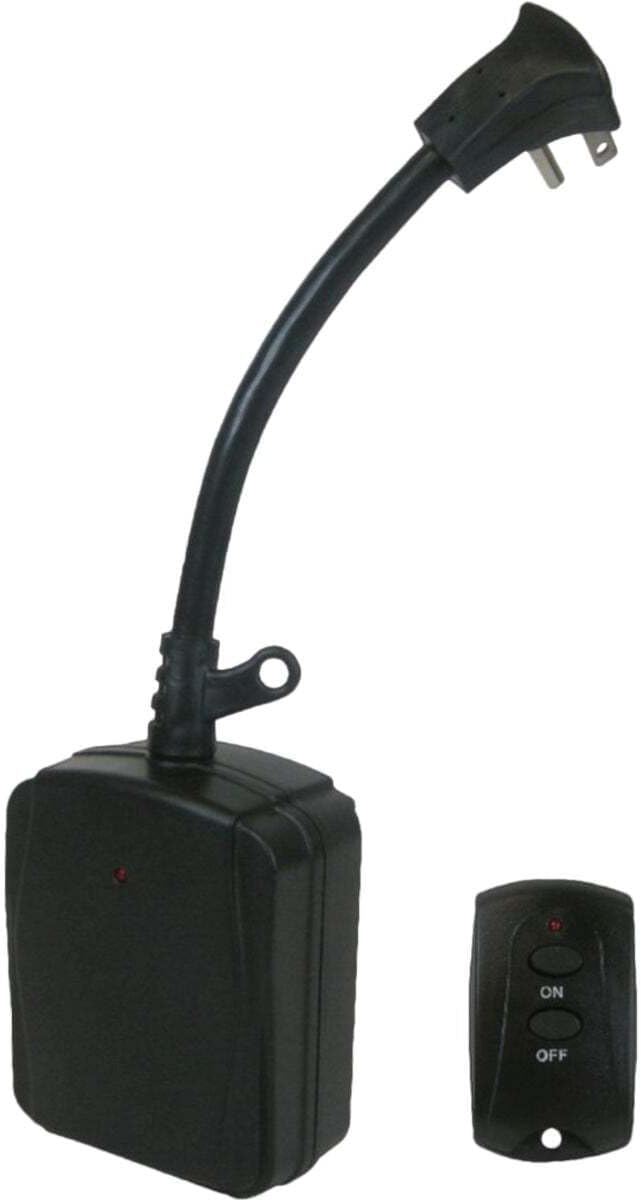
Image: The Prime TNOREM02 outdoor remote control system, showing the receiver unit with its power cord and the compact wireless transmitter.
Safety Information
Please read and understand all safety instructions before using this product. Failure to follow these instructions may result in electric shock, fire, or serious injury.
- Outdoor Use Only: This product is designed for outdoor use. Ensure all connections are protected from direct exposure to water.
- Grounding: The receiver unit features two 3-prong grounded outlets and a grounded plug. Always connect to a properly grounded outdoor receptacle.
- Electrical Rating: Do not exceed the maximum electrical rating of 15 Amps, 1875 Watts, 125 Volts, or 1/3 Horsepower. Overloading can cause overheating and fire.
- Water Protection: While designed for outdoor use, avoid submerging the unit in water. Ensure the outlets are facing downwards when installed to prevent water accumulation.
- Cord Management: Route cords to prevent tripping hazards and protect them from damage.
- Proposition 65 Warning: This product may contain chemicals known to the State of California to cause cancer and birth defects or other reproductive harm. Wash hands after handling.
- Battery Safety: The remote control uses a CR2032 3V button-cell battery. Keep batteries out of reach of children. If swallowed, seek immediate medical attention.
Package Contents
Verify that all items are present in the package:
- 1 x Prime TNOREM02 2-Outlet Outdoor Remote Control Receiver
- 1 x Wireless Transmitter (Remote Control)
- 1 x CR2032 3V Button-Cell Battery (pre-installed in transmitter)
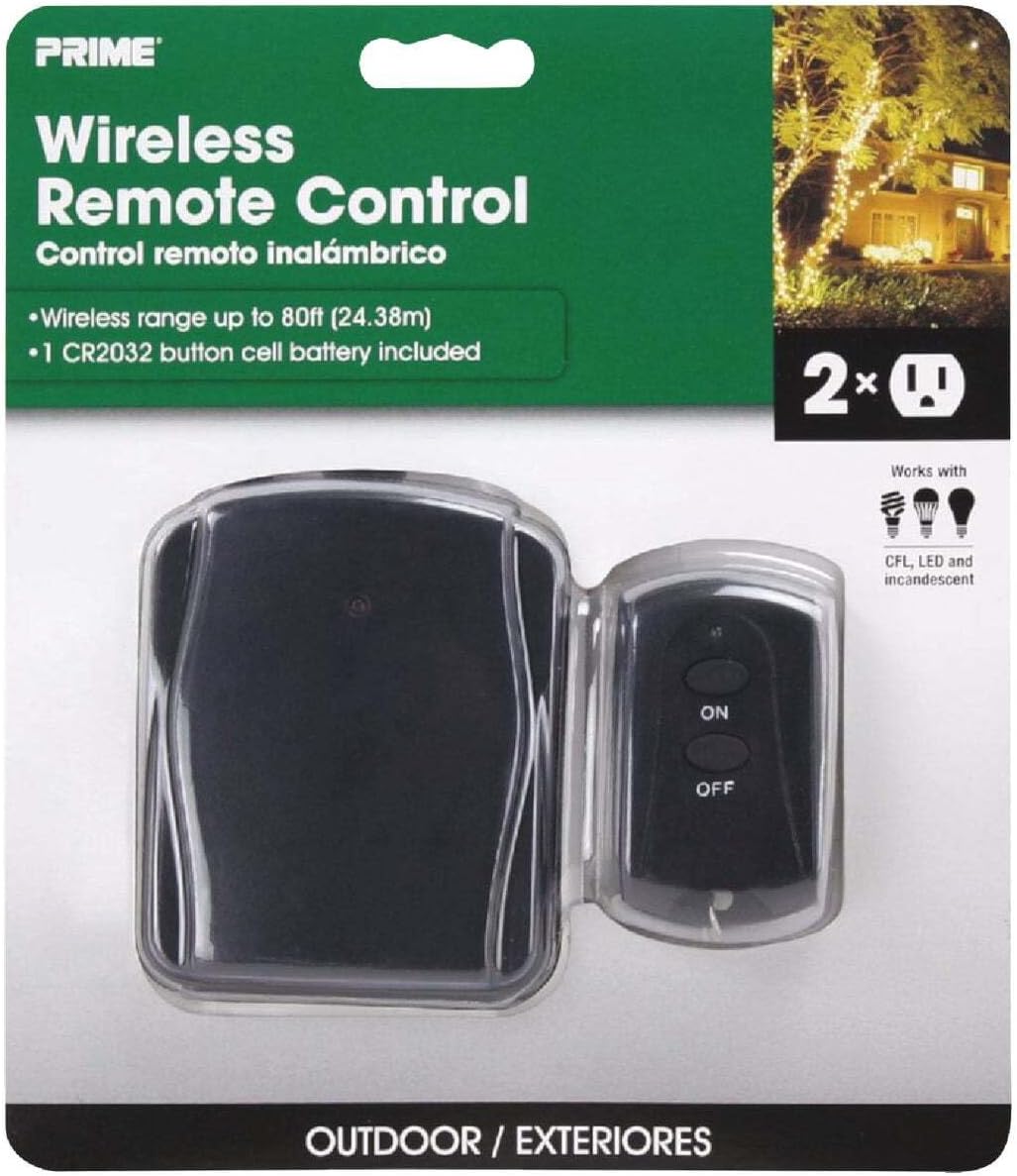
Image: The Prime TNOREM02 product packaging, showing the receiver and remote control clearly visible through the clear plastic.
Product Features
- Dual Grounded Outlets: Two 3-prong grounded outlets for connecting multiple devices.
- Wireless Operation: Control devices from up to 80 feet away using the included transmitter.
- Outdoor Rated: Durable construction suitable for outdoor environments.
- "Reversed" Ground-Pin: Patented design allows for use with right-angle and larger transformer plugs without blocking the second outlet.
- Simple On/Off Control: Easy-to-use 2-button remote for instant power control.
- Battery Included: Transmitter comes with a replaceable CR2032 3V button-cell battery.

Image: A close-up view of the Prime TNOREM02 receiver unit, highlighting the two 3-prong grounded outlets.
Setup
- Select Location: Choose a suitable outdoor location for the receiver unit. Ensure it is protected from direct heavy rain and positioned where its outlets face downwards.
- Plug in Receiver: Connect the receiver unit's grounded plug into a standard 3-prong outdoor electrical outlet.
- Connect Devices: Plug the devices you wish to control into the two grounded outlets on the receiver unit. Ensure the total wattage of connected devices does not exceed 1875 Watts.
- Prepare Transmitter: The CR2032 3V button-cell battery is pre-installed in the wireless transmitter. If the remote does not respond, check the battery.

Image: The Prime TNOREM02 receiver unit installed outdoors, connected to two green extension cords, with a hand holding the remote control to operate connected lights.
Operating Instructions
Using the Prime TNOREM02 is straightforward:
- To Turn ON: Press the ON button on the wireless transmitter. The indicator light on the receiver unit should illuminate, and connected devices will receive power.
- To Turn OFF: Press the OFF button on the wireless transmitter. The indicator light on the receiver unit should turn off, and connected devices will lose power.
- Range: The wireless transmitter has an operating range of up to 80 feet. Obstructions such as walls or dense foliage may reduce this range.
Maintenance
The Prime TNOREM02 requires minimal maintenance. The primary maintenance task is replacing the battery in the wireless transmitter.
Replacing the Transmitter Battery:
- Locate the battery compartment on the back of the wireless transmitter.
- Using a small screwdriver or coin, carefully open the battery compartment cover.
- Remove the old CR2032 3V button-cell battery.
- Insert a new CR2032 3V button-cell battery with the positive (+) side facing up.
- Replace the battery compartment cover securely.
- Test the remote control to ensure it is functioning correctly.
Periodically inspect the receiver unit and its cords for any signs of damage, wear, or corrosion. Discontinue use if any damage is observed.
Troubleshooting
| Problem | Possible Cause | Solution |
|---|---|---|
| Devices do not turn ON/OFF. |
|
|
| Reduced wireless range. |
|
|
| Unit stopped working after a period of use. |
|
|
Specifications
| Feature | Detail |
|---|---|
| Model Number | TNOREM02 |
| Brand | Prime |
| Number of Outlets | 2 (3-prong grounded) |
| Wire Type | SJTW 14/3 Gauge |
| Plug Type | Right Angle, Grounded |
| Usage | Outdoor |
| Max Watts | 1875 Watts |
| Max Amps | 15 Amps |
| Max Volts | 125 Volts |
| Max Horsepower | 1/3 HP |
| Wireless Range | Up to 80 feet |
| Transmitter Battery | CR2032 3V Button-Cell |
| Product Dimensions | 8 x 6.2 x 2.1 inches (approximate) |
| Item Weight | 0.01 ounces (for remote control) |
| Connectivity Technology | Bluetooth |
| Certifications | Not explicitly detailed, but designed for outdoor electrical use. |
Warranty and Support
Specific warranty information for the Prime TNOREM02 is not provided in the available product details. For warranty claims or technical support, please contact Prime customer service directly. Retain your proof of purchase for any warranty inquiries.
For further assistance, refer to the official Prime website or contact their customer support channels.