
1. Introduction
This manual provides essential information for the safe and effective use of your UpBright AC Power Cord Cable. This cable is designed to provide power to compatible audio devices, specifically various Polk Audio sound systems and subwoofers.
Please read this manual thoroughly before connecting and operating the cable to ensure proper functionality and to prevent damage to your equipment.
2. Product Overview

Figure 2.1: The UpBright AC Power Cord Cable, featuring a standard two-prong US plug on one end and a figure-8 (C7) connector on the other, designed for various audio devices.
The UpBright AC Power Cord Cable is a replacement or spare power cable for specific audio equipment. It features a standard two-prong (NEMA 1-15P) plug for wall outlets and a figure-8 (IEC C7) connector for the device input.
Key Features:
- Compatibility: Specifically designed for various Polk Audio SurroundBar and Subwoofer models.
- Durable Construction: Built for reliable power delivery.
- Standard Connectors: Features common AC power and device connectors.
3. Compatibility
This UpBright AC Power Cord Cable is compatible with the following Polk Audio models and similar devices requiring a figure-8 (C7) power input:
- Polk Audio DSW2 Wireless Subwoofer
- Polk Audio DBRX1 Sound Bar
- Polk Audio SurroundBar 4000IHT (IHT4000, AM1400-A, AM1400-B)
- Polk Audio SurroundBar 3000 IHT (3000IHT, IHT3000, AM1500-A)
- Polk Audio SurroundBar 5000 IHT (5000IHT, IHT5000, AM1300-A)
- Other Polk Audio Surround Bar Speaker and Wireless Subwoofer models requiring a compatible AC power cord.
Note: Always verify the power input requirements of your device before connecting any power cable.
4. Setup Instructions
Follow these steps to properly connect your UpBright AC Power Cord Cable:
- Ensure Device is Off: Before connecting the power cord, ensure your Polk Audio device (sound bar, subwoofer, etc.) is powered off and unplugged from its current power source, if applicable.
- Locate Power Input: Identify the power input port on your Polk Audio device. This port is typically a figure-8 (C7) receptacle.
- Connect to Device: Insert the figure-8 connector end of the UpBright AC Power Cord Cable firmly into the power input port of your Polk Audio device. Ensure it is fully seated.
- Connect to Power Outlet: Insert the two-prong plug end of the UpBright AC Power Cord Cable into a standard, grounded AC wall outlet.
- Power On Device: Once the cable is securely connected at both ends, you may power on your Polk Audio device.
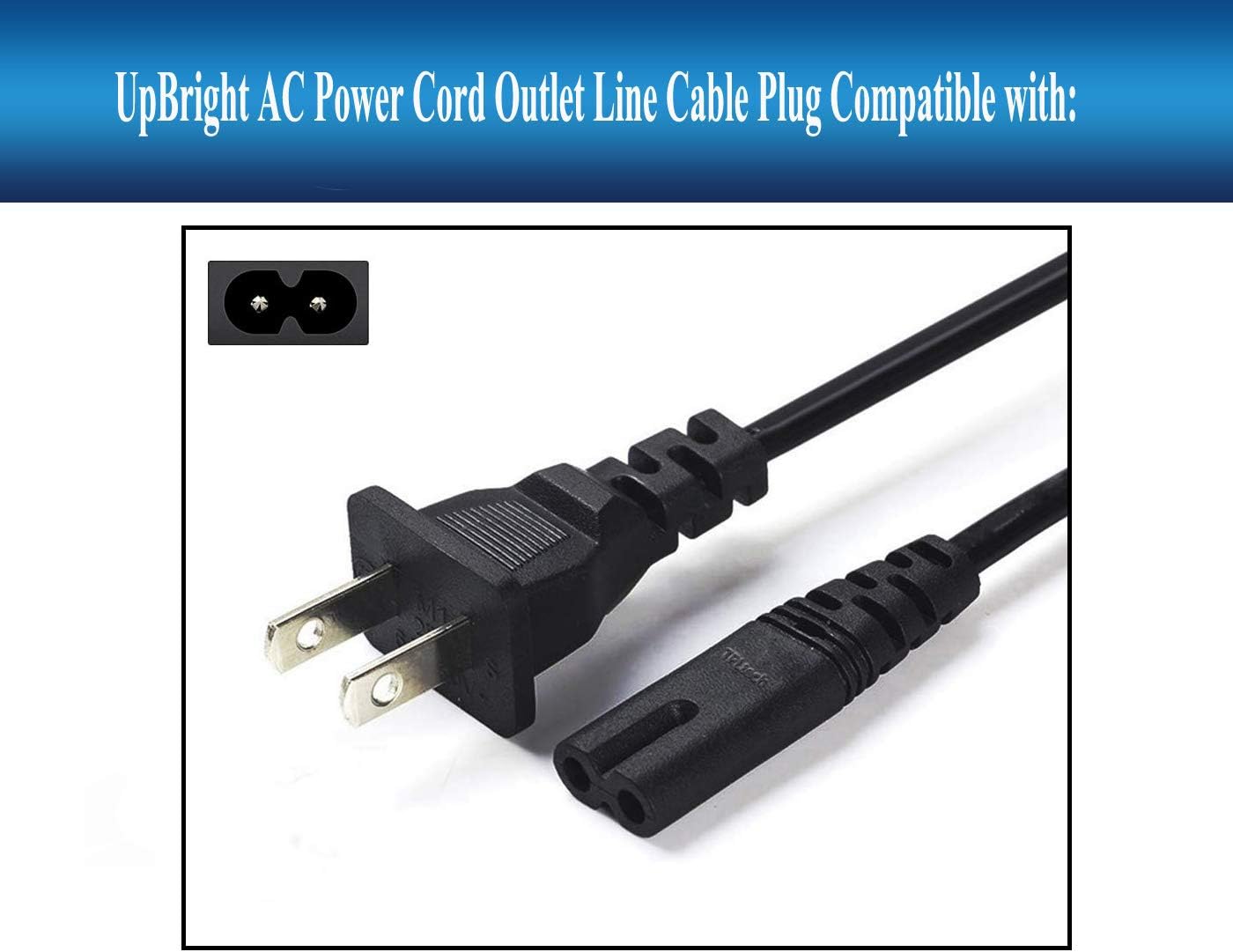
Figure 4.1: The figure-8 connector end of the power cord, ready for insertion into the device's power input.

Figure 4.2: The two-prong plug end of the power cord, designed for standard wall outlets.
Important Safety Note: Do not force the connectors. Ensure they align correctly before inserting. Do not use the cable if it appears damaged.
5. Operating Instructions
The UpBright AC Power Cord Cable is a passive component designed solely for power transmission. Its operation is directly tied to the device it powers.
- Once connected as described in the Setup section, the cable will supply AC power from the wall outlet to your compatible Polk Audio device.
- The functionality and operation of your audio device (e.g., sound bar, subwoofer) are governed by its own instruction manual. Refer to your device's manual for specific operating procedures.
- Ensure the cable is not kinked, pinched, or placed under heavy objects during operation to prevent damage.
6. Maintenance
Proper maintenance ensures the longevity and safe operation of your power cord:
- Cleaning: Disconnect the cable from both the wall outlet and the device before cleaning. Wipe the cable gently with a dry, soft cloth. Do not use liquid cleaners or abrasive materials.
- Storage: When not in use, store the cable in a cool, dry place, away from direct sunlight and extreme temperatures. Avoid tightly coiling or bending the cable sharply.
- Inspection: Periodically inspect the cable for any signs of damage, such as cuts, fraying, exposed wires, or bent prongs.

Figure 6.1: The power cord in a coiled state, suitable for storage. Avoid sharp bends or excessive coiling.
Caution: Do not attempt to repair a damaged power cord. Replace it immediately with a new, compatible cable.
7. Troubleshooting
If you encounter issues, consider the following common troubleshooting steps:
| Problem | Possible Cause | Solution |
|---|---|---|
| Device not powering on. | Cable not fully connected; Wall outlet issue; Device issue. | Ensure both ends of the cable are securely plugged in. Test the wall outlet with another device. If the outlet works, the issue may be with the device itself. |
| Cable appears damaged. | Physical stress; Wear and tear. | Immediately discontinue use. Replace the cable with a new, compatible one. Do not attempt repairs. |
| Intermittent power. | Loose connection; Damaged internal wiring. | Check connections at both ends. If the problem persists, the cable may be faulty and should be replaced. |
If troubleshooting steps do not resolve the issue, contact UpBright customer support or a qualified technician.
8. Specifications
| Attribute | Value |
|---|---|
| Brand | UPBRIGHT |
| Model Number (Compatible) | Polk Audio SurroundBar 4000 IHT 4000IHT (and others listed in compatibility) |
| Connector Type (Wall) | NEMA 1-15P (2-prong US standard) |
| Connector Type (Device) | IEC C7 (Figure-8) |
| Voltage (AC) | 100-240 Volts (AC) |
| Input Current | 13 Amps (Max) |
| Product Dimensions | Approximately 5 x 2 x 1 inches (packaged) |
| Item Weight | Approximately 3 ounces |
| Color | Black |
9. Warranty and Support
UpBright products are designed for reliability. For specific warranty information and customer support, please refer to the details provided at the time of purchase or contact UpBright directly.
- Warranty: As per product listing, "UpBright 30 days Refund. 24 Months Exchange."
- Customer Support: For technical assistance or warranty claims, please visit the official UpBright website or contact their customer service department.