
1. Introduction
The Genelec 8040B Bi-Amplified Monitor System is designed for professional audio monitoring applications. This compact system delivers a wide frequency response, extending down to 41 Hz, and high sound pressure levels (SPL), making it suitable for various studio environments where space may be limited. The 8040B incorporates Intelligent Signal Sensing (ISS) power management for energy efficiency and features a Minimum Diffraction Enclosure (MDE) for accurate sound reproduction.
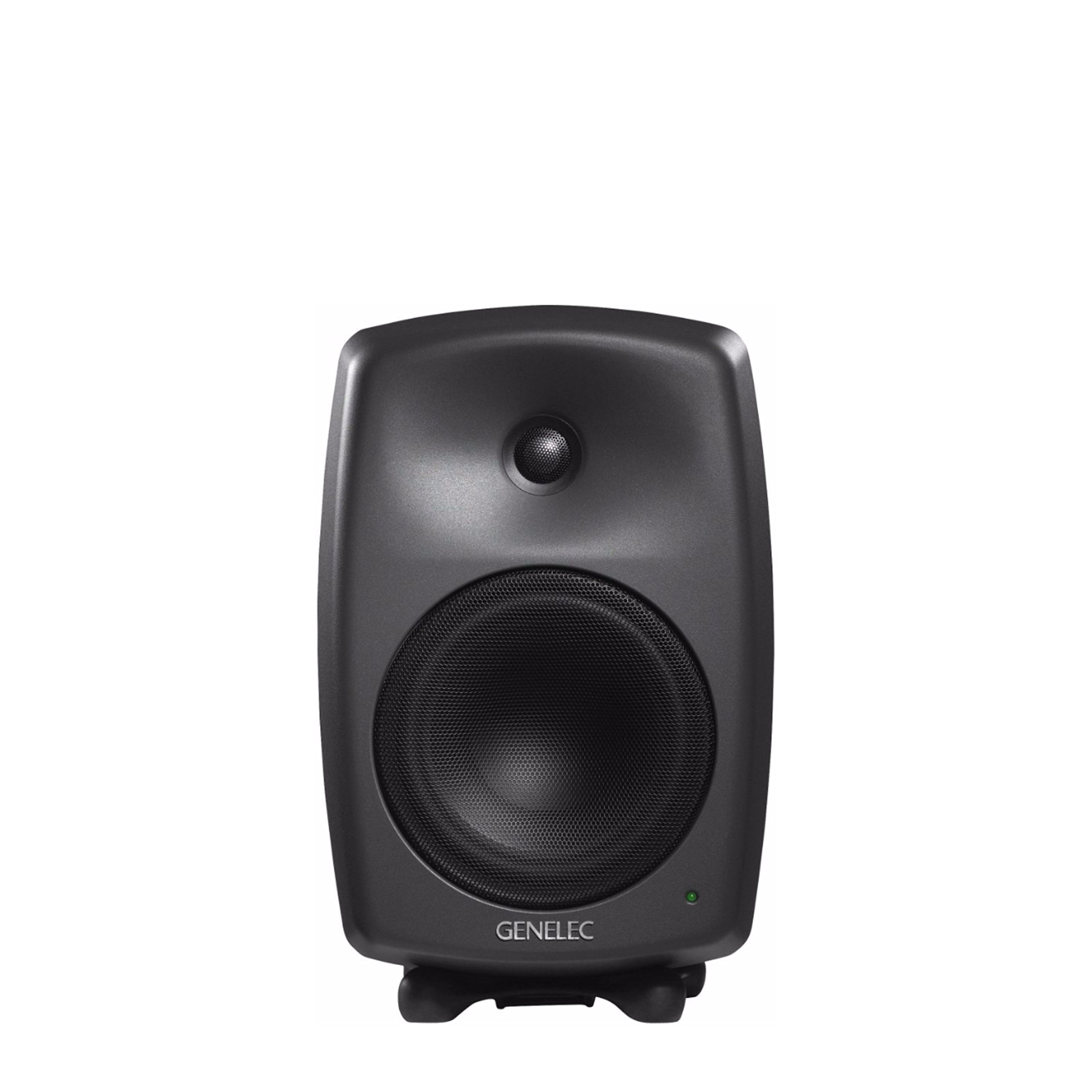
Figure 1: Front view of the Genelec 8040B Bi-Amplified Monitor System. This image shows the speaker's front grille, tweeter, and woofer, along with the Genelec logo and a power indicator light.
Key Features:
- Minimum Diffraction Enclosure (MDE): Features rounded edges and gently curved front and sides to achieve a smooth frequency response and superb imaging qualities by minimizing cabinet edge diffraction.
- High Output with Low Distortion: Equipped with 6.5-inch bass speakers and 3/4-inch metal dome tweeters, driven by dedicated 90-watt bass and treble amplifiers for clear audio reproduction.
- Intelligent Signal Sensing (ISS) Power Management: Automatically switches the monitor to a low-power standby state when no audio signal is detected for a period, conserving energy.
- High Performance Reflex Port: An ingeniously designed flow-optimized reflex port increases the woofer's low-frequency extension and SPL capacity, allowing for deep bass reproduction without compression.
- Versatile Mounting: Includes integrated rear support points for wall and floor stands, plus an M10 thread on the cabinet base for various mounting options. The monitor also comes with a standard IsoPod stand.
2. Setup
2.1 Unpacking and Placement
Carefully remove the monitor from its packaging. Place the monitor on a stable surface using the included IsoPod stand, or mount it using compatible wall or floor stands. Ensure adequate space around the monitor for proper ventilation and acoustic performance.
2.2 Connections
The Genelec 8040B uses wired connectivity for audio input and a corded electric power source.
- Power Connection: Connect the power cable to the mains input on the rear panel of the monitor and then to a suitable power outlet.
- Audio Input: Connect your audio source (e.g., audio interface, mixer) to the audio input connector on the rear panel. The monitor supports stereo audio output.

Figure 2: Rear view of the Genelec 8040B showing input connections and acoustic calibration controls. This includes the mains input, audio input, and switches for Bass Tilt, Treble Tilt, and Bass Roll-Off.
2.3 Acoustic Calibration
The rear panel features controls for acoustic calibration, allowing you to adjust the monitor's frequency response to suit your room's acoustics. These controls include:
- Bass Tilt: Adjusts the low-frequency response.
- Treble Tilt: Adjusts the high-frequency response.
- Bass Roll-Off: Reduces bass output, useful when using a subwoofer or in rooms with excessive bass resonance.
Refer to the markings on the rear panel (Figure 2) for specific switch positions and their corresponding frequency adjustments. Proper calibration is essential for accurate monitoring.
3. Operating Instructions
3.1 Power On/Off
Once connected, switch the power to the ON position using the switch located on the rear panel. The power indicator light on the front of the monitor will illuminate.
3.2 Intelligent Signal Sensing (ISS)
The 8040B features ISS technology. If no audio signal is detected for a certain period, the monitor will automatically enter a low-power standby mode. It will automatically power back on when an audio signal is detected. This feature helps conserve energy.
3.3 Volume Control
Volume control is typically managed by your audio source (e.g., mixer, audio interface). Ensure the input signal level is appropriate to avoid distortion.
3.4 Compatible Devices
The Genelec 8040B is compatible with various audio sources, including desktop computers, laptops, MP3 players, televisions, and projectors, making it suitable for home studio recording and general audio playback.
4. Maintenance
4.1 Cleaning
To clean the monitor, ensure it is powered off and disconnected from the mains. Use a soft, dry cloth to wipe the aluminum enclosure. Avoid using abrasive cleaners, solvents, or excessive moisture, as these can damage the finish or internal components.
4.2 General Care
Protect the monitor from extreme temperatures, humidity, and direct sunlight. Avoid placing heavy objects on top of the monitor or obstructing its ventilation. The monitor is not waterproof; keep it away from liquids.
5. Troubleshooting
If you encounter issues with your Genelec 8040B monitor, refer to the following common problems and solutions:
- No Sound:
- Check if the monitor is powered on and the power indicator light is illuminated.
- Verify all audio cables are securely connected to both the monitor and the audio source.
- Ensure the audio source is active and outputting a signal.
- Check the volume levels on your audio source.
- Distorted Sound:
- Reduce the input signal level from your audio source.
- Check for damaged audio cables.
- Ensure the acoustic calibration settings on the rear panel are appropriate for your room.
- Monitor Not Powering On:
- Verify the power cable is securely connected to both the monitor and a working power outlet.
- Check the power switch on the rear panel is in the 'ON' position.
- If using ISS, ensure an audio signal is present to wake the monitor from standby.
For further assistance, contact Genelec customer support or visit their official website.
6. Specifications
| Feature | Detail |
|---|---|
| Brand | Genelec |
| Model Name | 8040B |
| Model Number | 8040BPM |
| Speaker Type | Monitor |
| Speaker Maximum Output Power | 90 Watts |
| Frequency Response | 41 Hz - 25 KHz |
| Connectivity Technology | Wired |
| Audio Output Mode | Stereo |
| Mounting Type | Floor Standing, Wall Mount |
| Enclosure Material | Aluminum |
| Woofer Diameter | 6.5 Inches |
| Tweeter Diameter | 1 Inches |
| Item Dimensions (D x W x H) | 8.78"D x 9.33"W x 14.37"H |
| Item Weight | 8600 Grams |
| Power Source | Corded Electric |
| Control Method | Touch (via rear panel switches) |
| Specific Uses For Product | Home studio recording |
| Built-In Media | Iso-Pod, integrated rear support points for floor and wall stands |
| UPC | 064381280086 |
7. Warranty Information
The Genelec 8040B Bi-Amplified Monitor System comes with a Limited Warranty. For detailed information regarding the terms, conditions, and duration of your warranty, please refer to the official Genelec website or the warranty card included with your product. Keep your proof of purchase for warranty claims.
8. Support and Contact
For technical support, service, or additional information about your Genelec 8040B monitor, please visit the official Genelec website:
You may also find FAQs and user forums on their website which can provide solutions to common issues.


