
1. Introduction
This manual provides comprehensive instructions for the safe and proper installation and use of the Paulmann URail System Light&Easy 95126 Rail Cover. This transparent component is designed to enhance the safety and aesthetic finish of your URail high-voltage track system.
2. Safety Instructions
Please read these safety instructions carefully before installation and keep this manual for future reference. Failure to follow these instructions may result in electric shock, fire, or personal injury.
- Electrical Safety: Always ensure the power supply to the URail system is completely disconnected at the main circuit breaker before attempting any installation, maintenance, or modification.
- Qualified Personnel: Installation should only be performed by a qualified electrician or a person with appropriate electrical knowledge.
- Intended Use: This rail cover is designed exclusively for use with the Paulmann URail System Light&Easy 95126. Do not use it with other systems or for purposes other than its intended use.
- Indoor Use Only: This product is intended for indoor use in dry environments. Do not expose it to moisture or extreme temperatures.
- Damage Inspection: Before installation, inspect the rail cover for any signs of damage. Do not install a damaged component.
3. Package Contents
Verify that all components are present and undamaged before proceeding with installation.
- 1 x Paulmann URail System Light&Easy 95126 Rail Cover (Transparent)
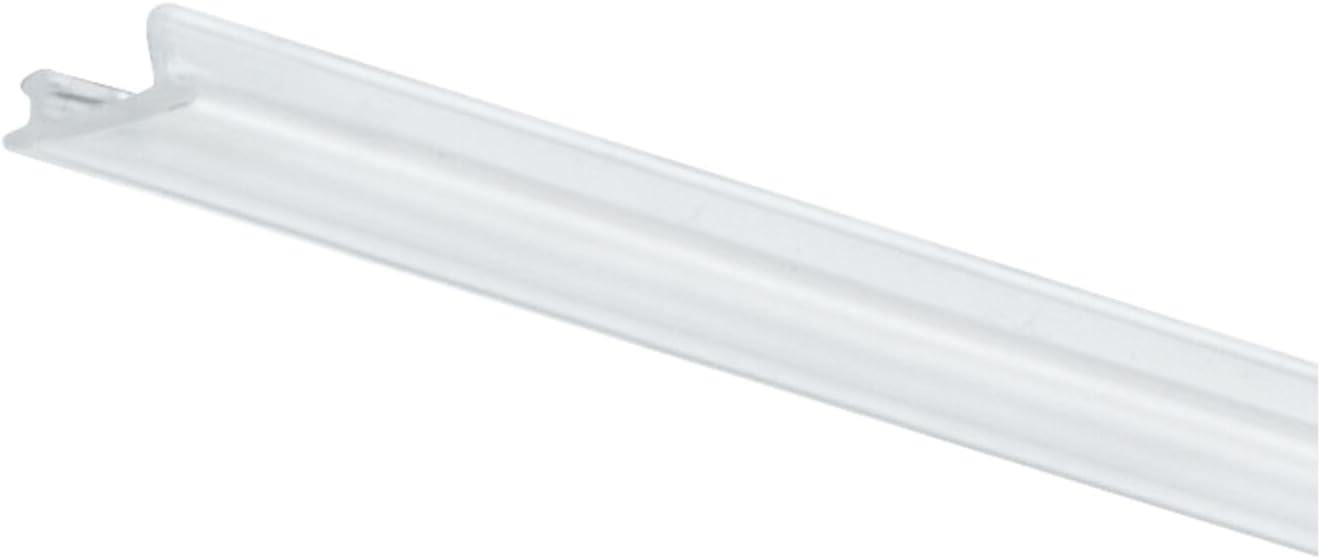
Image 3.1: The transparent Paulmann URail System Light&Easy 95126 Rail Cover. This component is designed to fit securely into the URail track, providing both protection and a clean finish.
4. Installation Guide
Follow these steps carefully to install the rail cover into your Paulmann URail system.
4.1. Preparation
- Disconnect Power: Ensure the power supply to the URail system is completely turned off at the main circuit breaker. Verify with a voltage tester if necessary.
- Clean Track: Ensure the URail track is clean and free from dust or debris where the cover will be installed.
4.2. Inserting the Rail Cover
The rail cover is designed for easy insertion into the open channel of the URail track. It provides a protective barrier over the electrical conductors.

Image 4.1: A hand gently pressing the transparent rail cover into the open channel of the URail track. The cover should snap into place along the length of the track.
- Align one edge of the transparent rail cover with the groove along the open side of the URail track.
- Gently press the cover into the track, working your way along its length. The cover should flex slightly and snap securely into place, covering the internal conductors.
- Ensure the cover is fully seated and flush with the track surface along its entire length.

Image 4.2: A close-up view demonstrating the precise method of inserting the transparent rail cover. The flexible material allows for a snug fit, ensuring the electrical components are safely enclosed.
4.3. Final Check
- Visually inspect the entire length of the installed rail cover to ensure it is properly seated and there are no gaps or loose sections.
- Once satisfied with the installation, you may restore power to the URail system.
5. Operating Instructions
The Paulmann URail System Light&Easy 95126 Rail Cover is a passive component designed for safety and aesthetic enhancement. Once correctly installed, it requires no further operation. Its function is to cover the live conductors within the URail track, preventing accidental contact and providing a clean, finished appearance to the lighting system.
6. Maintenance
Proper maintenance ensures the longevity and continued aesthetic appeal of your rail cover.
- Cleaning: To clean the transparent rail cover, gently wipe it with a soft, dry, or slightly damp cloth. Avoid using abrasive cleaners, solvents, or harsh chemicals, as these can scratch or damage the plastic material.
- Inspection: Periodically inspect the rail cover for any signs of damage, discoloration, or loosening. If any issues are found, ensure the power is disconnected before attempting to re-seat or replace the cover.
7. Troubleshooting
This section addresses common issues you might encounter with the rail cover.
| Problem | Possible Cause | Solution |
|---|---|---|
| Rail cover does not fit or is loose. | Incorrect product model; not fully seated; debris in track. | Ensure you have the correct Paulmann URail 95126 cover. Disconnect power, remove cover, clean track, and re-insert firmly. |
| Rail cover is scratched or discolored. | Abrasive cleaning; prolonged exposure to harsh conditions. | Replace the rail cover if damage affects aesthetics or integrity. Use only soft cloths for cleaning. |
8. Specifications
| Feature | Detail |
|---|---|
| Brand | Paulmann |
| Model Number | 95126 |
| Material | Plastic |
| Color | Transparent |
| Item Weight | 4 g |
| Specific Uses | For indoor use only |
| Installation Type | Track mounting |
| IP Rating | Not Applicable |
9. Warranty and Support
Paulmann products are manufactured to high-quality standards. For information regarding warranty terms and conditions, please refer to the documentation provided with your original URail system purchase or visit the official Paulmann website. For technical support or assistance, please contact Paulmann customer service directly.


