
1. Introduction
This manual provides essential instructions for the safe and efficient use of your UpBright 15V 1A AC/DC Adapter. This power supply is designed to convert AC wall power to 15V DC, suitable for various electronic devices requiring 15VDC and up to 1000mA (1A) current.
The adapter features a worldwide input voltage range of 100-240VAC, 50/60Hz, making it versatile for international use. It incorporates safety protections including Over Voltage Protection (OVP), Over Current Protection (OCP), and Short Circuit Protection (SCP) to ensure reliable operation and device safety.

Image 1.1: The UpBright 15V 1A AC/DC Adapter, showing the main unit with two prongs for wall outlet connection and the attached DC output cable with a barrel connector.
2. Safety Information
Please read and understand all safety instructions before using this product. Failure to follow these instructions may result in electric shock, fire, or damage to the adapter or connected device.
- Over Voltage Protection (OVP): Prevents damage to your device from excessive output voltage.
- Over Current Protection (OCP): Safeguards against damage from excessive output current.
- Short Circuit Protection (SCP): Protects the adapter and connected device in case of a short circuit.
- Do not expose the adapter to water, rain, or excessive moisture.
- Do not disassemble or modify the adapter.
- Ensure the adapter is used within its specified voltage and current ratings.
- Keep out of reach of children.
3. Setup
Follow these steps to set up your AC/DC adapter:
- Verify Compatibility: Ensure your device requires a 15V DC input and draws no more than 1A (1000mA) of current. Check your device's specifications or original power adapter for voltage and amperage requirements.
- Connect to Device: Plug the barrel connector of the UpBright adapter into the DC input port of your electronic device. Ensure a secure fit.
- Connect to Power Outlet: Insert the adapter's prongs into a standard AC wall outlet (100-240VAC, 50/60Hz).
- Power On Device: Once connected, power on your device as usual.
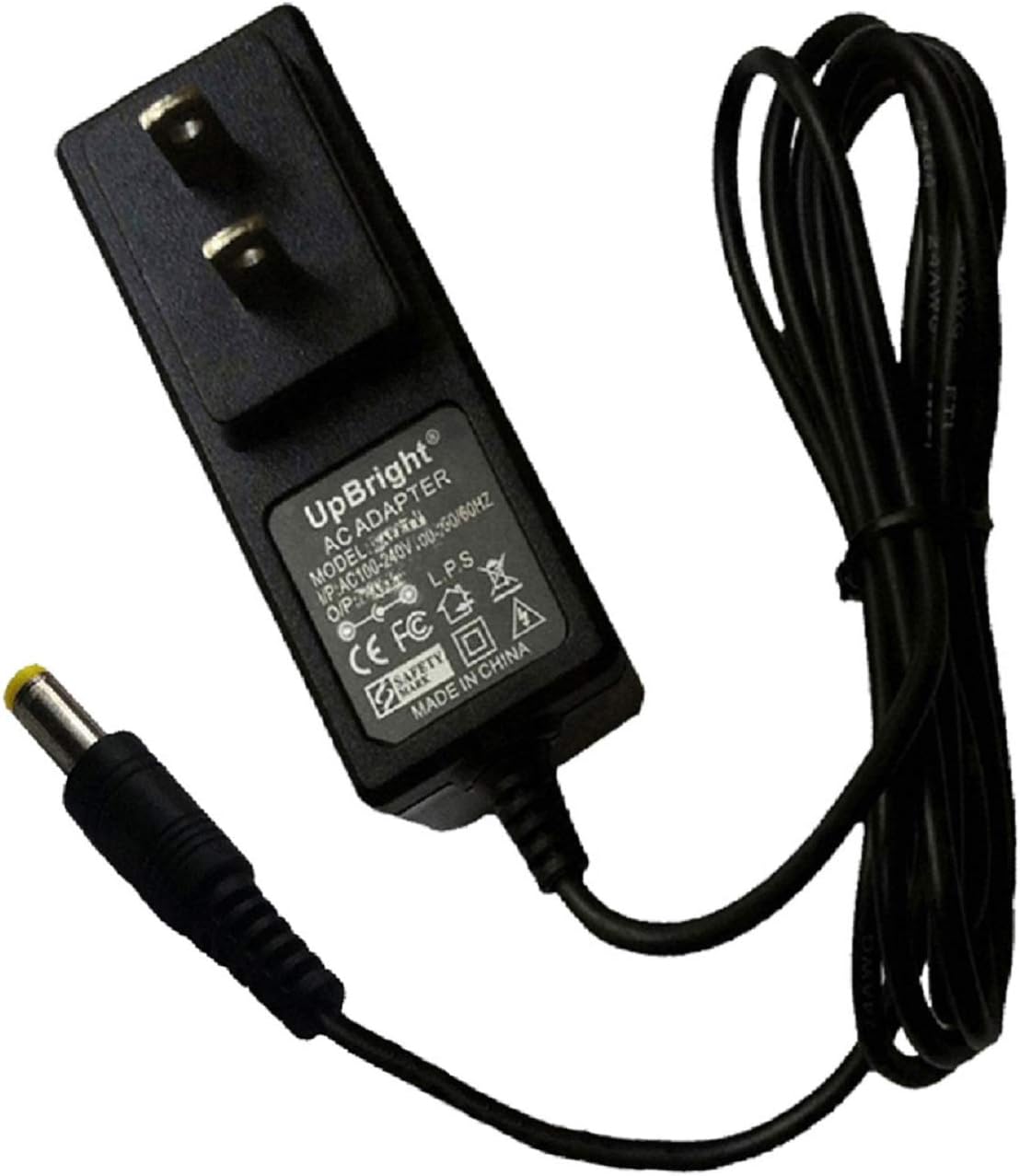
Image 3.1: The UpBright 15V 1A AC/DC Adapter, highlighting the yellow-tipped barrel connector, which is a common size for 15V devices.
Compatible Models (Partial List):
- LEI Model No.: T481510OO3CT, T481510003CT
- Leader Electronics Inc. LPS 15VDC 1000mA 15W
- Trivision BT INC Model: SAW24-138-1200, P/N: TBS-151000
- Trivision BT INC Model: RH-150100US, P/N: TBS-151000
- Model No: D15-1A, P/N: PS-1.75-15D
- Model: AD-48151000D (E152985 4T79 03)
- THINK BROADBAND SOLUTIONS HND15-1000, P/N: TBS48T-1501000SA
- AMIGO AM-1500700AM41
4. Operating Instructions
Once properly connected, the UpBright 15V 1A AC/DC Adapter operates automatically. It provides a stable 15V DC output to your connected device. No user intervention is required during operation.
- Ensure the adapter is placed in a well-ventilated area to prevent overheating.
- Avoid covering the adapter during use.
- Disconnect the adapter from the wall outlet when not in use for extended periods.
5. Maintenance
Proper maintenance ensures the longevity and safe operation of your adapter.
- Cleaning: Disconnect the adapter from the power source and device before cleaning. Use a soft, dry cloth to wipe the exterior. Do not use liquid cleaners or aerosols.
- Storage: Store the adapter in a cool, dry place away from direct sunlight and extreme temperatures. Avoid tightly coiling the cable to prevent damage.
- Inspection: Periodically inspect the adapter and cable for any signs of damage, such as frayed wires, cracks, or loose connections. If damage is found, discontinue use immediately.
6. Troubleshooting
If you experience issues with your UpBright AC/DC Adapter, refer to the following troubleshooting steps:
- No Power to Device:
- Ensure the adapter is securely plugged into a working wall outlet.
- Verify the barrel connector is fully inserted into your device's power input port.
- Test the wall outlet with another device to confirm it is supplying power.
- Confirm your device's power requirements (voltage and amperage) match the adapter's output.
- Adapter Overheating:
- Ensure the adapter is in a well-ventilated area and not covered.
- Verify the connected device is not drawing more current than the adapter's 1A rating.
- Intermittent Power:
- Check all connections for looseness.
- Inspect the cable for any visible damage or kinks.
If the issue persists after following these steps, please refer to the Warranty and Support section.
7. Specifications
| Feature | Specification |
|---|---|
| Brand | UPBRIGHT |
| Model Number | LEI T481510OO3CT |
| Input Voltage | 100-240VAC, 50/60Hz |
| Output Voltage | 15V DC |
| Output Current | 1A (1000mA) |
| Wattage | 15W |
| Connector Type | Barrel Connector |
| Safety Protections | OVP, OCP, SCP |
| Item Weight | 1.35 pounds |
| Package Dimensions | 5 x 3.2 x 2.5 inches |
| ASIN | B00JZF0KP6 |
8. Warranty and Support
UpBright products are designed for reliability and performance. This adapter comes with the following warranty and support:
- Refund Policy: 30 Days Refund.
- Exchange Policy: 24 Months Exchange.
For warranty claims or technical support, please contact your retailer or the UpBright customer service directly. Please have your product model number and purchase information ready.

Image 8.1: An illustration showing a 'Limited Warranty Certificate' and examples of international outlet adapters (AU, EU, UK) that may be included with international orders.
