
1. Introduction
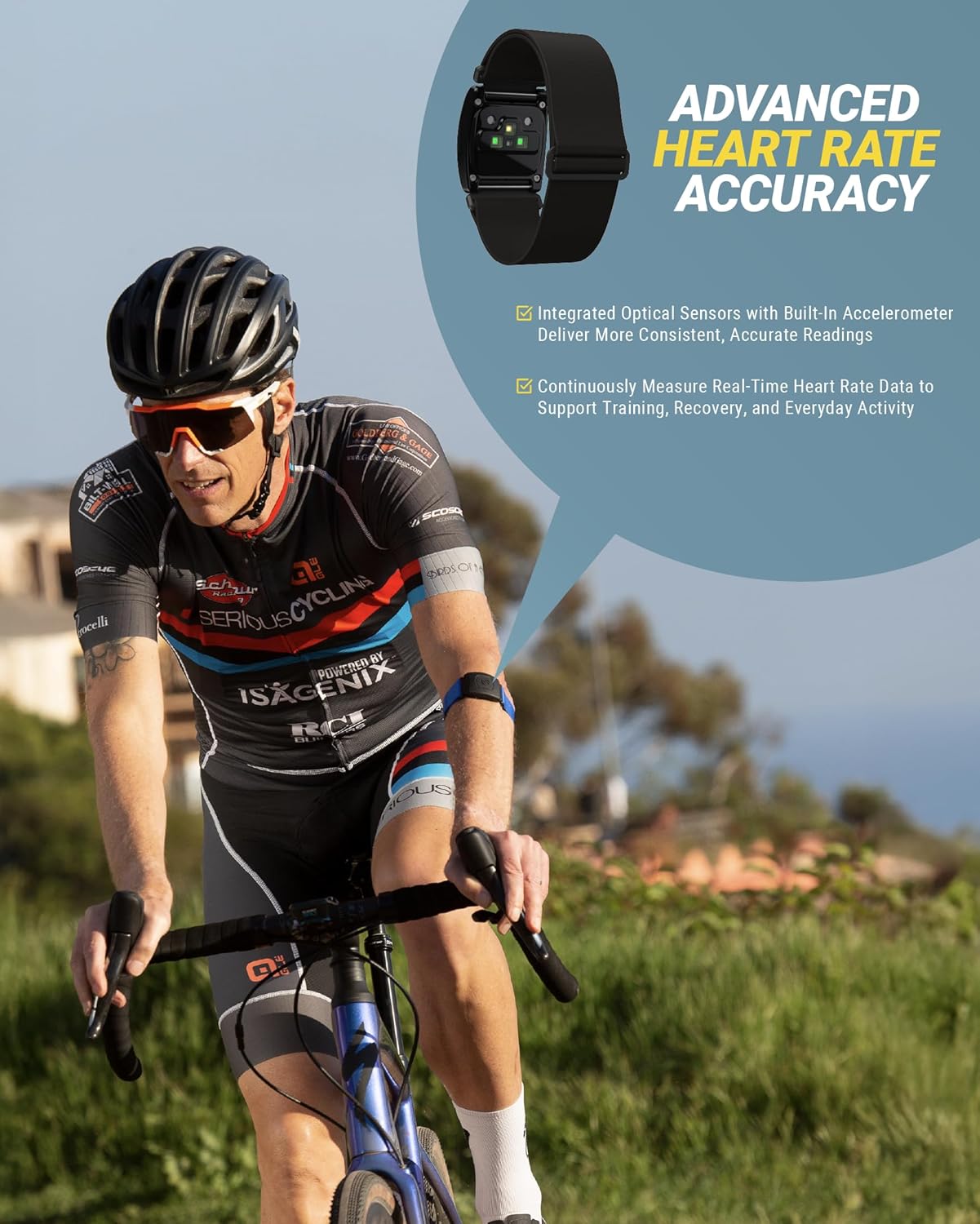
The Scosche Rhythm+ 2.0 is an advanced optical heart rate monitor armband designed for accurate, real-time heart rate tracking during various physical activities. It offers versatile connectivity and a comfortable, durable design to support your fitness and recovery goals.
Key Features:
- Precise Heart Rate Monitoring: Delivers accurate real-time tracking for running, gym workouts, and indoor or outdoor cycling. Pairs via Bluetooth or ANT+ to sports watches, fitness equipment, or fitness apps to monitor workout intensity and performance.
- Recovery Insights: HRV mode captures precise RR interval data from subtle heartbeat variations, providing deeper insight into training, sleep quality, and daily stress. Streams RRi data to compatible HRV apps.
- Secure Comfortable Fit: Features a lightweight, breathable strap that adjusts securely to your forearm, bicep, or tricep, remaining stable during intense workouts. Offers a dependable alternative to restrictive chest straps.
- Long-Lasting Connectivity: Pairs with ANT+ or Bluetooth devices for stable connections. Provides up to 24 hours of continuous battery life.
- IP68 Waterproof & Durable: Built to withstand sweat, rain, and demanding training conditions, suitable for indoor or outdoor use.

2. Setup
2.1 Unboxing and Initial Inspection
Upon receiving your Scosche Rhythm+ 2.0, carefully open the packaging and ensure all components are present: the Rhythm+ 2.0 sensor, an adjustable armband, and a charging cable.
2.2 Charging the Device
Before first use, fully charge your Rhythm+ 2.0. Connect the provided charging cable to the sensor and plug the USB end into a power source. The LED indicator on the sensor will show charging status (typically a red flashing light while charging, turning solid blue or off when fully charged). A full charge provides up to 24 hours of use.
2.3 Armband Adjustment and Placement
The armband is adjustable to ensure a secure and comfortable fit. It can be worn on your forearm, bicep, or tricep. For optimal accuracy, ensure the sensor is snug against your skin and positioned away from major bones or joints. The optical sensors on the back of the device require good skin contact to read your heart rate effectively.

2.4 Powering On/Off
To power on the device, press and hold the central button for approximately 2 seconds until the LED indicator lights up. To power off, press and hold the button again until the lights turn off.
2.5 Pairing with Devices
The Rhythm+ 2.0 supports both Bluetooth and ANT+ connectivity. Once powered on, the device will enter pairing mode (indicated by flashing red and blue lights). Open the settings or sensor menu on your compatible sports watch, fitness equipment, or smartphone app (e.g., STRAVA, Peloton, Wahoo) and select the Rhythm+ 2.0 from the list of available sensors. The LED will typically turn solid blue once successfully paired.
3. Operating
3.1 Real-Time Heart Rate Tracking
Once paired, the Rhythm+ 2.0 will continuously transmit your heart rate data to your connected device or application. This allows for real-time monitoring of your workout intensity, helping you stay within target heart rate zones for effective training.
3.2 HRV and RRi Data
The device's advanced optical sensor technology can capture Heart Rate Variability (HRV) and RR interval (RRi) data. This information is crucial for deeper insights into your recovery, stress levels, and overall physiological state. Compatible apps like HRV4Training, Morpheus Training, and Welltory can utilize this data for comprehensive analysis.

3.3 App Compatibility
The Rhythm+ 2.0 is compatible with over 200 popular fitness apps and training platforms. This broad compatibility ensures you can integrate the heart rate data into your preferred ecosystem for tracking, analysis, and sharing your workout performance.

4. Maintenance
4.1 Cleaning
After each use, especially after intense workouts, gently wipe the sensor and armband with a damp cloth to remove sweat and debris. For a deeper clean, the armband can be hand-washed with mild soap and water. Ensure the sensor is completely dry before charging or storing.
4.2 Battery Care
To maximize battery life, avoid fully discharging the device regularly. Charge the Rhythm+ 2.0 when the battery level is low. Store the device in a cool, dry place when not in use.
4.3 Waterproofing
The Rhythm+ 2.0 has an IP68 waterproof rating, meaning it is protected against dust ingress and can withstand immersion in water up to 1.5 meters for 30 minutes. It is suitable for use in rain, during sweaty workouts, and can be rinsed under tap water. However, it is not recommended for prolonged underwater use or swimming.

5. Troubleshooting
5.1 Device Not Powering On
- Ensure the device is fully charged. Connect it to the charger and check if the charging indicator light appears.
- Press and hold the power button for at least 2 seconds.
5.2 Difficulty Pairing
- Make sure the Rhythm+ 2.0 is powered on and within range of your receiving device.
- Check that Bluetooth or ANT+ is enabled on your receiving device.
- Try restarting both the Rhythm+ 2.0 and your receiving device.
- Ensure no other devices are actively paired with the Rhythm+ 2.0, as it can only maintain one active connection at a time.
5.3 Inaccurate Heart Rate Readings
- Verify the armband is snug against your skin and correctly positioned on your forearm, bicep, or tricep.
- Ensure the optical sensors on the back of the device are clean and free from obstructions.
- Avoid excessive movement or vibration of the armband during activity.
- Check the battery level; low battery can sometimes affect accuracy.
6. Specifications
| Feature | Specification |
|---|---|
| Brand | Scosche |
| Model Number | Rhythm+ 2.0 |
| Material | Silicone |
| Color | Black |
| Compatible Devices | Smartphones, tablets, watches, Bluetooth Smart and ANT+ compatible devices |
| Product Dimensions | 11.5"L x 1.5"W x 0.5"H |
| Item Weight | 2.82 Ounces |
| Battery Life | 24 Hours |
| Sensor Type | Optical |
| Battery Description | Lithium-Ion |
| Waterproof Rating | IP68 |
| Connectivity Technologies | Bluetooth, ANT+ |
7. Warranty and Support
The Scosche Rhythm+ 2.0 Heart Rate Monitor Armband is backed by Scosche’s lifetime tech support and a limited 1-Year Warranty. For technical assistance or warranty claims, please refer to the contact information provided in your product packaging or visit the official Scosche website.


