
1. Introduction
This manual provides essential information for the safe and effective use of your Jocca 7148 Body Fat Digital Scale. Please read it thoroughly before first use and keep it for future reference. This scale is designed to measure body weight, body fat percentage, body water percentage, muscle mass, bone mass, Kcal, and Body Mass Index (BMI).
2. Safety Information
- Do not use this device if you have a pacemaker or other internal medical device.
- Do not use this device if you are pregnant.
- Keep the scale away from water and extreme temperatures.
- The scale surface can be slippery when wet. Step on and off carefully.
- Do not jump on the scale.
- This scale is for household use only and not for medical diagnosis or treatment.
- Keep batteries out of reach of children.
3. Product Overview
The Jocca 7148 Body Fat Digital Scale features a sleek design with a glass platform and integrated electrodes for body composition analysis. The digital LCD display shows your measurements clearly.
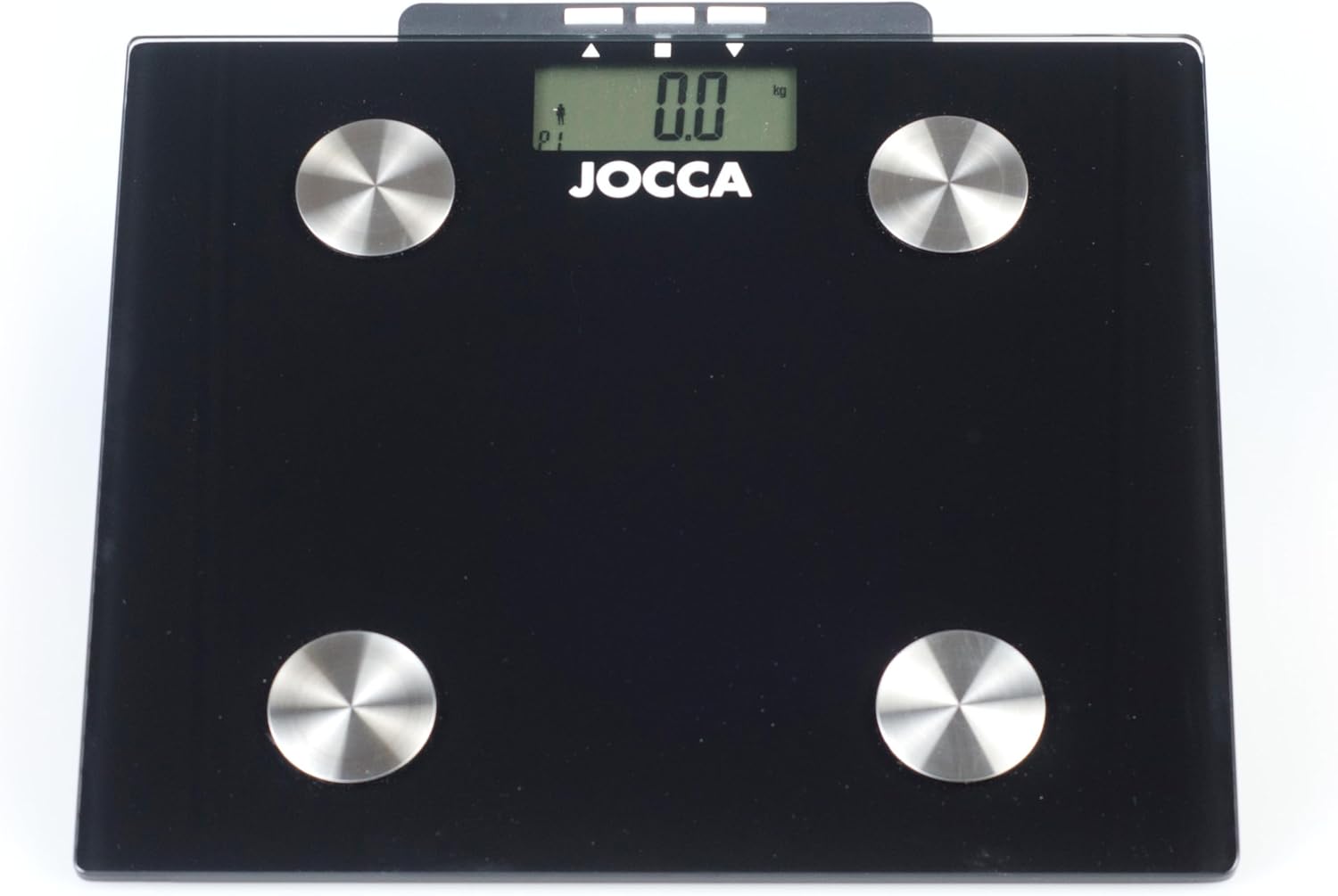
Figure 1: Top view of the Jocca 7148 Body Fat Digital Scale, showing the glass platform, four metal electrodes, and the LCD display at the top center with "JOCCA" branding below it.
Key Components:
- Glass Platform: The main weighing surface.
- Electrodes: Four metal pads on the surface for body composition analysis.
- LCD Display: Shows weight, body composition data, and user profiles.
- Control Buttons: Located near the display for setting up user profiles and units.
- Battery Compartment: Located on the underside of the scale.
4. Setup
4.1 Battery Installation
- Open the battery compartment cover on the underside of the scale.
- Insert 1 CR2 battery, ensuring correct polarity (+/-).
- Close the battery compartment cover securely.
4.2 Initial Placement
Place the scale on a hard, flat surface. Avoid carpets or uneven flooring, as this can affect accuracy.
4.3 Unit Selection (kg/lb)
On the underside of the scale, locate the unit switch (usually a button or slide switch). Press or slide it to select your preferred unit of measurement (kilograms or pounds).
4.4 User Profile Setup
The scale can store data for up to 10 individuals. To set up a user profile:
- Press the "SET" button to enter user setup mode.
- Use the "UP" or "DOWN" arrows to select a user number (P1-P10). Press "SET" to confirm.
- Set your gender (male/female) using the arrows. Press "SET".
- Enter your height using the arrows. Press "SET".
- Enter your age using the arrows. Press "SET".
- The scale will save your profile. Repeat for other users.
5. Operating Instructions
5.1 Taking a Weight Measurement
- Gently tap the scale with your foot to turn it on. Wait for "0.0" to appear on the display.
- Step onto the scale with bare feet, ensuring your feet are centered on the electrodes.
- Stand still until your weight is displayed and stabilizes.
- The scale will automatically turn off after a few seconds.
5.2 Taking a Body Composition Measurement
For accurate body composition readings, ensure your feet are clean and dry, and you are standing barefoot on the electrodes.
- Tap the scale to turn it on.
- Press the "USER" button to select your user profile (P1-P10).
- Once your profile is selected and "0.0" is displayed, step onto the scale with bare feet, making sure your feet are in contact with the metal electrodes.
- Stand still. The scale will first display your weight, then cycle through your body composition data: body fat percentage, body water percentage, muscle mass, bone mass, Kcal, and BMI.
- The readings will flash a few times before the scale automatically turns off.
5.3 Understanding Your Readings
- Body Fat: Percentage of total body weight that is fat.
- Body Water: Percentage of total body weight that is water.
- Muscle Mass: Percentage of total body weight that is muscle.
- Bone Mass: Percentage of total body weight that is bone.
- Kcal: Estimated daily caloric intake needed to maintain current weight.
- BMI (Body Mass Index): A measure of body fat based on height and weight.
6. Maintenance
6.1 Cleaning
Wipe the scale surface with a damp cloth and mild detergent. Do not use abrasive cleaners or immerse the scale in water.
6.2 Storage
Store the scale in a cool, dry place, away from direct sunlight and extreme temperatures. Do not place heavy objects on the scale when not in use.
6.3 Battery Replacement
When the "LO" indicator appears on the display, it's time to replace the battery. Follow the battery installation steps in Section 4.1.
7. Troubleshooting
| Problem | Possible Cause | Solution |
|---|---|---|
| "LO" displayed | Low battery. | Replace the battery (1 CR2). |
| "Err" displayed | Overload or measurement error. | Ensure weight is within 150kg capacity. Step off and on again. Ensure feet are properly placed on electrodes. |
| Inaccurate readings | Scale on uneven surface, not calibrated, or user profile incorrect. | Place on a hard, flat surface. Tap to turn on and wait for "0.0" before stepping on. Verify user profile settings. |
| No body composition data | Not standing barefoot, feet not making contact with electrodes, or user profile not selected. | Ensure bare feet are centered on all four electrodes. Select your user profile before weighing. |

Figure 2: Close-up of the scale's LCD display showing common error messages: "LO" indicating low battery and "Err" indicating an error or overload.
8. Specifications
| Feature | Detail |
|---|---|
| Model Number | 7148 |
| Brand | Jocca |
| Functions | Body Fat, Body Water, Muscle, Weight, Bone Mass, Kcal, BMI |
| Capacity | 150 kg (330 lb) |
| Weight Division | 100 g (0.2 lb) |
| Body Fat Division | 0.1% |
| Body Fat Range | 0% to 80% |
| Body Water Range | 10% to 75% |
| Display Type | LCD |
| Material | Glass |
| Power Source | 1 x CR2 battery |
| Dimensions | 50 x 50 x 28 cm |
| Weight | 1.3 kg |
| Special Features | Auto zero, Auto shut-off, Low battery alarm, Memory for 10 users |
9. Warranty and Support
Jocca products are manufactured to high-quality standards. For warranty information or technical support, please refer to the warranty card included with your purchase or visit the official Jocca website. Keep your proof of purchase for any warranty claims.
For further assistance, please contact Jocca customer service through their official channels.