
Introduction
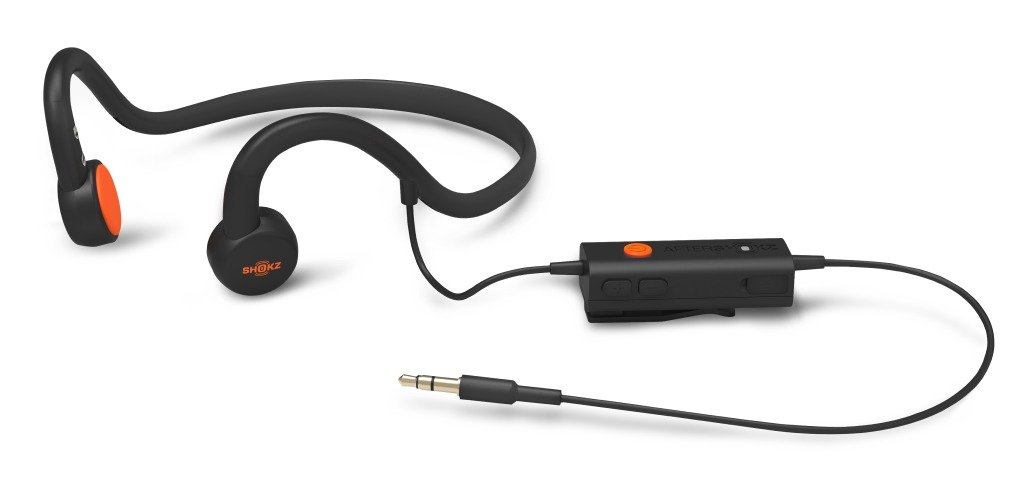
The SHOKZ AS400 Sportz 3 Open Ear Stereo Headphones are designed to provide audio through bone conduction technology, allowing you to hear your surroundings while enjoying sound. This manual provides essential information for the proper setup, operation, and maintenance of your headphones to ensure a safe and optimal listening experience.
Product Overview
Key Features
- Bone conduction technology transmits sound waves directly to the cochlea via vibrations.
- OpenFit design ensures ambient sound awareness and extended comfort.
- PremiumPitch patented dual suspension transducers deliver high-quality bone conduction audio.
- Nanotechnology treatment repels sweat, suitable for workouts.
- Wired connectivity for reliable audio transmission.
Package Contents
- SHOKZ AS400 Sportz 3 Open Ear Stereo Headphones
- Zippered storage case
- Micro-USB charging cable
- Reflective sticker
Setup
Charging the Headphones
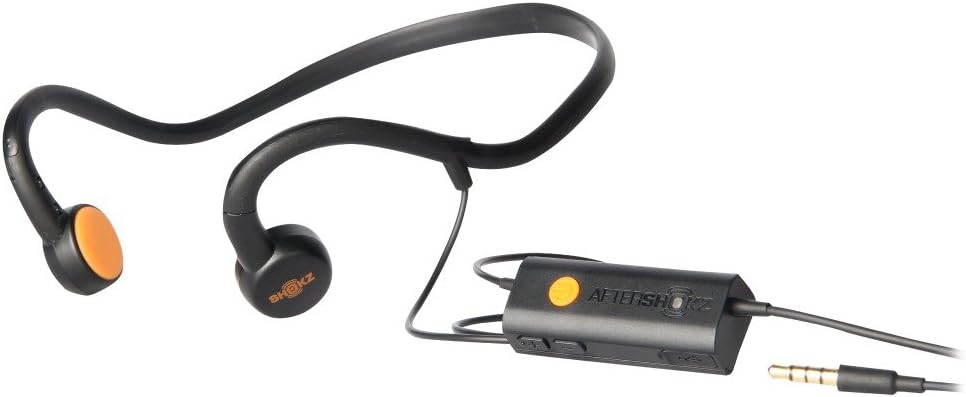
Before initial use, fully charge your headphones. Connect the micro-USB charging cable to the charging port on the inline control unit and plug the other end into a USB power source. The LED indicator on the control unit will show the charging status. A full charge typically takes approximately 2 hours.
Connecting to an Audio Source
The AS400 Sportz 3 headphones utilize a wired connection. Insert the 3.5mm audio jack from the inline control unit firmly into the headphone port of your audio device (e.g., smartphone, MP3 player, computer).
Operating Instructions
Wearing the Headphones
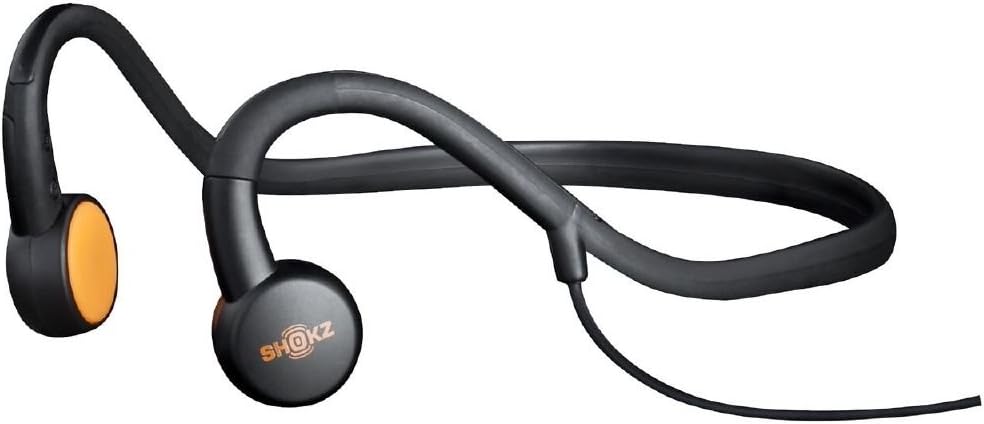
Place the flexible band behind your head, ensuring the transducers rest comfortably on your cheekbones, just in front of your ears. Adjust the position for optimal sound and comfort. The open-ear design allows you to remain aware of your surroundings.
Audio Playback and Controls
Use the inline control unit to manage your audio. The control unit typically includes buttons for:
- Volume Up/Down: Adjust the listening volume.
- Play/Pause: Start or stop audio playback.
- Track Skip: Advance to the next track or return to the previous one (functionality may vary by audio source).
Maintenance
Cleaning
To clean your headphones, gently wipe them with a soft, damp cloth. Avoid using harsh chemicals, abrasive cleaners, or submerging the headphones in water. Ensure the charging port is dry before connecting the charging cable.
Storage
When not in use, store your headphones in the provided zippered storage case. This protects them from dust, dirt, and potential damage, extending their lifespan.
Troubleshooting
No Sound
- Ensure the 3.5mm audio jack is fully inserted into both the headphone control unit and your audio source.
- Check the volume levels on both the headphones (via the inline control) and your audio source.
- Verify that your audio source is playing content.
- Test with a different audio source to rule out device-specific issues.
Poor Sound Quality
- Adjust the position of the transducers on your cheekbones. Ensure they are making firm, comfortable contact.
- Check the audio quality of the source material.
- Ensure the audio jack connection is secure and free of debris.
Charging Issues
- Ensure the micro-USB charging cable is securely connected to both the headphones and the power source.
- Try using a different micro-USB cable or a different USB power adapter.
- Check the charging port for any obstructions or damage.
Specifications
| Brand | SHOKZ |
| Model Number | AS400 |
| Connectivity Technology | Wired |
| Ear Placement | Open Ear |
| Item Weight | 1.6 ounces |
| Audio Driver Type | Bone Conduction Driver |
| Frequency Range | 20 Hz - 20,000 Hz |
| Enclosure Material | Plastic |
| Built-In Media | Cable, Protective Case |
Warranty and Support
For detailed warranty information, product registration, and technical support, please visit the official SHOKZ website or contact their customer service department. Keep your purchase receipt for warranty claims. The product includes a zippered storage case and micro-USB charging cable for your convenience.
For further assistance, please refer to the contact information provided with your product packaging or on the manufacturer's website.