
1. Introduction
This manual provides essential information for the safe and effective use of your Futaba R304SB-E 2.4GHz T-FHSS 4-Channel Telemetry Micro Receiver. Please read this manual thoroughly before operating the receiver to ensure proper setup and to prevent damage or injury. This receiver is designed for use in various remote-controlled models, offering reliable 2.4GHz T-FHSS communication and telemetry capabilities.
Safety Precautions
- Always ensure the receiver is securely mounted in your model.
- Verify all connections are correct and secure before powering on.
- Do not expose the receiver to moisture, extreme temperatures, or excessive vibration.
- Operate your model in a safe environment, away from people and obstacles.
- Always turn on the transmitter first, then the receiver. When powering off, turn off the receiver first, then the transmitter.
2. Setup
Package Contents
The Futaba R304SB-E package typically includes:
- Futaba 01102180-3 R304SB-E T-FHSS Telemetry System 4-Channel 2.4GHz Micro Receiver
Receiver Overview
The R304SB-E receiver features a compact design suitable for electric models. It includes an S.BUS2 port for connecting telemetry sensors and S.BUS servos.
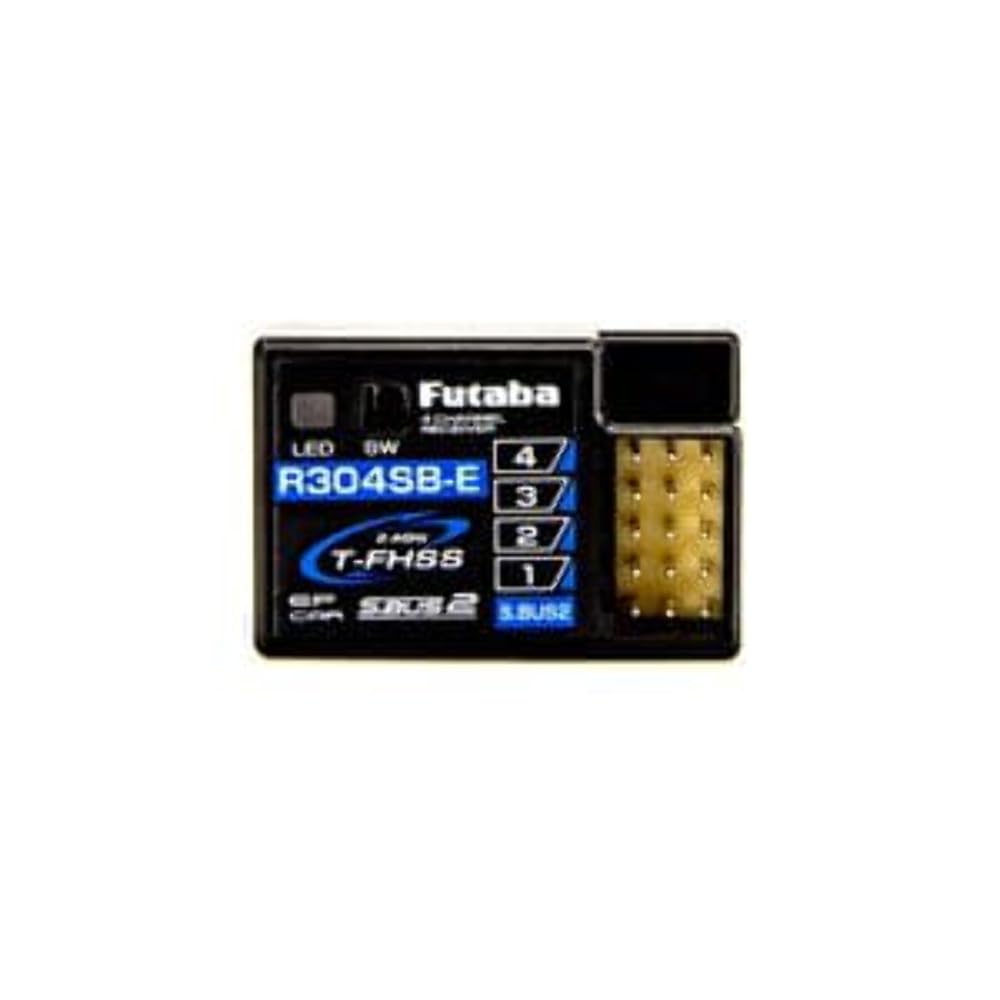
Image 1: Futaba R304SB-E 2.4GHz T-FHSS 4-Channel Telemetry Micro Receiver. This image shows the compact form factor of the receiver with its antenna and connection ports.
Connection Instructions
- Power Connection: Connect the receiver to a power source within the specified voltage range (3.5-8.4V). Ensure correct polarity.
- Servo Connections: Connect your servos to the appropriate channels on the receiver.
- S.BUS2 Port: For telemetry functions, connect compatible S.BUS2 sensors to the S.BUS2 port.
Binding Process
The R304SB-E receiver uses T-FHSS (auto detection) system. To bind the receiver to your Futaba T-FHSS compatible transmitter:
- Turn on your Futaba T-FHSS transmitter and select the T-FHSS mode.
- Power on the R304SB-E receiver. The LED on the receiver will begin to flash.
- Press and hold the Link/Mode button on the receiver for approximately 2 seconds. The LED will change its flashing pattern.
- Once the binding is successful, the LED on the receiver will turn solid green.
- Turn off the receiver and then the transmitter. Then, turn on the transmitter first, followed by the receiver, to confirm the binding.
3. Operating
Once bound, the R304SB-E receiver will communicate with your transmitter, allowing control of your model. The 4-channel output provides control for standard functions such as steering, throttle, and auxiliary channels.
Telemetry Functions
The R304SB-E supports telemetry when used with a compatible Futaba T-FHSS transmitter and S.BUS2 sensors (sold separately). Connect S.BUS2 sensors to the S.BUS2 port on the receiver. Your transmitter will then display real-time data such as battery voltage, temperature, or RPM, depending on the sensors installed.
4. Maintenance
Cleaning
Gently clean the receiver with a soft, dry cloth. Do not use solvents or abrasive cleaners, as these can damage the casing or internal components.
Storage
Store the receiver in a dry, cool environment, away from direct sunlight and extreme temperatures. Avoid storing it in areas with high humidity or corrosive substances.
Environmental Considerations
The receiver is designed for hobby use. Avoid operating it in dusty, wet, or excessively hot conditions, which can impair performance and longevity.
5. Troubleshooting
Common Issues and Solutions
- No Power to Receiver:
Check battery connections and ensure the battery is charged. Verify power switch functionality. - No Signal/Binding Failure:
Ensure the transmitter is in T-FHSS mode. Re-attempt the binding process. Check for interference from other 2.4GHz devices. Ensure the transmitter and receiver are within close proximity during binding. - Intermittent Control/Reduced Range:
Check antenna placement on the receiver; ensure it is not obstructed or damaged. Avoid operating near large metal objects or strong electrical interference sources. - Servos Not Responding:
Verify servo connections to the correct channels. Check if servos are powered and functional. Ensure the transmitter is correctly configured for the model.
6. Specifications
| Feature | Specification |
|---|---|
| Model Number | FUTL7681 |
| System | T-FHSS (auto detection) |
| Channels | 4-Channel |
| Power Requirement Rated Voltage | 4.8-7.4V |
| Usable Voltage | 3.5-8.4V |
| S.BUS2 Port | Yes |
| Product Dimensions | 3.13 x 2.5 x 1.13 inches |
| Item Weight | 1.44 ounces |
7. Warranty and Support
Warranty Information
Futaba products are manufactured to high standards. For specific warranty terms and conditions, please refer to the warranty card included with your product or visit the official Futaba website. Keep your proof of purchase for warranty claims.
Customer Support
If you encounter any issues not covered in this manual or require further assistance, please contact Futaba customer support. Contact details can typically be found on the official Futaba website or product packaging.


