
Aiphone RY-ES
Aiphone RY-ES External Signaling Relay Instruction Manual
Model: RY-ES
Introduction
The Aiphone RY-ES is an external signaling relay designed to enhance the functionality of select Aiphone audio and video intercom systems. This device allows for the activation of an external device, such as a chime, light, or other signaling mechanism, when the intercom's door station initiates a call. It provides a reliable interface for integrating your intercom system with other building automation or notification systems.
Key Features
- Weather Resistant: Designed to withstand various environmental conditions.
- Integrated Wiring Space: Provides internal space for organized wiring connections.
- Versatile Mounting: Can be mounted to a standard 1-gang electrical box or ring, or directly to a wall surface.
- Mounting Hardware Included: Comes with necessary hardware for installation.
- Normally Open Contact Type: Utilizes a normally open contact for external device activation.
- Screw Connector Type: Ensures secure and reliable electrical connections.
Package Contents
Please verify that all items are present before beginning installation:
- Aiphone RY-ES External Signaling Relay Unit
- Mounting Hardware (screws, anchors)
- Instruction Manual (this document)
Safety Information
Read all instructions carefully before installation and operation. Failure to follow these instructions may result in damage to the product, property, or personal injury.
- Electrical Safety: Always disconnect power to the intercom system and any external devices before performing any wiring or installation. Work with qualified personnel if you are unsure about electrical connections.
- Mounting: Ensure the mounting surface is stable and can support the weight of the unit.
- Environmental Conditions: While weather resistant, avoid exposing the unit to extreme temperatures, direct water spray, or corrosive environments beyond its intended use.
- Intended Use: This device is designed for use with compatible Aiphone audio and video intercom systems only. Do not use it for purposes other than its intended function.
Installation and Setup
Follow these steps for proper installation of the RY-ES external signaling relay.
1. Mounting the Unit
The RY-ES can be surface mounted directly to a wall or mounted to a standard 1-gang electrical box or ring.
- Choose a suitable mounting location near your intercom system and the external device to be triggered.
- If mounting to a 1-gang box, align the RY-ES unit with the box and secure it using the provided screws.
- If surface mounting, mark the desired screw locations on the wall using the unit as a template. Drill pilot holes if necessary and insert wall anchors. Secure the unit to the wall using the provided screws.
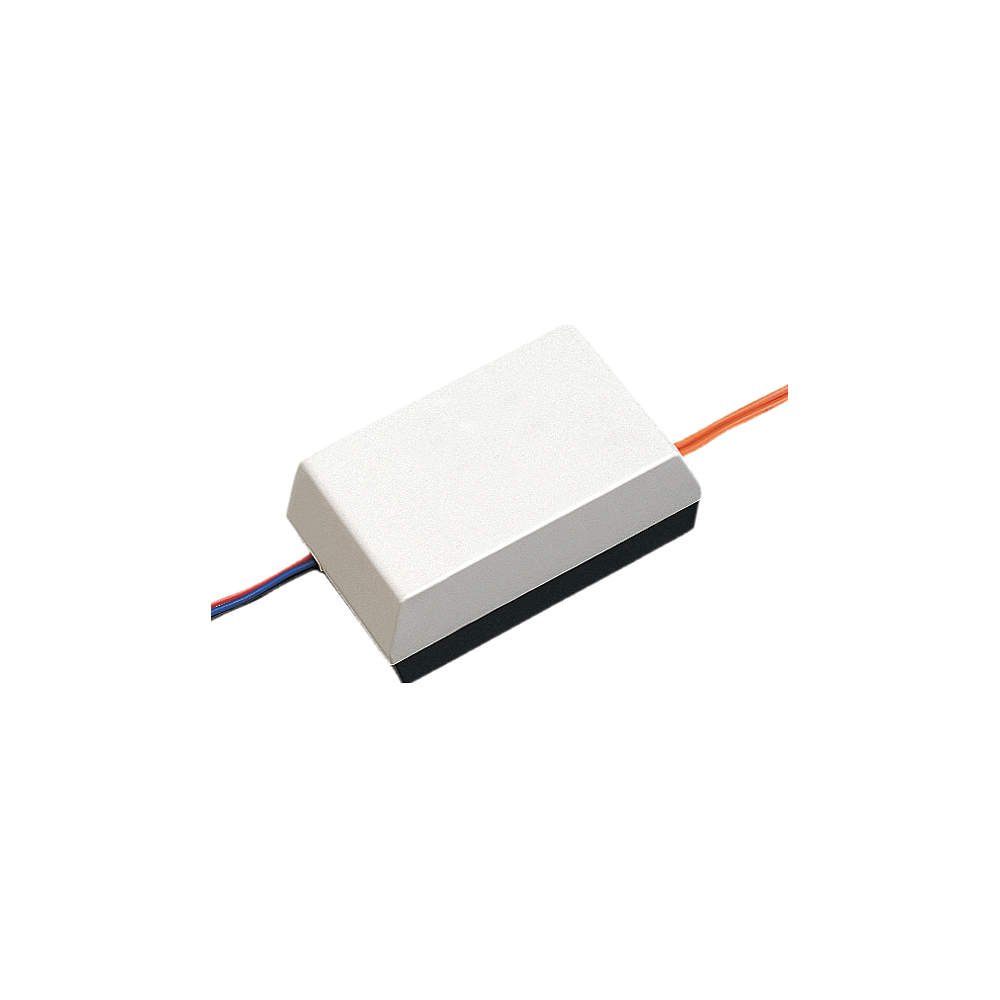
Figure 1: Aiphone RY-ES External Signaling Relay. This image shows the compact design and the internal space for wiring connections, highlighting the screw terminals for electrical hookup.
2. Wiring Connections
Ensure all power is disconnected before making any wiring connections.
- Open the RY-ES unit to access the internal wiring space and screw terminals.
- Connect the appropriate wires from your Aiphone intercom system to the designated input terminals on the RY-ES. Refer to your specific intercom system's manual for output signal details.
- Connect the external device (e.g., chime, light) to the normally open (NO) contact terminals of the RY-ES. Ensure the external device's power supply is correctly integrated and isolated if necessary.
- Secure all wire connections firmly using the screw terminals.
- Close the RY-ES unit cover securely.
Operation
Once properly installed and wired, the Aiphone RY-ES operates automatically.
- When a visitor initiates a call from the door station of your compatible Aiphone intercom system, the intercom sends a signal to the RY-ES unit.
- Upon receiving this signal, the RY-ES activates its internal relay, closing the normally open contacts.
- This closure completes the circuit for the connected external device, causing it to activate (e.g., a chime sounds, a light turns on).
- The external device will remain activated for the duration of the signal from the intercom system, or as configured by the external device itself.
Maintenance
The Aiphone RY-ES is designed for minimal maintenance. Follow these guidelines to ensure optimal performance:
- Cleaning: Periodically wipe the exterior of the unit with a soft, dry cloth. Do not use harsh chemicals or abrasive cleaners.
- Inspection: Annually inspect wiring connections to ensure they remain secure. Check for any signs of wear or damage to the unit or its housing.
- Environmental Protection: Ensure the unit remains protected from conditions beyond its weather-resistant rating.
Troubleshooting
If the external device is not activating as expected, consider the following troubleshooting steps:
- No Activation:
- Verify that the intercom door station is functioning correctly and sending a call signal.
- Check all wiring connections to the RY-ES from both the intercom and the external device. Ensure they are secure and correctly terminated.
- Confirm that the external device itself is powered and operational when connected directly (bypassing the RY-ES).
- Ensure the RY-ES is receiving the correct signal voltage/type from the intercom system.
- Intermittent Activation:
- Inspect for loose wiring connections or damaged insulation.
- Check for any interference from other electrical devices.
If issues persist after performing these steps, contact Aiphone technical support or a qualified installer.
Specifications
| Model | RY-ES |
| Brand | Aiphone |
| Connector Type | Screw |
| Contact Type | Normally Open |
| Mounting Type | Surface Mount |
| Operation Mode | Automatic |
| Item Weight | 0.41 Pounds (approx. 186 grams) |
| Unit Count | 1 Count |
| Manufacturer | Aiphone Corporation |
| UPC | 053926347766 |
Warranty and Support
Aiphone products are manufactured to high standards and are backed by a limited warranty. For specific warranty terms and conditions, please refer to the warranty card included with your product or visit the official Aiphone website.
For technical assistance, troubleshooting, or further information, please contact Aiphone customer support. Contact details can typically be found on the Aiphone website or in the product packaging.
Website: www.aiphone.com
Related documentsRY-ES


Ask a question about this manual
Ask about setup, troubleshooting, compatibility, parts, safety, or missing instructions. Manuals+ will review the question and use this page’s manual context to help answer it.