
Introduction
Thank you for choosing the Lasko T38305 Remote Control Wind Tower Fan. This fan is designed to provide efficient air circulation with a space-saving design, making it suitable for various rooms in your home or office. It features three quiet speeds, widespread oscillation, and a convenient electronic timer, all controllable via a multi-function remote.
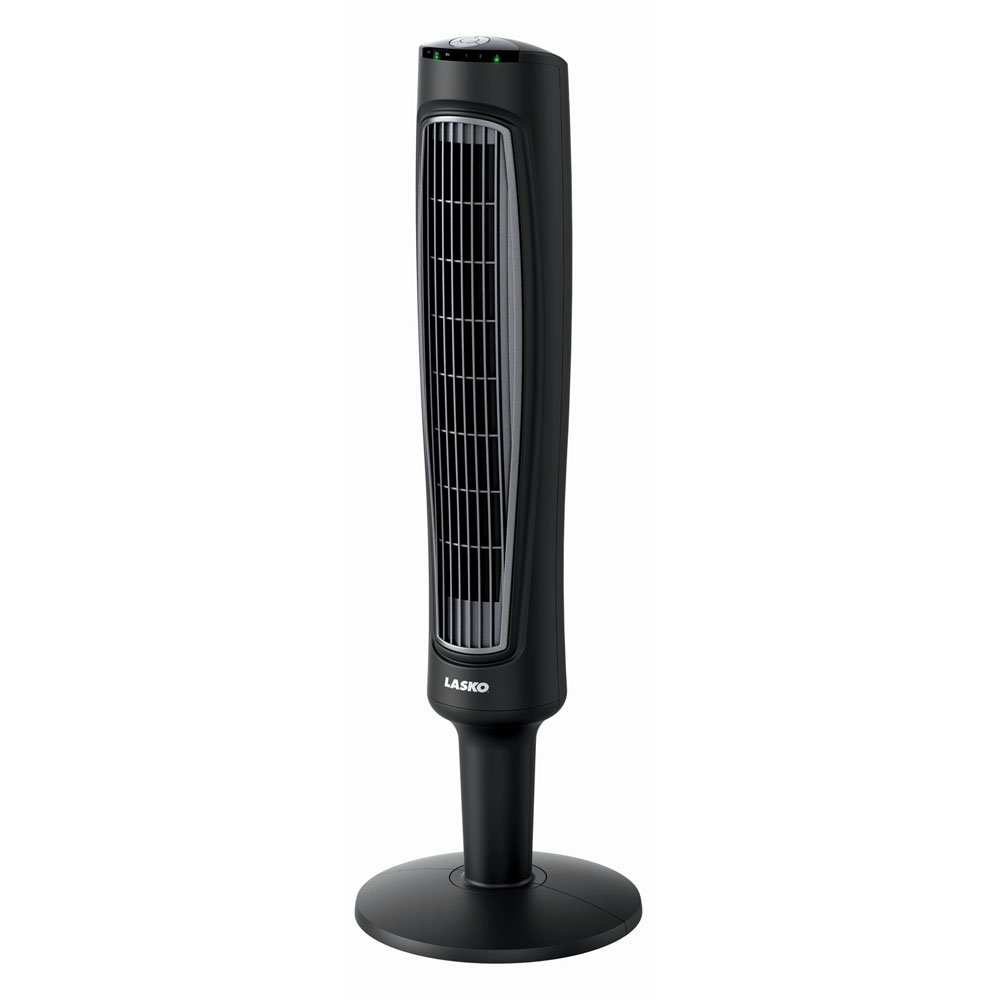
Image: The Lasko T38305 Tower Fan, a sleek, black, tall fan unit with a circular base.
Important Safety Instructions
Please read all instructions carefully before using this fan. Failure to follow these instructions may result in fire, electric shock, or injury.
- Always plug fans directly into a wall outlet/receptacle. Never use with an extension cord or relocatable power tap (outlet/power strip).
- Do not operate any fan with a damaged cord or plug. Discard fan or return to an authorized service facility for examination and/or repair.
- Do not run cord under carpeting. Do not cover cord with throw rugs, runners, or similar coverings. Arrange cord away from traffic area and where it will not be tripped over.
- Always unplug the fan before moving, servicing, or cleaning.
- Do not insert or allow fingers or foreign objects to enter any ventilation or exhaust opening as this may cause an electric shock or fire, or damage the fan.
- Do not use outdoors or on wet surfaces.
- This fan is equipped with a fused safety plug. This is a safety feature. Do not remove or tamper with the plug.
Package Contents
Verify that all components are present before assembly:
- Lasko T38305 Tower Fan Unit
- Fan Base (two halves)
- Base Screws (typically 4 screws)
- Remote Control (requires 2 AAA batteries, not included)
Setup and Assembly
Simple base assembly is required before first use.
- Carefully remove the fan and all components from the packaging.
- Assemble the two halves of the fan base by interlocking them.
- Align the assembled base with the bottom of the fan unit. Ensure the power cord passes through the designated channel in the base.
- Secure the base to the fan unit using the provided screws. Use a Phillips head screwdriver (not included) to tighten them firmly.
- Place the fan on a firm, level surface.

Image: The Lasko T38305 Tower Fan positioned in a modern living room, demonstrating its compact design.
Operating Instructions
The fan can be operated using the control panel on top of the unit or the included remote control.
Control Panel Functions:
- Power Button (I/O): Press to turn the fan ON or OFF.
- Speed Button (FAN): Press repeatedly to cycle through the three fan speeds: Low (1), Medium (2), High (3).
- Oscillation Button (OSC): Press to activate or deactivate the widespread oscillation feature. When active, the fan head will rotate from side to side.
- Timer Button (TIMER): Press repeatedly to set the automatic shut-off timer. The timer can be set for 1, 2, 4, or 7 hours. The corresponding indicator light(s) will illuminate.
Remote Control Operation
The multi-function remote control allows convenient operation from a distance. Ensure 2 AAA batteries are installed correctly (not included).
- The remote control features buttons identical to the control panel: Power, Speed, Oscillation, and Timer.
- Point the remote control directly at the fan's receiver for optimal response.
- The fan unit includes a dedicated storage slot on the back for the remote control when not in use.
Maintenance and Cleaning
Regular cleaning helps maintain the fan's performance and extends its lifespan.
- Always unplug the fan from the power outlet before cleaning or performing any maintenance.
- Use a soft cloth or a vacuum cleaner with a brush attachment to gently remove dust from the fan's exterior surfaces and air intake/exhaust grilles.
- Do not immerse the fan in water or allow water to drip into the motor housing.
- Do not use gasoline, benzene, paint thinner, or other harsh cleaners, as they may damage the fan's finish.
- For storage, keep the fan in its original carton in a cool, dry place.
Troubleshooting
If your fan is not operating as expected, refer to the following common issues and solutions:
| Problem | Possible Cause | Solution |
|---|---|---|
| Fan does not turn on. | No power to the unit. Fused plug tripped. | Ensure the fan is securely plugged into a working electrical outlet. Check the fused safety plug for a tripped fuse (refer to plug instructions for replacement). |
| Weak or no air movement. | Fan speed set too low. Air intake/exhaust blocked. | Increase the fan speed. Ensure the fan's grilles are clear of obstructions and dust. |
| Remote control not working. | Dead batteries. Obstruction between remote and fan. | Replace the AAA batteries in the remote control. Ensure there is a clear line of sight between the remote and the fan's control panel. |
| Fan makes unusual noise. | Fan not on a level surface. Internal obstruction. | Place the fan on a firm, level surface. Unplug the fan and carefully check for any foreign objects inside the grilles. |
Specifications
| Brand | Lasko |
| Model Number | T38305 |
| Electric Fan Design | Floor Fan |
| Power Source | AC |
| Product Dimensions | 12.5"D x 12.5"W x 38"H |
| Item Weight | 9.7 Pounds |
| Wattage | 60 watts |
| Special Features | 3 quiet speeds, 7-hour timer, Widespread Oscillation, Multi-Function Remote Control |
| Control Method | Remote, Electronic controls |
| Indoor/Outdoor Usage | Indoor |
| Assembly Required | Yes |
| Batteries Required | Yes (2 AAA for remote) |
| Safety Certification | ETL Listed with Patented Fused Safety Plug |
| UPC | 046013454584 |
Warranty and Support
For warranty information or technical support, please refer to the warranty card included with your product or visit the official Lasko website. Do not attempt to repair the fan yourself; contact qualified service personnel for assistance.
You can typically find contact information for Lasko customer service on their website or on the product packaging.


