
Introduction
The AT&T EL52313 is a 3-handset cordless phone system designed for home and office use, featuring an integrated answering system and extra-large backlit keys for enhanced usability. This system is expandable up to 5 handsets (using 50003 accessory handsets) and incorporates DECT 6.0 digital technology for clear, secure communication. Key features include a full-duplex speakerphone, a 50-name and number phonebook directory, caller ID/call waiting history, and an ECO mode for power conservation.
What's in the Box
Upon opening your AT&T EL52313 package, verify that all components are present:
- Phone Base Unit
- 3 Cordless Handsets
- 3 AC Adapters (for base and chargers)
- Telephone Line Cord
- Wall-Mount Bracket
- Batteries for Handsets (4 AAA batteries included)
- Quick Start Guide (User Manual)
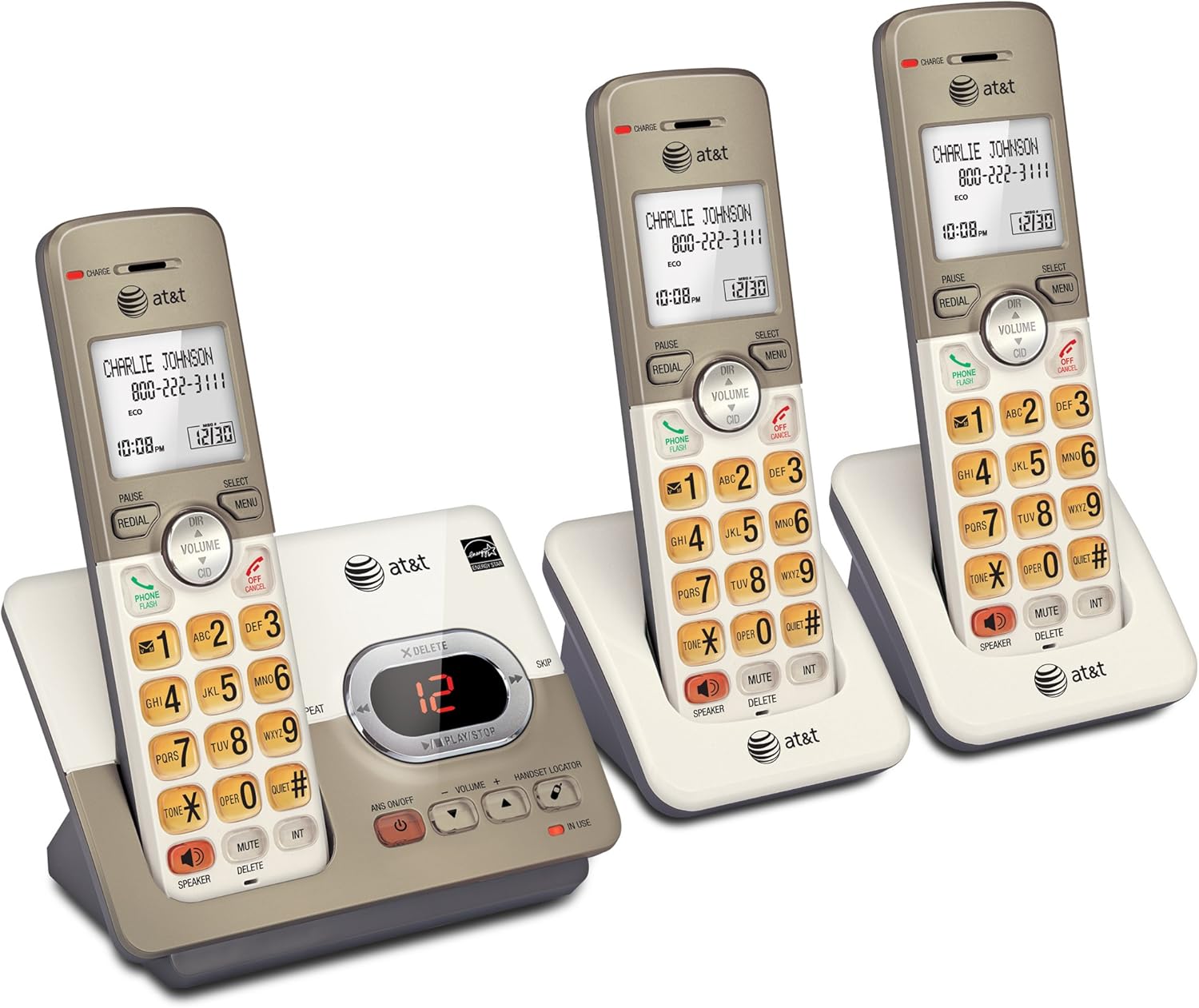
Image: The AT&T EL52313 phone system, showing the main base unit and three cordless handsets, ready for setup.
Setup
Initial Setup and Charging
- Connect the Base Unit: Plug one end of the telephone line cord into the TEL LINE jack on the back of the telephone base. Plug the other end into a telephone wall jack or a DSL filter. Plug the large end of the telephone base power adapter into the POWER jack on the back of the telephone base. Plug the small end into a power outlet.
- Install Handset Batteries: Open the battery compartment cover on each cordless handset. Insert the supplied AAA batteries, ensuring correct polarity (+ and -). Close the battery compartment cover.
- Charge Handsets: Place each cordless handset in its respective charger or the telephone base. The CHARGE light on the handset will illuminate, indicating it is charging. Allow at least 10 hours for the batteries to fully charge before initial use.
Wall Mounting the Base Unit
The telephone base can be mounted on a wall using the included wall-mount bracket. Ensure the mounting location is near a telephone wall jack and a power outlet.
- Attach the wall-mount bracket to the telephone base.
- Align the bracket with the wall plate and slide it down to secure the base.

Image: The main telephone base unit shown with the wall-mount bracket, illustrating how it can be installed for space-saving convenience.
Operating Instructions
Making and Receiving Calls
- To Make a Call: Press PHONE/FLASH or SPEAKER, then dial the number.
- To Answer a Call: Press any dialing key (0-9, * or #) or PHONE/FLASH or SPEAKER.
- To End a Call: Press OFF/CANCEL or place the handset in the telephone base/charger.
Speakerphone Functionality
The EL52313 features a full-duplex speakerphone, allowing both parties to speak and be heard simultaneously for more natural conversations.

Image: A woman utilizing the simulated full-duplex handset speakerphone feature while engaged in another activity, demonstrating hands-free communication.
Caller ID and Call History
The handset displays the name, number, time, and date of incoming calls. The system stores up to 50 names and numbers in its caller ID history, allowing you to review past calls.

Image: A close-up view of the handset's extra-large display, clearly showing caller ID information for an incoming call.
Phonebook Directory
Store up to 50 names and numbers in the phonebook directory for quick dialing. Access entries by scrolling alphabetically or by entering the first letter of a name.

Image: The handset positioned next to a graphic illustrating the 50-name and number phonebook directory feature, highlighting ease of access.
Redial and Volume Control
- Redial: Press REDIAL to view the last 10 numbers dialed. Press PHONE/FLASH or SPEAKER to call a displayed number.
- Volume: Adjust call volume using the VOLUME buttons during a call.
Backlit Keys and Large Buttons
The handset features an easy-to-read LCD screen and a lighted keypad, making dialing effortless even in low-light conditions. Enlarged font and extra-large, backlit keys enhance usability, especially for those with visual impairments.

Image: A hand interacting with the large, backlit buttons of the handset, emphasizing the ease of use for all users.
Mute Function
During a call, press the MUTE/DELETE button to temporarily disable the microphone. Press it again to resume the conversation.

Image: A detailed view highlighting the MUTE/DELETE button on the handset, indicating its function during a call.
ECO Mode
The system features power-conserving ECO mode technology, which manages consumption for optimal battery performance and reduced energy usage.
Quiet Mode
Activate Quiet mode to silence the ringer on all handsets and the telephone base for a set period, useful for uninterrupted sleep or meetings.
Maintenance
Battery Care
The handsets use 4 AAA batteries (included). For optimal battery life, always return the handset to the base or charger when not in use. If the handset will not be used for an extended period, remove the batteries to prevent leakage.
Cleaning
Clean the telephone base and handsets with a soft, slightly damp cloth. Do not use cleaning sprays or harsh chemicals, as these may damage the finish or electrical components.
Troubleshooting
If you experience issues with your AT&T EL52313 phone system, consider the following common solutions:
- No Dial Tone: Ensure the telephone line cord is securely plugged into both the wall jack and the telephone base. Check if the power adapter is properly connected.
- Handset Not Charging: Verify the handset is correctly seated in the charger or base. Clean the charging contacts on both the handset and charger with a dry cloth.
- Poor Sound Quality/Static: Move the handset closer to the telephone base. Ensure there are no large metal objects or other electronic devices interfering with the signal.
- Handset Not Registering: Refer to the full user manual for instructions on adding and registering handsets.
For more detailed troubleshooting steps, please consult the full User Manual linked in the "Additional Resources" section.
Specifications
| Feature | Detail |
|---|---|
| Product Dimensions (Base) | 8.5 x 5.7 x 4.4 inches (21.59 x 14.48 x 11.18 cm) |
| Item Weight (Base) | 1 pound (0.45 kg) |
| Item Model Number | EL52313 |
| Batteries Required | 4 AAA batteries (included) |
| Telephone Type | Cordless |
| Color | Light champagne |
| Material | Plastic |
| Power Source | Corded Electric |
| Answering System Type | Digital |
| Compatible Devices | Any landline telephone service with Caller ID and call waiting capabilities, other DECT 6.0 digital devices. |

Image: Detailed dimensions of the telephone base unit, including height, width, and length.

Image: Detailed dimensions of a single cordless handset, including height, width, and length.
Important Notes
Please note that this product is intended for use with standard landline telephone services. Compatibility with specific services or equipment may vary. For any legal disclaimers or specific product warnings, please refer to the official documentation.
Additional Resources and Support
For comprehensive information, detailed instructions, and advanced features, please refer to the official PDF user manuals:
For product support, warranty information, or service inquiries, please visit the official AT&T website or contact their customer service.


