Pyle PMX840BT 8-Channel 800W Bluetooth Stage Powered Mixer
Instruction Manual
1. Introduction
The Pyle PMX840BT is an 8-channel, 800-watt Bluetooth stage powered mixer designed for professional audio applications. This versatile system offers multi-source audio control, built-in Bluetooth for wireless streaming, and various input/output options for comprehensive sound management.
Key Features:
8-Channel Audio Mixer System: Provides extensive control over multiple audio sources.
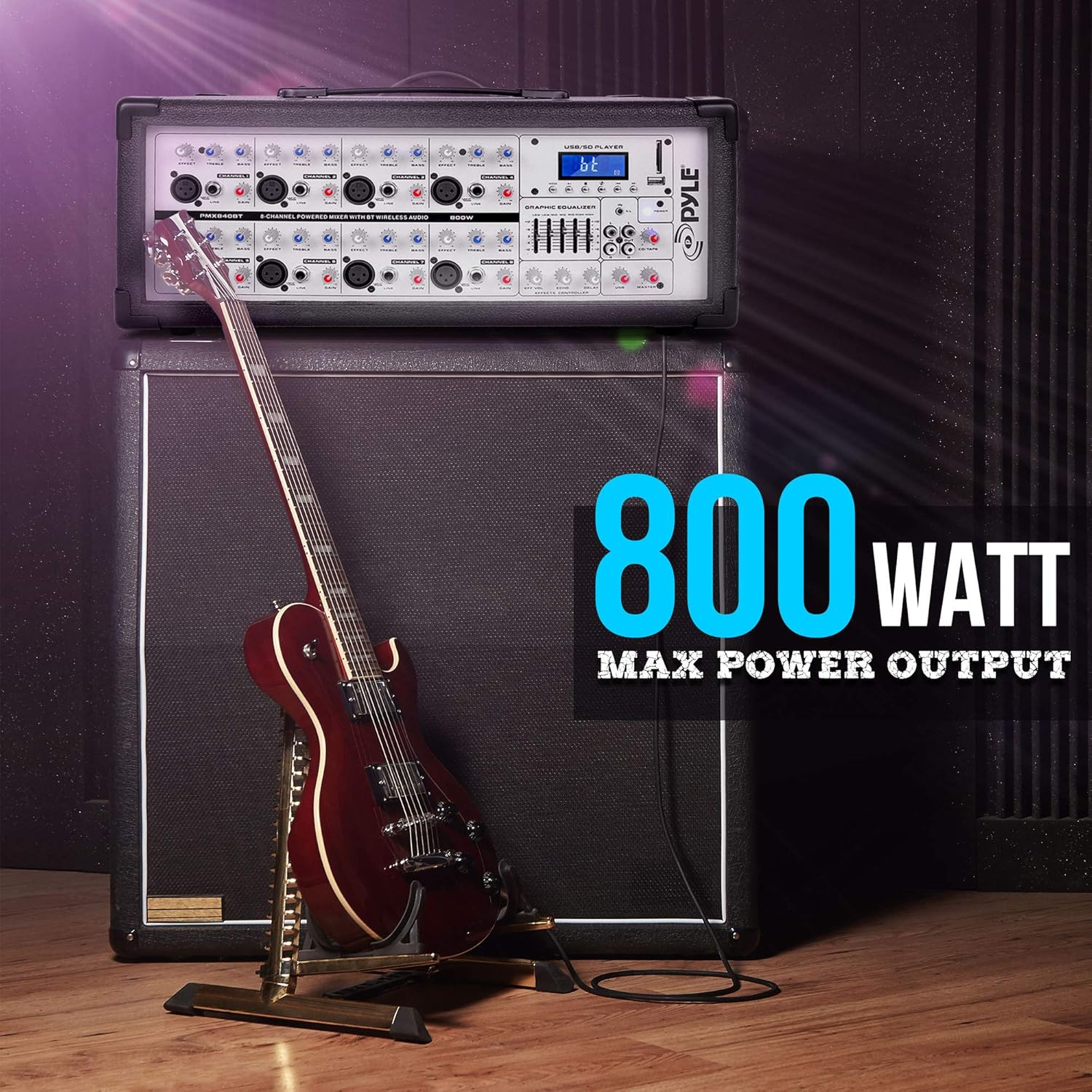
800 Watt Max Power Output: Delivers powerful sound performance.
Bluetooth Wireless Music Streaming: Simple and hassle-free pairing with modern devices.
Digital LCD Display: For clear visual feedback and control.
MP3/USB/SD Readers: Supports digital audio file playback from various media.
Multiple Inputs: Includes 3-Pin Low Impedance Balanced Microphone Inputs, 1/4'' Line/High Impedance Balanced Inputs, Aux (3.5mm) Input Jack, and RCA inputs.
Master 5-Band Graphic Equalizer: For precise sound tuning.
Independent Channel Controls: Volume, EQ, and Effects adjustment for each channel.
Built-in Cooling Fan: Ensures stable operation during extended use.
Convenient Carry Handle: For easy portability.
2. Safety Instructions
Please read and understand all safety instructions before operating this device. Keep this manual for future reference.
Power Source: Connect the unit only to the specified power supply voltage.
Ventilation: Ensure proper ventilation. Do not block ventilation openings. The built-in cooling fan requires clear airflow.
Moisture: Do not expose the unit to rain or moisture. Do not place objects filled with liquids on the unit.
Heat: Keep the unit away from heat sources such as radiators, heat registers, stoves, or other apparatus that produce heat.
Servicing: Do not attempt to service this unit yourself. Refer all servicing to qualified service personnel.
Cleaning: Clean only with a dry cloth.
Placement: Place the unit on a stable, level surface.
3. Package Contents
Verify that all items are included in your package:
Pyle PMX840BT 8-Channel 800-Watt Bluetooth Stage Powered Mixer
Power Cable
Figure 3.1: Pyle PMX840BT mixer and included power cable.
This image displays the Pyle PMX840BT 8-Channel Bluetooth Stage Powered Mixer alongside its power cable, illustrating the complete package contents.
4. Product Overview
The Pyle PMX840BT features a robust design with clearly labeled controls and connectivity options for intuitive operation.
Figure 4.1: Top-front view of the Pyle PMX840BT 8-Channel Powered Mixer.
This image provides a comprehensive view of the mixer's top and front panels, showcasing all input channels, controls, and the integrated USB/SD player section.
4.1 Front Panel Controls
The front panel houses all primary controls and input jacks for each of the 8 channels, along with the master section and media player controls.
Figure 4.2: Detailed view of the Pyle PMX840BT front panel.
This image highlights the front panel of the mixer, detailing the individual channel controls for gain, EQ (bass, mid, treble), effects send, and volume, as well as the master section and media player interface.
4.2 Rear Panel Connections
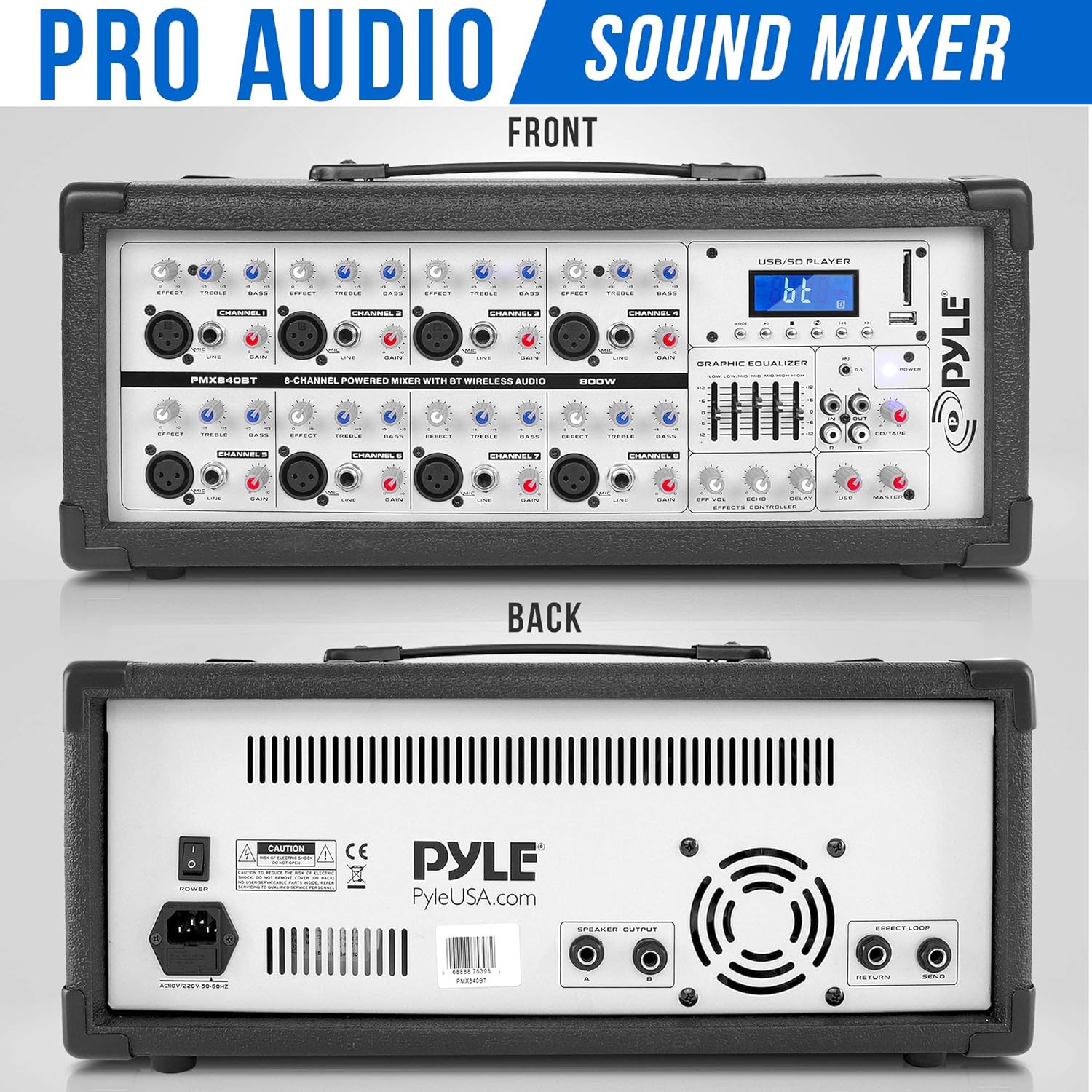
The rear panel provides essential connections for power, speaker outputs, and effects loop.
Figure 4.3: Front and rear views of the Pyle PMX840BT mixer.
This image shows both the front and rear panels of the mixer, providing a complete view of all controls and connection points, including the power input, speaker outputs, and effects loop connectors on the rear.
5. Setup
Follow these steps to set up your Pyle PMX840BT mixer:
Placement: Position the mixer on a stable, flat surface, ensuring adequate ventilation around the unit.
Power Connection: Connect the supplied power cable to the mixer's power input on the rear panel, then plug the other end into a suitable AC power outlet.
Speaker Connection: Connect your passive speakers to the 1/4'' speaker outputs on the rear panel. Ensure the impedance of your speakers matches the mixer's output impedance (8 Ohm).
Initial Power On: Before turning on the mixer, ensure all channel volume knobs and the master volume fader are set to their minimum positions to prevent sudden loud noises.
6. Operating Instructions
6.1 Powering On/Off
To power on, flip the POWER switch on the rear panel to the 'ON' position. The digital LCD display will illuminate.
To power off, ensure all audio levels are at minimum, then flip the POWER switch to the 'OFF' position.
6.2 Connecting Microphones
The mixer features 3-Pin Low Impedance Balanced Microphone Inputs (XLR) for professional microphones.
Connect your microphone to an available XLR input on the front panel.
Slowly increase the corresponding channel's volume knob.
Adjust the Master Volume fader to the desired overall output level.
6.3 Connecting Line Inputs
Use the 1/4'' Line/High Impedance Balanced Inputs for instruments or other line-level devices, and the Aux (3.5mm) Input for smartphones or MP3 players.
Connect your line-level device to the appropriate 1/4'' or 3.5mm input.
Slowly increase the corresponding channel's volume knob.
Adjust the Master Volume fader to the desired overall output level.
6.4 Bluetooth Connectivity
Stream audio wirelessly from your Bluetooth-enabled devices.
Figure 6.1: Illustration of Bluetooth connectivity with the Pyle PMX840BT.
This image demonstrates the mixer's Bluetooth connectivity feature, showing a smartphone wirelessly paired with the unit for music streaming. The mixer's digital display indicates Bluetooth mode.
Activate Bluetooth on your external device (smartphone, tablet, etc.).
On the mixer's digital LCD display, select the Bluetooth input mode. The display will show 'AC46XX' as the network name.
Search for 'AC46XX' on your device and pair.
Once paired, you can stream audio wirelessly. Adjust the MP3/USB/SD volume control and the Master Volume fader for desired output.
6.5 USB/SD Playback
Play MP3 digital audio files directly from a USB flash drive or SD memory card.
Insert a USB flash drive or SD card containing MP3 files into the corresponding slot.
The digital LCD display will show playback information. Use the control buttons (play/pause, skip, mode) to navigate your music.
Adjust the MP3/USB/SD volume control and the Master Volume fader for desired output.
6.6 Adjusting Equalization (EQ)
The mixer features independent channel EQ and a Master 5-Band Graphic Equalizer for precise sound shaping.
Figure 6.2: Close-up of the Pyle PMX840BT Master 5-Band Graphic Equalizer.
This image provides a detailed view of the mixer's Master 5-Band Graphic Equalizer, showing the individual faders for adjusting different frequency ranges to fine-tune the overall sound output.
Channel EQ: Use the HIGH, MID, and LOW knobs on each channel to adjust the treble, midrange, and bass frequencies of that specific input.
Master Graphic EQ: Use the faders on the Master 5-Band Graphic Equalizer to boost or cut specific frequency ranges (60Hz, 250Hz, 1KHz, 4KHz, 12KHz) for the overall mix.
6.7 Using Effects (EFFX)
The mixer includes built-in Echo and Reverb effects.
Use the EFFX knob on each channel to send a portion of that channel's signal to the effects processor.
Adjust the Master EFFX Control knobs (Level, Echo, Reverb) to control the overall intensity and characteristics of the effects.
If you encounter issues with your PMX840BT, refer to the following common problems and solutions:
No Power: Ensure the power cable is securely connected to both the mixer and a working power outlet. Check the power switch position.
No Sound Output: Verify that the Master Volume fader is raised and individual channel volumes are not at minimum. Check speaker connections and ensure speakers are powered (if active) or correctly connected (if passive).
No Sound from a Specific Channel: Check the input cable connection for that channel. Ensure the channel's volume knob is raised and its EQ/EFFX settings are not muting the sound.
Bluetooth Pairing Issues: Ensure the mixer is in Bluetooth mode and your device's Bluetooth is enabled and searching. Confirm you are selecting the correct device name ('AC46XX'). Try restarting both the mixer and your Bluetooth device.
Distorted Sound: Reduce the input gain for the affected channel or the Master Volume. Check for loose cable connections. Ensure speaker impedance matches the mixer.
USB/SD Playback Failure: Ensure the USB drive or SD card contains compatible MP3 files. Try reformatting the storage device or using a different one.
9. Maintenance
Proper maintenance ensures the longevity and optimal performance of your mixer:
Cleaning: Regularly wipe the unit with a soft, dry cloth. Avoid using abrasive cleaners, waxes, or solvents.
Ventilation: Keep the ventilation grilles clear of dust and debris. Use a soft brush or vacuum cleaner to remove any build-up.
Storage: When not in use for extended periods, store the mixer in a cool, dry place, away from direct sunlight and extreme temperatures.
Cable Care: Inspect all cables regularly for signs of wear or damage. Replace faulty cables immediately to prevent performance issues or safety hazards.
10. Warranty & Support
For warranty information or technical support, please refer to the documentation provided with your purchase or contact Pyle customer service. Keep your proof of purchase for any warranty claims.
Pyle PMX462, PMX464, PMX466 Audio Mixer User Guide Comprehensive user guide for Pyle PMX462 (3-Channel), PMX464 (4-Channel), and PMX466 (6-Channel) audio mixers. Details features, technical specifications, operation, maintenance, and connectivity.
Pyle PT8050CH & PT12050CH Wireless BT Amplifier User Guide User guide for the Pyle PT8050CH (8-Channel) and PT12050CH (12-Channel) Audio Karaoke Wireless BT Amplifiers. Learn about features, controls, troubleshooting, and technical specifications for these stage and studio sound mixer receiver systems.
Pyle PMX646 & PMX648 Audio Mixer User Manual Comprehensive user manual for Pyle PMX646 6-Channel and PMX648 8-Channel Audio Mixers. Learn about features, operation, signal levels, EQ, effects, and troubleshooting for professional audio production.
Pyle PTAU45 2x120W Stereo Power Amplifier User Manual User manual for the Pyle PTAU45 2x120W Stereo Power Amplifier, detailing its features, controls, connection diagram, and specifications. Includes important safety instructions.