
1. Introduction
This manual provides essential information for the safe and efficient operation, maintenance, and troubleshooting of your NESCAFE DOLCE GUSTO MD9748-MB coffee machine. Please read these instructions carefully before first use and keep them for future reference.
The NESCAFE DOLCE GUSTO MD9748-MB is designed to prepare a variety of coffee and other beverages using NESCAFE DOLCE GUSTO capsules.
2. Safety Instructions
- Always ensure the machine is placed on a stable, flat surface.
- Do not immerse the machine, power cord, or plug in water or other liquids.
- Keep the appliance out of reach of children.
- Unplug the machine from the power outlet before cleaning and when not in use.
- Do not operate the machine if the power cord or plug is damaged.
- Use only NESCAFE DOLCE GUSTO capsules with this machine.
- Be cautious of hot surfaces and hot water/steam during operation.
3. Product Overview
3.1 Components Included
The following components are typically included with your NESCAFE DOLCE GUSTO MD9748-MB coffee machine:
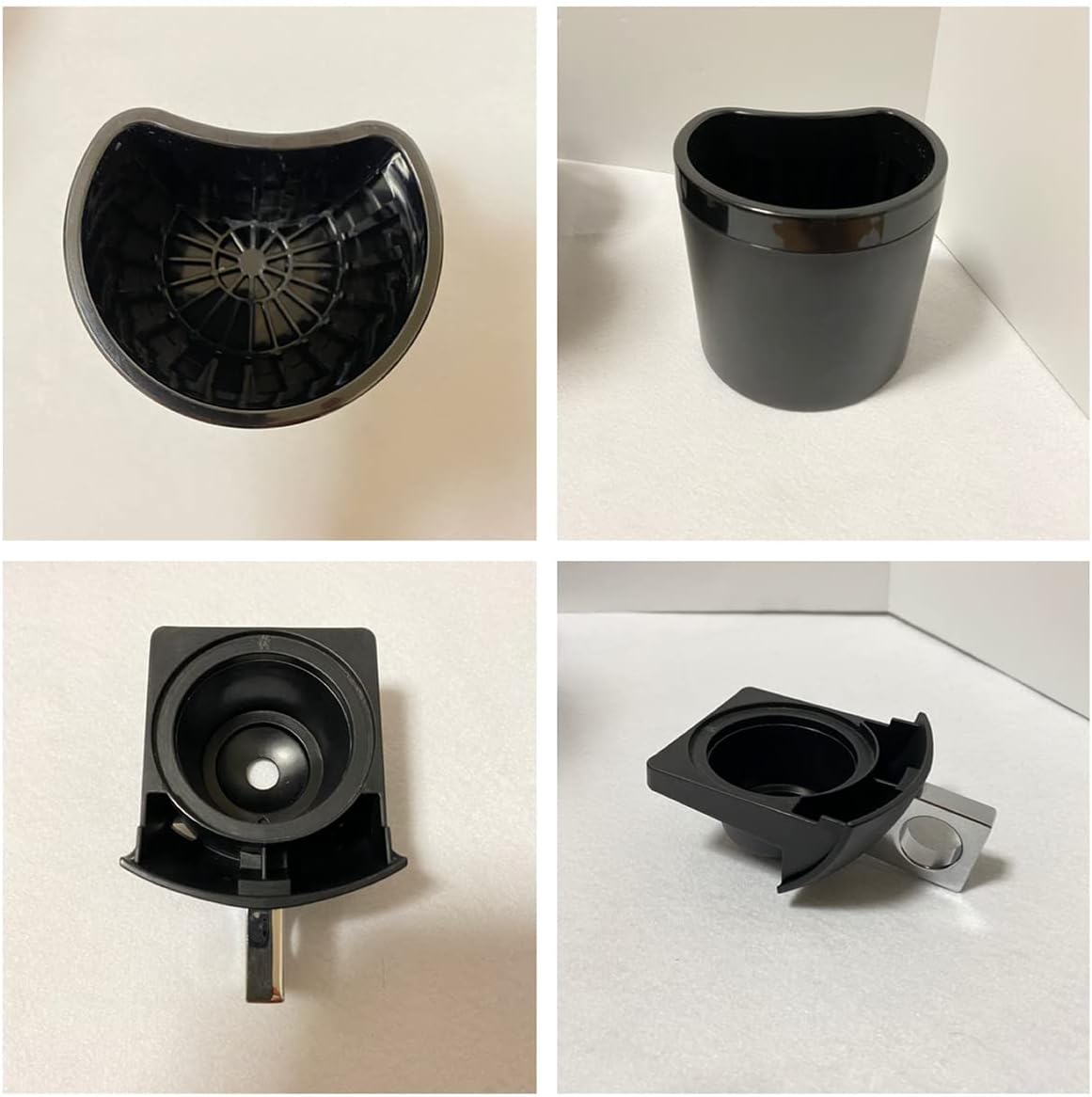
Image: The NESCAFE DOLCE GUSTO MD9748-MB coffee machine shown with its power cord, water tank, capsule holder, and drip tray assembly.
3.2 Part Identification
Familiarize yourself with the main parts of your coffee machine:

Image: A collage showing detailed views of the capsule holder, the removable water tank, and the drip tray components of the MD9748-MB machine.
- Water Tank: Removable reservoir for water.
- Capsule Holder: Where the coffee capsule is inserted.
- Drip Tray: Collects excess liquid and supports cups.
- Brewing Head: Mechanism that pierces the capsule and dispenses beverage.
- Power Button: To turn the machine on and off.
- Lever/Selector: To control hot or cold water dispensing and start/stop brewing.
4. Setup
4.1 Unpacking and Initial Cleaning
- Remove all packaging materials from the machine.
- Wipe the exterior of the machine with a damp cloth.
- Wash the water tank, capsule holder, and drip tray with warm soapy water, then rinse thoroughly and dry.
4.2 Filling the Water Tank
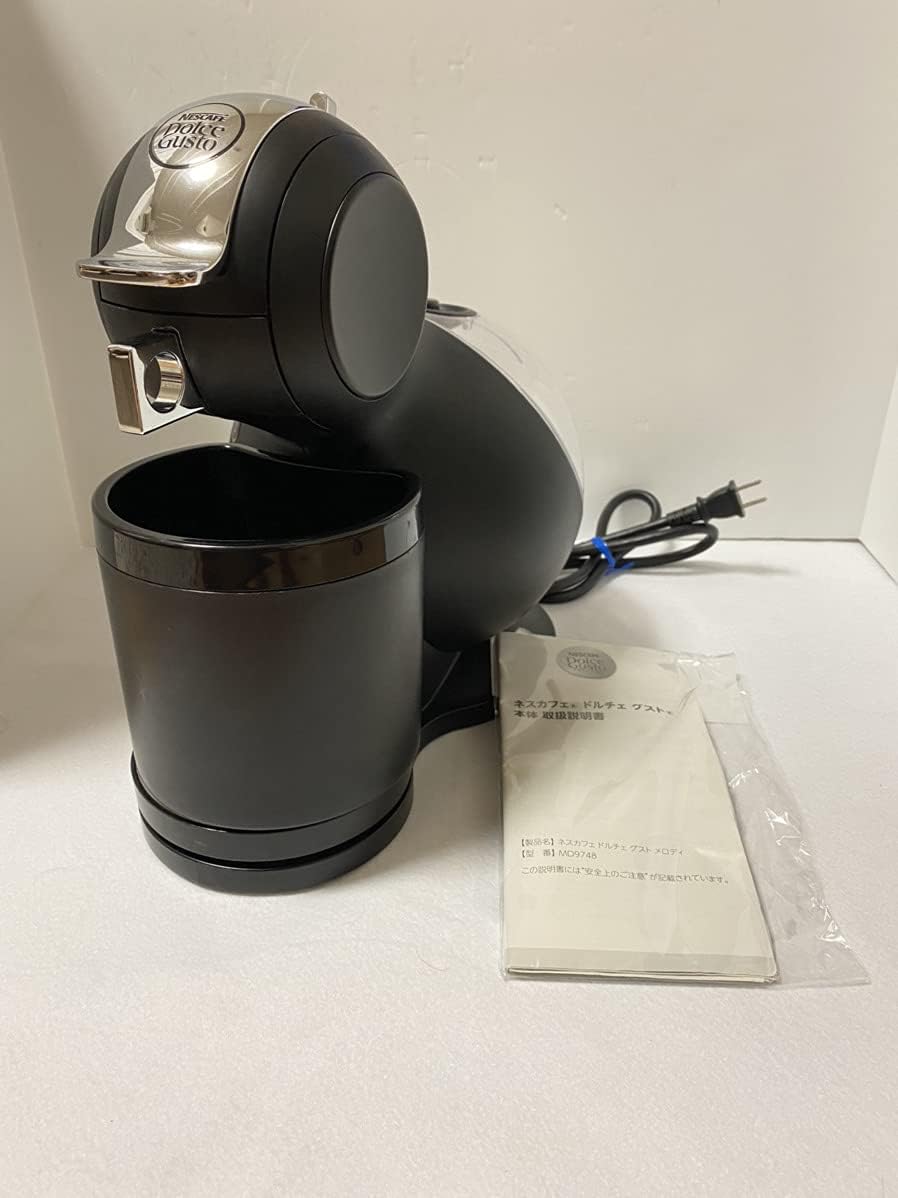
Image: The side of the MD9748-MB machine, highlighting the transparent water tank at the rear, ready for filling.
- Remove the water tank from the back of the machine.
- Fill the tank with fresh, potable water up to the maximum fill line.
- Replace the water tank securely on the machine.
4.3 First Use / Rinsing Cycle
Before brewing your first beverage, perform a rinsing cycle:
- Ensure the water tank is filled.
- Place an empty cup on the drip tray.
- Do not insert a capsule.
- Turn on the machine. Wait for the power button to turn solid green.
- Move the selector lever to the hot water position (red) and let water flow until the tank is empty or the cup is full.
- Repeat the process with cold water (blue position).
- Discard the water. Your machine is now ready for use.
5. Operating Instructions
5.1 Brewing a Beverage

Image: The front of the MD9748-MB machine, illustrating the open capsule holder ready for capsule insertion.
- Ensure the water tank is filled and the machine is plugged in and turned on. Wait for the power button to turn solid green.
- Lift the locking handle and pull out the capsule holder.
- Insert a NESCAFE DOLCE GUSTO capsule into the holder.
- Push the capsule holder back into the machine and lower the locking handle until it clicks.
- Place a cup on the drip tray. Adjust the drip tray height if necessary.
- Select the desired water temperature (hot/cold) using the selector lever.
- Move the selector lever to the desired water volume (indicated on the capsule packaging or by personal preference).
- The machine will start brewing. Once the desired volume is reached, return the selector lever to the neutral (middle) position to stop the flow.
- Wait a few seconds for any remaining drips, then lift the locking handle and remove the used capsule. Dispose of the capsule responsibly.
6. Maintenance
6.1 Daily Cleaning
After each use, or at least daily:
- Unplug the machine.
- Empty and rinse the drip tray and capsule holder.
- Wipe the exterior of the machine with a damp cloth.
- Empty and rinse the water tank. Refill with fresh water if needed.
6.2 Descaling
Descaling is crucial for maintaining machine performance and beverage quality. The frequency depends on water hardness and usage, but typically every 3-6 months.
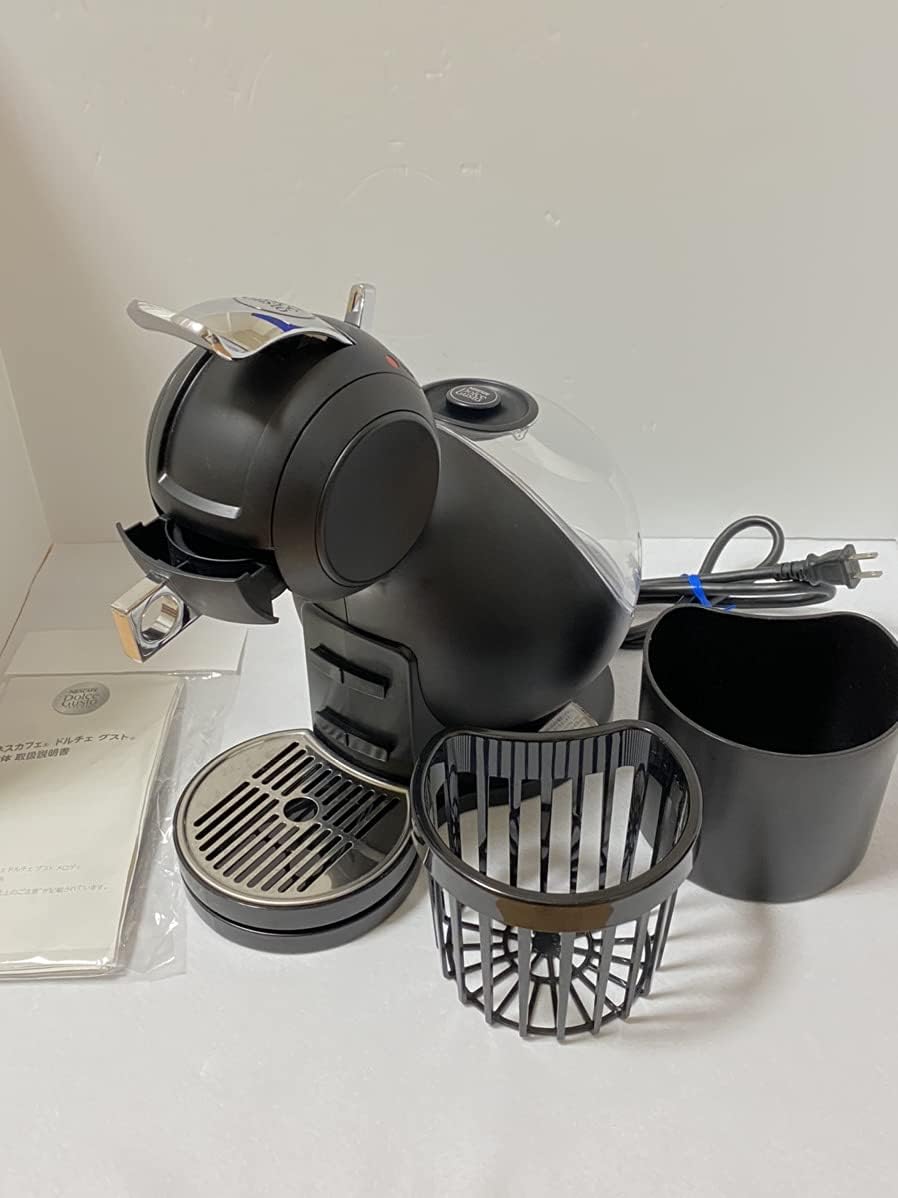
Image: Removable components of the MD9748-MB machine, including the capsule holder, cup holder, and water tank, which require regular cleaning and descaling.
- Purchase a suitable descaling solution for coffee machines.
- Follow the instructions on the descaling solution packaging for dilution and application.
- Fill the water tank with the descaling solution.
- Place a large container (at least 1 liter) under the coffee outlet.
- Run the descaling solution through the machine using both hot and cold settings until the tank is empty.
- Rinse the water tank thoroughly and fill it with fresh water.
- Perform at least two full rinsing cycles with fresh water to remove any descaling residue.
7. Troubleshooting
| Problem | Possible Cause | Solution |
|---|---|---|
| Machine does not turn on. | Not plugged in; power outlet faulty. | Check power cord connection; try a different outlet. |
| No water flow. | Water tank empty; machine needs descaling; air bubble in pump. | Fill water tank; perform descaling; run a rinsing cycle without a capsule. |
| Coffee is cold or not hot enough. | Machine not preheated; machine needs descaling. | Wait for the power button to turn solid green; perform descaling. |
| Leaking from machine. | Water tank not properly seated; drip tray full. | Ensure water tank is correctly positioned; empty drip tray. |
If the problem persists after attempting these solutions, please contact customer support.
8. Specifications
- Model: MD9748-MB
- Brand: Nescafe
- Dimensions: 17.6 x 9.2 x 3 cm (Package Size)
- Color: Black
- Power: (Typically 100V for Japan, specific wattage not provided in data)
- Water Tank Capacity: (Specific capacity not provided in data, typical for Dolce Gusto is 0.8L - 1.2L)
Note: Specific power and water tank capacity details may vary. Refer to the product packaging or official Nescafe documentation for precise figures.
9. Warranty and Support
Your NESCAFE DOLCE GUSTO MD9748-MB coffee machine comes with a manufacturer's warranty. Please refer to the warranty card included in your product packaging for details regarding coverage, terms, and conditions.
For technical assistance, spare parts, or warranty claims, please contact Nescafe Dolce Gusto customer support through their official website or the contact information provided in your product documentation.
Online Resources: For additional tips, recipes, and support, visit the official NESCAFE DOLCE GUSTO website.
