
1. Introduction
This manual provides essential instructions for the proper installation, operation, and maintenance of your Veho VSA-101-HBM SAEM S6 Handlebar Mount. Please read this manual thoroughly before use to ensure safe and effective operation.
2. Safety Information
- Ensure the mount is securely fastened to the handlebar or pole before attaching any device.
- Regularly check the mount for tightness and any signs of wear or damage.
- Do not overtighten the clamp, as this may damage the handlebar or the mount.
- Verify that the SAEM S6 case is properly locked into the quick-release plate before riding.
- Avoid using the mount in extreme conditions that may exceed its design limitations.
3. Package Contents
The Veho VSA-101-HBM SAEM S6 Handlebar Mount package includes:
- 1 x Veho VSA-101-HBM SAEM S6 Handlebar Mount
4. Setup and Installation
Follow these steps to install your Veho SAEM S6 Handlebar Mount:
- Identify Mounting Location: Choose a suitable location on your bicycle or motorcycle handlebar, or any pole/bar with a diameter between 15mm and 30mm.
- Open the Clamp: Loosen the screw on the mount's clamp mechanism to open it sufficiently.
- Position the Mount: Place the open clamp around the chosen handlebar or pole. Ensure the rubberized teeth are in contact with the surface for maximum grip.
- Secure the Clamp: Tighten the screw until the mount is firmly secured and does not rotate or slide. Do not overtighten. The rubberized teeth are designed to prevent movement.
- Attach SAEM S6 Case: Align the quick-release locking plate on the SAEM S6 water-resistant phone case (sold separately) with the corresponding slot on the handlebar mount. Slide the case onto the mount until it clicks securely into place.
- Verify Security: Gently tug on the mounted case to ensure it is firmly attached to both the mount and the handlebar.
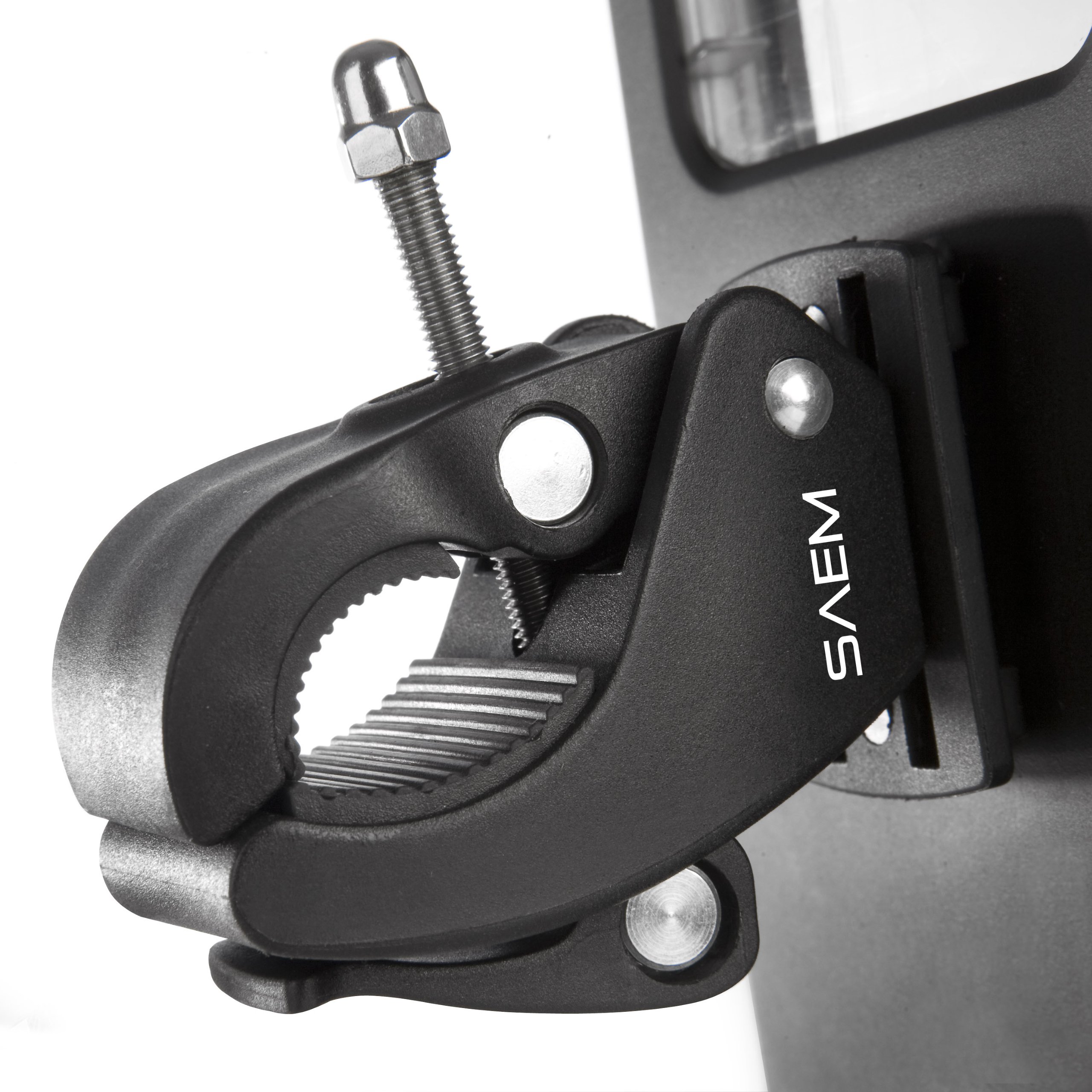
Image showing the robust clamp mechanism of the Veho SAEM S6 Handlebar Mount, featuring rubberized teeth for secure grip on handlebars or poles. The quick-release plate for attaching the SAEM S6 case is visible on the right.
5. Operation
Once installed, the Veho SAEM S6 Handlebar Mount allows you to securely hold your SAEM S6 water-resistant phone case, providing hands-free access to your device during activities such as biking, boating, sailing, or other outdoor pursuits. The mount is designed to keep your device stable and accessible.
- To remove the SAEM S6 case, press the quick-release mechanism and slide the case off the mount.
- The mount's adjustable nature allows for optimal viewing angles.
6. Maintenance
To ensure the longevity and optimal performance of your handlebar mount:
- Cleaning: Wipe the mount with a damp cloth to remove dirt and debris. Avoid harsh chemicals.
- Inspection: Periodically inspect all components for signs of wear, cracks, or damage. Ensure all screws and moving parts are functioning correctly.
- Storage: Store the mount in a cool, dry place when not in use for extended periods.
7. Troubleshooting
- Mount feels loose: Ensure the clamp screw is tightened sufficiently. Check that the handlebar diameter is within the 15mm to 30mm range.
- SAEM S6 case not securing: Verify that the quick-release plate is clean and free of obstructions. Ensure the case is aligned correctly and pushed firmly until it clicks.
- Difficulty attaching/removing case: Check for any debris in the quick-release mechanism. Apply gentle, even pressure.
8. Specifications
| Feature | Detail |
|---|---|
| Product Dimensions | 4 x 7 x 2 inches |
| Item Weight | 1.6 ounces |
| Item Model Number | VSA-101-HBM |
| Special Features | Adjustable, Water Resistant (when used with SAEM S6 case) |
| Compatible Devices | Smartphones (via SAEM S6 case) |
| Mounting Type | Pole Mount |
| Color | Black |
9. Warranty and Support
For warranty information or technical support regarding your Veho VSA-101-HBM SAEM S6 Handlebar Mount, please refer to the official Veho website or contact Veho customer service directly. Keep your proof of purchase for warranty claims.