1. Introduction
Welcome to the user manual for your Bose Freestyle Earbuds. These earbuds are designed to deliver deep, clear sound and a comfortable fit for your active lifestyle. This manual provides essential information on setting up, operating, maintaining, and troubleshooting your earbuds to ensure optimal performance and longevity.
1.1 Package Contents
Please verify that all items listed below are present in your package:
- Bose Freestyle Earbuds (Indigo)
- StayHear® tips (S, M, L sizes)
- Carrying case
- Clothing clip

Image 1.1: Contents of the Bose Freestyle Earbuds package, including the earbuds, a blue carrying case, three sizes of StayHear® tips, and a clothing clip.
2. Safety Information
It is important to read and understand all safety instructions before using your Bose Freestyle Earbuds. Keep these instructions for future reference.
2.1 Hearing Safety
- Avoid prolonged listening at high volume levels. Prolonged exposure to loud sounds can cause permanent hearing damage.
- Always turn the volume down before connecting the earbuds to an audio source and gradually increase the volume to a comfortable level.
- Do not use earbuds while driving, cycling, or in situations where you need to hear surrounding sounds.
2.2 General Safety
- Keep the earbuds and accessories away from children and pets. Small parts may pose a choking hazard.
- Do not expose the earbuds to extreme temperatures, humidity, or liquids.
- Do not attempt to modify or disassemble the earbuds. This will void the warranty and may cause damage.
3. Setup
3.1 Choosing and Attaching StayHear® Tips
The Bose Freestyle Earbuds come with three sizes of StayHear® tips (Small, Medium, Large) to ensure a comfortable and secure fit. Experiment with each size to find the one that best seals your ear canal and feels most comfortable.
- Identify the left (L) and right (R) earbud.
- Gently pull off the pre-attached ear tip.
- Select the appropriate size StayHear® tip.
- Align the new tip with the earbud nozzle and press firmly until it clicks into place. Ensure the wing of the tip is oriented correctly to fit the contour of your ear.

Image 3.1: A close-up view of the Bose Freestyle Earbuds, highlighting the design of the StayHear® tips and the earbud housing.
3.2 Connecting to Your Device
The Bose Freestyle Earbuds connect to your audio device via a standard 3.5 mm audio jack.
- Locate the 3.5 mm audio jack on your smartphone, tablet, MP3 player, or other compatible device.
- Insert the 3.5 mm plug of the earbuds firmly into the device's audio jack.
- Ensure the connection is secure for optimal audio quality.
4. Operating Instructions
4.1 Wearing the Earbuds
For the best audio experience and secure fit, insert the earbuds into your ears so that the StayHear® tip rests comfortably in your ear canal and the flexible wing tucks under your ear's ridge.
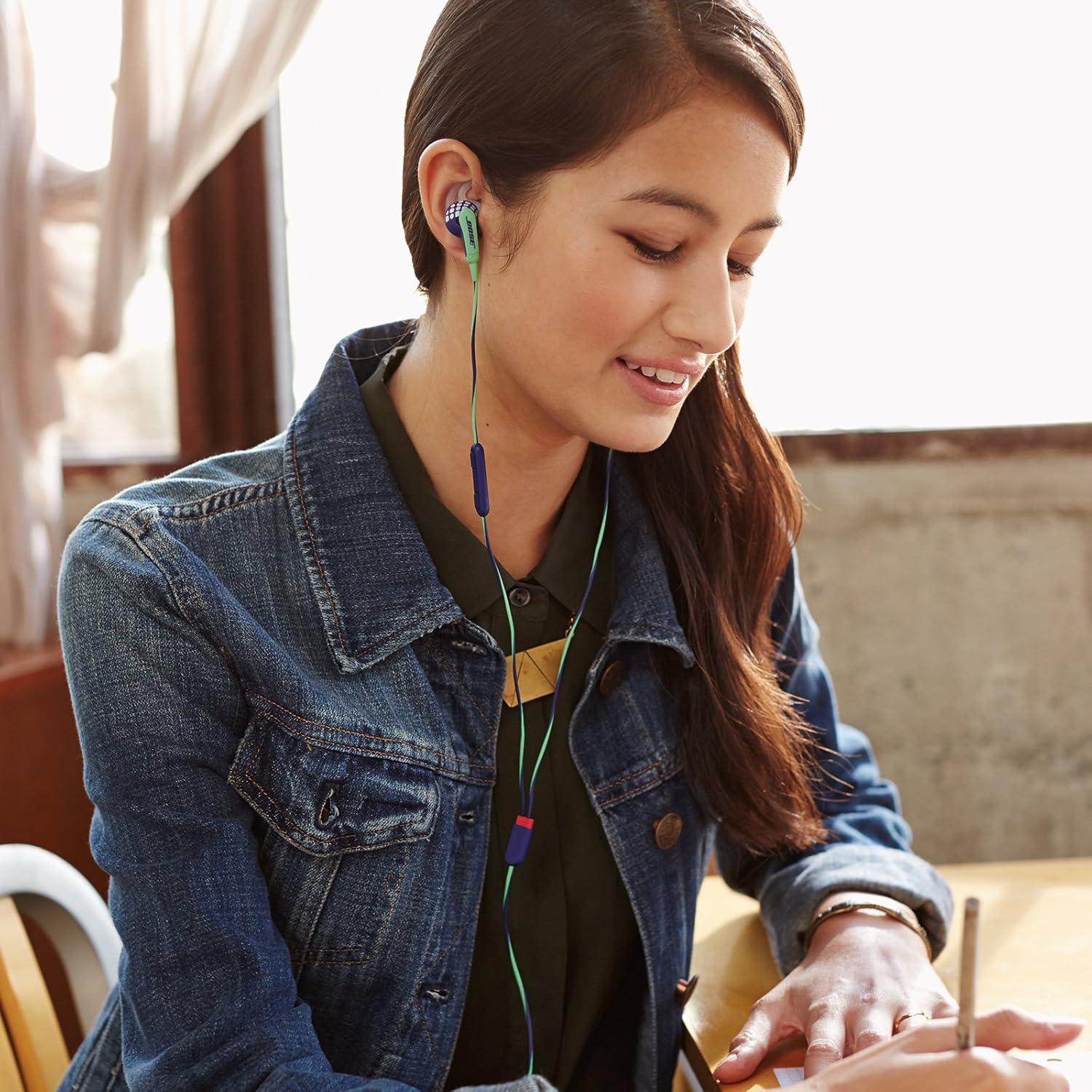
Image 4.1: A person demonstrating the correct and comfortable way to wear the Bose Freestyle Earbuds.
Use the included clothing clip to secure the cable to your shirt or collar, reducing cable noise and keeping the earbuds in place during movement.
4.2 Using the Inline Remote and Microphone
The inline remote provides convenient control over your music and calls without needing to access your device. The remote is compatible with iPhones and other devices supporting standard 3.5mm audio controls.

Image 4.2: The Bose Freestyle Earbuds cable featuring the inline remote control and microphone.
| Action | Button Press | Function |
|---|---|---|
| Play/Pause | Press center button once | Toggles playback (play/pause) |
| Next Track | Press center button twice quickly | Skips to the next song |
| Previous Track | Press center button three times quickly | Skips to the previous song |
| Volume Up | Press '+' button | Increases audio volume |
| Volume Down | Press '-' button | Decreases audio volume |
| Answer/End Call | Press center button once | Answers an incoming call or ends an active call |
| Decline Call | Press and hold center button | Declines an incoming call |
| Activate Voice Control (Siri/Google Assistant) | Press and hold center button | Activates voice assistant on compatible devices |
5. Maintenance and Care
Proper care will help maintain the performance and appearance of your Bose Freestyle Earbuds.
5.1 Cleaning
- Ear Tips: Remove the StayHear® tips from the earbuds. Wash them with mild soap and water. Rinse thoroughly and allow them to air dry completely before reattaching.
- Earbuds: Use a soft, dry cloth to wipe the exterior of the earbuds. Do not use abrasive cleaners, solvents, or sprays.
- Cable: Wipe the cable with a soft, slightly damp cloth if needed.
5.2 Storage
When not in use, store your earbuds in the provided carrying case to protect them from dust, dirt, and tangles. Avoid wrapping the cable too tightly.

Image 5.1: The Bose Freestyle Earbuds and their cable neatly folded and stored inside the compact carrying case.
6. Troubleshooting
If you encounter any issues with your Bose Freestyle Earbuds, refer to the following common problems and solutions:
| Problem | Possible Cause | Solution |
|---|---|---|
| No sound or low volume |
|
|
| Sound is distorted or crackling |
|
|
| Inline remote not working |
|
|
7. Specifications
Detailed technical specifications for the Bose Freestyle Earbuds:
- Model Name: FreeStyle
- Model Number: 625946-0020
- Connectivity Technology: Wired
- Headphones Jack: 3.5 mm Jack
- Control Type: Media Control
- Control Method: Remote
- Cable Feature: Retractable
- Ear Placement: In Ear
- Form Factor: In Ear
- Audio Driver Type: Dynamic Driver
- Earpiece Shape: Rounded tip
- Color: Indigo
- Item Weight: 17.96 g (0.634 ounces)
- Compatible Devices: iPhones (and other devices with 3.5mm jack)
- UPC: 017817626309
- Manufacturer: Bose Corporation
- Noise Control: Active Noise Cancellation
8. Warranty and Support
Bose products are designed for durability and performance. For information regarding warranty coverage, technical support, or service, please visit the official Bose website or contact their customer service directly.
Online Support: www.bose.com/support
Please have your product model number (625946-0020) and UPC (017817626309) available when contacting support.