
BLACK+DECKER D988
BLACK+DECKER D988 Finishing Attachment Sander Instruction Manual
Introduction
This manual provides essential instructions for the safe and effective use of your BLACK+DECKER D988 Finishing Attachment Sander. Please read this manual thoroughly before operating the tool and retain it for future reference.
Important Safety Information
Always follow basic safety precautions to reduce the risk of fire, electric shock, and personal injury.
- Wear eye protection.
- Wear hearing protection.
- Ensure the workpiece is securely clamped.
- Keep hands clear of moving parts.
- Disconnect the tool from the power source before changing accessories or performing maintenance.
- Use only recommended accessories.
Setup
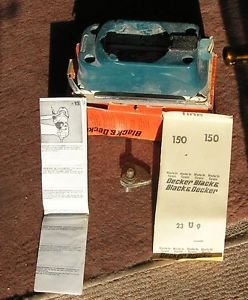
Image showing the BLACK+DECKER D988 Finishing Attachment Sander, a compact sanding head designed to attach to a compatible power unit.
Unpacking
Carefully remove the finishing attachment sander and all accessories from the packaging. Inspect for any damage.
Attaching to Power Unit
The D988 is an attachment. Ensure your BLACK+DECKER power unit is compatible.
- Align the attachment with the power unit's drive shaft.
- Push the attachment firmly onto the power unit until it clicks into place.
- Verify the attachment is securely fastened before use.
Attaching Sanding Sheets
The D988 uses hook-and-loop sanding sheets.
- Ensure the power unit is disconnected from the power supply.
- Peel off the old sanding sheet if present.
- Align the new sanding sheet with the base of the attachment, ensuring the holes (if any) match for dust extraction.
- Press the sanding sheet firmly onto the hook-and-loop base.
Operating Instructions
General Operation
Connect the power unit to a suitable power source.
Hold the tool firmly with both hands.
Place the sanding base flat on the workpiece before starting the tool.
Move the sander slowly and evenly over the surface. Avoid applying excessive pressure, as this can reduce efficiency and damage the workpiece or tool.
For optimal results, sand with the grain of the wood.
Dust Extraction
If your power unit or attachment has a dust extraction port, connect a suitable dust bag or vacuum cleaner to minimize dust exposure.
Maintenance
Regular maintenance ensures optimal performance and extends the life of your tool.
Cleaning
After each use, disconnect the tool from the power supply.
Wipe the exterior of the tool with a damp cloth. Do not use harsh chemicals or abrasive cleaners.
Clear any dust buildup from the ventilation openings to prevent overheating.
Sanding Pad Inspection
Periodically inspect the hook-and-loop sanding pad for wear or damage. A worn pad will not hold sanding sheets effectively. Replace if necessary.
Storage
Store the tool in a dry, secure location, out of reach of children.
Troubleshooting
| Problem | Possible Cause | Solution |
|---|---|---|
| Tool does not start | No power supply | Check power connection, fuse, or circuit breaker. |
| Poor sanding performance | Worn sanding sheet | Replace sanding sheet. |
| Poor sanding performance | Excessive pressure applied | Reduce pressure; let the tool do the work. |
| Sanding sheet detaches | Worn hook-and-loop pad | Replace the sanding pad. |
Specifications
- Model: D988
- Brand: BLACK+DECKER
- Item Weight: 500 grams
- Maximum Rotational Speed: 10000 rpm
- ASIN: B00IQQ92IG
- Manufacturer: Black & Decker
Warranty and Support
For warranty information or technical support, please refer to the documentation provided with your BLACK+DECKER power unit or visit the official BLACK+DECKER website.
This attachment is covered by the standard BLACK+DECKER warranty applicable to its power tool system.
Ask a question about this manual
Ask about setup, troubleshooting, compatibility, parts, safety, or missing instructions. Manuals+ will review the question and use this page’s manual context to help answer it.