
Introduction
This manual provides essential information for the proper setup, operation, and maintenance of your Sharp HT-SB602 2.1 Channel 310W Bluetooth Sound Bar. Designed to enhance the audio experience for televisions, particularly 60-inch class and larger models, this system features a sound bar and a wireless subwoofer, offering 310 watts of total power output. It includes Bluetooth connectivity for wireless audio streaming, dual HDMI inputs, NFC functionality for easy pairing, an IR Blaster, 3D support, Dolby and DTS decoding, and an optical input.
Please read these instructions thoroughly before using the product to ensure safe and optimal performance. Keep this manual for future reference.
What's in the Box
Verify that all components are present in the packaging:
- Sound Bar Unit
- Wireless Subwoofer
- Remote Control
- Wall Mount Brackets and Screws
- Power Cords
- Instruction Manual (this document)
Setup
1. Placement
The sound bar can be placed horizontally in front of your television or wall-mounted. Ensure the wireless subwoofer is placed within a reasonable range of the sound bar for optimal wireless connection.
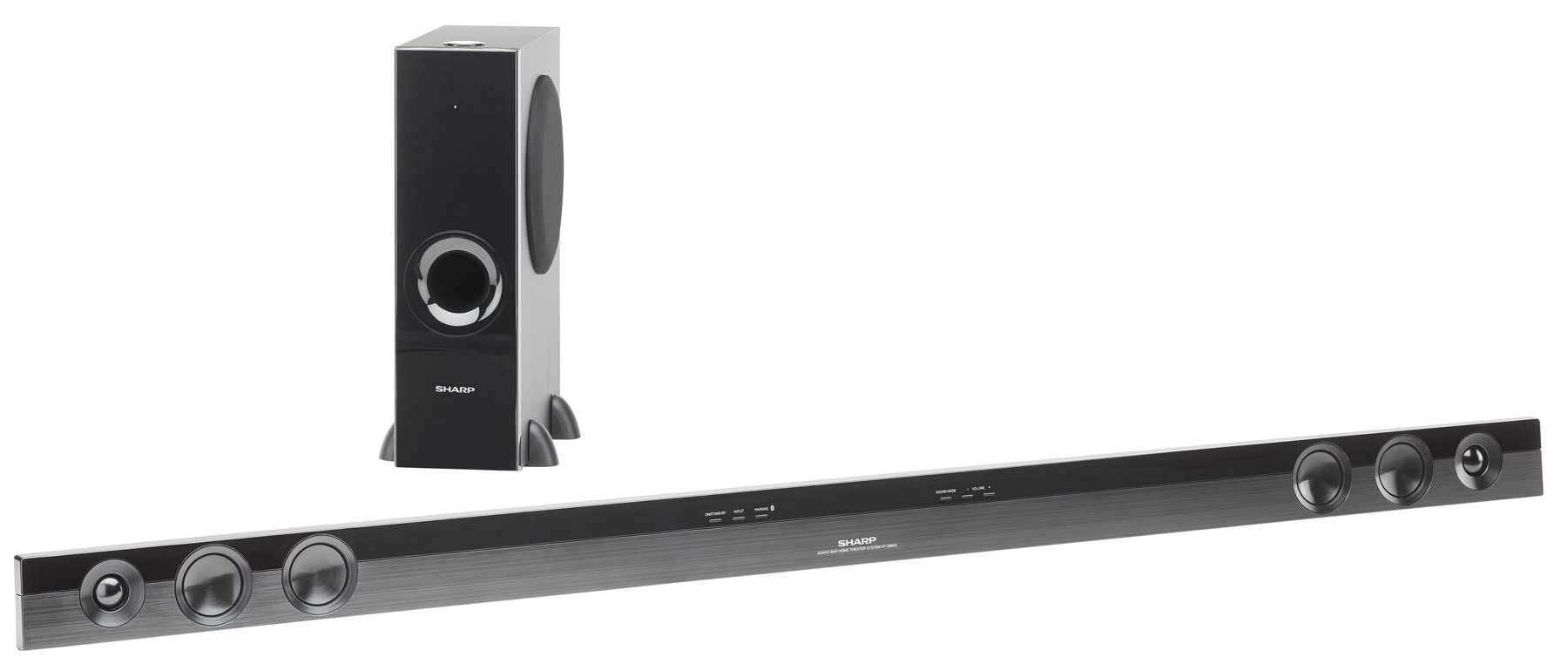
Image: The Sharp HT-SB602 sound bar and its accompanying wireless subwoofer, shown in a typical home theater setup.
2. Connections
Connect the sound bar to your television and other audio sources using the appropriate cables. Ensure all connections are secure.
- HDMI Connections: Use HDMI cables to connect your source devices (e.g., Blu-ray player, game console) to the HDMI IN 1 or HDMI IN 2 ports on the sound bar. Connect the HDMI OUT (ARC) port on the sound bar to the HDMI ARC port on your TV.
- Optical Connection: For digital audio, connect an optical cable from your TV's optical output to the OPTICAL IN port on the sound bar.
- Analog Connection: For analog audio, connect an RCA audio cable from your TV's audio output to the AUDIO IN ports on the sound bar.
- Power Connection: Connect the power cords to the sound bar and wireless subwoofer, then plug them into a wall outlet.

Image: Close-up view of the rear panel of the Sharp HT-SB602 sound bar, highlighting the HDMI IN 1, HDMI IN 2, AUDIO IN, and OPTICAL IN ports for various audio connections.
3. Wireless Subwoofer Pairing
The wireless subwoofer should automatically pair with the sound bar upon powering on. If pairing does not occur automatically, refer to the troubleshooting section for manual pairing instructions.
Operating
1. Power On/Off
Press the POWER button on the remote control or the sound bar to turn the unit on or off.
2. Input Selection
Press the INPUT button on the remote control repeatedly to cycle through the available input sources (HDMI 1, HDMI 2, Optical, Analog, Bluetooth).
3. Bluetooth Pairing
To connect a Bluetooth device:
- Select the Bluetooth input on the sound bar.
- Enable Bluetooth on your mobile device and search for available devices.
- Select "Sharp HT-SB602" from the list to pair.
- For NFC-enabled devices, simply tap your device to the NFC area on the sound bar for quick pairing.
4. Volume Control
Use the VOLUME + and VOLUME - buttons on the remote control to adjust the master volume. The subwoofer volume can be adjusted separately using the SW VOL + and SW VOL - buttons.
5. Sound Modes
The sound bar may offer various sound modes (e.g., Movie, Music, News). Refer to the remote control buttons for specific mode selection, if available.
Maintenance
To maintain the performance and appearance of your sound bar system:
- Wipe the surfaces with a soft, dry cloth.
- Do not use liquid cleaners, abrasive cleaners, or solvents, as these can damage the finish.
- Ensure ventilation openings are not blocked.
Troubleshooting
If you encounter issues with your Sharp HT-SB602, consult the following common solutions:
| Problem | Solution |
|---|---|
| No power | Check that the power cords are securely connected to both the sound bar/subwoofer and the wall outlet. Ensure the outlet is functional. |
| No sound | Verify the correct input source is selected. Check all audio cable connections. Increase the volume on both the sound bar and your TV/source device. Ensure the subwoofer is paired. |
| Bluetooth pairing fails | Ensure the sound bar is in Bluetooth mode. Place your Bluetooth device within 1 meter of the sound bar. Turn off and on Bluetooth on your device. Clear previous pairings if necessary. |
| Remote control not working | Check and replace the batteries in the remote control. Ensure there are no obstructions between the remote and the sound bar's IR sensor. |
| Subwoofer not connecting | Ensure both the sound bar and subwoofer are powered on. If automatic pairing fails, manually pair by pressing the PAIR button on the back of the subwoofer and then the PAIR button on the sound bar (refer to specific manual for exact button locations if not clearly marked). |
Specifications
| Feature | Detail |
|---|---|
| Brand | Sharp |
| Model Number | HT-SB602 |
| Speaker Maximum Output Power | 620 Watts |
| Connectivity Technology | Bluetooth, HDMI, NFC, Optical |
| Audio Output Mode | Surround Sound, 3D Audio |
| Mounting Type | Bar Mount, Wall Mount |
| Speaker Type | Soundbar |
| Additional Features | Wireless Subwoofer |
| Item Dimensions (D x W x H) | 8.34"D x 57.13"W x 18.38"H |
| Item Weight | 7.9 Pounds |
| Compatible Devices | Desktop, Laptop, Smartphone, Tablet, Television |
| Inputs | 2 HDMI, 1 Optical, 1 Analog |
| Power Source | Corded Electric |
| Remote Control Batteries | 2 AA batteries (included) |
Warranty
This Sharp HT-SB602 Sound Bar system comes with a 1-year Limited Warranty. Please retain your proof of purchase for warranty claims. For detailed terms and conditions, refer to the warranty card included with your product or contact Sharp customer support.
Support
For further assistance, technical support, or service inquiries, please visit the official Sharp website or contact their customer service department. You can find more information and products from Sharp at their official store: Sharp Brand Store.


