
1. Introduction
Thank you for choosing the Allocacoc PowerCube Extended. This compact power strip is designed to provide convenient access to power outlets and USB charging ports, minimizing cable clutter and maximizing space efficiency. This manual provides essential information for the safe and effective use of your PowerCube.
2. Important Safety Information
- Read all instructions before use.
- Do not exceed the maximum power rating of 1875W (15A, 125V). Overloading can cause overheating and fire.
- This product is for indoor use only. Do not expose to moisture or extreme temperatures.
- Do not disassemble or modify the PowerCube. Refer all servicing to qualified personnel.
- Keep out of reach of children.
- Ensure the plug is fully inserted into the wall outlet.
- Do not use with damaged cords or plugs.
- Unplug the PowerCube from the wall outlet when not in use or before cleaning.
3. Product Features
- 4 Standard AC Outlets: Provides power for multiple devices.
- 2 USB Charging Ports: Conveniently charge mobile devices.
- 5ft Extension Cord: Offers flexibility in placement.
- No Blockage Design: Cube shape prevents plugs from obstructing adjacent outlets.
- Mounting Dock: Securely attach the PowerCube to various surfaces.
- Surge Protection: Protects connected devices from power surges.
- ETL Certified: Ensures product safety and quality standards.
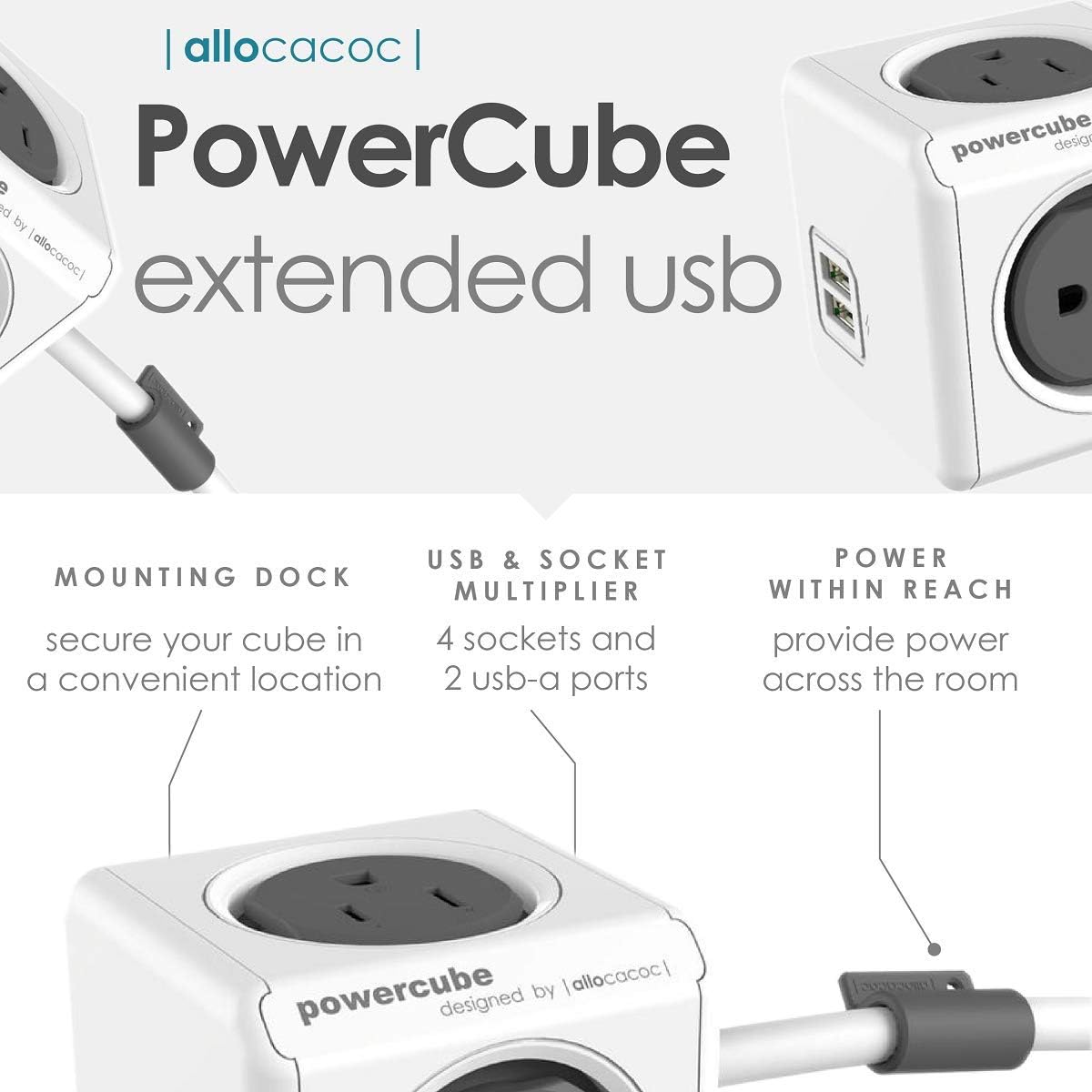
Figure 1: PowerCube Extended USB features diagram, highlighting 4 sockets, 2 USB-A ports, and the mounting dock for convenient placement.
4. Package Contents
- Allocacoc PowerCube Extended (Model 4420GY/USEUPC)
- Mounting Dock
- Sticky Tape for Mounting Dock
5. Setup and Installation
5.1 Connecting the PowerCube
- Uncoil the 5ft extension cord completely.
- Plug the PowerCube's main plug into a standard 125V AC wall outlet.
- Ensure the connection is secure.
5.2 Using the Mounting Dock
The included mounting dock allows you to secure your PowerCube to a flat surface, such as a desk or wall, for easy access.
- Choose a clean, dry, and smooth surface for mounting.
- Peel the backing from the sticky tape and apply it firmly to the back of the mounting dock.
- Press the mounting dock firmly onto the chosen surface for at least 30 seconds.
- Align the PowerCube with the mounting dock and twist it to lock it into place. The PowerCube can be rotated 360 degrees within the dock.

Figure 2: The PowerCube Extended mounted under a desk, providing convenient power access for a laptop and mobile phone.
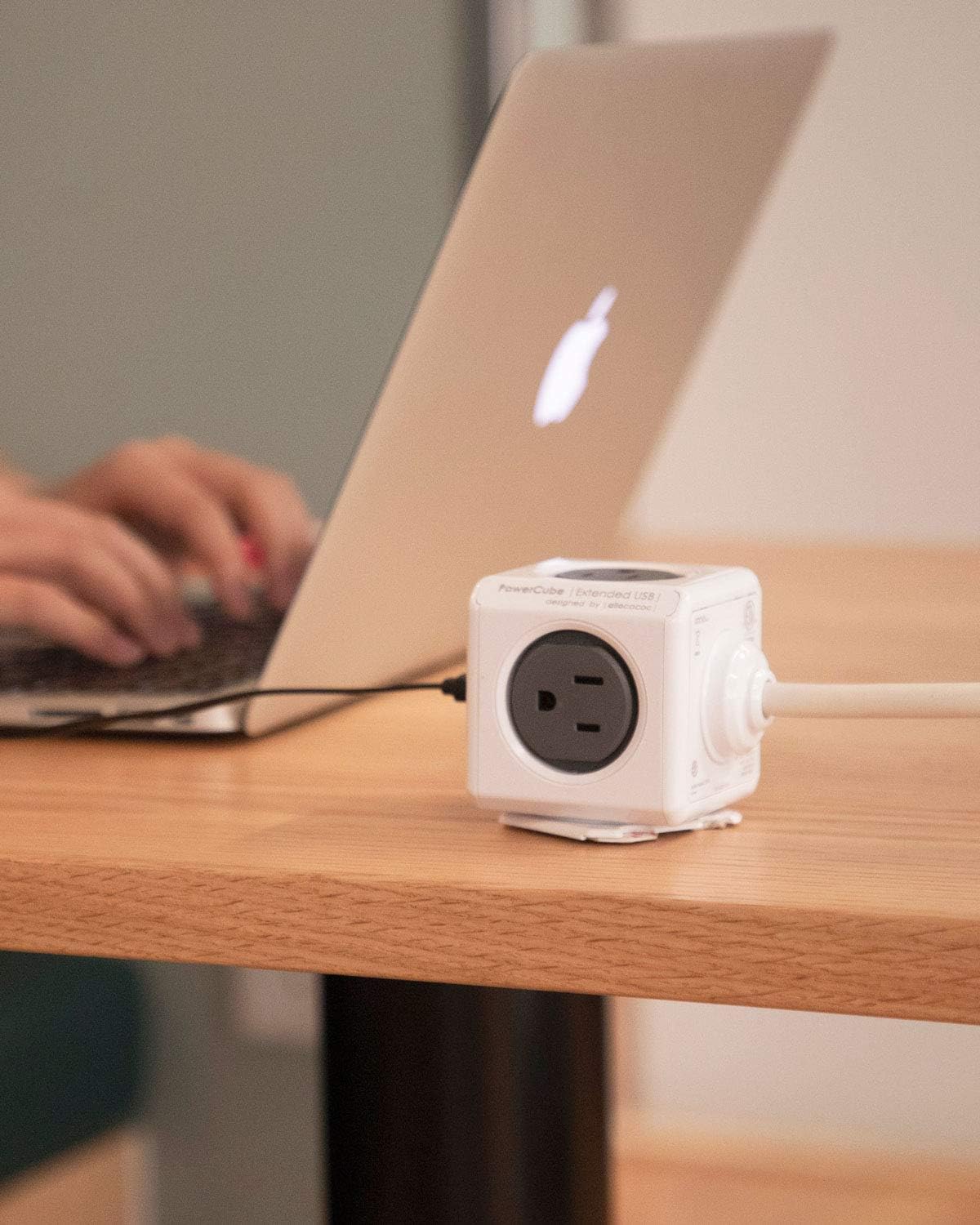
Figure 3: The PowerCube Extended positioned on a desk, offering accessible power outlets for a laptop and other devices.

Figure 4: The PowerCube Extended placed on the floor beside a bed, providing power in a discreet location.
6. Operation
6.1 Using AC Outlets
Plug your electronic devices directly into any of the four available AC outlets. The cube design ensures that bulky adapters do not block adjacent outlets.
6.2 Using USB Charging Ports
Connect your USB-powered devices (e.g., smartphones, tablets) to the two USB-A ports for charging. Ensure your device's charging cable is compatible with USB-A.

Figure 5: A user charging a mobile phone with the PowerCube Extended, demonstrating its use in a living space.
Video 1: An overview of the PowerCube's features and design, demonstrating its compact form factor and multiple outlets.
7. Maintenance
- Cleaning: Disconnect the PowerCube from the power source before cleaning. Wipe with a dry, soft cloth. Do not use liquid cleaners or aerosols.
- Storage: Store in a cool, dry place away from direct sunlight and moisture when not in use for extended periods.
- Inspection: Periodically inspect the PowerCube and its cord for any signs of damage. If damage is found, discontinue use immediately.
8. Troubleshooting
| Problem | Possible Cause | Solution |
|---|---|---|
| No power from AC outlets or USB ports. |
|
|
| USB devices not charging. |
|
|
| PowerCube feels warm. |
|
|
9. Specifications
| Model Number | 4420GY/USEUPC |
| Brand | Allocacoc |
| Total Power Outlets | 4 AC Outlets, 2 USB-A Ports |
| Voltage | 125V AC |
| Current Rating | 15A |
| Power Rating | 1875W |
| Cord Length | 5 feet |
| Product Dimensions | 7.9 x 2.5 x 2.5 inches |
| Item Weight | 1.6 ounces |
| Special Feature | Compact, Portable, Surge Protection, Mounting Dock |
Video 2: A summary of the PowerCube family, showcasing different models and their functionalities, including the Extended version.
10. Warranty and Support
For warranty information or technical support, please refer to the Allocacoc official website or contact their customer service. Keep your purchase receipt for warranty claims.