1. Important Safety Instructions
Please read all instructions carefully before using the shredder and retain this manual for future reference. Failure to follow these instructions may result in injury or damage to the product.
- Keep out of reach of children and pets.
- Keep loose clothing, jewelry, hair, and other foreign objects away from the shredder opening.
- Do not insert fingers or hands into the shredder opening.
- Do not use aerosol products near the shredder.
- Do not shred wet paper, adhesive labels, or any materials not specified for shredding.
- Always unplug the shredder before moving, cleaning, or emptying the wastebasket.
- Place the shredder on a stable, level surface.
- Do not operate the shredder if the power cord is damaged.
2. Product Overview
The Bonsaii C149-C is a heavy-duty cross-cut paper shredder designed for office use, offering high security and continuous operation.
Key Features:
- 18-Sheet Capacity: Shreds up to 18 sheets of 20lb bond paper per pass.
- 60-Minute Continuous Run Time: Equipped with an advanced cooling system for extended operation.
- Cross-Cut Shredding: Shreds paper into tiny particles (13/64 x 63/64 inches or 5 x 25mm) for P-4 security level.
- Multi-Material Shredding: Capable of shredding paper, credit cards, and staples.
- 6-Gallon Pull-out Wastebasket: Large capacity for less frequent emptying, with a transparent window.
- Low Noise Operation: Operates at approximately 62 dB for a quieter environment.
- 4 Casters: For easy mobility.
- Auto Start/Stop & Reverse: Prevents paper jams and ensures smooth operation.
- Overheat & Overload Protection: Enhances durability and user safety.
Product Components:
Familiarize yourself with the main parts of your shredder:
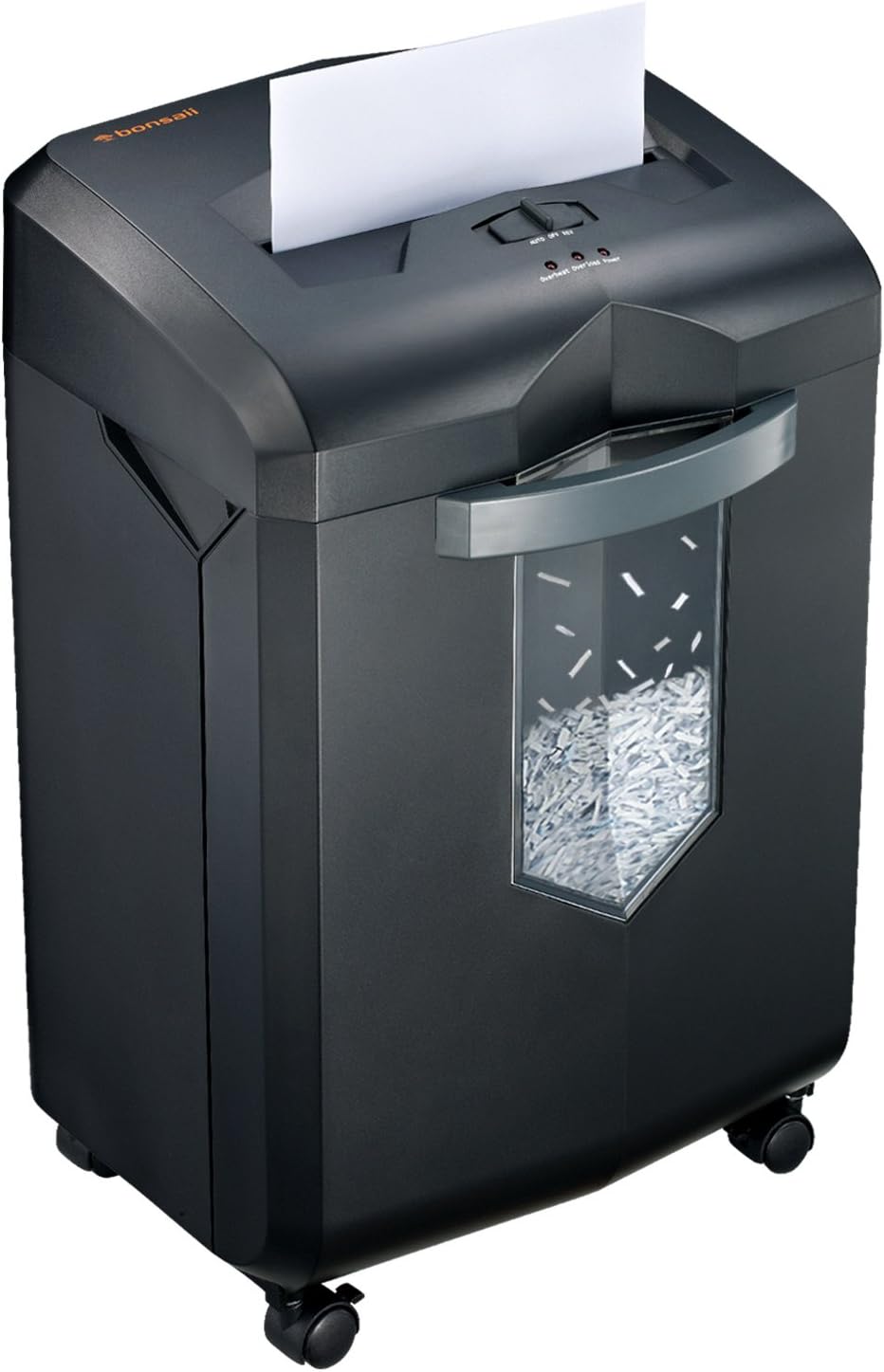
Image: Front view of the Bonsaii C149-C Paper Shredder, showing the paper feed slot, control panel, transparent wastebasket window, and casters.

Image: Close-up of the shredder's control panel, displaying the AUTO/OFF/REV switch and indicator lights for Overheat, Overload, and Power.
3. Setup
Follow these steps to set up your shredder for first use:
- Unpack: Carefully remove the shredder from its packaging. Retain packaging materials for future transport or storage.
- Placement: Place the shredder on a flat, stable surface. Ensure there is adequate space around the unit for ventilation. Avoid placing it near heat sources or in damp environments.
- Install Casters: If the casters are not pre-installed, insert them firmly into the designated slots at the bottom of the shredder.
- Connect Power: Plug the power cord into a standard 120V AC outlet.
- Wastebasket: Ensure the pull-out wastebasket is correctly inserted and fully closed. The shredder will not operate if the wastebasket is open or improperly seated.
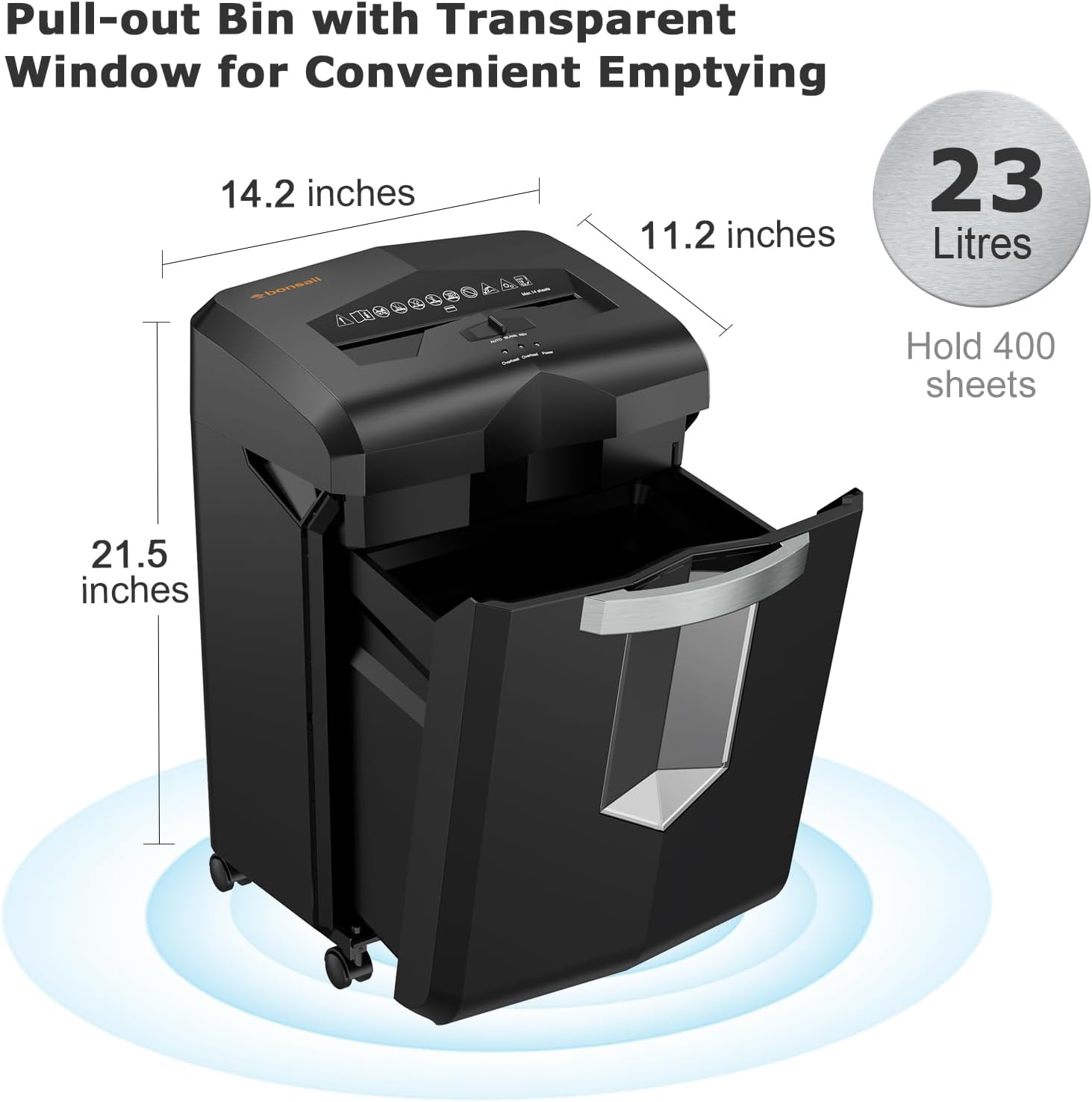
Image: The Bonsaii C149-C shredder with its pull-out wastebasket open, illustrating its dimensions (14.2 inches width, 11.2 inches depth, 21.5 inches height) and 23-liter capacity, capable of holding over 400 A4 sheets.

Image: The Bonsaii C149-C shredder positioned in an office environment next to a desk, showing its overall dimensions (54.5 cm height, 28.5 cm width, 36 cm depth) relative to typical office furniture.
4. Operating Instructions
This section details how to operate your Bonsaii paper shredder effectively and safely.
Control Switch Functions:
- AUTO: The shredder is ready for operation. It will automatically start when paper is inserted and stop when shredding is complete.
- OFF: The shredder is powered off.
- REV (Reverse): Activates the reverse function to clear paper jams. Hold the switch in this position until the jam is cleared.
Shredding Paper:
- Set the control switch to AUTO.
- Insert up to 18 sheets of paper (20lb bond) straight into the paper feed slot. Do not exceed the maximum capacity to prevent jams.
- The shredder will automatically start and shred the paper. It will stop once all paper has passed through.

Image: The Bonsaii C149-C shredder demonstrating its 18-sheet paper capacity and ability to shred credit cards, CDs, paper clips, and staples, highlighting the cross-cut blades.

Image: A visual representation of the P-4 high-security cross-cut shredding, showing paper being reduced to tiny particles measuring 13/64 x 63/64 inches (5 x 25mm).
Shredding Credit Cards and Staples:
The shredder can also destroy credit cards and staples. Insert them one at a time into the paper feed slot. Do not force multiple items.
Continuous Operation and Cooling System:
The C149-C is designed for continuous shredding for up to 60 minutes, thanks to its patented cooling system. This allows for shredding large volumes of documents without frequent cool-down periods.

Image: Diagram illustrating the 60-minute non-stop shredding capability of the Bonsaii C149-C, highlighting the internal patented cooling system that allows for continuous operation without waiting for cooling.
Automatic Jam Protection:
The shredder features an auto start/stop and auto-reverse function to prevent paper jams. If a jam occurs, the shredder will attempt to clear it automatically by reversing the blades. If the jam persists, refer to the Troubleshooting section.

Image: Diagram showing the Automatic Paper Jam Proof System, with arrows indicating Auto Start (forward motion) and Auto Reverse (backward motion) of the shredder gears.
Indicator Lights:
- Power: Illuminates when the shredder is powered on and ready.
- Overheat: Illuminates if the shredder has been used continuously for too long and needs to cool down. Allow the shredder to rest until the light turns off.
- Overload: Illuminates if too much paper has been inserted, causing a potential jam. Use the REV function to clear the overload.

Image: Visual representation of the shredder's control panel with indicator lights, showing how the Overheat and Overload lights signal operational status and protection features.
5. Maintenance
Regular maintenance ensures optimal performance and extends the life of your shredder.
Emptying the Wastebasket:
- When the transparent window indicates the wastebasket is full, or the shredder stops operating (due to full bin sensor), set the control switch to OFF.
- Unplug the shredder from the power outlet.
- Pull out the wastebasket from the front of the shredder.
- Empty the shredded material into a suitable recycling bin.
- Reinsert the wastebasket firmly until it clicks into place.
- Plug the shredder back in and set the switch to AUTO to resume operation.

Image: The Bonsaii C149-C shredder with its wastebasket full of shredded paper, illustrating the automatic stop feature when the 23-liter bin reaches capacity.
Oiling the Shredder Blades:
To maintain shredding performance and reduce wear, oil the shredder blades regularly (e.g., after every 30 minutes of cumulative shredding or once a month for light use). Use a shredder-specific lubricant sheet or liquid shredder oil.
- Set the control switch to OFF and unplug the shredder.
- Apply a thin line of shredder oil across the paper entry slot.
- Plug the shredder back in and set the switch to REV for 2-3 seconds to distribute the oil.
- Set the switch to OFF and unplug the shredder again.
Cleaning the Exterior:
Wipe the exterior of the shredder with a soft, dry cloth. Do not use abrasive cleaners or solvents.
6. Troubleshooting
Refer to this section for solutions to common issues you might encounter.
| Problem | Possible Cause | Solution |
|---|---|---|
| Shredder does not turn on. |
|
|
| Paper jam. |
|
|
| Shredder stops during operation (Overheat light on). | Continuous use has activated overheat protection. | Turn off the shredder and unplug it. Allow it to cool down for at least 30-60 minutes until the Overheat light turns off. |
| Shredder runs slowly or makes unusual noise. |
|
|
7. Specifications
Technical details for the Bonsaii C149-C Paper Shredder:
- Model Number: C149-C
- Cut Type: Cross Cut
- Shred Size: 13/64 x 63/64 inches (5 x 25mm)
- Security Level: P-4
- Sheet Capacity: 18 sheets (20lb bond paper)
- Continuous Run Time: 60 minutes
- Cool-down Time: Approximately 30-60 minutes
- Wastebasket Capacity: 6 gallons (23 Liters)
- Shreds: Paper, Credit Cards, Staples
- Noise Level: 62 dB
- Product Dimensions: 14.2 x 11.2 x 21.5 inches (36 x 28.5 x 54.5 cm)
- Item Weight: 23.1 pounds
- Special Features: Automatic Start/Stop, Auto-Reverse, Overheat Protection, Overload Protection, Casters
8. Warranty Information
Bonsaii products are manufactured to high-quality standards. For specific warranty details, including duration and coverage, please refer to the warranty card included with your product or visit the official Bonsaii website. Keep your purchase receipt as proof of purchase for any warranty claims.
9. Support & Contact
If you have any questions, require technical assistance, or need to report an issue with your Bonsaii Paper Shredder, please contact Bonsaii customer service. Bonsaii offers professional customer service to assist you within 24 hours.
- Online Support: Visit the official Bonsaii website for FAQs and support resources.
- Amazon Support: For purchases made through Amazon, you can contact the seller "Bonsaii US" via the Amazon platform.


