1. Introduction
Welcome to the user manual for your Sony Measurement Microphone (Mono) ECM-AC2. This microphone is designed for precise audio measurement applications. This guide will assist you in setting up, operating, and maintaining your device to ensure optimal performance.
What's in the Box
As a spare part, the package typically includes the Sony Measurement Microphone (Mono) ECM-AC2 unit itself. Additional accessories such as cables, stands, or retail packaging are generally not included.
2. Product Overview
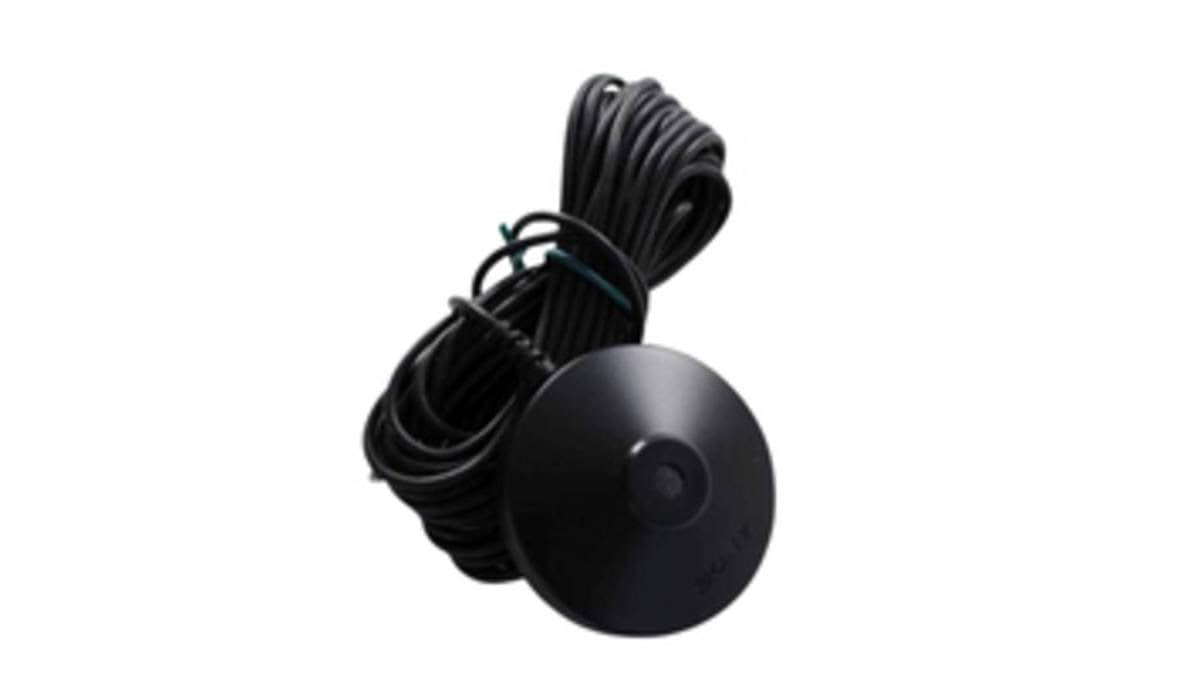
Figure 1: Sony Measurement Microphone (Mono) ECM-AC2. This image displays the compact, pencil-style condenser microphone unit.
The Sony Measurement Microphone (Mono) ECM-AC2 is a specialized microphone designed for accurate audio signal measurement. It features a mono output and is suitable for various applications requiring precise sound analysis. Its compact design allows for versatile placement.
3. Setup
Connecting the Microphone
- The ECM-AC2 features an XLR connector for reliable audio transmission. Connect the microphone to a compatible audio interface or recording device using an appropriate XLR cable (not included).
- The microphone is listed with 'Corded Electric' as a power source and requires '1 Lithium Ion battery'. Please refer to the specific power requirements of your unit. For many professional audio interfaces, phantom power (48V) is typically used for condenser microphones, though the listed specifications suggest alternative power methods.
Placement
For accurate measurements, position the microphone in the desired location, ensuring it is stable and free from vibrations. Consider using a microphone stand (not included) for optimal positioning, especially for critical acoustic measurements.
4. Operating Instructions
Audio Interface Settings
- Adjust the input gain on your audio interface to an appropriate level. Avoid clipping or distortion, which can compromise measurement accuracy.
- Ensure the correct input channel is selected for the microphone.
Software Configuration
- Use your preferred audio analysis software (e.g., Real-Time Analyzer, Room EQ Wizard) to interpret the microphone's input.
- Refer to your software's manual for specific calibration and measurement procedures to ensure accurate data collection.
Monitoring
Monitor the audio signal through headphones or speakers connected to your audio interface to ensure clear and accurate capture before initiating measurements.
5. Maintenance and Care
- Cleaning: Gently wipe the microphone body with a soft, dry cloth. Avoid using liquid cleaners, solvents, or abrasive materials, as these can damage the finish or internal components.
- Storage: Store the microphone in a dry, dust-free environment when not in use. Protect it from extreme temperatures, high humidity, and direct sunlight.
- Handling: Handle the microphone with care to prevent damage to the sensitive capsule or the XLR connector. Avoid dropping the microphone or subjecting it to strong impacts.
6. Troubleshooting
No Sound Output
- Check all cable connections, ensuring they are secure at both the microphone and the audio interface.
- Verify that any required power (e.g., phantom power, battery) is correctly supplied and enabled.
- Confirm the input gain on your audio interface is set correctly and not at minimum.
- Test with a different XLR cable if possible to rule out cable failure.
Distorted Sound
- Reduce the input gain on your audio interface to prevent signal clipping.
- Ensure the microphone is not overloaded by excessively loud sound sources.
Intermittent Signal
- Inspect the XLR cable for any signs of damage or wear.
- Ensure the microphone's connector and the audio interface's input are clean and free of debris.
7. Specifications
| Feature | Detail |
|---|---|
| Brand | Sony |
| Model Number | 154283011 |
| Signal-to-Noise Ratio | 76 dB |
| Number of Channels | 1 |
| Item Weight | 1.41 ounces |
| Product Dimensions (L x W x H) | 1.1 x 9.7 x 6.5 inches |
| Batteries | 1 Lithium Ion batteries required |
| Connectivity Technology | XLR |
| Connector Type | XLR |
| Compatible Devices | Camera |
| Polar Pattern | Unidirectional |
| Audio Sensitivity | 42 Decibels |
| Microphone Form Factor | Lavalier |
| Power Source | Corded Electric |
8. Warranty and Support
For warranty information and technical support regarding your Sony Measurement Microphone (Mono) ECM-AC2, please refer to the official Sony website or contact their customer service directly. It is recommended to keep your purchase receipt as proof of purchase for any warranty claims.


