
Introduction
This manual provides essential information for the safe and efficient operation of your Clean Air Optima CA-704 Dehumidifier & Air Purifier. Please read these instructions carefully before use and retain them for future reference.

Image: Front view of the Clean Air Optima CA-704 Dehumidifier and Air Purifier.
Safety Instructions
Always observe the following basic safety precautions to reduce the risk of fire, electric shock, or injury:
- Ensure the power supply voltage matches the rating label on the appliance.
- Do not operate the unit with a damaged cord or plug.
- Keep the appliance away from water and other liquids.
- Do not insert objects into the air inlet or outlet.
- Unplug the unit before cleaning or performing any maintenance.
- This appliance is for indoor use only.
- Do not block the air vents.
Product Overview
Components
- Main Unit
- Air Filter (Pre-filter, Activated Carbon Filter, TRUE HEPA H13 filter)
- Water Tank
- Drain Hose (for continuous drainage)
- User Manual
Features
- Dehumidification and Air Purification functions
- Automatic operating mode
- Quiet operation (39 dB noise level)
- Sleep mode
- Automatic restart function
- Removable 4-liter water tank
- Automatic humidity removal
- Three fan speeds
- Suitable for floor areas up to 40 square meters
- Integrated UV-C lamp and Ionizer
Setup
Unpacking
Carefully remove the appliance from its packaging. Check for any damage during transit. Retain the packaging for future storage or transport.
Placement
Place the dehumidifier on a firm, level surface. Ensure there is at least 20 cm of space around the unit for proper airflow. The unit is equipped with wheels for easy movement.

Image: Dimensions of the Clean Air Optima CA-704, showing approximate width, depth, and height.
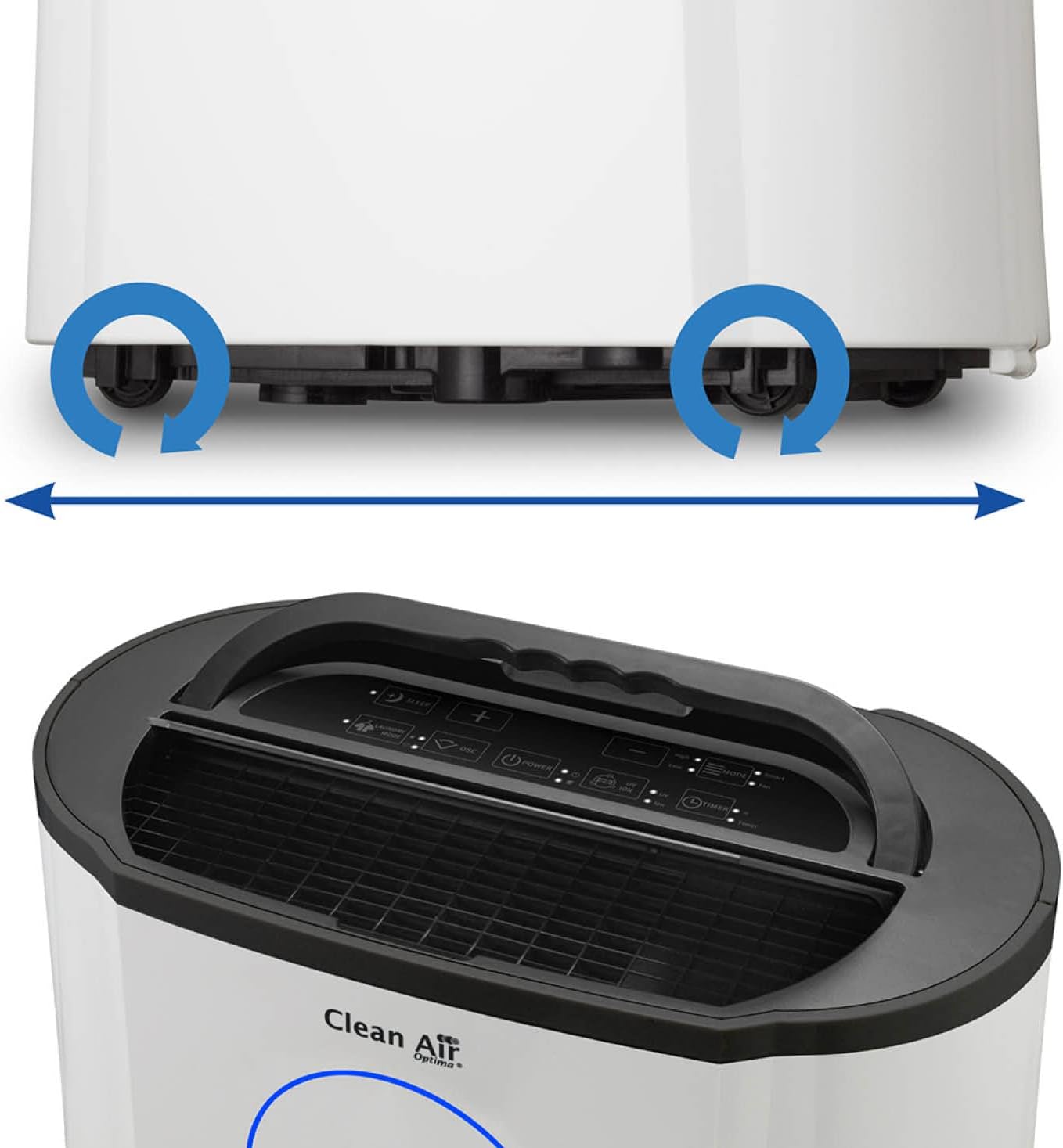
Image: Detail of the unit's wheels for mobility and the top control panel.
Power Connection
Plug the power cord into a grounded electrical outlet. Ensure the outlet meets the power requirements of the unit (165 Watts).
Operating Instructions
Control Panel
The control panel is located on the top of the unit. It includes buttons for power, mode selection, fan speed, timer, and a display for current humidity levels.
Operating Modes
- Automatic Mode: The unit automatically adjusts dehumidification based on the ambient humidity.
- Continuous Dehumidification: The unit operates continuously regardless of humidity levels.
- Air Purification Mode: The unit runs the air purification system without active dehumidification.
- Sleep Mode: Reduces fan speed and dims display lights for quiet operation during sleep.
Setting Humidity
In automatic mode, you can set your desired humidity level. The unit will operate to maintain this level. The display shows the current humidity, often indicated by a color-coded ring (blue for optimal, green for moderate, red for high humidity).
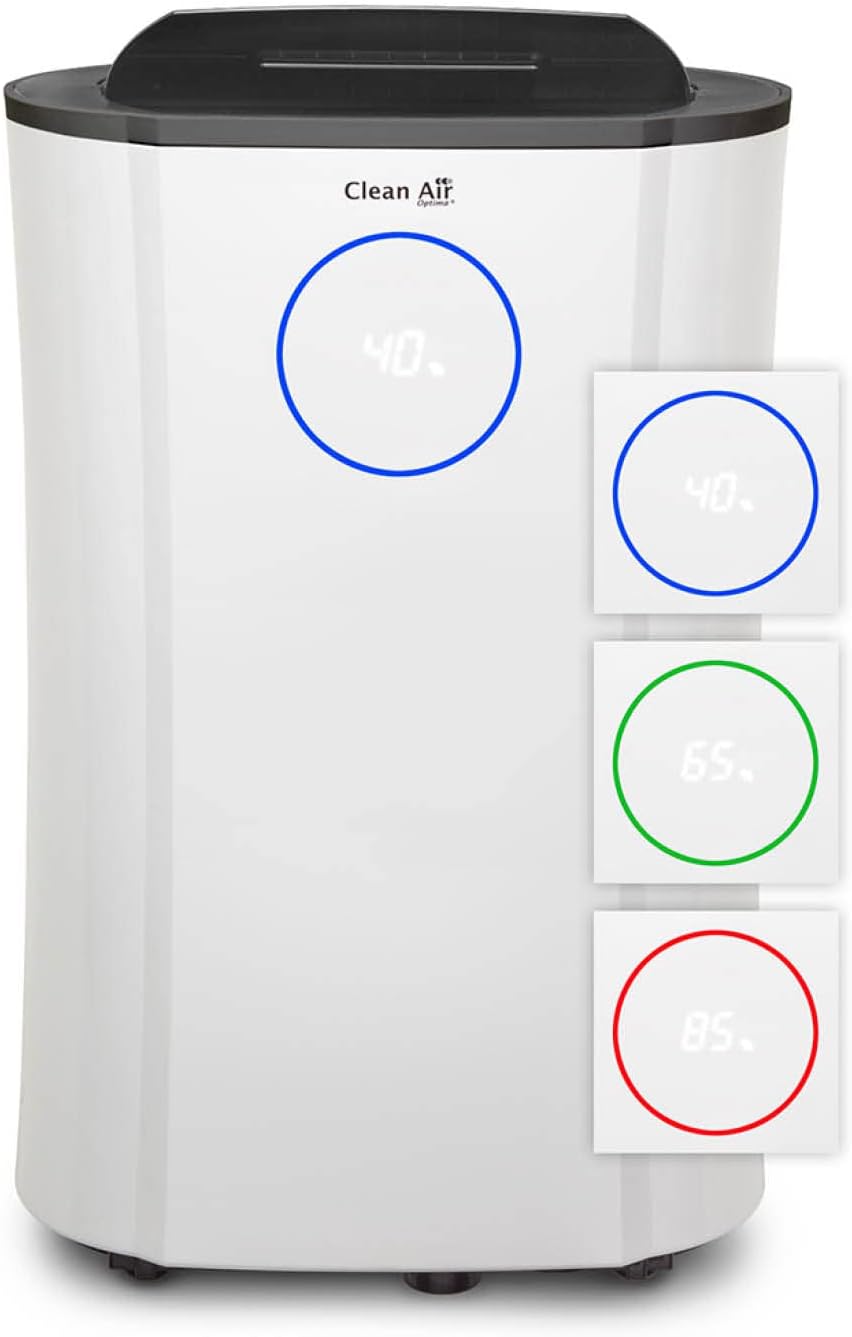
Image: The unit's display indicating humidity levels with color-coded rings.
Continuous Drainage
For continuous drainage, connect the included drain hose to the designated outlet on the unit and route it to a suitable drain. This bypasses the need to empty the water tank manually.
Maintenance
Regular maintenance ensures optimal performance and extends the lifespan of your appliance.
Cleaning the Exterior
Wipe the exterior of the unit with a soft, damp cloth. Do not use abrasive cleaners or solvents.
Filter Replacement/Cleaning
The CA-704 features a multi-stage filter system. The pre-filter should be cleaned regularly, while the activated carbon and HEPA filters require periodic replacement. Refer to the filter diagram for component identification.
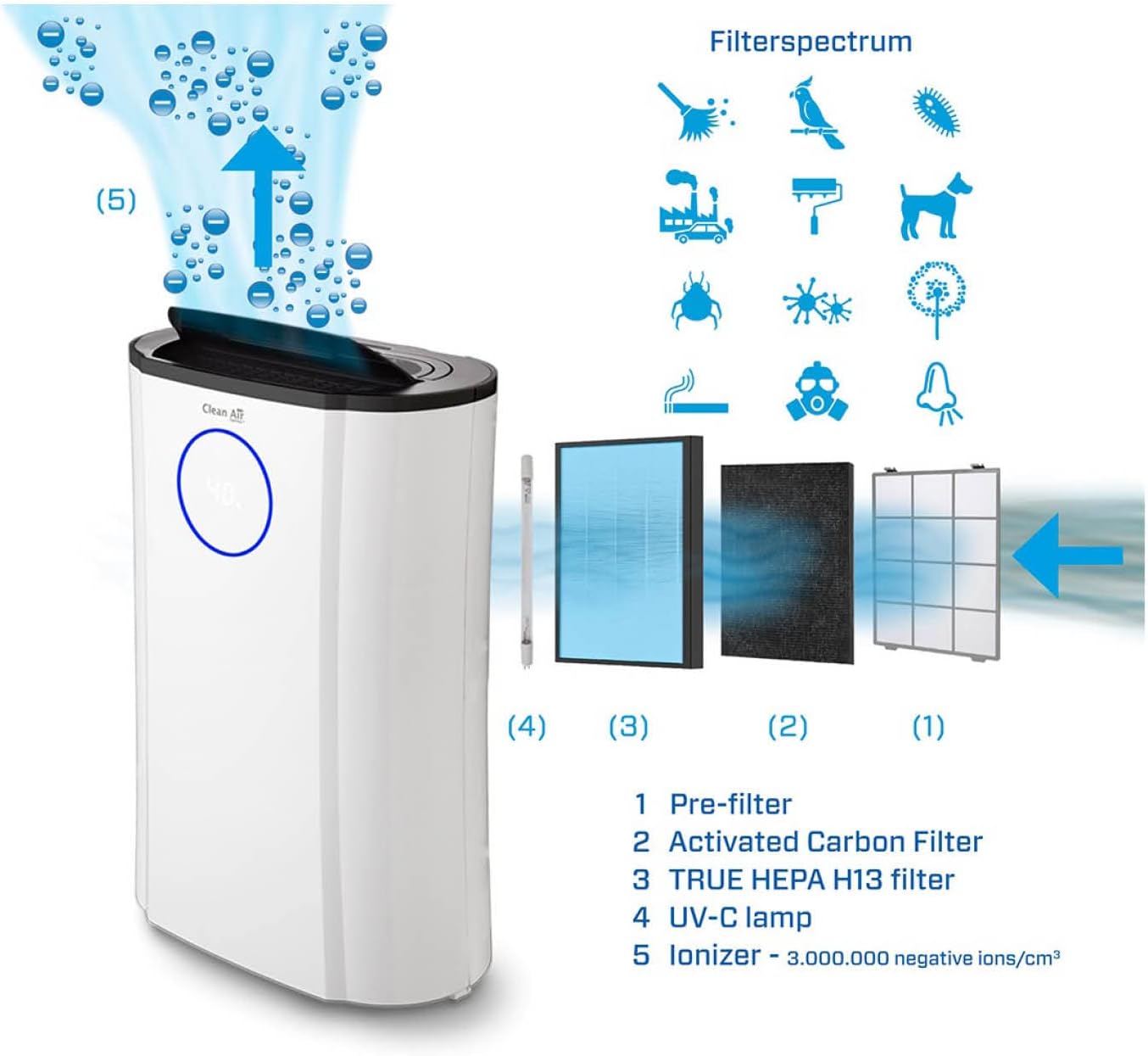
Image: Diagram illustrating the multi-stage filter system and air purification process.
- Pre-filter: Clean every 2-4 weeks by vacuuming or rinsing with water. Ensure it is completely dry before reinserting.
- Activated Carbon Filter & TRUE HEPA H13 filter: These filters are typically replaced every 6-12 months, depending on usage and air quality. Follow the instructions in the full manual for replacement.
- UV-C Lamp: The UV-C lamp has a limited lifespan and may need replacement. Consult the full manual for details.
Water Tank Management
Empty the water tank when the 'Tank Full' indicator illuminates. To remove, gently pull out the tank, empty the collected water, and reinsert it securely. For continuous drainage, ensure the drain hose is properly connected and unobstructed.
Troubleshooting
| Problem | Possible Cause | Solution |
|---|---|---|
| Unit does not turn on | No power supply; Power cord not connected; Water tank full or incorrectly inserted. | Check power connection; Empty and reinsert water tank correctly. |
| No dehumidification | Room temperature too low; Air filter blocked; Humidity setting too high. | Ensure room temperature is above 5°C; Clean/replace air filter; Adjust humidity setting lower. |
| Water leaks from unit | Water tank not properly seated; Drain hose clogged or improperly connected. | Reinsert water tank correctly; Check drain hose for clogs or proper connection. |
| Unusual noise | Unit not on a level surface; Obstruction in fan. | Place unit on a flat surface; Check for and remove any obstructions. |
Specifications
| Specification | Detail |
|---|---|
| Brand | Clean Air Optima |
| Model Number | CA-704 |
| Color | White |
| Product Dimensions (L x W x H) | 50 x 50 x 28 cm |
| Item Weight | 13.3 Kilograms |
| Water Tank Capacity | 4 Liters |
| Power | 165 Watts |
| Material | Metal or Plastic |
| Automatic Shut-off Function | Yes |
| Number of Speeds | 3 |
| Noise Level | 39 Decibels |
| Recommended Floor Area | 40 square meters |
| Included Components | Air filter, User manual, Drain hose |
Warranty and Support
For warranty information and customer support, please refer to the warranty card included with your product or visit the official Clean Air Optima website. Keep your purchase receipt as proof of purchase for any warranty claims.
If you require further assistance or have questions not covered in this manual, please contact Clean Air Optima customer service.


