Introduction
Thank you for purchasing the Panasonic ES-WF40-W Ferrier Face Hair Trimmer. This device is designed for gentle and precise trimming of facial hair, including eyebrows and fine vellus hair, to help achieve a smooth finish for makeup application. Please read this instruction manual thoroughly before use to ensure safe and optimal performance.

Image: The Panasonic ES-WF40-W Ferrier Face Hair Trimmer, white with a gold band, shown with its clear protective cap on.
Safety Information
- Battery Type: This device requires 1 AA battery.
- Non-Rechargeable: This product is designed for use with non-rechargeable batteries only. Do not attempt to use rechargeable batteries or charge non-rechargeable batteries within the device.
- Keep out of reach of children.
- Do not disassemble or modify the device.
- Do not use if the blade is damaged or deformed, as this may cause injury.
- Avoid using on irritated, damaged, or sensitive skin.
- Clean the device regularly as instructed in the maintenance section to prevent bacterial growth and ensure hygiene.
Package Contents
Verify that all items are present in the package:
- Panasonic ES-WF40-W Ferrier Face Hair Trimmer
- Protective Cap
- Eyebrow Cover
- Eyebrow Comb (adjustable for 2, 4, 6mm lengths)
- Cleaning Brush
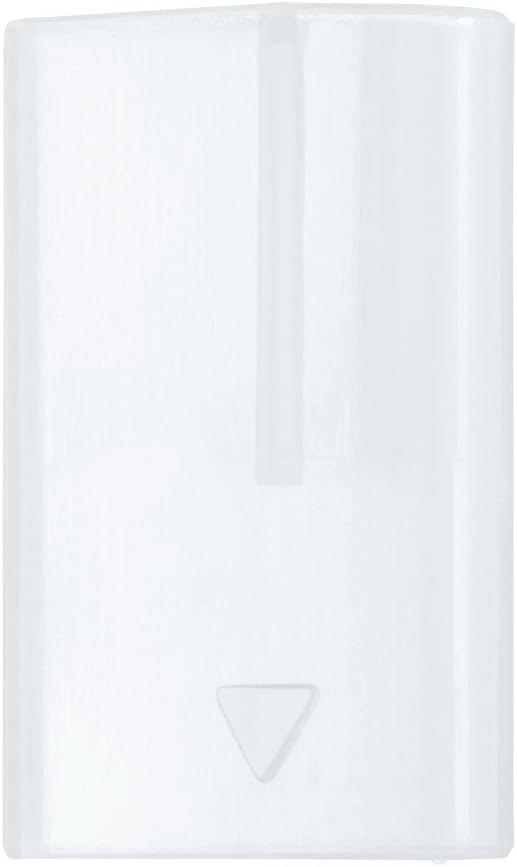
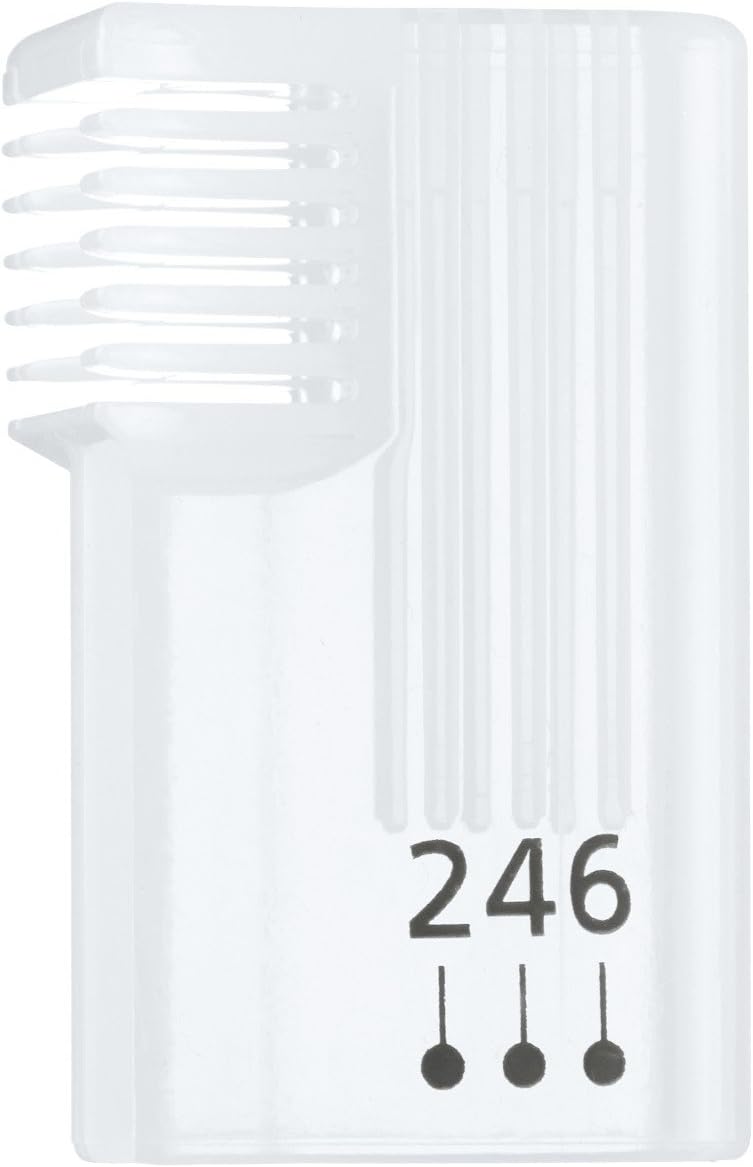
Image: The eyebrow protective cover (left) and the adjustable eyebrow comb (right) included with the trimmer.
Setup
1. Battery Installation
- Ensure the device is in the "OFF" position.
- Twist the bottom part of the trimmer counter-clockwise to open the battery compartment.
- Insert one new AA battery, ensuring the positive (+) and negative (-) terminals are correctly aligned according to the markings inside the compartment.
- Twist the bottom part clockwise to securely close the battery compartment.
Note: This device is powered by 1 AA battery. Do not use rechargeable batteries.
Operating Instructions
General Operation
- Remove the protective cap.
- Slide the power switch to the "ON" position.
- Gently press the trimmer against the skin and move it slowly against the direction of hair growth.
- After use, slide the power switch to the "OFF" position and replace the protective cap.

Image: The trimmer with its protective cap removed, showing the exposed blade for use.
Trimming Facial Hair (e.g., upper lip, cheeks)
- Ensure your skin is clean and dry.
- Hold the skin taut with one hand.
- Gently glide the trimmer flat against the skin, moving it in small, controlled strokes against the direction of hair growth. The rounded blade design is intended to be gentle on the skin.

Image: A close-up diagram illustrating the rounded tip of the blade and the mechanism where two blades gently grasp and cut hair, designed for skin protection.
Eyebrow Trimming
Use the included eyebrow cover and comb for precise eyebrow shaping and length adjustment.
- For Shaping (using Eyebrow Cover):
- Attach the eyebrow cover by aligning it with the blade slit and sliding it on. This cover helps protect eyelashes when shaping around the brow area.
- Gently trim unwanted hairs around the desired eyebrow shape.
- For Length Adjustment (using Eyebrow Comb):
- Attach the eyebrow comb by aligning it with the blade slit and sliding it on.
- Adjust the comb to your desired length setting (2mm, 4mm, or 6mm) by sliding the comb up or down.
- Comb through your eyebrows and gently trim the hairs to an even length.
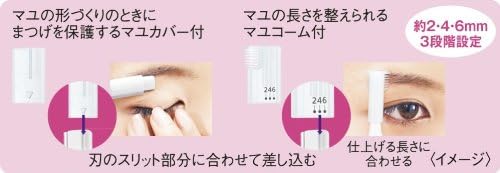
Image: A diagram showing how to attach the eyebrow cover to protect eyelashes during shaping, and how to attach and adjust the eyebrow comb for trimming eyebrow length to 2mm, 4mm, or 6mm.
Maintenance
Cleaning the Trimmer
- Ensure the trimmer is turned "OFF" and remove the protective cap.
- Gently brush away any accumulated hair from the blade and inside the trimmer head using the provided cleaning brush.
- For thorough cleaning, the blade unit can be carefully removed by sliding it off. Brush both sides of the blade unit.
- Do not wash the main body of the trimmer with water. The blade unit can be rinsed under running water, but ensure it is completely dry before reattaching.
- Reattach the blade unit and replace the protective cap.
Blade Care
- Handle the blade with care to avoid damage or injury.
- If the blade becomes dull or damaged, it may need to be replaced. Contact Panasonic customer support for replacement parts.
Troubleshooting
| Problem | Possible Cause | Solution |
|---|---|---|
| Trimmer does not turn on. | Battery is dead or incorrectly inserted. | Replace with a new AA battery, ensuring correct polarity. |
| Trimmer is not cutting effectively. | Blade is clogged with hair or dull. | Clean the blade thoroughly with the brush. If still ineffective, the blade may need replacement. |
| Skin irritation occurs. | Blade is damaged, or skin is too sensitive. | Inspect the blade for damage. Ensure skin is clean and dry before use. If irritation persists, discontinue use. |
Specifications
| Feature | Detail |
|---|---|
| Model Number | ES-WF40-W |
| Brand | Panasonic |
| Power Source | Battery Powered (1 x AA battery) |
| Special Feature | Rounded blade for gentle trimming, Eyebrow cover, Adjustable eyebrow comb (2/4/6mm) |
| Recommended Uses | Facial hair, Eyebrows |
| Item Weight | 1.76 ounces (approximately 50 grams) |
| Package Dimensions | 7.91 x 3.35 x 0.79 inches (20.1 x 8.5 x 2.0 cm) |
| Included Components | Trimmer, Protective Cap, Eyebrow Cover, Eyebrow Comb, Cleaning Brush |
Warranty and Support
For warranty information, technical support, or to purchase replacement parts, please refer to the warranty card included with your product or visit the official Panasonic website for your region.
You can also visit the Panasonic Store on Amazon for more product information.


