
iSpring TDS3-FBAK
iSpring TDS-3 Digital Water Quality Test Meter User Manual
Model: TDS3-FBAK | Brand: iSpring
Introduction
This manual provides instructions for the proper use and maintenance of your iSpring TDS-3 Digital Water Quality Test Meter. This device is designed to measure the Total Dissolved Solids (TDS) and temperature of water, offering a quick and convenient way to assess water quality.

Image: Banner displaying the iSpring Digital TDS Meter with text "Portable, Durable, and Reliable Tool to Know Your Water".
What is TDS?
TDS stands for Total Dissolved Solids. It refers to the total concentration of dissolved substances in water, including salts, minerals, and metals. While some dissolved solids are harmless or even beneficial, high levels can indicate potential water quality issues. The TDS-3 meter measures these solids in parts per million (ppm).

Image: A woman posing with text overlay asking "What is TDS? Why care about TDS? How to measure TDS?".
Product Features
- Dual Functionality: Measures both Total Dissolved Solids (TDS) and water temperature.
- High Accuracy: Utilizes advanced microprocessor technology for efficient and precise readings (±2% full scale).
- Easy-to-Use: Simple 3-button operation (ON/OFF, TEMP, HOLD).
- Digital Display: Clear LED screen displays readings in ppm (parts per million).
- Temperature Measurement: Displays temperature in Fahrenheit or Celsius.
- Hold Function: Locks and records readings for convenient viewing.
- Auto-Off Function: Automatically shuts off after a few minutes of inactivity to conserve battery life.
- Durable Design: Sturdy plastic housing, lightweight, and includes a portable leather carrying case with a belt clip.
- Wide Application: Suitable for drinking water, water filtration systems (RO/DI), aquariums, hydroponics, pools, spas, and various commercial/industrial uses.
Package Contents
- iSpring TDS Meter (Model: TDS3-FBAK) x 1
- Portable Leather Carrying Case with Belt Clip x 1
- User Manual with TDS Chart x 1

Image: The iSpring TDS meter shown alongside its protective black leather carrying case.

Image: Three iSpring TDS meters, two housed in their black leather cases and one displayed without its case, showing the probe end.
Setup
- Unpack: Carefully remove the TDS meter and its accessories from the packaging.
- Battery Installation (if necessary): The meter is typically pre-installed with batteries. If not, or if the display is dim, open the battery compartment (usually at the top) and insert 2x 1.5V LR44 button cell batteries, ensuring correct polarity.
- Remove Protective Cap: Gently pull off the black protective cap from the bottom of the meter to expose the electrodes.
Operating Instructions
- Prepare Sample: Fill a clean glass or container with the water you wish to test.
- Turn On: Press the ON/OFF button to power on the meter. The display will show "000" with a flashing "x10" or "ppm" indicator.
- Immerse Meter: Dip the electrode end of the meter into the water sample, ensuring the water level does not exceed the maximum immersion line (usually indicated on the meter). Do not immerse the entire meter.
- Stabilize Reading: Gently stir the meter in the water to dislodge any air bubbles. Wait for the reading to stabilize (typically a few seconds).
- Record Reading: Once the reading stabilizes, press the HOLD button to lock the value on the display. You can then remove the meter from the water to view the reading.
- Check Temperature: While the meter is on, press the TEMP button to switch between TDS reading and temperature reading (Celsius/Fahrenheit). Press again to return to TDS.
- Turn Off: Press the ON/OFF button to turn off the meter. The meter will automatically shut off after approximately 10 minutes of inactivity.
- Clean and Store: After use, shake off excess water and gently wipe the electrodes with a soft cloth. Replace the protective cap before storing.
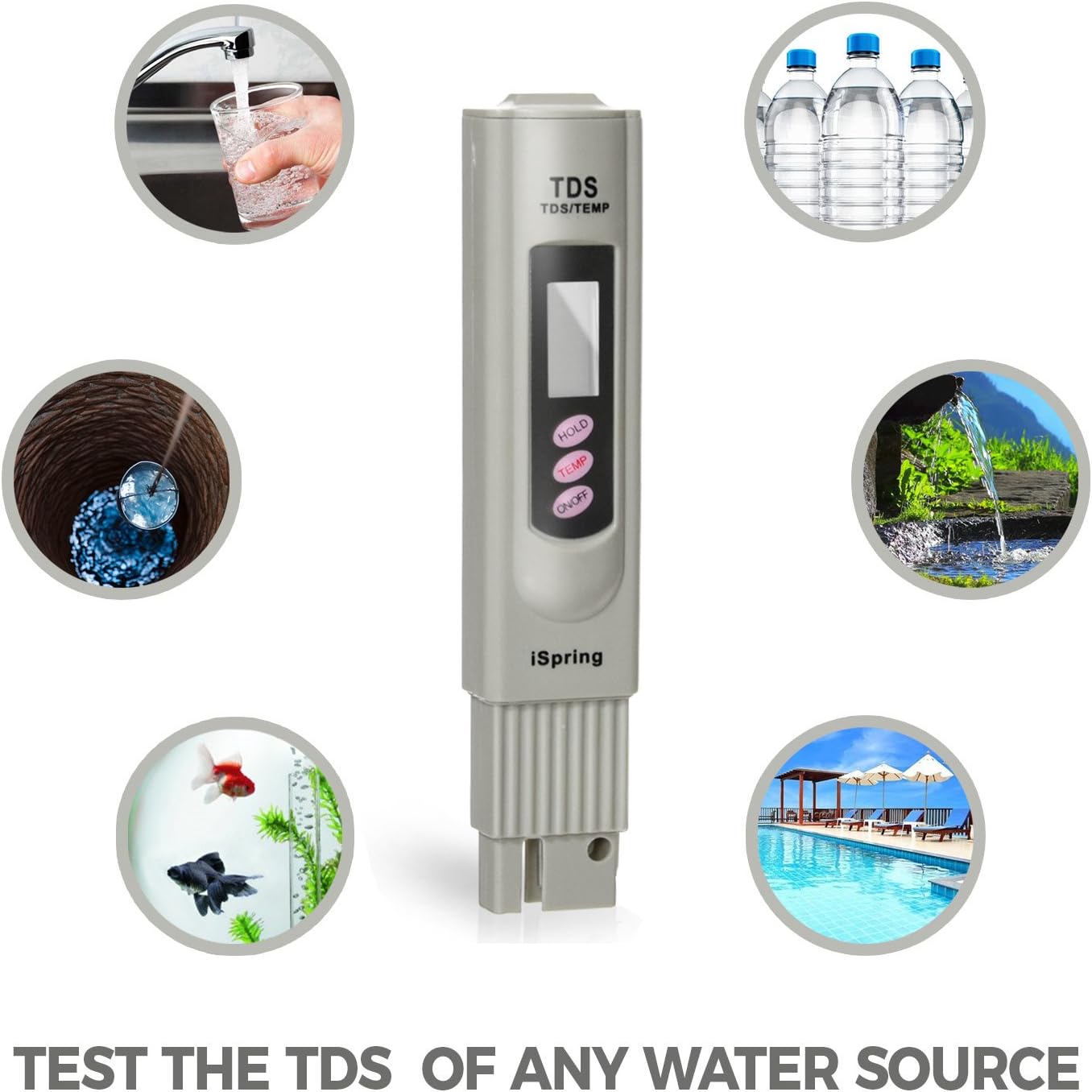
Image: The iSpring TDS meter partially immersed in a glass of water, displaying a reading of 104 ppm.

Image: A close-up of the iSpring TDS meter with its probe submerged in a glass of water.
Understanding TDS Readings
TDS levels are measured in parts per million (ppm). The interpretation of TDS values can vary depending on the water source and intended use. Generally, lower TDS values indicate purer water.

Image: A chart illustrating different PPM values and their general interpretation for water quality, ranging from 0 ppm (ideal drinking water) to >500 ppm (not recommended for drinking).

Image: The iSpring TDS meter surrounded by illustrations of various water sources it can test, including drinking water, aquariums, hydroponics, RO/DI systems, swimming pools, and outdoor activities.
General Guidelines:
- 0-50 ppm: Ideal for drinking water (e.g., from reverse osmosis or distilled water).
- 50-100 ppm: Good quality drinking water (e.g., filtered water).
- 100-300 ppm: Acceptable drinking water.
- 300-500 ppm: Marginally acceptable for drinking.
- >500 ppm: Generally not recommended for drinking due to high mineral content or other dissolved solids.
Note: TDS meters do not test for biological contaminants, heavy metals, or specific harmful chemicals. For comprehensive water analysis, consult a professional water testing laboratory.
Maintenance
- Cleaning: After each use, rinse the electrodes with clean water and gently wipe them dry with a soft cloth. Do not use abrasive materials or harsh chemicals.
- Storage: Always replace the protective cap after use. Store the meter in its carrying case in a cool, dry place, away from direct sunlight and extreme temperatures.
- Battery Replacement: If the display becomes dim or the meter does not turn on, replace the batteries. The iSpring TDS-3 uses 2x 1.5V LR44 button cell batteries.
- Calibration: The iSpring TDS-3 is factory calibrated. If you suspect inaccurate readings, you may need to recalibrate it using a standard TDS calibration solution (e.g., 342 ppm NaCl solution). Refer to the full user manual for detailed calibration instructions if needed.
Troubleshooting
| Problem | Possible Cause | Solution |
|---|---|---|
| Meter does not turn on. | Dead or incorrectly installed batteries. | Replace batteries with new 1.5V LR44 cells, ensuring correct polarity. |
| Inaccurate or fluctuating readings. |
|
|
| Display is dim. | Low battery power. | Replace batteries. |
Specifications
| Feature | Detail |
|---|---|
| Model Name | TDS 3-Button Digital Water Quality Tester (TDS3-FBAK) |
| Brand | iSpring |
| Measurement Range | 0-9990 ppm (parts per million) |
| Temperature Range | 32°F-212°F (0°C-100°C) |
| Accuracy | ±2% full scale |
| Response Time | 2 seconds |
| Display Type | Digital LED |
| Power Source | 2 x 1.5V LR44 Button Cell Batteries |
| Auto-Off | 10 minutes of inactivity |
| Material | Plastic |
| Item Weight | 1.76 ounces |
| Dimensions (Approx.) | 7 Inches (Length) |
Warranty and Support
iSpring offers a 30-day money-back guarantee and an extended manufacturer warranty upon product registration. Lifetime customer service and technical support are available from iSpring in Atlanta, GA.
For any questions or concerns, please contact iSpring customer support:
- Website: www.ispringfilter.com
- Phone: Refer to iSpring's official website for current contact numbers.

Image: A customer support representative with a headset, giving a thumbs-up, accompanied by text emphasizing "Safe Water and Great Support For You and Your Family" and "LIVE PHONE SUPPORT".
Ask a question about this manual
Ask about setup, troubleshooting, compatibility, parts, safety, or missing instructions. Manuals+ will review the question and use this page’s manual context to help answer it.