1. Introduction
This manual provides essential instructions for the safe and effective use of your OLYMPUS Voice-Trek VN-7300 IC Recorder. Please read this manual thoroughly before using the device and keep it for future reference.
2. Product Overview
The OLYMPUS Voice-Trek VN-7300 is a compact and easy-to-use digital voice recorder designed for simple memo recording. It features 2GB of internal memory and operates on two AAA batteries.

Figure 2.1: Front View - This image displays the front of the Voice-Trek VN-7300, highlighting its LCD screen, record, stop, and playback buttons, and the directional pad with an 'OK' button. The speaker is visible at the bottom.
2.1. Device Components
- LCD Display: Shows recording status, time, battery level, and menu options.
- Record Button (Red): Initiates and pauses recording.
- Stop Button (Square): Stops recording or playback.
- Playback/OK Button (Triangle/Circle): Starts playback, confirms selections.
- Directional Pad: Navigates menus and adjusts volume.
- Erase Button: Deletes files.
- Folder/Index Button: Manages folders and adds index marks.
- Power/Hold Switch: Turns the device on/off and locks buttons.
- Microphone Jack: For external microphone connection.
- Earphone Jack: For headphone connection.
- Built-in Microphone: For recording audio.
- Built-in Speaker: For audio playback.
- Battery Compartment: Holds two AAA batteries.

Figure 2.2: Top View - This image shows the top of the recorder, featuring the microphone input jack on the right and the earphone output jack on the left, along with the built-in microphone grille in the center.

Figure 2.3: Left Side View - This image illustrates the left side of the device, where the power on/off and hold switch is located, designed to prevent accidental operation.
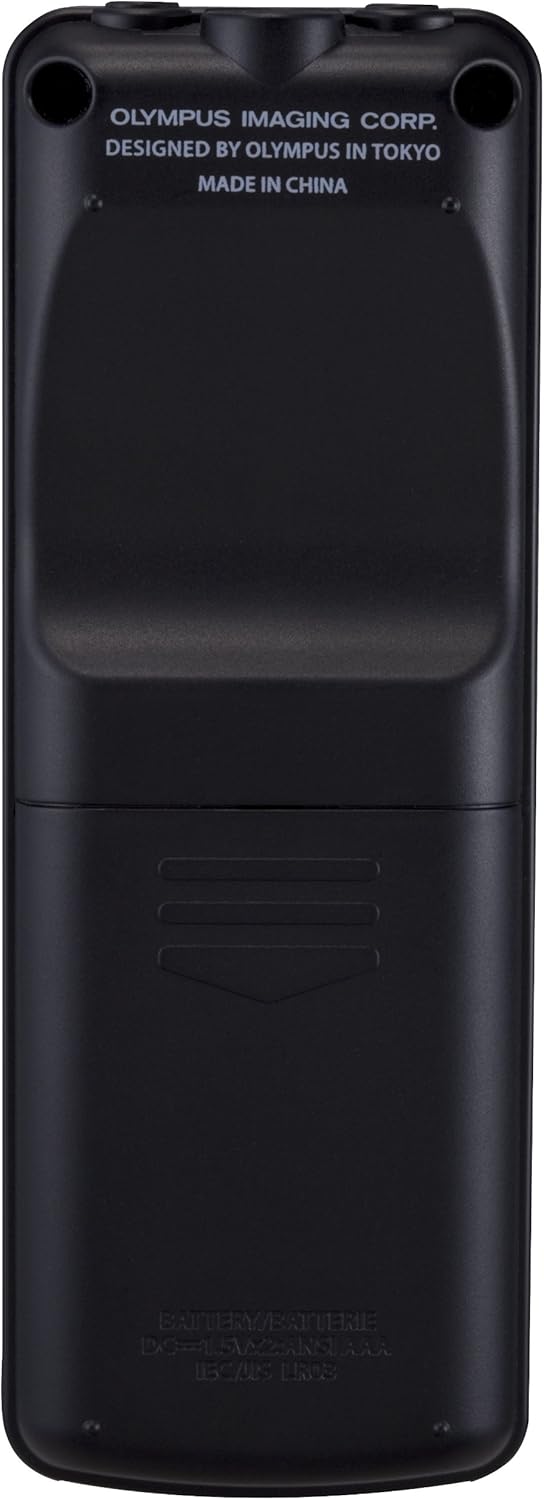
Figure 2.4: Right Side View - This image shows the right side of the recorder, featuring the prominent red record button and other side controls.
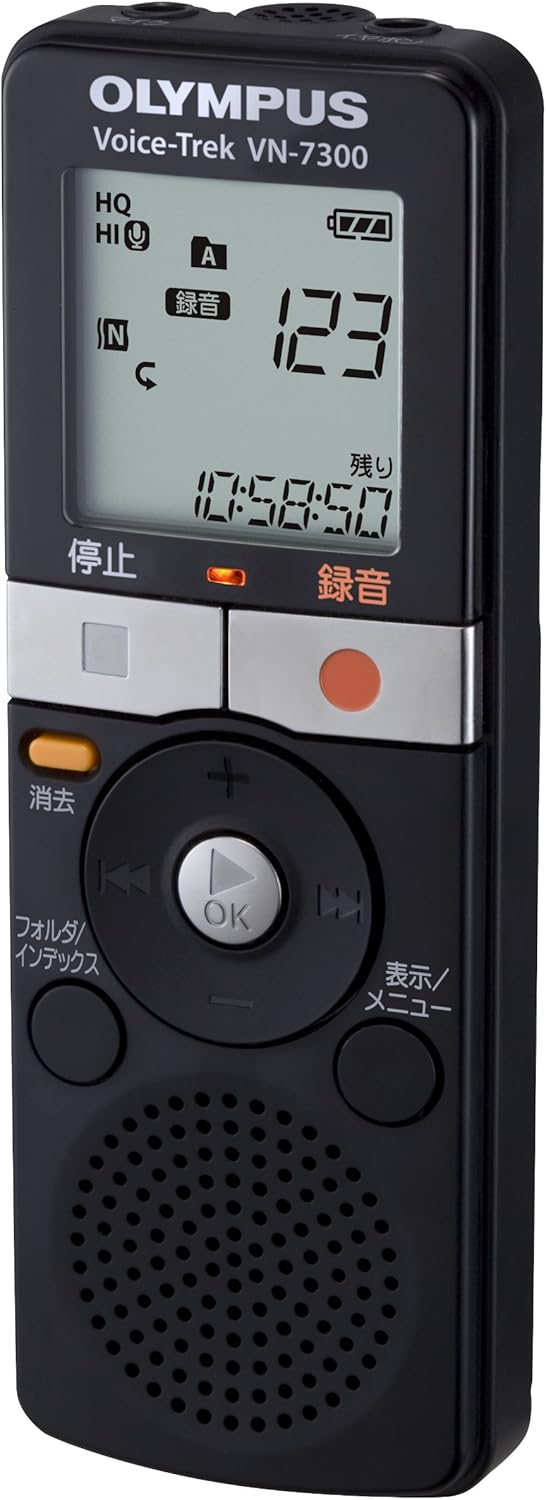
Figure 2.5: Back View - This image displays the back of the Voice-Trek VN-7300, showing the battery compartment cover and product information such as "OLYMPUS IMAGING CORP. DESIGNED BY OLYMPUS IN TOKYO MADE IN CHINA".
3. Setup
3.1. Battery Installation
- Locate the battery compartment cover on the back of the device.
- Slide the cover in the direction indicated by the arrow to open it.
- Insert two AAA (LR03) alkaline batteries, ensuring the correct polarity (+/-) as marked inside the compartment.
- Close the battery compartment cover by sliding it back until it clicks into place.
Note: Always use two new AAA batteries for optimal performance. Do not mix old and new batteries or different types of batteries.
3.2. Powering On/Off
- To turn on the device, slide the Power/Hold switch (located on the left side) to the "ON" position.
- To turn off the device, slide the Power/Hold switch to the "OFF" position.
- To lock the buttons and prevent accidental operation, slide the Power/Hold switch to the "HOLD" position.
4. Operating Instructions
4.1. Recording
- Ensure the device is powered on and not in "HOLD" mode.
- Press the Record button (red circle) to start recording. The recording indicator will light up, and the display will show the recording time.
- To pause recording, press the Record button again. Press it once more to resume.
- To stop recording, press the Stop button (square). The recorded file will be saved automatically.
Tip: Position the recorder close to the sound source for clear audio. The device has 2GB of internal memory for storing recordings.
4.2. Playback
- Press the Stop button to ensure the device is not in recording mode.
- Use the directional pad to select the desired file from the list on the LCD display.
- Press the Playback/OK button (triangle) to start playback.
- To adjust the volume during playback, use the up/down buttons on the directional pad.
- To stop playback, press the Stop button.
4.3. Erasing Files
- Navigate to the file you wish to erase using the directional pad.
- Press the Erase button.
- Confirm the deletion when prompted on the display.
5. Maintenance
- Keep the device dry. Moisture can damage electronic components.
- Avoid extreme temperatures. Do not expose the device to direct sunlight or very cold environments.
- Clean the device with a soft, dry cloth. Do not use liquid cleaners or solvents.
- Remove batteries if the device will not be used for an extended period to prevent leakage.
- Handle the device with care to avoid dropping or physical impact.
6. Troubleshooting
| Problem | Solution |
|---|---|
| Device does not power on. |
|
| Cannot record. |
|
| Poor recording quality. |
|
| No sound during playback. |
|
7. Specifications
| Feature | Detail |
|---|---|
| Model Number | VN-7300 |
| Internal Memory | 2GB |
| Dimensions (W x H x D) | 104 x 37 x 19.1 mm (approx.) |
| Weight | 66g (main unit only, approx.) |
| Power Source | 2 x AAA (LR03) alkaline batteries |
| Compatible OS | not_machine_specific |
| Manufacturer | OLYMPUS |
| ASIN | B00ICWTTLY |
8. Warranty and Support
For warranty information and customer support, please refer to the warranty card included with your product or visit the official OLYMPUS website. Keep your purchase receipt as proof of purchase.
For further assistance, contact OLYMPUS customer service.


