
1. Introduction
Thank you for choosing the Casio Baby-G BG-6903-2ER Digital Watch. This timepiece is designed for durability and functionality, featuring shock resistance and 200-meter water resistance, making it suitable for various activities. This manual provides essential information for setting up, operating, and maintaining your watch.
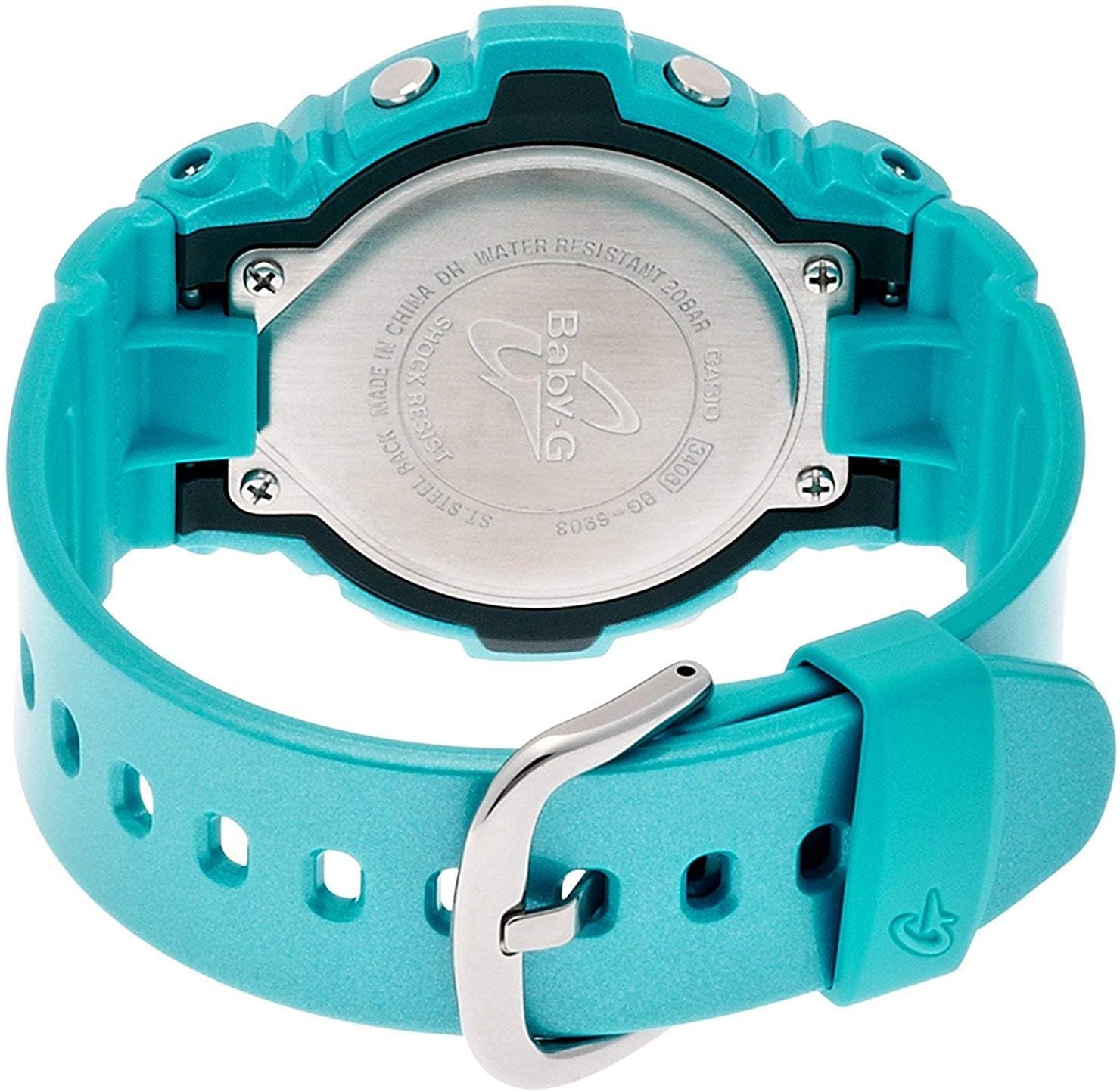
Image 1.1: Front view of the Casio Baby-G BG-6903-2ER digital watch, showcasing its blue resin case and strap, and digital display.
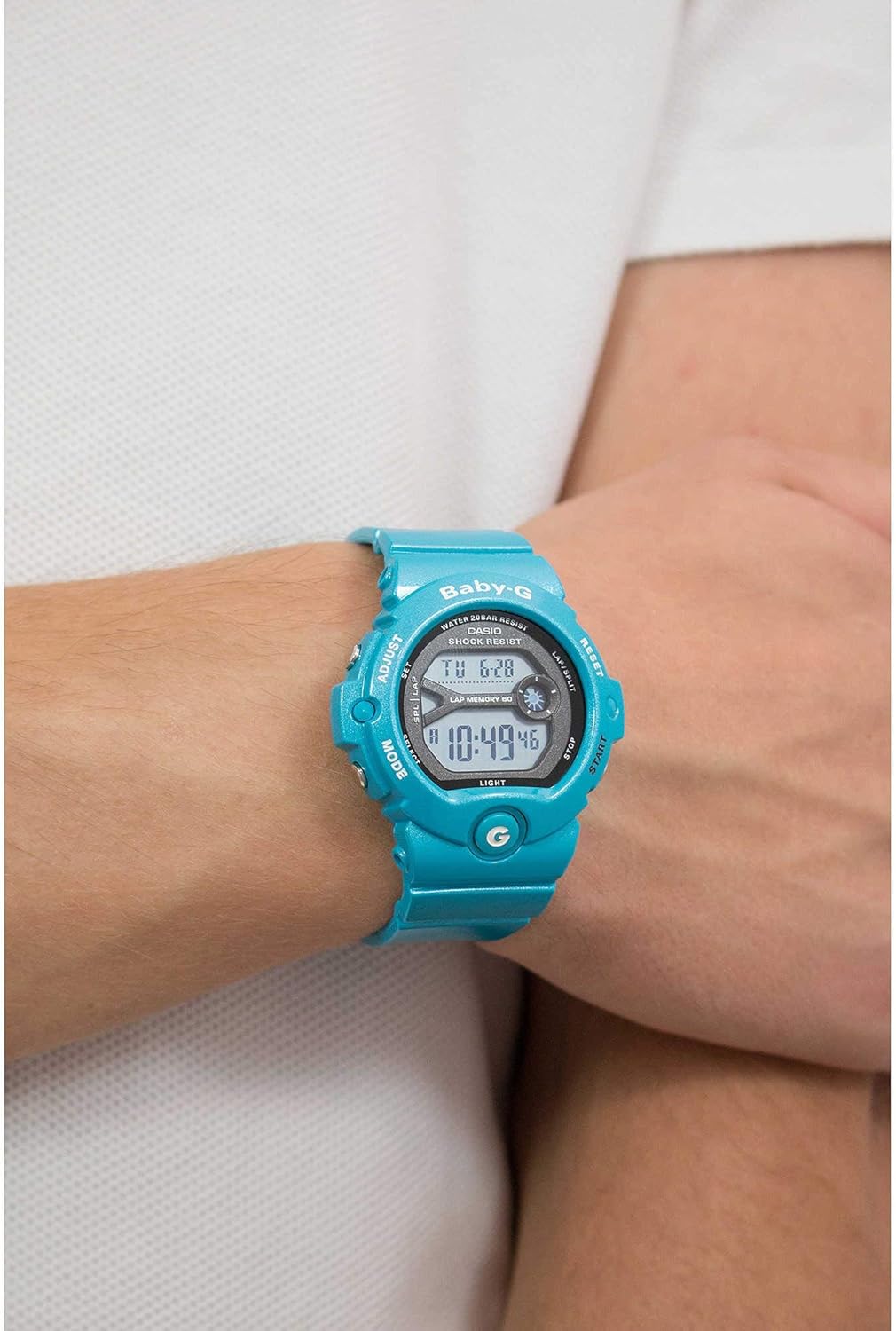
Image 1.2: The Casio Baby-G BG-6903-2ER watch worn on a wrist, illustrating its size and fit.
2. Setup
2.1 Unboxing and Initial Inspection
Upon receiving your watch, carefully remove it from its packaging. Inspect the watch for any visible damage. Ensure all protective films are removed from the display and case back.
Image 2.1: The hexagonal tin packaging for the Casio Baby-G watch.
2.2 Setting the Time and Date
- In the Timekeeping Mode, press and hold the ADJUST button (top left) until the city code starts to flash, indicating the setting screen.
- Use the MODE button (bottom left) to cycle through the settings: City Code, DST (Daylight Saving Time), 12/24-hour format, Seconds, Hour, Minute, Year, Month, Day.
- Use the START button (bottom right) and RESET button (top right) to change the flashing value.
- Once all settings are correct, press the ADJUST button again to exit the setting screen.
2.3 Strap Adjustment
The resin strap features a buckle closure. Adjust the strap length by selecting the appropriate hole for a comfortable and secure fit on your wrist. Ensure the watch is not too tight to allow for proper circulation, nor too loose to prevent excessive movement.
3. Operating the Watch
3.1 Mode Navigation
Press the MODE button (bottom left) to cycle through the different modes:
- Timekeeping Mode: Displays the current time and date.
- World Time Mode: Displays the current time in various cities around the world.
- Stopwatch Mode: Used for measuring elapsed time.
- Timer Mode: A countdown timer function.
- Alarm Mode: Allows setting multiple daily alarms.
3.2 Stopwatch Function
- Navigate to the Stopwatch Mode using the MODE button.
- Press the START button (bottom right) to begin timing.
- Press START again to pause the timing.
- Press the RESET button (top right) to reset the stopwatch to zero.
- The watch also features a Lap Memory function, indicated by "LAP MEMORY 60" on the display, allowing you to record up to 60 lap/split times.
3.3 Timer Function
- Navigate to the Timer Mode.
- Press and hold the ADJUST button to enter timer setting mode.
- Use the MODE button to select the hour or minute setting.
- Use the START and RESET buttons to change the values.
- Press ADJUST to exit setting mode.
- Press START to begin the countdown. An alarm will sound when the timer reaches zero.
3.4 Alarm Function
- Navigate to the Alarm Mode.
- Use the START button to scroll through the available alarms (AL1, AL2, etc.) and the Hourly Time Signal (SIG).
- To set an alarm, select the desired alarm and press and hold the ADJUST button.
- Use the MODE button to select hour or minute, and START/RESET to change values.
- Press ADJUST to confirm and exit.
- Press START to toggle the alarm or hourly time signal ON/OFF.
3.5 Backlight
Press the LIGHT button (bottom left, below MODE) to illuminate the display for easy viewing in low-light conditions.
4. Maintenance
4.1 Cleaning Your Watch
To maintain the appearance of your watch, wipe it regularly with a soft, dry cloth. For stubborn dirt, use a soft cloth dampened with water and a mild neutral detergent, then wipe dry. Avoid using volatile agents like thinner or benzine, as they may damage the resin components.
4.2 Water Resistance
Your Casio Baby-G BG-6903-2ER watch is water resistant to 200 meters (20 bar). This means it is suitable for swimming, showering, and snorkeling. However, avoid operating buttons while the watch is submerged in water or wet, as this can compromise the water resistance. Do not expose the watch to hot water or steam, as this can also affect the seals.

Image 4.1: Rear view of the Casio Baby-G BG-6903-2ER watch, showing the stainless steel case back with "WATER RESISTANT 20BAR" and "SHOCK RESIST" engravings.
4.3 Battery Replacement
The watch is powered by a product-specific battery. When the display becomes dim or functions become erratic, it may be time for a battery replacement. It is recommended to have the battery replaced by an authorized Casio service center to ensure proper sealing and maintain water resistance.
5. Troubleshooting
5.1 Common Issues and Solutions
- Blank Display or Dim Digits: The battery may be low. Consider battery replacement.
- Incorrect Time/Date: Re-adjust the time and date settings as described in Section 2.2. Ensure the correct city code and DST setting are selected.
- Buttons Not Responding: Ensure the watch is not in a locked mode (if applicable, though this model typically does not have a button lock). If the issue persists, a battery issue or internal malfunction may be present.
- Condensation Inside Display: If condensation appears and does not clear within a short period, the watch's water resistance may be compromised. Avoid further water exposure and seek professional inspection immediately.
For issues not covered here, please contact Casio customer support.
6. Specifications
| Brand | Casio |
| Model Number | BG-6903-2ER |
| Display Type | Digital |
| Movement | Quartz |
| Case Material | Resin |
| Strap Material | Resin |
| Case Diameter | 45 Millimeters |
| Case Thickness | 14 Millimeters |
| Band Width | 18 Millimeters |
| Item Weight | 47 Grams |
| Water Resistance Depth | 200 Meters (20 Bar) |
| Battery | 1 Product Specific battery (included) |
| Additional Features | Shock Resistant, Stopwatch, Timer, Alarm, World Time, Backlight |
7. Warranty
This Casio watch is covered by a manufacturer's warranty. The specific terms and duration of the warranty may vary by region. Please refer to the warranty card included with your purchase for detailed information regarding coverage, limitations, and how to make a claim. Keep your proof of purchase for warranty service.
8. Support
For further assistance, technical support, or service inquiries regarding your Casio Baby-G BG-6903-2ER watch, please visit the official Casio website or contact their customer service department in your region. Contact information can typically be found on the Casio website or in the documentation provided with your watch.


