
RCA RTS7010BR6
RCA RTS7010BR6 37-inch Home Theater Sound Bar with Bluetooth User Manual
Model: RTS7010BR6
Introduction
This user manual provides comprehensive instructions for the RCA RTS7010BR6 37-inch Home Theater Sound Bar with Bluetooth. Please read this manual thoroughly before operating the device to ensure proper use, optimal performance, and safety. Keep this manual for future reference.
Safety Information
Always follow basic safety precautions when using this product to reduce the risk of fire, electric shock, and injury.
- Do not expose this appliance to rain or moisture.
- Do not block any ventilation openings.
- Ensure the power cord is not pinched or walked on.
- Only use attachments/accessories specified by the manufacturer.
- Unplug this appliance during lightning storms or when unused for long periods.
- Refer all servicing to qualified service personnel.
Package Contents
Verify that all items listed below are included in your package. If any items are missing or damaged, please contact customer support.
- RCA RTS7010BR6 37-inch Home Theater Sound Bar
- Remote Control
- Power Adapter
- User Manual

Image: The RCA RTS7010BR6 sound bar, its remote control, and power adapter, representing the complete system components.
Product Overview
The RCA RTS7010BR6 is a 37-inch home theater sound bar designed to enhance your audio experience. It features 30 watts of total power output through four built-in speakers, providing stereo sound. The sound bar supports various connectivity options, including Bluetooth for wireless streaming, and physical inputs such as Aux, Coaxial Digital, and Optical.

Image: Front view of the RCA RTS7010BR6 sound bar, showcasing its sleek, low-profile design.

Image: Rear view of the RCA RTS7010BR6 sound bar, highlighting the DC IN, AUX IN, LINE IN, OPTICAL IN, and COAXIAL IN ports.
Setup
1. Placement
Place the sound bar on a stable, flat surface in front of your television or mounted on a wall below it. Ensure there are no obstructions in front of the sound bar for optimal audio projection.
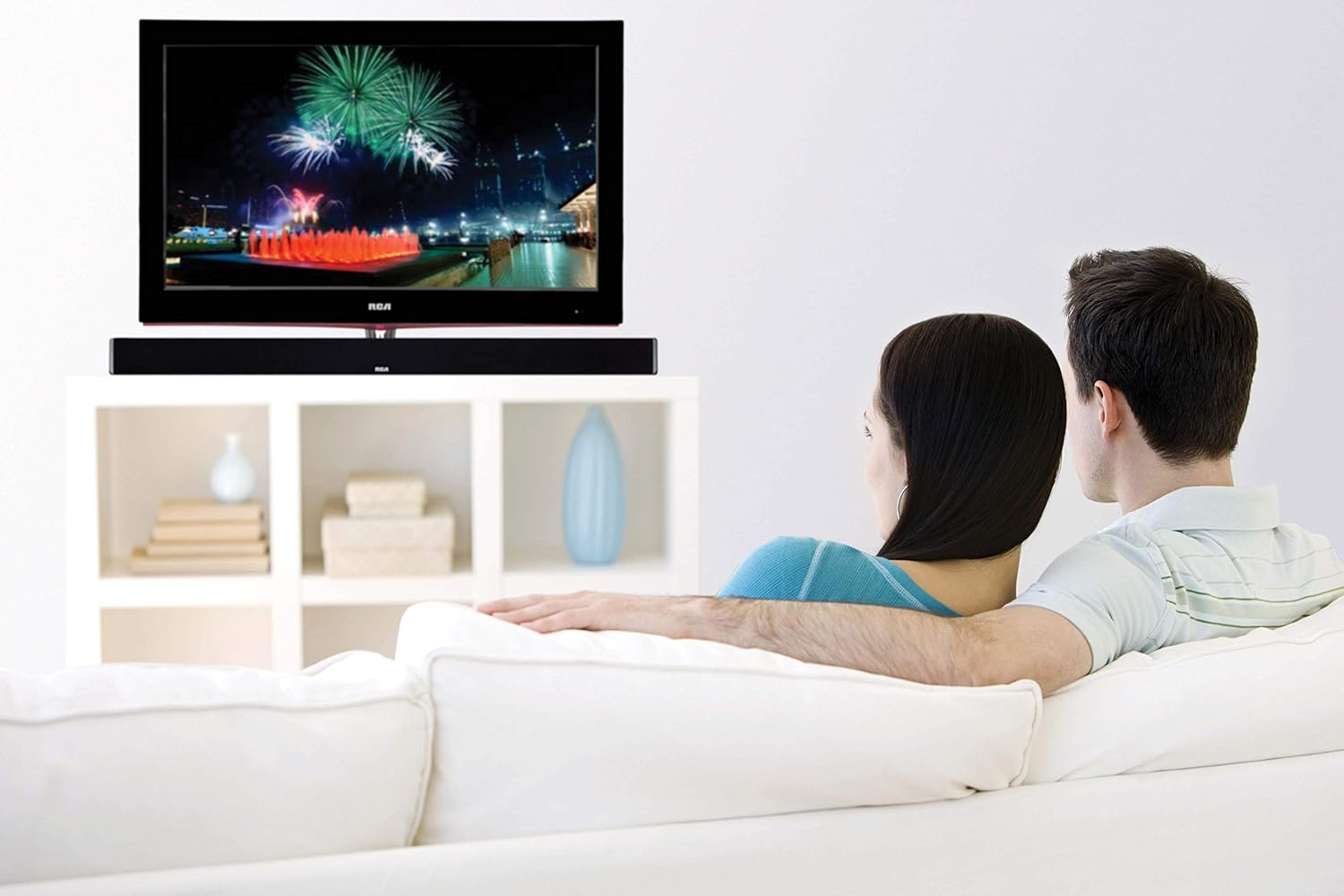
Image: The RCA sound bar positioned beneath a television, demonstrating a typical home theater setup.
2. Connecting to Power
- Connect the power adapter to the DC IN port on the back of the sound bar.
- Plug the other end of the power adapter into a wall outlet.
3. Audio Connections
Choose one of the following methods to connect your audio source to the sound bar:
- Optical Digital Audio: Connect an optical cable (not included) from your TV's Optical Out port to the OPTICAL IN port on the sound bar. This provides high-quality digital audio.
- Coaxial Digital Audio: Connect a coaxial cable (not included) from your TV's Coaxial Out port to the COAXIAL IN port on the sound bar. This also provides digital audio.
- Auxiliary (AUX) Input: Use an RCA stereo audio cable (not included) to connect your audio source (e.g., TV, DVD player) to the AUX IN ports (red for right, white for left) on the sound bar.
- Line-in Input: Use a 3.5mm audio cable (not included) to connect devices like MP3 players or smartphones to the LINE IN port on the sound bar.
- Bluetooth: For wireless connection, refer to the "Bluetooth Pairing" section under Operating Instructions.
Operating Instructions
Power On/Off
- Press the POWER button on the remote control or on the sound bar to turn the unit on or off.
Input Selection
- Press the INPUT button on the remote control or on the sound bar repeatedly to cycle through available input sources (Optical, Coaxial, AUX, Line-in, Bluetooth).
- The indicator light on the sound bar will change to reflect the selected input.
Volume Control
- Press VOL+ to increase volume and VOL- to decrease volume on the remote control or sound bar.
- Press the MUTE button on the remote control to mute or unmute the sound.
Bluetooth Pairing
- Turn on the sound bar and select the Bluetooth input. The Bluetooth indicator light will flash, indicating it is in pairing mode.
- Enable Bluetooth on your mobile device (smartphone, tablet, etc.).
- Search for "RCA Sound Bar" in your device's Bluetooth settings and select it to pair.
- Once successfully paired, the Bluetooth indicator light on the sound bar will stop flashing and remain solid.
- You can now stream audio wirelessly from your device to the sound bar.
Adjusting Treble and Bass
- Use the TREBLE+ / TREBLE- buttons on the remote control to adjust the high-frequency sound levels.
- Use the BASS+ / BASS- buttons on the remote control to adjust the low-frequency sound levels.
Maintenance
- Cleaning: Use a soft, dry cloth to clean the exterior of the sound bar. Do not use liquid cleaners or aerosol sprays.
- Storage: If storing the sound bar for an extended period, unplug it from the power outlet and store it in a cool, dry place.
Troubleshooting
| Problem | Possible Cause | Solution |
|---|---|---|
| No power | Power cord not connected; Power outlet not active. | Ensure power cord is securely connected. Test the outlet with another device. |
| No sound | Incorrect input selected; Volume too low; Mute function active; Incorrect audio cable connection. | Select the correct input source. Increase volume. Deactivate mute. Check audio cable connections. |
| Bluetooth pairing fails | Sound bar not in pairing mode; Device too far; Interference. | Ensure sound bar is in Bluetooth input and indicator is flashing. Move device closer. Avoid other wireless devices. |
| Remote control not working | Batteries depleted; Obstruction between remote and sound bar. | Replace remote control batteries. Remove any obstructions. Ensure remote is pointed at the sound bar's sensor. |
Specifications
| Feature | Detail |
|---|---|
| Model Name | RTS7010BR6 |
| Brand | RCA |
| Speaker Type | Soundbar |
| Speaker Size | 37 Inches |
| Speaker Maximum Output Power | 30 Watts |
| Surround Sound Channel Configuration | 2.0 |
| Connectivity Technology | Auxiliary, Bluetooth, Coaxial, Optical |
| Wireless Communication Technology | Bluetooth |
| Compatible Devices | Smartphone, Tablet, MP3 Player |
| Control Method | Remote |
| Power Source | Adaptor-Powered |
| Product Dimensions | 7"D x 41.5"W x 6"H |
| Item Weight | 4.74 Pounds |
| Material | Metal, Plastic, Wood |
| Color | Black |
| UPC | 062118470106 |
Warranty and Support
This RCA RTS7010BR6 Sound Bar includes a 1-Year limited manufacturer warranty. For warranty claims or technical support, please refer to the contact information provided with your product packaging or visit the official RCA support website.
Related documentsRTS7010BR6


Ask a question about this manual
Ask about setup, troubleshooting, compatibility, parts, safety, or missing instructions. Manuals+ will review the question and use this page’s manual context to help answer it.