
John Deere EPC201624
John Deere OEM Deck Drive Belt Instruction Manual
Model: EPC201624
1. Product Overview
This manual provides essential information for the John Deere OEM Deck Drive Belt, part number EPC201624. This genuine John Deere component is designed for optimal performance and durability in compatible John Deere mowing equipment. It is crucial for transmitting power from the engine to the mower deck, enabling the blades to rotate efficiently.
Compatible Models:
- John Deere 1504 Professional Lawnmower
- John Deere 1505 Professional Lawnmower
- John Deere 1515 Professional Lawnmower
- John Deere 1550 TerrainCut 2WD
- John Deere 1550 TerrainCut 4WD
- John Deere 1570 TerrainCut 2WD T4
- John Deere 1570 TerrainCut 4WD
- John Deere 1570 TerrainCut 4WD T4
- John Deere 1575 TerrainCut 4WD Cab
- John Deere 1575 TerrainCut 4WD Cab T4
- John Deere 1580 TerrainCut 4WD
- John Deere 1580 TerrainCut 4WD T4
- John Deere 1585 TerrainCut 4WD Cab
- John Deere 1585 TerrainCut 4WD Cab T4
Always refer to your specific equipment's original owner's manual to verify compatibility and ensure correct installation procedures.

Figure 1: The John Deere OEM Deck Drive Belt (EPC201624) in its coiled state, ready for installation.
2. Setup and Installation
Proper installation of the deck drive belt is critical for the safe and efficient operation of your John Deere equipment. Due to the complexity and specific routing requirements, it is highly recommended to consult the detailed instructions provided in your equipment's official owner's manual or service manual.
General Steps (Consult your equipment's manual for specifics):
- Safety First: Ensure the equipment is turned off, the engine is cool, and the spark plug wire is disconnected to prevent accidental starting. Engage the parking brake.
- Access the Deck: Depending on your model, you may need to raise the mower deck, remove guards, or detach the deck from the tractor frame to gain access to the belt routing.
- Remove Old Belt: Carefully note the routing of the old belt before removal. Use a diagram from your manual if available. Release any tensioners or idler pulleys.
- Inspect Pulleys: Before installing the new belt, inspect all pulleys for wear, damage, or excessive play. Replace any worn components.
- Install New Belt: Route the new EPC201624 belt exactly as the old one was routed, ensuring it sits correctly in all pulley grooves. Pay close attention to any twists or specific directions indicated in your manual.
- Tension Adjustment: Re-engage tensioners or adjust as per your equipment's specifications. The belt should be taut but not overly tight.
- Reassemble: Reattach any guards or components removed during the process.
- Test: Reconnect the spark plug wire. Start the engine and engage the mower deck briefly to ensure the belt operates smoothly without slipping or unusual noises.
Incorrect installation can lead to premature belt wear, poor cutting performance, or equipment damage. If you are unsure, seek assistance from a qualified John Deere service technician.

Figure 2: Multiple coils of the John Deere OEM Deck Drive Belt, highlighting its robust construction.
3. Operating Considerations
While the deck drive belt itself does not have "operating" instructions, its performance is directly tied to the proper operation of your John Deere mowing equipment. Ensure that the mower deck is properly engaged and disengaged according to your machine's manual. Avoid engaging the blades at excessively high engine RPMs or in very thick, wet grass, as this can put undue stress on the belt and other drive components.
Always operate your equipment on level ground when engaging or disengaging the deck to minimize strain on the belt and pulleys. Listen for unusual noises, such as squealing or grinding, which may indicate belt slippage or a problem with a pulley.
4. Maintenance
Regular inspection and proper maintenance will extend the life of your John Deere OEM Deck Drive Belt and ensure consistent performance.
- Visual Inspection: Periodically inspect the belt for signs of wear, such as cracks, fraying, glazing (shiny spots), or missing chunks. Check for proper tension; a loose belt can slip, while an overly tight belt can strain bearings.
- Cleanliness: Keep the belt and pulleys free from grass clippings, dirt, and debris. Accumulation can cause slippage, heat buildup, and premature wear. Use compressed air or a brush to clean.
- Storage: If storing the equipment for an extended period, ensure the belt is clean and dry. Store in a cool, dry place away from direct sunlight and chemicals that could degrade the rubber.
- Replacement: Replace the belt immediately if any significant signs of wear or damage are observed. Even minor damage can lead to complete failure during operation. The service interval for belt replacement can vary based on usage and conditions; consult your equipment's manual for recommended schedules.

Figure 3: Close-up view of the John Deere OEM Deck Drive Belt, showing the embossed part number and branding for identification.
5. Troubleshooting
Common issues related to the deck drive belt and potential causes:
| Symptom | Possible Cause | Solution |
|---|---|---|
| Mower deck not engaging or blades not spinning | Broken or severely worn belt; belt slipped off pulleys; tensioner issue. | Inspect belt for damage and proper routing. Replace if broken. Check tensioner operation. |
| Squealing noise from deck area | Belt slippage due to wear, improper tension, or debris on pulleys. | Inspect belt for glazing/wear. Adjust tension. Clean pulleys and belt. |
| Excessive vibration or rough operation | Damaged belt (e.g., missing chunks); worn or damaged pulleys/bearings. | Inspect belt for physical damage. Check pulleys for wobble or roughness. |
| Belt repeatedly coming off | Incorrect routing; worn pulleys; bent pulley guards; improper tension. | Verify belt routing. Inspect pulleys and guards. Adjust tension. |
For persistent issues, consult your equipment's service manual or contact a certified John Deere technician.
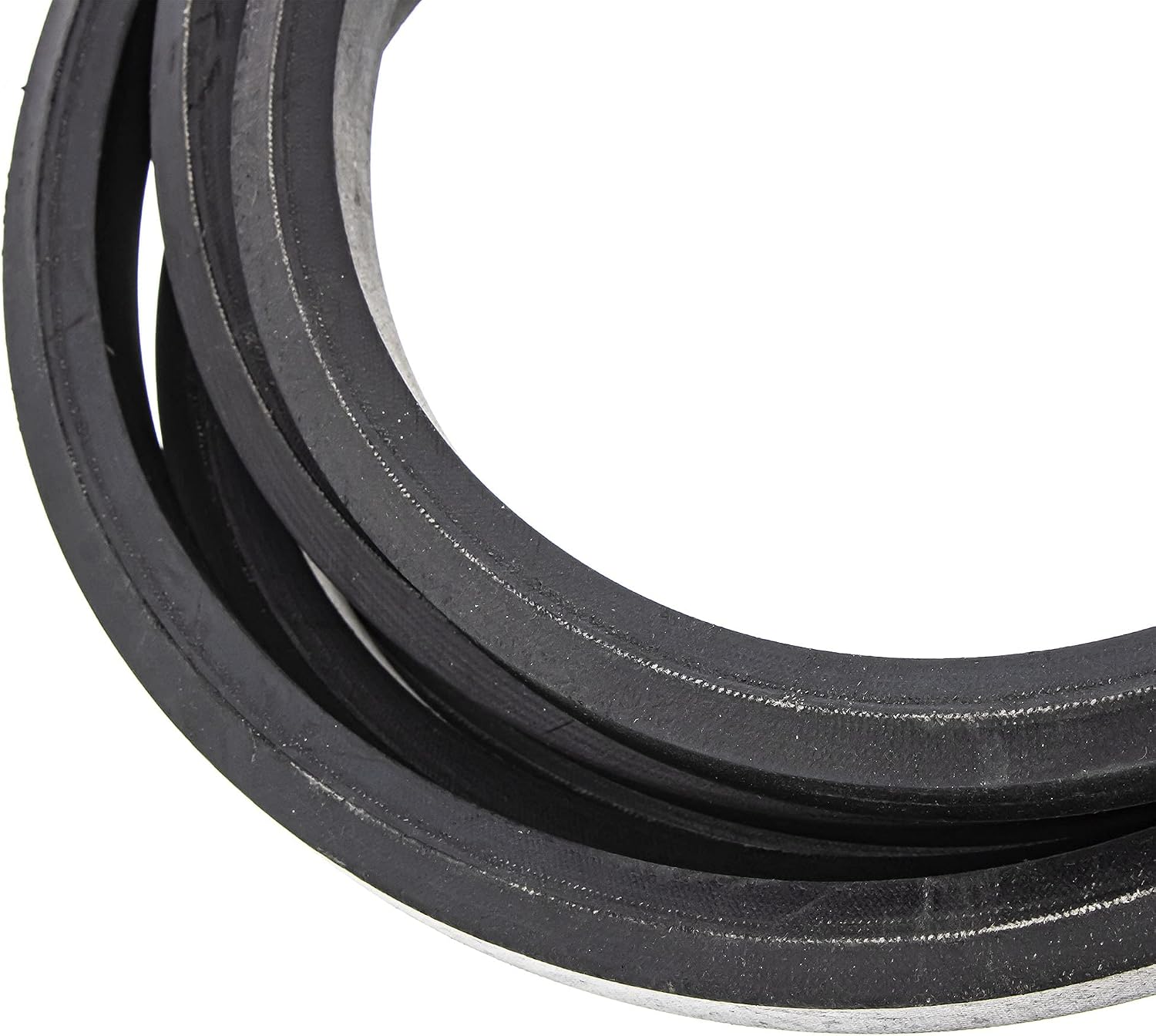
Figure 4: Detailed view of the John Deere OEM Deck Drive Belt's surface texture, designed for optimal grip and durability.
6. Specifications
| Attribute | Detail |
|---|---|
| Part Number | EPC201624 |
| Brand | John Deere |
| Type | OEM Deck Drive Belt |
| Material | Plastic (Note: Typically rubber composite, "Plastic" might be a general classification in product data.) |
| Product Dimensions | 16 x 10 x 1 inches (approximate, when coiled) |
| Item Weight | 4 pounds |
| Compatible Devices | Lawn Mower (Specific John Deere models listed in Section 1) |
7. Warranty Information
Genuine John Deere parts, including this OEM Deck Drive Belt, are typically covered by a limited warranty against defects in materials and workmanship. The specific terms and duration of the warranty may vary. Please retain your proof of purchase. For detailed warranty information, refer to the warranty statement included with your original John Deere equipment or contact an authorized John Deere dealer.
8. Customer Support
For technical assistance, questions regarding compatibility, or to locate an authorized service center, please contact your local John Deere dealer. You can also visit the official John Deere website for support resources and contact information.
John Deere Official Website: www.deere.com
Ask a question about this manual
Ask about setup, troubleshooting, compatibility, parts, safety, or missing instructions. Manuals+ will review the question and use this page’s manual context to help answer it.