
Introduction
This manual provides detailed instructions for the installation, operation, and maintenance of your Precision Power P.65C3 6.5-inch 3-Way Power Class Series Component Car Audio Speaker System. Please read this manual thoroughly before attempting installation or operation to ensure proper function and longevity of your product. Retain this manual for future reference.
What's in the Box
Verify that all components are present and undamaged upon opening the package.
- 2 x 6.5-inch Woofers
- 2 x Tweeters
- 2 x Crossover Networks
- 1 x User Manual
Key Features
The Precision Power P.65C3 system is engineered for high-fidelity car audio reproduction.
- 6.5-inch 3-Way Component System: Designed for comprehensive sound staging.
- Power Handling: 400 watts Peak / 250 watts RMS per set.
- Natural Fiber Woofer and Midwoofer Cone: Precision computer-designed for optimal sound.
- Natural UV Resistant Butyl Rubber Inverted Surround: Engineered to resist power compression and ensure durability.
- Integrated Sealer Gasket: For improved mounting and sound integrity.
- Woofer Mounting Depth: 2.65 inches.
- Impedance: 4 Ohms.
- Frequency Response: 20-40kHz.
- Efficiency: 94dB (1w/1m).
Setup & Installation
Proper installation is crucial for optimal performance and safety. If you are unsure about any step, consult a professional car audio installer.
Safety Precautions
- Disconnect the vehicle's battery before starting any electrical work.
- Wear appropriate safety gear, including eye protection.
- Ensure all wiring is properly insulated and secured to prevent short circuits and damage.
- Avoid installing speakers in locations that obstruct vehicle operation or safety features.
Component Overview

Image: A single 6.5-inch woofer with a black grille and a light-colored cone. The woofer features a robust frame and a mesh grille for protection.

Image: Two Precision Power tweeters, one with a hexagonal housing and the other with a round housing, both featuring a mesh grille over a gold-colored element.

Image: Two Precision Power crossover networks. Each unit features a circuit board with various electronic components, including coils and capacitors, and screw terminals for speaker wire connections. One unit has a silver cover.
Wiring Connections
- Connect Amplifier Output to Crossover Input: Use appropriate gauge speaker wire to connect the amplifier's output channels to the input terminals on the passive crossover network. Ensure correct polarity (+ to + and - to -).
- Connect Crossover Output to Woofer: Connect the woofer output terminals from the crossover to the corresponding terminals on the 6.5-inch woofer.
- Connect Crossover Output to Tweeter: Connect the tweeter output terminals from the crossover to the corresponding terminals on the tweeter.
- Connect Crossover Output to Midrange (if applicable): If your system includes a dedicated midrange driver, connect it to the appropriate midrange output terminals on the crossover.
Refer to the wiring diagram provided with your crossover network for specific terminal identification. Incorrect wiring can damage the speakers or amplifier.
Mounting
- Woofer: The woofer requires a mounting depth of 2.65 inches. Ensure sufficient clearance behind the mounting surface. Use the provided screws to secure the woofer firmly.
- Tweeter: The tweeters feature an adjustable spin nut mounting system. Choose a location that provides optimal sound imaging, typically at ear level or slightly above.
- Crossover Network: Mount the crossover networks in a dry, secure location, away from excessive heat or moisture. Ensure they are easily accessible for any future adjustments.
Operating Instructions
Once installed, follow these steps for initial operation and sound adjustment.
- Initial Power-Up: Reconnect the vehicle's battery. Turn on your car audio head unit.
- Volume Adjustment: Start with the volume at a low level. Gradually increase the volume to a comfortable listening level.
- Crossover Settings: The passive crossover networks are pre-configured for optimal performance with the P.65C3 components. Avoid tampering with the internal components of the crossover.
- Head Unit/Amplifier Settings: Adjust the equalizer, bass, treble, and other audio settings on your head unit or amplifier to fine-tune the sound to your preference. Avoid excessive boosting of bass or treble, which can lead to distortion or speaker damage.
Maintenance
Regular maintenance helps ensure the longevity and performance of your speaker system.
- Cleaning: Use a soft, dry cloth to wipe down the speaker grilles and surrounds. Avoid using harsh chemicals or abrasive cleaners.
- Inspection: Periodically check all wiring connections to ensure they are secure and free from corrosion. Inspect speaker cones and surrounds for any signs of damage or wear.
- Environmental Protection: While the butyl rubber surround is UV resistant, prolonged exposure to extreme temperatures or direct sunlight can affect speaker performance and lifespan.
Troubleshooting
If you encounter issues with your speaker system, refer to the following common problems and solutions.
| Problem | Possible Cause | Solution |
|---|---|---|
| No sound from speakers | Loose or incorrect wiring connections Amplifier not powered on or in protect mode Head unit settings (e.g., fader/balance) | Check all speaker and amplifier connections for proper polarity and tightness. Verify amplifier power and status indicator. Consult amplifier manual. Adjust head unit fader/balance settings. |
| Distorted or unclear sound | Volume too high, causing clipping Incorrect amplifier gain settings Damaged speaker cone or surround Poor quality audio source | Reduce volume. Avoid playing at excessively high levels. Adjust amplifier gain according to amplifier manual. Inspect speakers for physical damage. If damaged, replacement may be necessary. Try a different audio source (e.g., different song, radio station). |
| One speaker not working | Loose connection to that specific speaker or crossover Damaged speaker or crossover component | Check wiring for the affected speaker from the crossover to the speaker itself. If wiring is correct, the speaker or crossover may be faulty. Consult support. |
Specifications
Detailed technical specifications for the Precision Power P.65C3 speaker system.
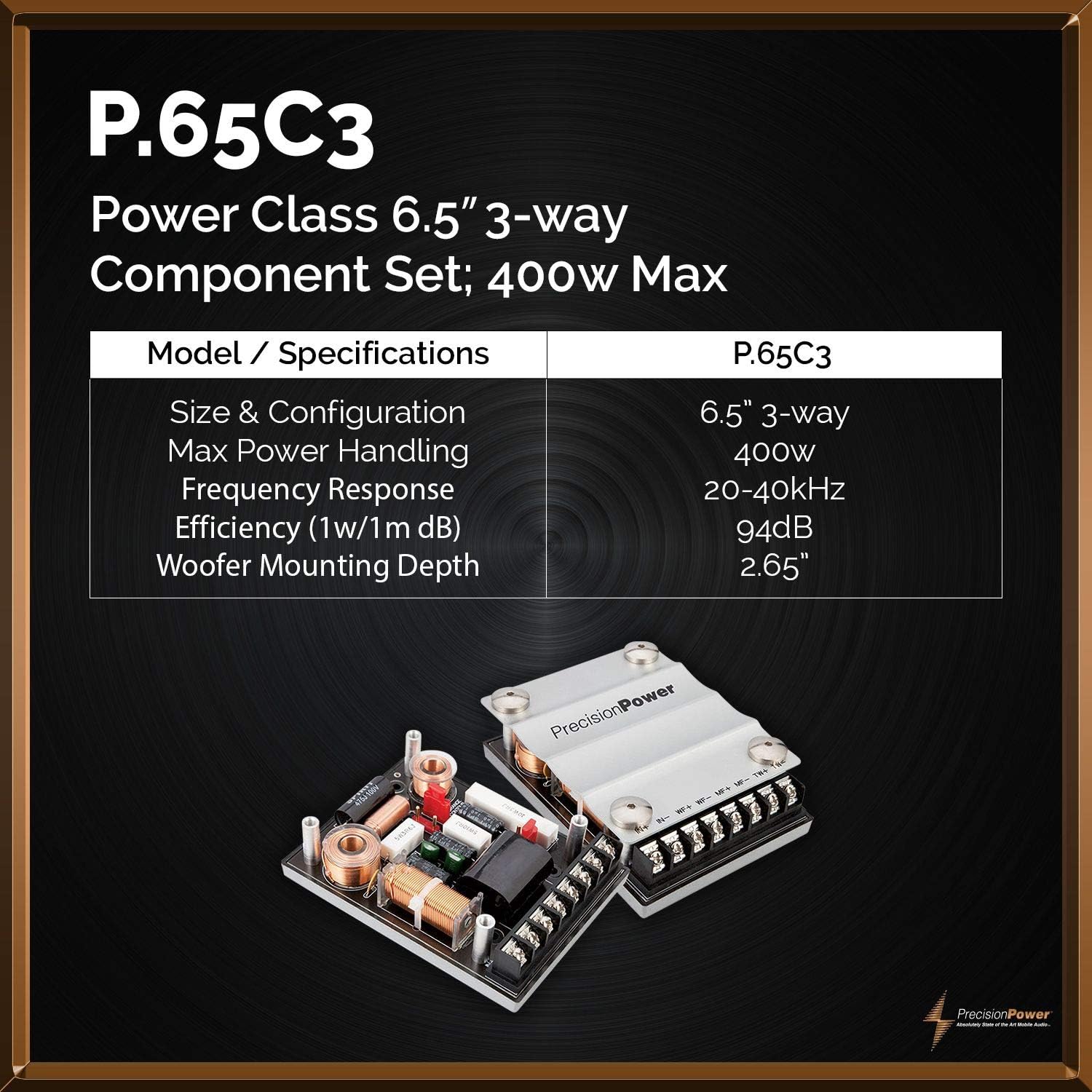
Image: A graphic displaying key specifications for the P.65C3 system, including size, power handling, frequency response, efficiency, and woofer mounting depth.
| Feature | Specification |
|---|---|
| Brand | Precision Power |
| Model Number | P.65C3 |
| Speaker Type | 6.5-inch 3-Way Component System |
| Maximum Output Power | 400 Watts (Peak) |
| RMS Power Handling | 250 Watts per set |
| Impedance | 4 Ohms |
| Frequency Response | 20-40kHz |
| Efficiency (1w/1m) | 94dB |
| Woofer Diameter | 6.5 Inches |
| Woofer Mounting Depth | 2.65 Inches |
| Enclosure Material | Natural fiber, Butyl rubber |
| Connectivity Technology | Coaxial (via crossover network) |
| Number of Audio Channels | 3.0 |
| Item Weight | 10.5 Pounds |
| Item Dimensions (D x W x H) | 15.5"D x 4"W x 8"H (Packaging) |
Warranty Information
This Precision Power P.65C3 speaker system comes with a Limited Warranty. The specific terms and duration of the warranty may vary by region and retailer. Please retain your proof of purchase for warranty claims.
For detailed warranty information, including coverage, exclusions, and how to make a claim, please visit the official Precision Power website or contact their customer support directly.
Support
If you require further assistance, have questions not covered in this manual, or need technical support, please contact Precision Power customer service.
- Online Support: Visit the official Precision Power website for FAQs, product registration, and support resources.
- Contact Information: Refer to the Precision Power website for current contact details, including phone numbers and email addresses for technical support.


