
Introduction
The Tefal Snack Collection SW852D12 is a versatile and multifunctional appliance designed to prepare a variety of snacks. This manual provides essential information for the safe and efficient use of your waffle and croque-monsieur maker, including setup, operation, maintenance, and troubleshooting.
Important Safety Instructions
When using electrical appliances, basic safety precautions should always be followed to reduce the risk of fire, electric shock, and injury to persons. Read all instructions carefully before use.
- Do not touch hot surfaces. Use handles or knobs.
- To protect against electrical shock, do not immerse cord, plugs, or appliance in water or other liquid.
- Close supervision is necessary when any appliance is used by or near children.
- Unplug from outlet when not in use and before cleaning. Allow to cool before putting on or taking off parts, and before cleaning the appliance.
- Do not operate any appliance with a damaged cord or plug, or after the appliance malfunctions or has been damaged in any manner.
- The use of accessory attachments not recommended by the appliance manufacturer may cause injuries.
- Do not use outdoors.
- Do not let cord hang over edge of table or counter, or touch hot surfaces.
- Do not place on or near a hot gas or electric burner, or in a heated oven.
- Extreme caution must be used when moving an appliance containing hot oil or other hot liquids.
- Always attach plug to appliance first, then plug cord into the wall outlet. To disconnect, turn any control to "off", then remove plug from wall outlet.
- Do not use appliance for other than intended household use.
Product Overview
The Tefal Snack Collection SW852D12 is designed for ease of use and versatility. It comes with two sets of removable, non-stick plates: one for waffles and one for triangle sandwiches (croque-monsieur).
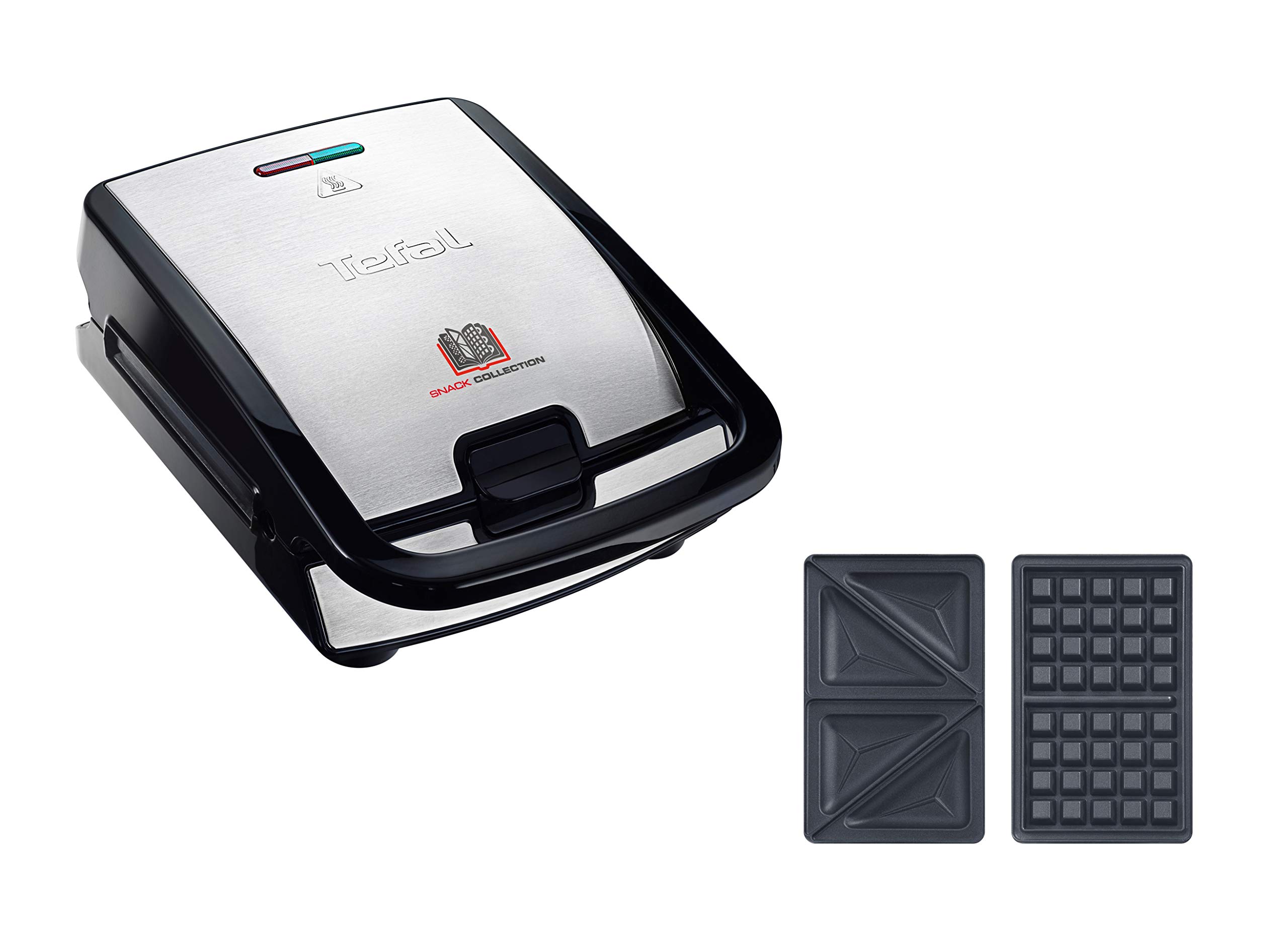
Figure 1: The Tefal Snack Collection SW852D12 appliance.
The appliance features an indicator light that signals when the plates are sufficiently hot for cooking. Its compact design allows for easy storage, and the cooking plates can be stored in their dedicated boxes.

Figure 2: Included waffle and triangle sandwich plates with their storage boxes.
Additional plate sets for various snacks like pancakes, donuts, and bagels are available separately to expand your culinary options.

Figure 3: The Tefal Snack Collection system showcasing the variety of 16 available plate sets.
Setup
- Unpack the Appliance: Carefully remove the appliance and all accessories from the packaging. Retain packaging for future storage or transport if needed.
- Clean the Plates: Before first use, wash the cooking plates and any removable accessories in warm, soapy water, then rinse and dry thoroughly. Alternatively, the plates are dishwasher safe.
- Position the Appliance: Place the appliance on a stable, flat, heat-resistant surface, away from walls and cabinets to allow for proper ventilation. Ensure there is sufficient space around the appliance.
- Insert Plates: Open the appliance and insert the desired cooking plates (waffle or triangle sandwich) into their respective slots. Ensure they click securely into place.

Figure 4: Correct insertion of a cooking plate.
Operating Instructions
- Preheat the Appliance: Close the appliance and plug it into a suitable electrical outlet (230V). The indicator light will illuminate, signaling that the appliance is heating.
- Wait for Ready Indicator: Wait until the indicator light turns off or changes color (depending on the model) to indicate that the plates have reached the optimal cooking temperature. This usually takes a few minutes.
- Prepare Food: Lightly grease the non-stick plates with a small amount of cooking oil or butter, if desired, especially for the first use or for recipes that tend to stick. Place your waffle batter or sandwich ingredients onto the bottom plate.
- Cook: Close the lid firmly. The cooking time will vary depending on the recipe and desired browning. For waffles, typically 3-5 minutes. For croque-monsieur, 2-4 minutes until golden brown and cheese is melted.
- Remove Food: Once cooked, carefully open the lid and remove the food using a heat-resistant plastic or wooden utensil to avoid damaging the non-stick coating.
- Continue Cooking: If making multiple batches, close the lid and allow the appliance to reheat briefly until the indicator light signals readiness again.
- Unplug: After use, unplug the appliance from the electrical outlet and allow it to cool completely before cleaning or storing.

Figure 5: Appliance ready for cooking waffles.
Maintenance and Cleaning
Proper maintenance ensures the longevity and performance of your Tefal Snack Collection appliance.
- Cool Down: Always ensure the appliance is unplugged and completely cool before attempting to clean it.
- Remove Plates: Press the plate release buttons to remove the cooking plates.
- Clean Plates: The non-stick cooking plates are dishwasher safe for easy cleaning. For hand washing, use warm, soapy water and a non-abrasive sponge. Rinse thoroughly and dry completely before storing or reinserting.

Figure 6: Removable plates are dishwasher safe for convenient cleaning.
- Clean Appliance Body: Wipe the exterior of the appliance with a damp cloth. Do not use abrasive cleaners or scouring pads, as these can damage the finish. Never immerse the main unit in water or any other liquid.
- Storage: Store the appliance with the plates inserted or in their dedicated storage boxes in a dry place. The compact design allows for convenient upright storage.
Troubleshooting
| Problem | Possible Cause | Solution |
|---|---|---|
| Appliance does not heat up. | Not plugged in or power outlet issue. | Ensure the appliance is securely plugged into a working electrical outlet. Check the circuit breaker if necessary. |
| Food sticks to the plates. | Plates not sufficiently greased or non-stick coating worn. | Lightly grease the plates before each use. Ensure plates are clean. If coating is worn, consider replacing plates. |
| Uneven cooking or browning. | Insufficient preheating or uneven batter/filling distribution. | Always wait for the indicator light to signal readiness before adding food. Distribute batter or filling evenly across the plates. |
| Smoke or unusual odor during first use. | Protective oils burning off. | This is normal for the first few uses. Ensure good ventilation. If smoke persists, unplug and contact customer support. |
Specifications
- Brand: Tefal
- Model: Snack Collection SW852D12
- Internal Model Numbers: 3045386363643, 1510002257
- Color: Black
- Material: Stainless Steel
- Dimensions (L x W x H): 37.01 x 29.01 x 21.01 cm (14.57 x 11.42 x 8.27 inches)
- Weight: 4 Kilograms (8.82 Pounds)
- Power: 700 Watts
- Voltage: 230 Volts
- Special Feature: Electric sensor (heat indicator)
- Included Components: Appliance, Waffle plates, Triangle Sandwich plates, Recipe booklet
Warranty and Support
Tefal is committed to providing quality products and support.
- Repairability: This product benefits from a 15-year repairability commitment at a fair price, supported by a network of 6,200 repairers worldwide. This initiative aims to contribute to environmental protection and waste reduction.
- Spare Parts: Information regarding the availability of spare parts is currently unavailable.
- Customer Support: For any questions, concerns, or to report an issue, please refer to the contact information provided in your product packaging or visit the official Tefal website. You can also visit the Tefal Brand Store on Amazon for more information.


