
BFT PHOBOS BT ARM
BFT PHOBOS BT ARM Swing Gate Opener Kit
Installation and Operation Manual
1. Introduction
This manual provides detailed instructions for the installation, operation, and maintenance of the BFT PHOBOS BT ARM Swing Gate Opener Kit. This kit is designed for residential swing gates up to 10 feet in length and 550 lbs in weight. Please read this manual thoroughly before beginning installation or operation to ensure proper function and safety.

Figure 1: BFT PHOBOS BT ARM Swing Gate Opener Kit packaging. The image shows a blue and white box with "PHOBOS KIT" prominently displayed, alongside a linear actuator arm.
2. Safety Information
Important Safety Instructions:
- Read and follow all instructions carefully.
- Ensure all electrical connections comply with local codes and regulations.
- Disconnect power before performing any maintenance or service.
- Keep hands and clothing clear of the gate and moving parts.
- Do not allow children to play near the gate or operate the controls.
- Install safety devices such as photocells to prevent accidental closure.
- The gate opener is designed for swing gates only. Do not use for other purposes.
- In case of power failure, use the manual release mechanism.

Figure 2: BFT safety photocells. These black, curved units are designed to detect obstructions in the gate's path, enhancing safety.
3. Package Contents
The BFT PHOBOS BT ARM Swing Gate Opener Kit typically includes the following components:
- 1x PHOBOS BT ARM Linear Actuator (Gate Motor)
- 1x Control Panel (Integrated or separate, depending on kit version)
- 2x Transmitters (Remote Controls)
- 1x Receiver (for remote control signals)
- 1x Pair of Polarized Safety Eyes (Photocells)
- Mounting Brackets and Hardware
- Instruction Manual
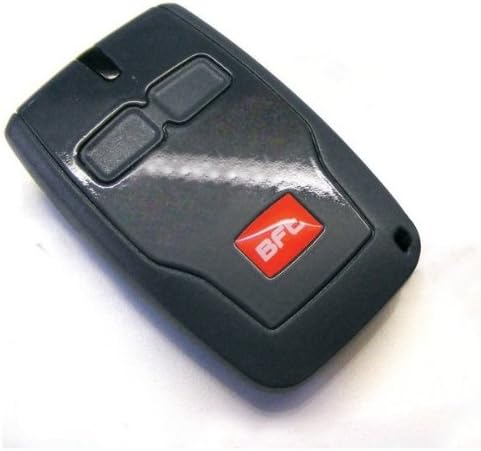
Figure 3: The BFT PHOBOS BT ARM linear actuator. This silver and black component is the primary motor for opening and closing the gate.
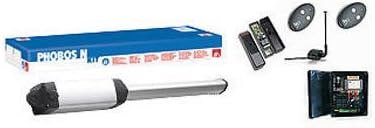
Figure 4: A BFT remote control. This black, rectangular remote features two buttons and the BFT logo, used for operating the gate.
4. Setup and Installation
Installation should be performed by qualified personnel. Ensure all safety precautions are followed.
- Gate Preparation: Ensure the gate operates smoothly manually and is properly hinged.
- Mounting the Actuator:
- Attach the rear mounting bracket to a sturdy post or wall, ensuring it is level and at the correct height for optimal gate movement.
- Attach the front mounting bracket to the gate frame.
- Connect the PHOBOS BT ARM actuator to both brackets. Ensure the actuator is level and has sufficient clearance throughout the gate's travel.
- Control Panel Installation:
- Mount the control panel in a secure, weather-protected location near the gate, but away from direct gate movement.
- Connect the actuator motor cables to the control panel as per the wiring diagram provided with the control panel.
- Safety Eye Installation:
- Install the polarized safety eyes on opposite sides of the gate opening, at a height that detects obstructions effectively (e.g., 20-30 inches from the ground).
- Wire the safety eyes to the control panel according to the provided diagram.
- Power Connection:
- Connect the main power supply (120V AC) to the control panel. Ensure a dedicated circuit with appropriate overcurrent protection is used.
- The system operates at 24V DC internally.
- Limit Switch Adjustment:
- Adjust the magnetic limit switches on the actuator to define the open and closed positions of the gate. Refer to the control panel manual for specific programming steps.
5. Operating Instructions
Once installed and configured, the BFT PHOBOS BT ARM gate opener can be operated using the provided remote controls.
- Remote Control Programming:
- Refer to the control panel manual for specific instructions on how to program the remote transmitters. This typically involves pressing a programming button on the control panel and then a button on the remote.
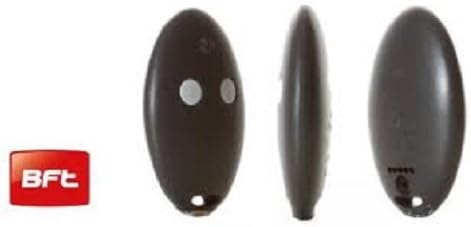
Figure 5: An oval-shaped BFT remote control with two circular buttons. This type of remote is used to send commands to the gate opener.
- Opening/Closing the Gate:
- Press the programmed button on your remote control. The gate will begin to open or close.
- Pressing the button again during operation will typically stop the gate. A third press will reverse its direction.
- Manual Release:
- In case of power failure or malfunction, locate the manual release mechanism on the actuator.
- Insert the provided CLS release key and turn it to disengage the motor, allowing the gate to be moved manually.
- Remember to re-engage the motor after manual operation.
6. Maintenance
Regular maintenance ensures the longevity and reliable operation of your gate opener.
- Monthly:
- Inspect the gate for smooth manual operation. Lubricate hinges if necessary.
- Check all mounting hardware for tightness.
- Clean safety photocells to ensure clear line of sight.
- Annually:
- Inspect electrical wiring for any signs of wear or damage.
- Verify the proper function of safety features, including obstruction detection and photocells.
- Check the actuator for any unusual noises or resistance.
- Professional Service: It is recommended to have the system inspected by a qualified technician every 1-2 years.
7. Troubleshooting
This section addresses common issues you might encounter.
| Problem | Possible Cause | Solution |
|---|---|---|
| Gate does not respond to remote. |
|
|
| Gate opens/closes partially or stops unexpectedly. |
|
|
| Gate operates slowly. |
|
|
8. Specifications
| Feature | Detail |
|---|---|
| Model Name | PHOBOS BT ARM |
| Brand | BFT |
| Gate Type | Swing Gate |
| Max Gate Length | 10 feet |
| Max Gate Weight | 550 lbs |
| Operating Voltage | 24V DC (Motor), 120V AC (Input) |
| Motor Wattage | 70 Watts |
| Opening Time | Approx. 15 seconds |
| Operator Type | Irreversible electromechanical |
| Safety Features | Magnetic Limit Switches, Electronic Obstruction Detection, Polarized Safety Eyes |
| Manual Release | CLS release key |
| Dimensions (Actuator) | 6.33"W x 10.38"H |
| UPC | 737534375471 |
| Part Number | P935066 00004 |
9. Warranty and Support
For specific warranty information, please refer to the documentation included with your purchase or contact BFT customer support directly. Keep your proof of purchase for warranty claims.
For technical assistance or replacement parts, please contact your authorized BFT dealer or visit the official BFT website.
Ask a question about this manual
Ask about setup, troubleshooting, compatibility, parts, safety, or missing instructions. Manuals+ will review the question and use this page’s manual context to help answer it.