
Dyson DC65 Animal
Dyson DC65 Animal Upright Vacuum Cleaner Instruction Manual
Model: DC65 Animal
Introduction
The Dyson DC65 Animal Upright Vacuum Cleaner is engineered for powerful multi-surface cleaning. It incorporates Radial Root Cyclone technology and a reconfigured brush bar to effectively remove dirt and dust from various floor types, including carpets and hard floors. The self-adjusting cleaner head maintains optimal suction across different surfaces, ensuring consistent performance.
Setup
Before first use, ensure all packaging materials are removed. Assemble the vacuum cleaner according to the quick start guide provided in the box. Ensure the clear bin is securely attached and the power cord is properly wound.

Figure 1: Fully assembled Dyson DC65 Animal Upright Vacuum Cleaner.
Operating Instructions
Powering On and Off
- Plug the power cord into a suitable electrical outlet.
- To turn the vacuum on, press the red power button located on the main body.
- To turn the brush bar on or off for different floor types, use the silver toggle button.
- To turn the vacuum off, press the red power button again.
Using the Wand and Attachments
The Dyson DC65 features a removable wand for versatile cleaning. To detach the wand:
- Ensure the vacuum is in the upright position and powered off.
- Unwind the power cord from the cord wraps.
- Locate the red lever on the handle and push it to the side to release the wand.
- Pull the wand straight up to remove it from the hose.
- Attach desired cleaning tools to the end of the wand.
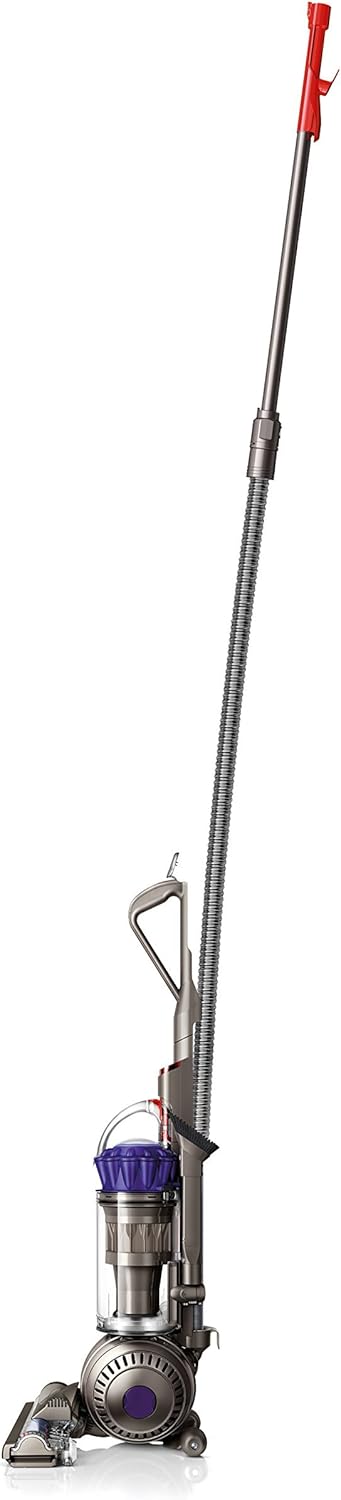
Figure 2: Dyson DC65 with the cleaning wand extended for high-reach cleaning.
The vacuum comes with various attachments designed for specific tasks, such as crevice cleaning, upholstery, and pet hair removal. These attachments can be stored on the vacuum's body for easy access.
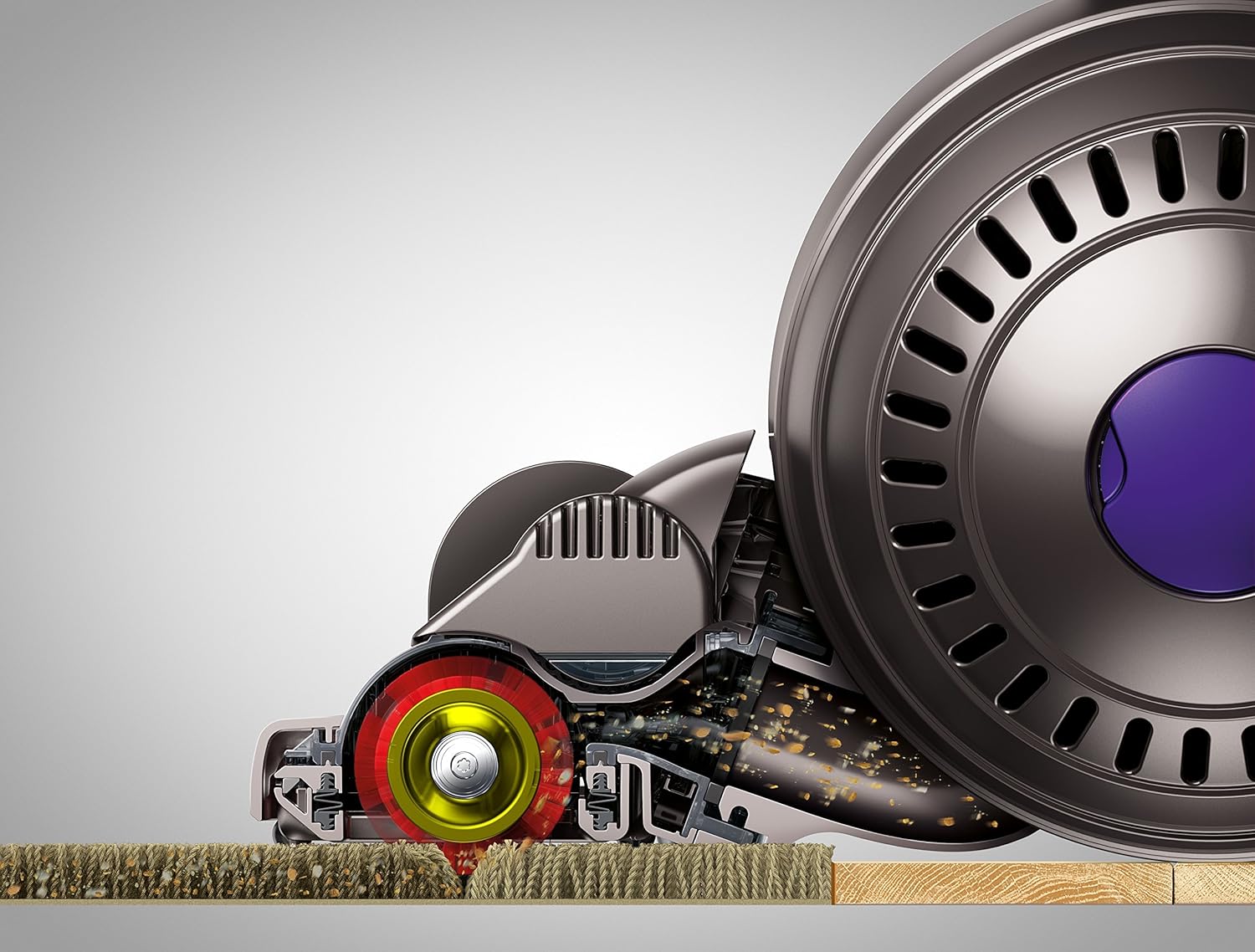
Figure 3: Dyson DC65 showing the various attachments for specialized cleaning.
Maneuverability
The Ball™ technology allows for easy steering and navigation around furniture and into tight spaces. The cleaner head self-adjusts to maintain optimal contact with different floor types, ensuring consistent suction.

Figure 4: The Dyson DC65 demonstrating its maneuverability around obstacles.
Maintenance
Emptying the Clear Bin
To maintain optimal suction, empty the clear bin regularly, ideally after each use or when debris reaches the 'MAX' line. The bin is designed for hygienic emptying:
- Press the red button on the top of the clear bin to release it from the main body.
- Hold the bin over a trash receptacle.
- Press the red button again to open the bottom flap and release the debris.
- Close the bottom flap and reattach the clear bin to the vacuum.
Video 1: Demonstrating how to easily remove and empty the clear bin of the Dyson DC65 Animal vacuum.
Filter Cleaning
The vacuum features washable filters. Refer to the full user manual for detailed instructions on how to remove and clean the filters. Regular filter maintenance ensures consistent suction power and air quality.

Figure 5: The Dyson DC65 with the filter compartment visible for maintenance.
Troubleshooting
If the vacuum experiences reduced suction or unusual noises, check the following:
- Clear Bin: Ensure the clear bin is not full and is properly seated.
- Blockages: Check the cleaner head, wand, and hose for any blockages.
- Filters: Ensure filters are clean and dry.
- Brush Bar: Inspect the brush bar for tangled hair or debris that might impede its rotation.
For further assistance, refer to the comprehensive troubleshooting section in the full user manual or contact Dyson customer support.
Specifications
| Brand | Dyson |
| Model Name | DC65 Animal |
| Capacity | 0.55 Gallons |
| Recommended Uses | Carpet, Hard Floor, Home |
| Color | Purple |
| Item Weight | 21.6 pounds |
| Product Dimensions | 10.7 x 11.5 x 36.4 inches |
| Vacuum Collection Technology | Cyclonic technology |
Warranty Information
The Dyson DC65 Animal Upright Vacuum Cleaner comes with a 5-year parts and labor warranty. Please retain your proof of purchase for warranty claims. For detailed terms and conditions, refer to the warranty documentation included with your product or visit the official Dyson website.
Support
For customer support, product registration, or to purchase genuine Dyson parts and accessories, please visit the official Dyson website at www.dyson.com or call 1-866-277-4649.
Related documentsDC65 Animal


Ask a question about this manual
Ask about setup, troubleshooting, compatibility, parts, safety, or missing instructions. Manuals+ will review the question and use this page’s manual context to help answer it.