
AIRCARE 4DTS 900
AIRCARE Digital Whole-House Console-Style Evaporative Humidifier (Model 4DTS 900) Instruction Manual
Your guide to optimal home humidification.
Introduction
Thank you for choosing the AIRCARE Digital Whole-House Console-Style Evaporative Humidifier, Model 4DTS 900. This manual provides essential information for the safe and efficient operation, maintenance, and troubleshooting of your new humidifier. Please read all instructions carefully before use and retain this manual for future reference.
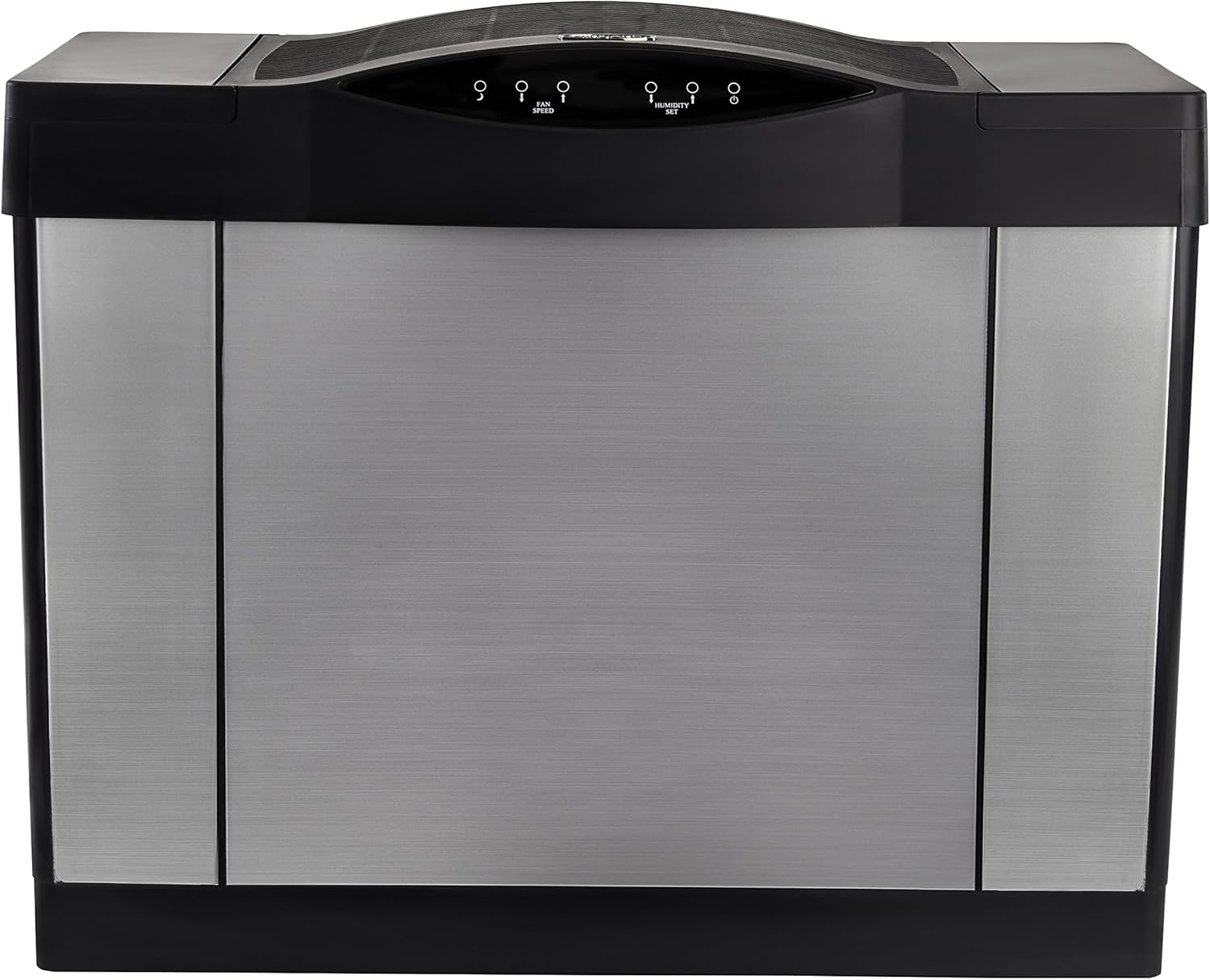
Image: Front view of the AIRCARE Digital Whole-House Console-Style Evaporative Humidifier in silver.
Important Safety Information
Always follow basic safety precautions when using electrical appliances to reduce the risk of fire, electric shock, and injury to persons.
- Read all instructions before using the humidifier.
- Do not operate any appliance with a damaged cord or plug.
- Do not place the humidifier near heat sources or in direct sunlight.
- Ensure the humidifier is placed on a firm, level, water-resistant surface.
- Unplug the humidifier before filling, cleaning, or servicing.
- Keep out of reach of children.
Setup and Assembly
- Unpacking: Carefully remove all packaging materials and ensure all components are present. Included components: One 1041 Super Wick, Owner's Manual, One Refill Hose, Four Casters, Two Plunger Valve Caps.
- Caster Installation: Attach the four casters to the bottom of the unit for easy mobility.
- Placement: Position the humidifier on a level surface in a central location of your home for optimal whole-house humidification. Ensure it is away from walls and furniture to allow for proper airflow.
- Water Tank Preparation:

Image: AIRCARE Humidifier highlighting its features and specifications.
- Open the top lid of the humidifier.
- Remove the 5.7-gallon water tank(s).
- Fill the tank(s) with clean, cool water using the provided refill hose or by hand.
- Replace the plunger valve caps securely.
- Carefully place the filled tank(s) back into the humidifier.
- Wick Filter Installation: Ensure the 1041 Super Wick is properly installed in its designated slot.
- Power Connection: Plug the humidifier into a standard electrical outlet.
Operating Instructions

Image: Digital control panel of the humidifier.
- Power On/Off: Press the power button on the digital touch screen control panel to turn the unit on or off.
- Setting Desired Humidity: Use the humidity set buttons (up/down arrows) to select your desired humidity level. The built-in hygrometer will display the current humidity and the automatic humidistat will maintain the set level. The unit will automatically shut off when the desired humidity is reached.
- Adjusting Fan Speed: The humidifier features a variable 9-speed motor. Use the fan speed buttons to adjust the airflow. Higher fan speeds will increase the humidification output.
- Automatic Shut-Off: The unit is designed to automatically shut off when the desired humidity level is reached or when the water tank is empty.
Video: Overview of the AIRCARE 4DTS 900 Whole House Console Evaporative Humidifier, demonstrating its features and operation.
Maintenance
Regular maintenance ensures optimal performance and longevity of your humidifier.
- Daily: Refill water tank(s) as needed.
- Weekly: Clean the water tank(s) and base to prevent mineral buildup and bacterial growth. Use a mild detergent and rinse thoroughly.
- Filter Replacement: The 1041 Super Wick and air filter should be replaced regularly, typically every 1-3 months depending on water quality and usage. Refer to the owner's manual for specific instructions on filter replacement.
- Storage: Before storing the humidifier for an extended period, clean all components thoroughly and ensure they are completely dry.
Video: Explanation of how evaporative humidifiers work, which can be helpful for understanding maintenance needs.
Troubleshooting
| Problem | Possible Cause | Solution |
|---|---|---|
| Unit not turning on | No power, tank not properly seated, or empty water tank. | Check power connection, ensure tank is correctly installed, refill water tank. |
| Low humidity output | Dry wick filter, low fan speed, or incorrect humidity setting. | Replace wick filter, increase fan speed, adjust humidity setting higher. |
| Unusual noise | Mineral buildup, fan obstruction, or unit not level. | Clean unit, check for obstructions, ensure unit is on a level surface. |
| Water leakage | Improperly sealed water tank cap or damaged tank. | Ensure tank caps are tightly secured, inspect tank for cracks. |
Specifications
- Brand: AIRCARE
- Model: 4DTS 900
- Type: Digital Whole-House Console-Style Evaporative Humidifier
- Color: Silver
- Coverage Area: Up to 3,600 Square Feet
- Water Tank Capacity: 5.7 Gallons
- Output: 11.5 Gallons Per Day
- Fan Speeds: Variable 9-Speed Motor
- Special Features: Built-In Hygrometer, Automatic Humidistat, Digital Touch Screen Control Panel, Automatic Shut-Off
- Power: 51.4 Watts
- Dimensions: 13.25"D x 27"W x 21.5"H
- Weight: 24 Pounds
- Included Components: One 1041 Super Wick, Owner's Manual, One Refill Hose, Four Casters, Two Plunger Valve Caps
- Origin: Made in USA

Image: Product dimensions of the AIRCARE Humidifier.
Warranty and Support
This AIRCARE humidifier comes with a 2-year limited warranty. For warranty claims, technical support, or to purchase replacement parts and filters, please refer to the contact information provided in your owner's manual or visit the official AIRCARE website.
Related documents4DTS 900


Ask a question about this manual
Ask about setup, troubleshooting, compatibility, parts, safety, or missing instructions. Manuals+ will review the question and use this page’s manual context to help answer it.