
Introduction
This manual provides instructions for the safe and efficient operation of your iSonic P4820 Commercial Ultrasonic Cleaner. Please read this manual thoroughly before using the device and retain it for future reference.

Image: iSonic P4820 Ultrasonic Cleaner shown with a bottle of cleaning solution.
The iSonic P4820 is a commercial-grade ultrasonic cleaner featuring a 2.6 quart (2.5L) stainless steel tank and a 25-minute timer. It is designed for thorough cleaning of various items, including dental instruments, silverware, and other intricate objects. The unit includes an industrial-grade ultrasonic stack transducer for enhanced durability and cleaning power, a heater that operates at 149°F (65°C), and a cooling fan for extended operation. An overheat protector is integrated to prevent misuse and ensure safety. This model operates on 110V.
Important Safety Instructions
- Always ensure the unit is unplugged before filling or emptying the tank.
- Do not operate the unit without liquid in the tank.
- Keep the unit away from water sources and do not immerse the main body in water.
- Do not touch the liquid or items in the tank during operation, especially when the heater is active.
- Use only appropriate cleaning solutions. Avoid flammable, corrosive, or abrasive liquids.
- Supervise children and individuals with reduced capabilities to ensure safe use.
- If the unit shows signs of damage, discontinue use and contact support.
Setup
- Unpacking: Carefully remove the ultrasonic cleaner from its packaging. Inspect for any damage.
- Placement: Place the unit on a stable, flat, and dry surface, away from heat sources and direct sunlight. Ensure adequate ventilation.
- Power Connection: Ensure the power switch is in the OFF position before plugging the unit into a grounded 110V AC outlet.
- Filling the Tank: Open the lid and fill the stainless steel tank with water or an appropriate cleaning solution. Ensure the liquid level is between the MIN and MAX marks. Do not overfill.

Image: Front view of the iSonic P4820 Ultrasonic Cleaner, showing the lid and control panel.
Operating Instructions
Follow these steps for effective cleaning:
- Prepare Solution: Fill the tank with water and add the recommended amount of ultrasonic cleaning solution, if applicable.
- Place Items: Carefully place the items to be cleaned into the plastic basket. Lower the basket into the tank, ensuring items are fully submerged but not touching the bottom of the tank. Do not overload the basket.
- Close Lid: Close the lid to reduce noise and prevent splashing.
- Set Timer: Press the SET button to select the desired cleaning time. The P4820 features a 25-minute timer.
- Activate Heater (Optional): Press the TC button to activate the heater. The heater operates independently and reaches approximately 149°F (65°C). Pre-heating the solution can improve cleaning results for some items.
- Start Cleaning: Press the ON button to start the ultrasonic cleaning process. The display will show the remaining time.
- End Cycle: The unit will automatically stop when the timer expires.
- Remove Items: Open the lid, carefully lift the basket, and remove the cleaned items. Rinse them with clean water and dry thoroughly.
- Turn Off: Press the OFF button to power down the unit.

Image: Visual guide showing steps to add water and solution, place items, and set the timer/heater.

Image: Close-up view of the digital control panel with ON, OFF, SET, and TC buttons, and the timer display.
Maintenance
- Emptying the Tank: After each use, unplug the unit and carefully pour out the used cleaning solution. Avoid spilling liquid onto the control panel.
- Cleaning the Tank: Wipe the stainless steel tank with a soft cloth. For stubborn residue, use a mild, non-abrasive cleaner. Rinse thoroughly.
- Exterior Cleaning: Wipe the exterior of the unit with a damp cloth. Do not use abrasive cleaners or immerse the unit in water.
- Storage: Store the unit in a cool, dry place with the lid closed.
Troubleshooting
| Problem | Possible Cause | Solution |
|---|---|---|
| Unit does not power on. | Not plugged in; power outlet fault; unit fault. | Check power cord connection; test outlet with another device; contact customer support if problem persists. |
| Ultrasonic cleaning not effective. | Incorrect cleaning solution; insufficient cleaning time; tank overloaded; water level too low. | Use appropriate solution; increase cleaning time; reduce item quantity; ensure water level is correct. Consider pre-heating. |
| Heater not working. | Heater not activated; unit malfunction. | Press the TC button to activate; contact customer support if problem persists. |
| Unit stops unexpectedly. | Overheat protector activated; timer expired. | Allow unit to cool down before restarting; check timer setting. |
If you encounter issues not listed here or if solutions do not resolve the problem, please contact iSonic customer support.
Specifications
- Model: P4820-SPB25
- Tank Capacity: 2.6 Quarts (2.5 Liters)
- Tank Material: Stainless Steel
- Tank Dimensions: 9.8" x 5.8" x 3.1"
- Ultrasonic Frequency: 42,000 Hz
- Power Supply: 110V, 160W
- Timer Settings: Up to 25 minutes
- Heater Temperature: Approximately 149°F (65°C)
- Product Dimensions: 28.96 x 22.35 x 18.54 cm (11.4 x 8.8 x 7.3 inches)
- Item Weight: 2.72 kg (6 Pounds)
- Included Accessories: Plastic Basket
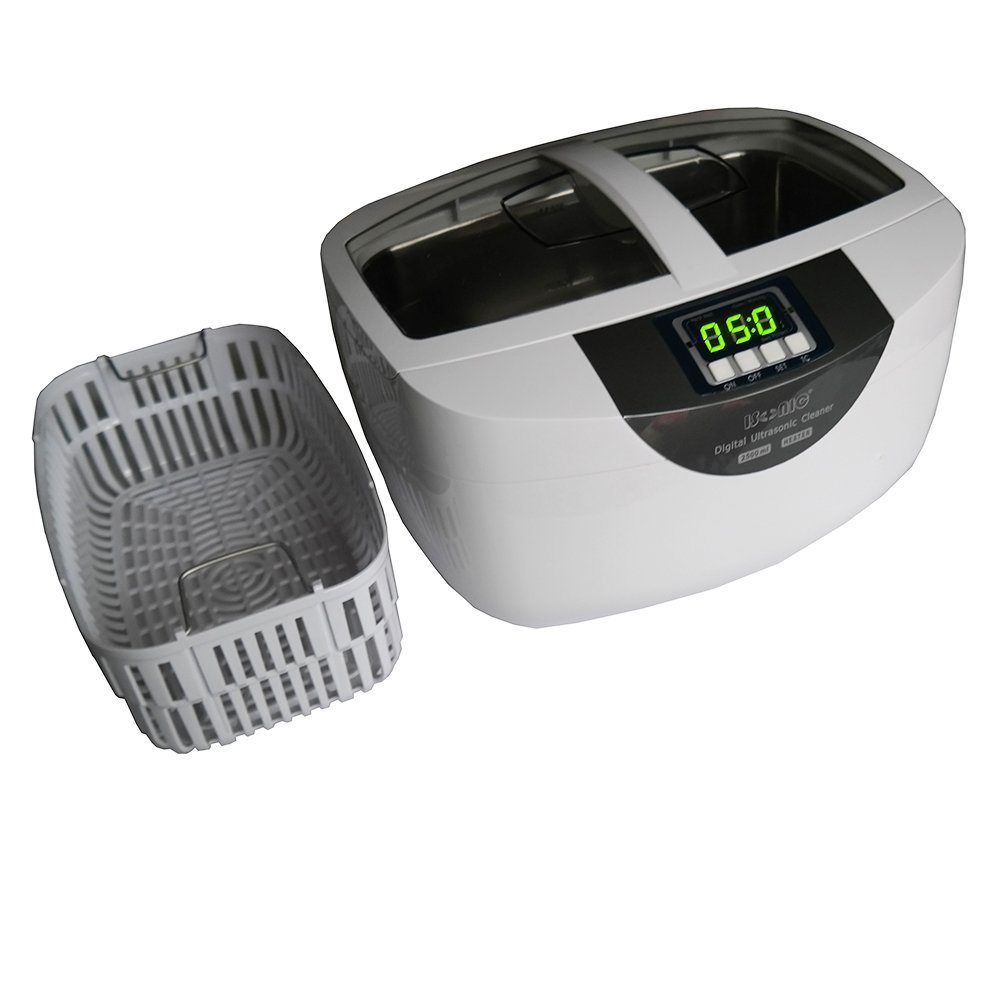
Image: The iSonic P4820 Ultrasonic Cleaner shown with its included plastic basket.
Warranty and Support
Warranty Description: The iSonic P4820-SPB25 comes with a 1-year warranty covering parts and labor. Customers within the lower 48 states of the USA are responsible for one-way shipping costs for warranty service; two-way shipping applies if outside this region.
Manufacturer Contact Information:
iSonic Inc
CHICAGO, IL, 60608 US
For technical support or warranty claims, please contact iSonic directly.


