
1. Introduction
This manual provides essential information for the safe and efficient installation, operation, and maintenance of your ebm-papst 60x25mm 24VDC IP68 Axial Fan. Please read this manual thoroughly before using the product and retain it for future reference.
The ebm-papst axial fan is designed for cooling applications requiring reliable airflow in demanding environments, featuring a compact 60x60x25mm size, 24VDC power, and an IP68 rating for protection against dust and water immersion.
2. Safety Information
WARNING: Failure to follow these safety instructions may result in electric shock, fire, or serious injury.
- Ensure the power supply is disconnected before installation, maintenance, or cleaning.
- Only use the specified 24VDC power supply. Connecting to an incorrect voltage can damage the fan and pose a safety risk.
- Do not operate the fan if it is damaged or if the power cable is frayed.
- Keep fingers and other objects away from the fan blades during operation.
- Install the fan in a location that allows for adequate airflow and prevents obstruction of the fan blades.
- This fan is rated IP68, providing protection against dust ingress and continuous immersion in water under specified conditions. However, avoid unnecessary exposure to harsh chemicals or extreme temperatures.
3. Package Contents
Please check the package for the following items:
- 1 x ebm-papst 60x25mm 24VDC IP68 Axial Fan
- (Mounting screws or additional accessories may be included depending on the specific kit)
4. Setup
4.1 Mounting the Fan
The fan can be mounted using screws through the corner holes. Ensure the fan is securely fastened to prevent vibration and noise. Observe the airflow direction indicated by an arrow on the fan housing to ensure proper cooling.
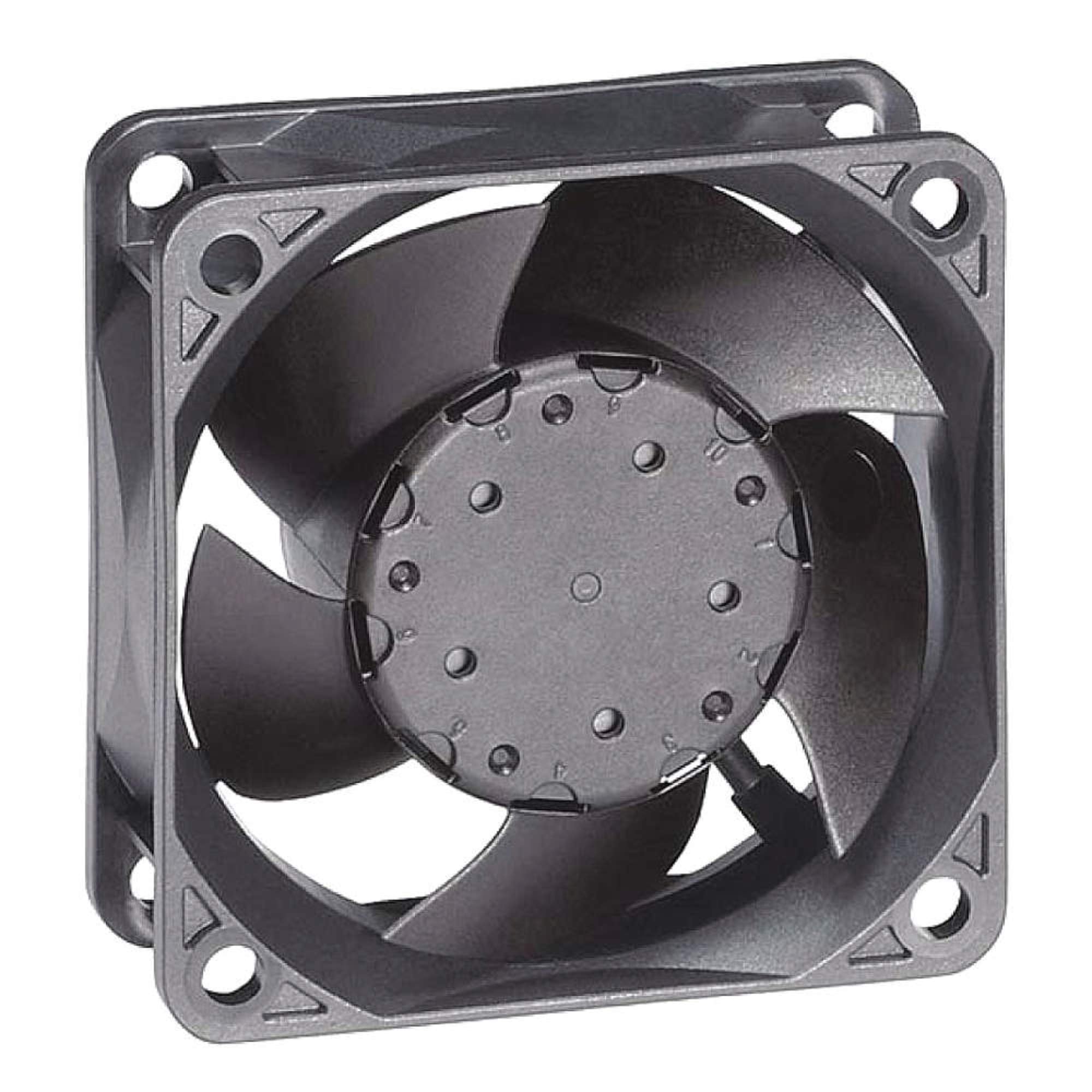
Figure 1: ebm-papst 60x25mm 24VDC IP68 Axial Fan. This image shows the fan's front view, highlighting its compact design and mounting points.
4.2 Wiring Instructions
This fan uses a 4-Pin power connector. Connect the fan to a stable 24VDC power source. Refer to the wiring diagram below for typical connections. Ensure correct polarity to prevent damage.
- Red Wire: +24VDC (Positive)
- Black Wire: GND (Ground)
- Yellow Wire: Tachometer Output (for speed monitoring, if applicable)
- Blue Wire: PWM Input (for speed control, if applicable)
If your application does not require speed monitoring or control, the yellow and blue wires may be left unconnected, ensuring they are properly insulated to prevent short circuits.
5. Operating Instructions
Once the fan is securely mounted and correctly wired to a 24VDC power supply, apply power. The fan should begin to rotate, providing airflow in the direction indicated by the arrow on its housing. Monitor for any unusual noises or vibrations during initial startup.
For models with PWM control, adjust the input signal to achieve the desired fan speed. Refer to your system's documentation for specific PWM signal requirements.
6. Maintenance
Regular maintenance ensures optimal performance and longevity of your fan.
6.1 Cleaning
- Frequency: Inspect the fan blades and housing periodically for dust and debris accumulation. Cleaning frequency depends on the operating environment.
- Procedure: Disconnect power before cleaning. Use a soft brush, compressed air, or a damp cloth to gently remove dust from the fan blades and grille. Do not use harsh chemicals or abrasive materials.
- Despite the IP68 rating, avoid directing high-pressure water jets directly at the fan, especially at electrical connections.
6.2 Inspection
- Regularly check for any signs of physical damage, loose connections, or unusual noises during operation.
- Ensure mounting screws remain tight.
7. Troubleshooting
If you encounter issues with your fan, refer to the following troubleshooting guide:
| Problem | Possible Cause | Solution |
|---|---|---|
| Fan does not start | No power supply; Incorrect wiring; Damaged fan. | Check power connection and voltage (24VDC). Verify wiring polarity. Inspect fan for visible damage. |
| Unusual noise or vibration | Loose mounting; Obstruction of blades; Bearing wear. | Tighten mounting screws. Remove any obstructions. If noise persists, the fan may require replacement. |
| Low airflow | Blocked intake/exhaust; Dust accumulation on blades; Incorrect fan speed setting (PWM models). | Clear obstructions. Clean fan blades. Adjust PWM signal for higher speed. |
If the problem persists after attempting these solutions, please contact ebm-papst customer support.
8. Specifications
| Feature | Value |
|---|---|
| Brand | ebm-papst |
| Product Dimensions (L x W x H) | 2.36" x 0.98" x 2.36" (60mm x 25mm x 60mm) |
| Voltage | 24 Volts DC |
| Power Connector Type | 4-Pin |
| Noise Level | 34 Decibels (dBA) |
| Maximum Rotational Speed | 5900 RPM |
| Airflow (CFM) | 23.5 CFM |
| Wattage | 1.6 Watts |
| Cooling Method | Air (Axial Fan) |
| Material | Plastic |
| IP Rating | IP68 (Dust tight, protected against continuous immersion in water) |
| Bearing Type | Ball Bearing |
| Item Weight | 0.01 Ounces |
Note: Specifications are subject to change without notice. Please refer to the product label for the most accurate information.
9. Warranty and Support
ebm-papst products are manufactured to high-quality standards and are backed by a manufacturer's warranty. For specific warranty terms and conditions, please refer to the documentation included with your purchase or visit the official ebm-papst website.
For technical support, troubleshooting assistance, or warranty claims, please contact ebm-papst customer service through their official website or the contact information provided with your product.
Official Website: www.ebmpapst.com


