
Introduction
This manual provides instructions for the HCDZ Replacement Remote Control, model HCDZ-X04404. This remote is designed as a direct replacement for various Fujitsu air conditioner models, including UTY-LNHUM, ASYA18LCC, ASYA14LCC, AOYR18LCC, AGYG09LVCA, AGYG12LVCA, and AGYG14LVCA. It offers essential functions for controlling your air conditioning unit without the need for complex programming.
Safety Information
Battery Safety
- Always use new AAA batteries (2 required).
- Do not mix old and new batteries.
- Do not mix different types of batteries (e.g., alkaline and rechargeable).
- Ensure batteries are inserted with the correct polarity (+ and -). Incorrect insertion can damage the remote.
- Remove batteries if the remote control will not be used for an extended period to prevent leakage.
- Dispose of used batteries responsibly according to local regulations.
Package Contents
Please check that your package contains the following item:
- 1 x HCDZ Replacement Remote Control (Model: HCDZ-X04404)
Note: Batteries are not included and must be purchased separately.
Setup
Installing Batteries
- Locate the battery compartment cover on the back of the remote control.
- Slide the cover downwards in the direction of the "OPEN" arrow to remove it.
- Insert two (2) new AAA batteries, ensuring the positive (+) and negative (-) terminals align correctly with the markings inside the compartment.
- Slide the battery compartment cover back into place until it clicks securely.
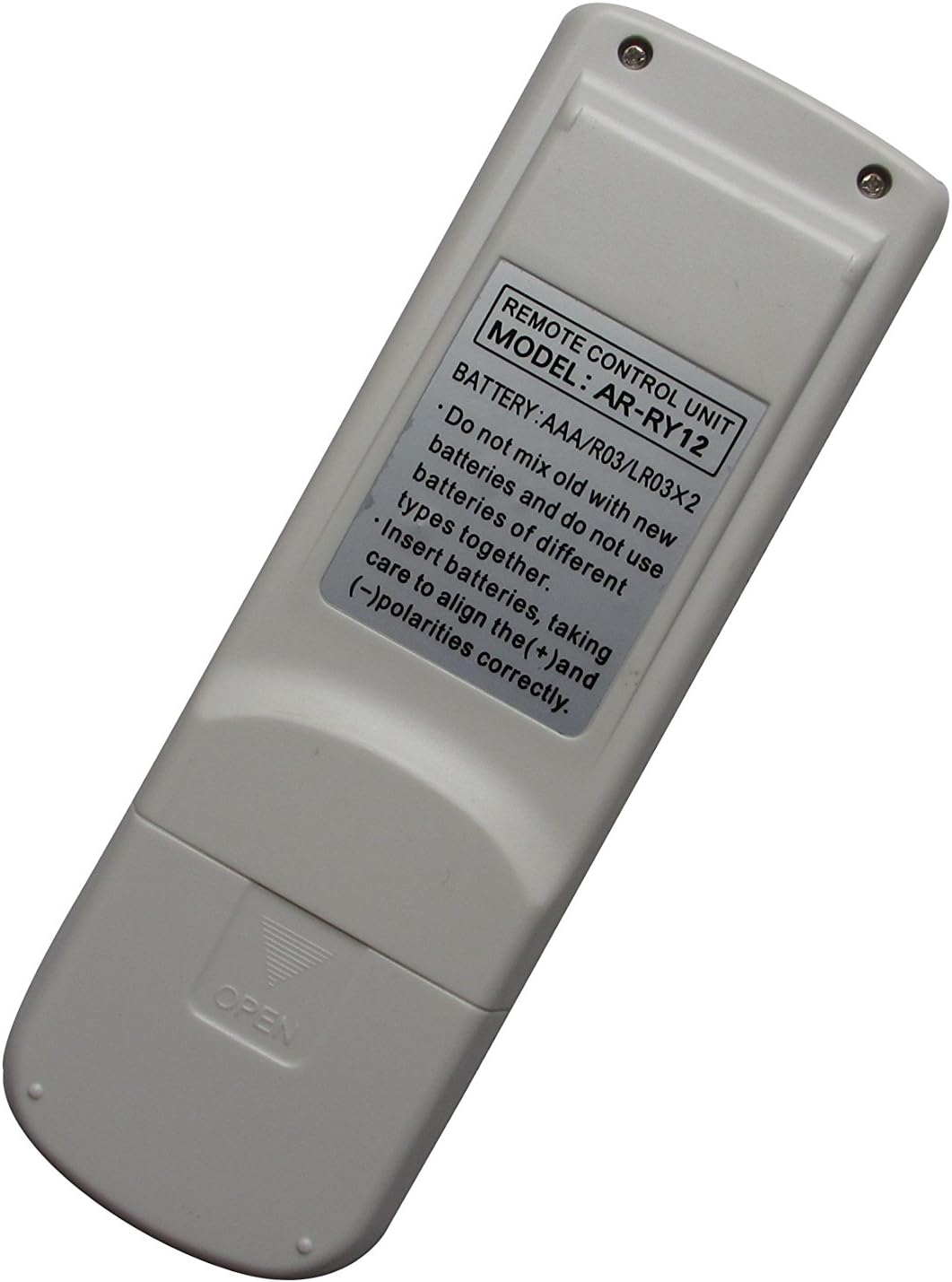
Image: Back of the remote control, indicating the "OPEN" direction for the battery cover.

Image: Battery compartment open, showing where to insert AAA batteries with correct polarity.
No Programming Required
This replacement remote control is pre-programmed and does not require any setup codes or synchronization with your air conditioner. Once batteries are installed, it is ready for immediate use.
Operating Instructions
Point the remote control directly at the infrared receiver on your Fujitsu air conditioner unit. Ensure there are no obstructions between the remote and the unit.
Basic Functions
- Power Button: Press to turn the air conditioner ON or OFF.
- Mode Button: Cycles through operating modes such as Cool, Heat, Fan, Dry, and Auto.
- Temperature Adjustment Buttons (▲/▼): Increases or decreases the desired temperature setting.
- Fan Speed Button: Adjusts the fan speed (e.g., Low, Medium, High, Auto).
- Swing Button: Controls the louver swing function (if available on your AC unit).
- Timer Button: Sets the ON/OFF timer for the air conditioner. Refer to your air conditioner's original manual for specific timer settings.
- Sleep Button: Activates or deactivates the sleep mode for comfortable nighttime operation.
Note: The exact button layout and available functions may vary slightly depending on the specific Fujitsu air conditioner model you are operating. Refer to your air conditioner's original user manual for detailed function descriptions.
Maintenance
Cleaning the Remote Control
- Wipe the remote control with a soft, dry cloth.
- Do not use liquid cleaners, sprays, or abrasive materials, as these can damage the remote's surface or internal components.
Battery Replacement
Replace batteries when the remote control's range decreases or if it stops responding. Follow the "Installing Batteries" steps in the Setup section.
Troubleshooting
| Problem | Possible Cause | Solution |
|---|---|---|
| Remote control is not working. | Dead or incorrectly inserted batteries. | Replace batteries with new AAA batteries, ensuring correct polarity. |
| Remote control range is poor. | Weak batteries; Obstruction between remote and AC unit. | Replace batteries. Ensure a clear line of sight to the AC unit's receiver. |
| Certain functions do not work. | Function not supported by your specific AC model; Remote control malfunction. | Verify if the function is available on your AC unit. If other functions work, the remote is likely fine. If no functions work after battery replacement, contact support. |
Specifications
- Model: HCDZ-X04404
- Brand: HCDZ
- Compatible Devices: Fujitsu Air Conditioners (UTY-LNHUM, ASYA18LCC, ASYA14LCC, AOYR18LCC, AGYG09LVCA, AGYG12LVCA, AGYG14LVCA, and others)
- Connectivity Technology: Infrared (IR)
- Power Source: 2 x AAA Batteries (not included)
- Special Feature: Universal replacement
- Color: White
- Manufacturer: HCDZ
Warranty and Support
For warranty information or technical support regarding your HCDZ Replacement Remote Control, please contact the manufacturer or your point of purchase. Keep your purchase receipt as proof of purchase.
For specific operational details of your Fujitsu air conditioner, please refer to the original manual provided with your air conditioning unit.