
1. Product Overview
The Fujifilm FinePix S1 is the world's first weather-resistant super zoom camera, designed to perform reliably in various conditions. It features a 16MP CMOS sensor and a powerful 50x optical zoom lens, making it versatile for a wide range of photographic needs, from wide-angle landscapes to distant subjects.
Key Features
- World's first weather-resistant 50x zoom camera (24-1200mm equivalent).
- 16.2MP 1/2.3-inch backlit CMOS sensor for high-quality images.
- Full HD movie capture (1920 x 1080, 60i) with 5-Axis Image Stabilization.
- 3.0-inch, approx. 920K-dot, Vari-angle LCD monitor and 920k EVF for flexible viewing.
- Built-in Wi-Fi connectivity for easy image transfer and remote shooting.
Camera Components

Figure 1.1: Front view of the Fujifilm FinePix S1 camera, showcasing the large Fujinon 50x optical zoom lens and the Fujifilm branding.

Figure 1.2: Rear view of the Fujifilm FinePix S1 camera, displaying the vari-angle LCD screen and essential control buttons for navigation and settings adjustment.

Figure 1.3: Side view of the Fujifilm FinePix S1 camera with the vari-angle LCD screen fully extended and rotated, offering flexibility for shooting from various angles.

Figure 1.4: Top view of the Fujifilm FinePix S1 camera, highlighting the mode dial, hot shoe, and power button for quick access to camera functions.
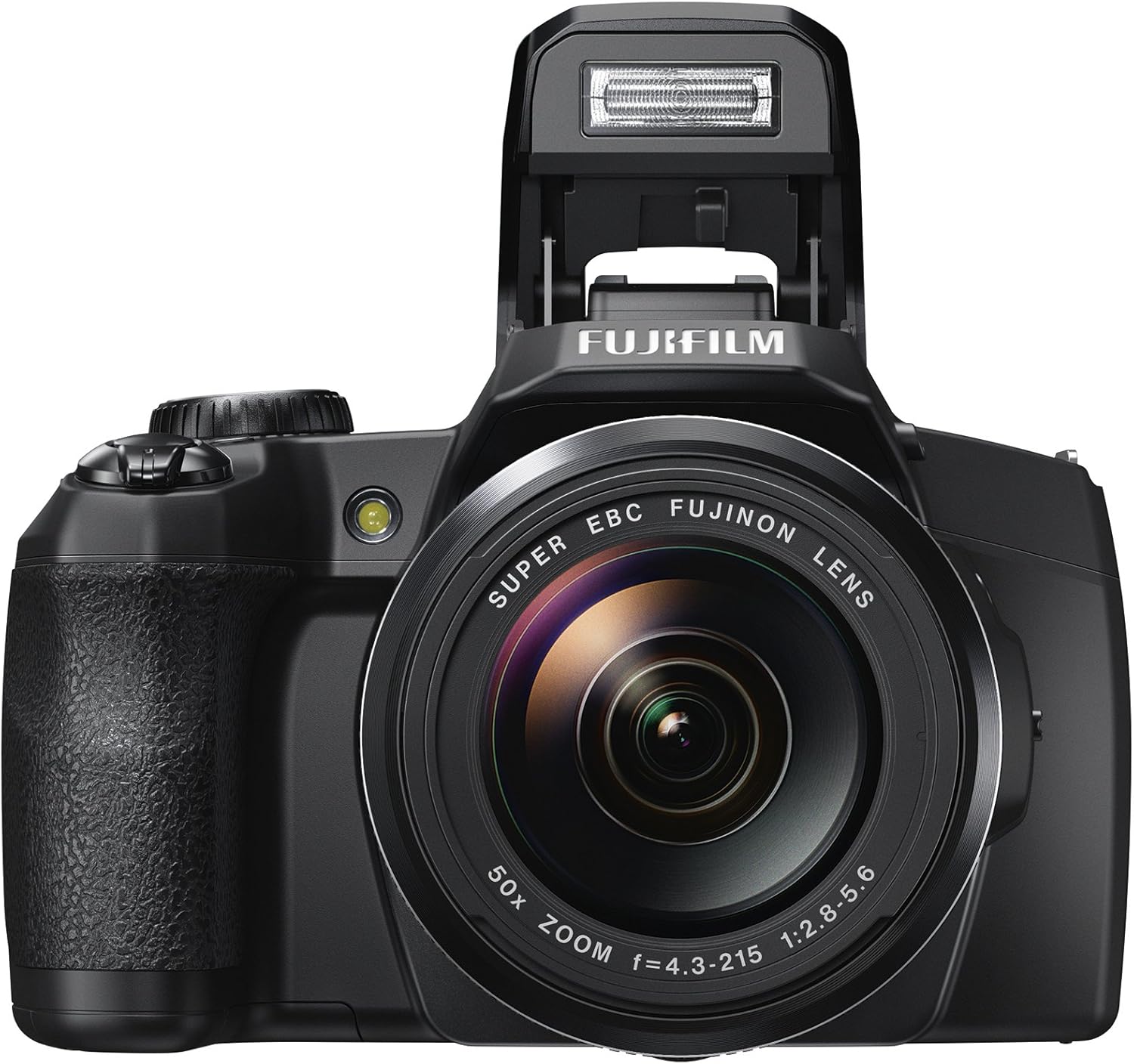
Figure 1.5: Front view of the Fujifilm FinePix S1 camera with the built-in flash popped up, ready for use in low-light conditions.

Figure 1.6: The Fujifilm FinePix S1 camera on a wet surface, demonstrating its weather-resistant design, allowing for use in light rain or dusty environments.
2. Setup
2.1 Battery Installation
The FinePix S1 uses an NP-85 lithium-ion battery. Ensure the battery is fully charged before first use.
- Open the battery cover located on the bottom of the camera.
- Insert the NP-85 battery with the correct orientation, ensuring the contacts align.
- Close the battery cover securely until it clicks into place.
2.2 Memory Card Insertion
The camera supports SD/SDHC/SDXC memory cards.
- Open the memory card slot cover, usually adjacent to the battery compartment.
- Insert the memory card into the slot until it clicks. Ensure the card is facing the correct way.
- Close the memory card slot cover.
2.3 Initial Setup (Date/Time)
Upon first power-on or after the battery has been removed for an extended period, you may need to set the date and time.
- Turn on the camera using the ON/OFF switch.
- Follow the on-screen prompts to set the date, time, and time zone. Use the directional buttons and OK button to navigate and confirm.
3. Operating the Camera
3.1 Basic Photography
To take a photo, ensure the camera is powered on and a memory card is inserted.
- Select your desired shooting mode using the mode dial (e.g., SR Auto for automatic scene recognition, P for Program, A for Aperture Priority, S for Shutter Priority, M for Manual).
- Frame your shot using the LCD monitor or electronic viewfinder (EVF).
- Press the shutter button halfway down to focus. The focus frame will turn green when focus is achieved.
- Press the shutter button fully down to capture the image.
3.2 Zoom Function
The FinePix S1 features a powerful 50x optical zoom.
- Use the zoom lever located around the shutter button to zoom in (T) or out (W).
- For distant subjects, utilize the full optical zoom range. The camera also offers a 2x Intelligent Digital Zoom for extended reach, though image quality may be reduced.
- Image stabilization is active to help reduce blur at longer focal lengths.
3.3 Video Recording
The camera can record Full HD (1080p) videos at 60 frames per second.
- Press the dedicated movie recording button to start recording.
- Press the button again to stop recording.
- The 5-Axis Image Stabilization helps to keep your videos smooth, even when shooting handheld.
3.4 Wi-Fi Connectivity
Transfer images wirelessly to your smartphone or PC using the built-in Wi-Fi.
- Install the free FUJIFILM Camera Remote app on your smartphone or tablet.
- Press the Wi-Fi button on the back of the camera.
- Follow the app's instructions to connect to the camera and transfer images or control the camera remotely.
4. Maintenance
4.1 Cleaning
- Camera Body: Use a soft, dry cloth to wipe the camera body. For stubborn dirt, lightly dampen the cloth with water. Avoid using organic solvents.
- Lens: Use a lens brush or blower to remove dust. For smudges, use a lens cleaning solution and a microfiber cloth, wiping gently in a circular motion from the center outwards.
- LCD Monitor: Wipe gently with a soft, dry cloth. Avoid pressing hard on the screen.
4.2 Storage
- Store the camera in a cool, dry, well-ventilated area away from direct sunlight and high humidity.
- Remove the battery if the camera will not be used for an extended period.
- Use a desiccant (silica gel) in the storage area to absorb moisture.
4.3 Battery Care
- Always use the original Fujifilm charger and battery.
- Avoid exposing the battery to extreme temperatures.
- Charge the battery fully before use and avoid over-discharging.
5. Troubleshooting
If you encounter issues with your camera, refer to the table below for common problems and their solutions.
| Problem | Possible Cause | Solution |
|---|---|---|
| Camera does not turn on. | Battery is depleted or incorrectly inserted. | Charge the battery fully and ensure it is inserted correctly. |
| Images are blurry. | Camera shake, incorrect focus, or low light. | Hold the camera steady, use a tripod, ensure proper focus, or increase ISO/use flash in low light. |
| Memory card error. | Card is full, corrupted, or incompatible. | Delete unnecessary files, format the card (this will erase all data), or try a different compatible card. |
| Wi-Fi connection fails. | Incorrect settings or app issues. | Ensure Wi-Fi is enabled on both devices, restart the app, or consult the app's help section. |
6. Specifications
Detailed technical specifications for the Fujifilm FinePix S1 camera.
| Feature | Description |
|---|---|
| Model Name | Fujifilm FinePix S1 |
| Sensor Type | 1/2.3-inch CMOS |
| Effective Still Resolution | 16 MP |
| Optical Zoom | 50x |
| Maximum Focal Length | 1200 Millimeters |
| Minimum Focal Length | 24 Millimeters |
| Image Stabilization | Sensor-shift |
| Screen Size | 3 Inches (Vari-angle LCD) |
| Viewfinder | Electronic |
| Video Resolution | FHD 1080p |
| Connectivity Technology | USB, HDMI, Wi-Fi |
| Water Resistance Level | Water Resistant |
| Battery Type | NP-85 lithium-ion battery |
| Item Weight | 1.5 Pounds |
7. Warranty and Support
7.1 Warranty Information
The Fujifilm FinePix S1 comes with a Manufacturer Warranty. Please refer to the warranty card included with your product for specific terms, conditions, and duration of coverage. Retain your proof of purchase for warranty claims.
7.2 Customer Support
For further assistance, technical support, or service inquiries, please contact Fujifilm customer support through their official website or the contact information provided in your product packaging. You can also visit the official Fujifilm store on Amazon for additional resources and product information: Fujifilm Store.


