
Introduction
This manual provides instructions for the proper setup, operation, and maintenance of your Case Logic Optical Wireless Mouse, Model EW-6000. Please read this manual thoroughly before using the device to ensure optimal performance and longevity.
Package Contents
- Case Logic Optical Wireless Mouse (EW-6000)
- USB Nano Receiver
- User Manual (this document)
Note: Batteries are not included and must be purchased separately.
Setup
1. Battery Installation
- Locate the battery compartment on the underside of the mouse.
- Open the battery compartment cover.
- Insert the required batteries (typically 1x AA or 2x AAA, check the compartment for specific type) ensuring correct polarity (+/-).
- Close the battery compartment cover securely.
2. Connecting the USB Nano Receiver
The USB Nano Receiver is typically stored within the mouse's battery compartment or a dedicated slot for portability.
- Remove the USB Nano Receiver from its storage slot.
- Plug the USB Nano Receiver into an available USB port on your computer.
- Your computer should automatically detect and install the necessary drivers. This may take a few moments.
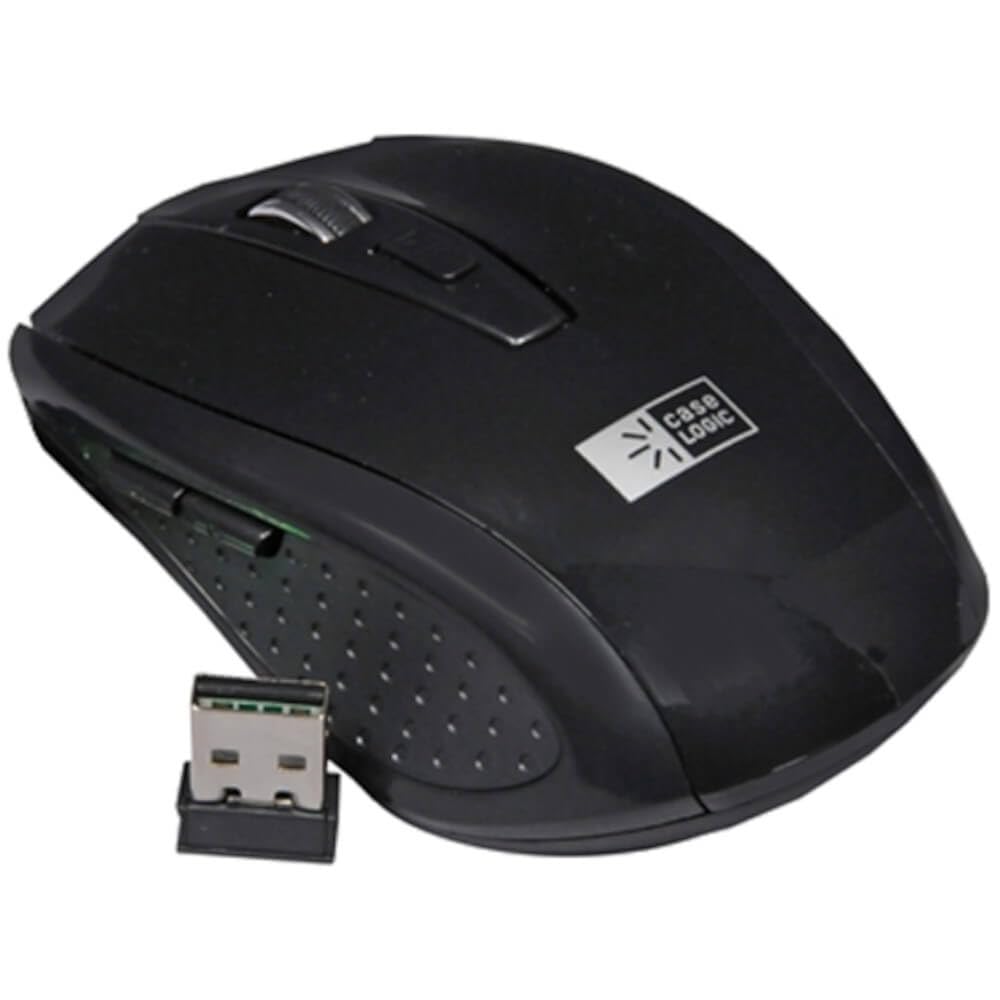
Image: The Case Logic Optical Wireless Mouse shown alongside its compact USB Nano Receiver. The mouse is black with a scroll wheel and two main buttons, and the Case Logic logo is visible on its surface. The USB receiver is small and designed for discreet connection to a computer's USB port.
3. Powering On
Locate the power switch on the underside of the mouse and slide it to the "ON" position. The mouse should now be ready for use.
Operating Instructions
Basic Functions
- Left Button: Primary click function, typically used for selecting items or opening links.
- Right Button: Secondary click function, typically used for context menus.
- Scroll Wheel: Used for scrolling through documents and web pages. It may also function as a middle click button.
Optical Sensor
The mouse features an 800 DPI (Dots Per Inch) high-definition optical sensor, providing precise and responsive cursor control. This sensitivity is suitable for general computing tasks.
Wireless Connectivity
The mouse operates on a 2.4GHz wireless frequency, offering a reliable connection with an operating range of up to 10 meters (approximately 33 feet) from the USB Nano Receiver.
Auto Power Function
To conserve battery life, the mouse is equipped with an auto power-saving function. It will automatically enter a sleep mode after a period of inactivity. To wake the mouse, simply move it or click any button.
Maintenance
Cleaning
To maintain optimal performance, periodically clean your mouse. Use a soft, dry cloth to wipe the exterior. For stubborn dirt, a slightly damp cloth can be used, ensuring no moisture enters the device. Avoid using harsh chemicals or abrasive cleaners.
Battery Replacement
When the mouse's performance degrades or it stops responding, it is likely time to replace the batteries. Follow the battery installation steps outlined in the "Setup" section.
Troubleshooting
- Mouse not responding:
- Ensure the mouse is powered on.
- Check battery levels and replace if necessary.
- Verify the USB Nano Receiver is securely plugged into a working USB port. Try a different USB port.
- Move the mouse closer to the receiver to rule out range issues.
- Restart your computer.
- Erratic cursor movement:
- Clean the optical sensor on the underside of the mouse.
- Ensure you are using the mouse on a suitable surface. Highly reflective or transparent surfaces may affect tracking.
- Check for interference from other wireless devices.
- Connection issues:
- Unplug and re-plug the USB Nano Receiver.
- If possible, try the mouse and receiver on a different computer to determine if the issue is with the mouse or the computer.
Specifications
| Brand | Case Logic |
| Model Number | EW-6000 |
| Connectivity Technology | Wireless (2.4GHz USB Nano Receiver) |
| Movement Detection Technology | Optical |
| DPI | 800 DPI |
| Operating Range | Up to 10 meters |
| Compatible Devices | Personal Computer |
| Operating Systems | Linux, Windows 7, Windows XP (and newer compatible OS) |
| Power Source | Battery Powered (Batteries not included) |
| Dimensions (L x W x H) | 21.08 x 9.91 x 3.81 cm |
| Weight | 113.4 g |
Warranty and Support
For warranty information or technical support, please refer to the documentation provided with your purchase or visit the official Case Logic website. Keep your proof of purchase for warranty claims.