
1. Introduction
Thank you for choosing the Clean Air Optima CA-606W Humidifier. This device is designed to improve indoor air quality by maintaining optimal humidity levels, purifying the air with an ionizer, and allowing for aromatherapy. Please read this manual carefully before use to ensure proper operation and maintenance.
2. Safety Instructions
- Always place the humidifier on a firm, flat, and waterproof surface.
- Do not place the unit near heat sources or in direct sunlight.
- Keep the unit out of reach of children and pets.
- Do not immerse the unit in water or other liquids.
- Unplug the humidifier before filling, cleaning, or moving it.
- Use only clean, cool tap water. Distilled or demineralized water is recommended to prevent mineral buildup.
- Do not add essential oils directly into the water tank; use the designated aroma tray.
- Ensure the power cord is not damaged or pinched.
- If the unit emits unusual sounds, smells, or smoke, unplug it immediately and contact customer support.
3. Product Components
Familiarize yourself with the main parts of your Clean Air Optima CA-606W humidifier.


- Water Tank: Holds up to 5.5 liters of water.
- Base Unit: Contains the ultrasonic transducer, heating element, and control electronics.
- Mist Nozzle: Directs the mist output.
- Digital Display: Shows current humidity, settings, and indicators.
- Control Panel: Touch buttons for operating functions.
- Aroma Tray: For adding essential oils for aromatherapy.
- Remote Control: For convenient operation.
- Ionizer: Integrated air purification function.
4. Setup
4.1 Unpacking
- Carefully remove the humidifier from its packaging.
- Remove all packing materials and ensure no parts are missing.
4.2 Placement
Place the humidifier on a flat, stable, and water-resistant surface at least 15 cm away from walls and furniture. Ensure the mist outlet is not directed towards walls or electronic devices.

4.3 Filling the Water Tank
- Remove the water tank from the base unit.
- Unscrew the tank cap at the bottom of the water tank.
- Fill the tank with clean, cool tap water. Distilled or demineralized water is recommended. Do not fill past the MAX line.
- Securely screw the tank cap back on.
- Place the filled water tank back onto the base unit. Ensure it is seated correctly.
4.4 Initial Power-On
Plug the power cord into a suitable electrical outlet. The unit will emit a short beep, and the digital display will briefly illuminate, indicating it is in standby mode.
5. Operating Instructions
5.1 Control Panel and Display


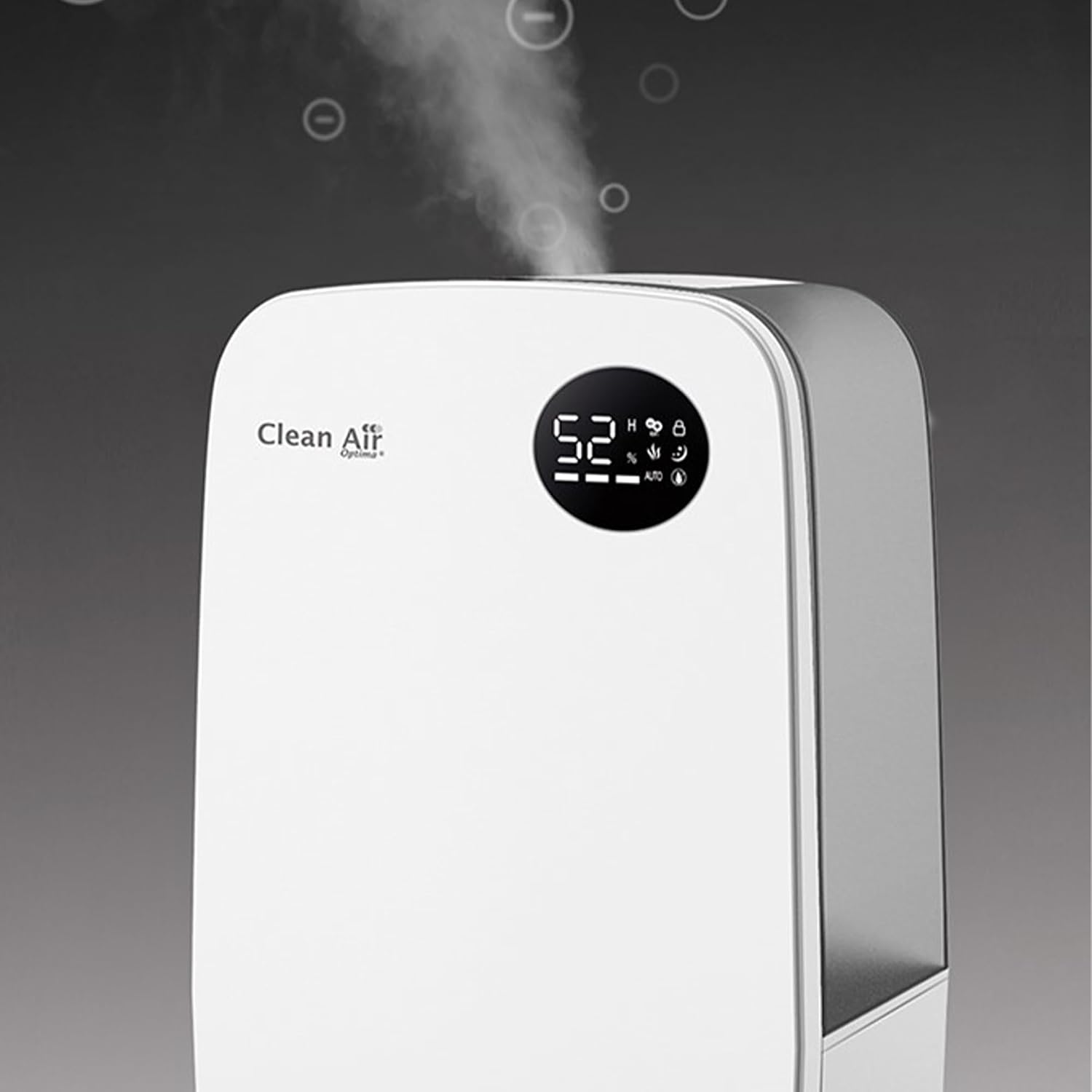
The digital display shows the current humidity level and active functions. The touch buttons on the front panel allow you to control the humidifier's settings.
5.2 Remote Control

The included remote control provides access to all functions from a distance.
5.3 Power On/Off
Press the Power button () on the control panel or remote control to turn the unit on or off.
5.4 Mist Output Adjustment
Press the Mist button to cycle through different mist output levels (low, medium, high). The humidifier offers both cold and warm mist options.
5.5 Humidity Level Setting (Hygrostat)
Press the Humidity button to set your desired humidity level (e.g., 40% to 75%). The unit will automatically maintain this level, turning on and off as needed. The optimal indoor humidity is generally between 40% and 60%.
5.6 Ionizer Function
Press the Ionizer button () to activate the ionizer. The ionizer releases negative oxygen ions to purify and refresh the air.

5.7 Aromatherapy Function
Locate the aroma tray, usually a small drawer or compartment, on the side or back of the unit. Add a few drops of essential oil onto the aroma pad. Do not add essential oils directly into the water tank.
5.8 Timer Function
Press the Timer button () to set an operating time (e.g., 1-12 hours). The unit will automatically turn off after the set time has elapsed.
5.9 Sleep Mode
Press the Sleep button () to activate sleep mode. In this mode, the display lights dim, and the unit operates at a low, quiet setting.
6. Maintenance
Regular cleaning is essential for optimal performance and longevity of your humidifier.
6.1 Daily Maintenance
- Empty and rinse the water tank and base unit daily.
- Refill with fresh water.
6.2 Weekly Cleaning
- Unplug the unit.
- Remove the water tank and empty any remaining water.
- Clean the inside of the water tank and the base unit with a soft brush or cloth and mild detergent.
- Rinse thoroughly with clean water.
- Clean the ultrasonic transducer (the small disc in the base) gently with a soft brush to remove mineral deposits. Do not use abrasive materials.
- Rinse the permanent filter (if applicable, as mentioned in a review) under running water.
- Wipe the exterior of the unit with a soft, damp cloth.
6.3 Descaling
Depending on water hardness, mineral deposits (limescale) may build up. Descale the unit every 2-4 weeks using a descaling solution suitable for humidifiers or a mixture of white vinegar and water. Follow the instructions of the descaling agent or soak the affected parts in the vinegar solution for 20-30 minutes, then rinse thoroughly.
6.4 Storage
If the humidifier will not be used for an extended period, clean it thoroughly, ensure all parts are dry, and store it in a cool, dry place away from direct sunlight.
7. Troubleshooting
| Problem | Possible Cause | Solution |
|---|---|---|
| No mist or low mist output | Low water level Mineral buildup on transducer Mist nozzle blocked | Refill water tank Clean transducer Clear mist nozzle |
| Unusual odor | Stagnant water Dirty water tank/base | Empty and clean water tank and base daily Use fresh water |
| Unit not turning on | No power Water tank not properly seated | Check power connection Ensure water tank is correctly placed |
| White dust around unit | Hard water | Use distilled or demineralized water Clean unit regularly |
| Humidity reading inaccurate | Sensor blocked or dirty Unit placed too close to mist output | Clean humidity sensor Ensure proper placement away from direct mist |
8. Specifications
| Feature | Specification |
|---|---|
| Brand | Clean Air Optima |
| Model Number | CA-606W |
| Color | White |
| Product Dimensions (L x W x H) | 23.01 x 34.01 x 23.01 cm (approx. 37D x 15B x 23H cm) |
| Weight | 3.4 kg |
| Water Tank Capacity | 5.5 Liters |
| Humidification Capacity | Max. 480 ml/h |
| Power Consumption (Cold Mist) | 25 Watts |
| Power Consumption (Warm Mist) | 138 Watts |
| Material | Plastic |
| Suitable Room Size | Up to 65 m² / 160 m³ |
| Operating Mode | Automatic (with hygrostat) |
| Special Features | Ultrasonic Humidification, Ionizer, Aromatherapy, Cold & Warm Mist |
| Noise Level | < 25 dB |
9. Warranty and Customer Support
Clean Air Optima products are manufactured to high-quality standards. For warranty information, please refer to the warranty card included with your product or visit the official Clean Air Optima website. For technical support, spare parts, or service inquiries, please contact Clean Air Optima customer service directly.
Contact information can typically be found on the manufacturer's website or in the product packaging.


