
1. Introduction
This manual provides comprehensive instructions for the installation, operation, and maintenance of your Flux Bluetooth LED Smart Bulb (Model FL-7W). This smart bulb offers customizable lighting with a wide range of colors and features, controlled directly from your smartphone or tablet via Bluetooth.
Key features include:
- 16 million colors plus cool and warm white options.
- Dimmable lighting for all colors.
- Scheduling capabilities for automated on/off times.
- Custom modes and scenes for personalized light transitions.
- Music synchronization to change colors with audio.
- No hub required for operation.

Image: A close-up of the Flux Bluetooth LED Smart Bulb with a vibrant background, accompanied by the text 'Go Beyond Illumination with FLUX BLUETOOTH SMART BULB'.

Image: Front view of the Flux Bluetooth LED Smart Bulb, showcasing its standard A19 shape and E26 base, with the top portion illuminated in a gradient of colors.
2. Setup Instructions
2.1. Hardware Installation
- Unpack the Bulb: Carefully remove the Flux Bluetooth LED Smart Bulb from its packaging.
- Screw in the Bulb: Screw the bulb into a standard E26 light socket. Ensure the socket is powered off before installation.
- Power On: Turn on the light switch to provide power to the bulb. The bulb will illuminate.

Image: Hands screwing the FluxSmart bulb into a socket, with text indicating 'Easy to Install' and key specifications like 550 Lumens, 110 Volts, LED Light Type, and 7.5 Watts.
2.2. App Download and Pairing
- Download the App: Download the free "Flux Bluetooth" app from the Google Play Store for Android devices or the Apple App Store for iOS devices.
- Enable Bluetooth: Ensure Bluetooth is enabled on your smartphone or tablet.
- Open the App: Launch the "Flux Bluetooth" app. The app will automatically search for and connect to nearby Flux Bluetooth bulbs.
- Confirm Connection: Once connected, the bulb's status in the app will indicate it is ready for control.

Image: A person's hands interacting with the Flux Bluetooth app on a smartphone, demonstrating the comprehensive and user-friendly application for controlling the smart LED light bulb.
3. Operating Instructions
3.1. Color and Brightness Control
The Flux Bluetooth app provides a color wheel interface to select from 16 million colors. You can also choose between cool white and warm white light. A brightness slider allows you to dim or brighten the selected color or white light to your preference.

Image: A hand holding a smartphone displaying the Flux Bluetooth app interface, showing a color wheel for selecting light colors and brightness, with text 'Bluetooth Convenience Meets Creativity'.
3.2. Scheduling Actions
Set specific times for your bulb to turn on or off. This feature can be used to create a wake-up light experience by gradually increasing brightness or to simulate occupancy when you are away.
- Open the app and navigate to the 'Schedule' or 'Timer' section.
- Add a new schedule entry, specifying the time, days of the week, and desired action (on/off, specific color, brightness).
- Save the schedule.

Image: A smartphone screen displaying the timer list within the Flux Bluetooth app, showing scheduled on/off times for the bulb, with text highlighting 'Schedule and Timer Functions'.
3.3. Custom Modes and Scenes
Create personalized lighting effects:
- Custom Color Transitions: Design sequences where the bulb cycles through a series of colors.
- Scenes: Capture colors from a photo and apply them to your bulb, bringing visual memories to life.
3.4. Music Synchronization
The bulb can change colors automatically in sync with music played from your smartphone or tablet. This feature enhances ambiance for relaxation or social gatherings.
4. Maintenance
The Flux Bluetooth LED Smart Bulb is designed for long-term use with minimal maintenance. Follow these guidelines:
- Cleaning: Ensure the bulb is powered off and cool before cleaning. Wipe the bulb with a soft, dry cloth. Do not use liquid cleaners or abrasive materials.
- Storage: If storing the bulb for an extended period, keep it in its original packaging in a cool, dry place.
- Environmental Conditions: This bulb is designed for indoor use. Avoid exposure to extreme temperatures, high humidity, or direct water contact.
5. Troubleshooting
| Problem | Possible Cause | Solution |
|---|---|---|
| Bulb does not light up. | No power; loose connection; faulty bulb. | Check the light switch and power source. Ensure the bulb is screwed in securely. Test the bulb in another working socket. |
| Cannot connect to the bulb via app. | Bluetooth is off; bulb is out of range; app issue; bulb needs reset. | Ensure Bluetooth is enabled on your device. Move closer to the bulb. Close and reopen the app. Try turning the bulb off and on at the switch to reset it. |
| Bulb disconnects frequently. | Interference; distance from device; low device battery. | Reduce interference from other Bluetooth devices. Ensure your controlling device is within effective Bluetooth range (typically up to 30 feet). Keep your device charged. |
| Scheduled actions do not work. | Bulb powered off manually; app not running in background; schedule not saved. | Ensure the light switch remains on. Verify the schedule settings in the app are correct and saved. Some apps require background activity for schedules. |
6. Product Specifications
| Feature | Detail |
|---|---|
| Brand | Flux |
| Model Name | FluxSmart Bluetooth Light Bulb |
| Item Model Number | FL-7W |
| Light Type | LED |
| Wattage | 7.5 Watts |
| Incandescent Equivalent Wattage | 40 Watts |
| Brightness | 550 Lumens |
| Bulb Shape Size | A19 |
| Bulb Base | E26 |
| Light Color | Multicolor (RGBW) |
| Color Temperature | 3200 Kelvin (Warm White) |
| Voltage | 100-120 Volts |
| Frequency | 60 Hertz |
| Control Method | App (Bluetooth 4.0 compatible device required) |
| Average Life | 20,000 Hours |
| Indoor/Outdoor Usage | Indoor |
| Material | Plastic, Glass |
| Item Weight | 1.76 ounces |
| Product Dimensions | 3 x 5 x 3 inches (approx.) |
| Certifications | CE, RoHS |
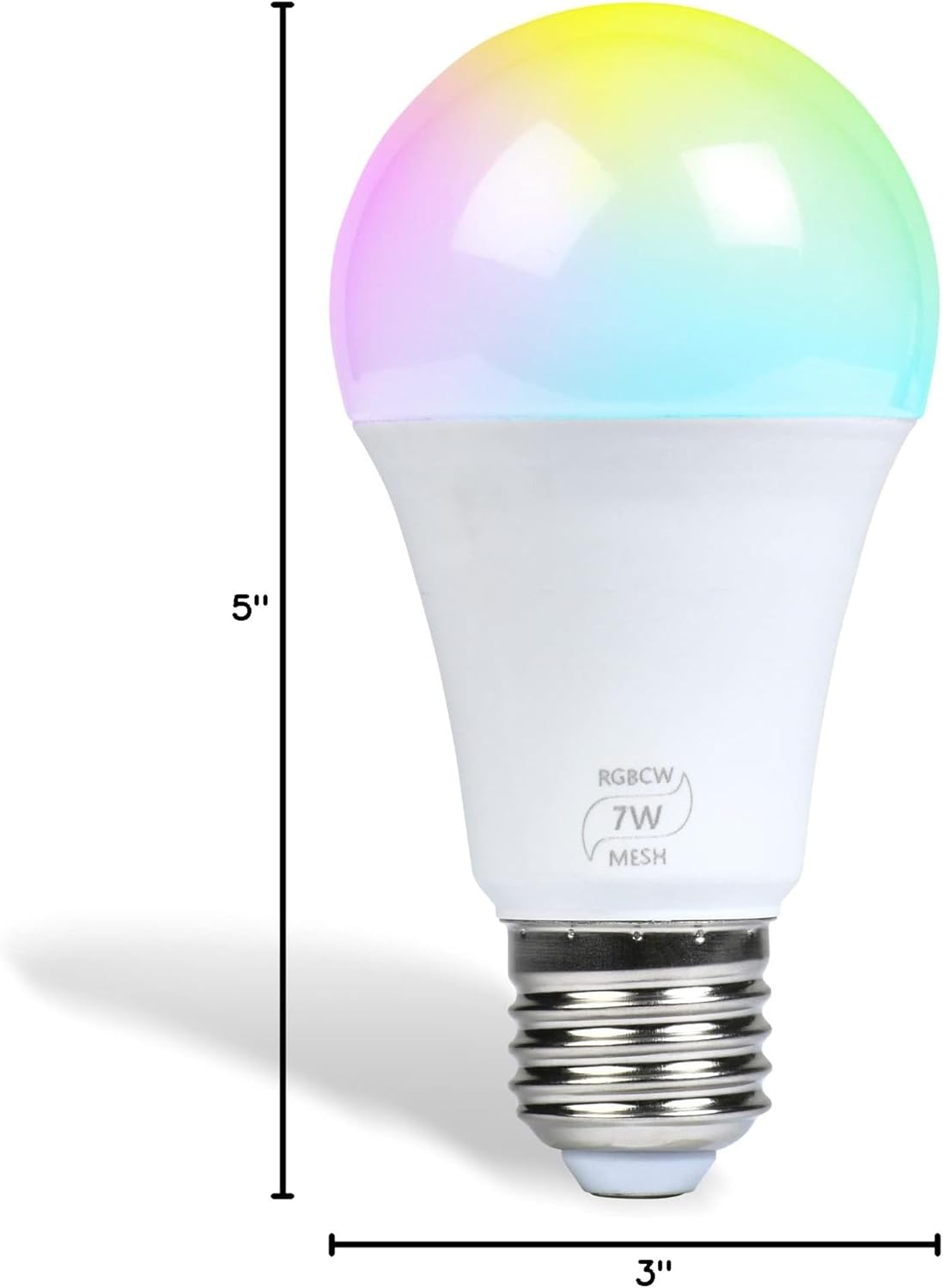
Image: A diagram showing the dimensions of the Flux Bluetooth LED Smart Bulb, indicating a height of 5 inches and a diameter of 3 inches.
7. Warranty and Support
For warranty information or technical support, please refer to the official Flux website or contact Flux customer service directly. Contact details are typically available on the product packaging or the official brand website.


