
Introduction
This manual provides essential information for the safe and effective use of your T POWER 24V AC DC Adapter. Please read this manual thoroughly before using the product and retain it for future reference.
The T POWER 24V AC DC Adapter is designed to provide reliable power to a wide range of compatible Epson photo printers and document scanning systems. It features an input voltage range of AC 100V - 240V and an output of 24V DC.

Image: T POWER 24V AC DC Adapter with power cord.
Compatibility
This adapter is compatible with numerous Epson models. Verify your device's model number or part number against the list below to ensure compatibility.
Compatible Epson Series:
- Epson FastFoto Series: FF-640 (J351B), FF-680W Wireless (A441H, A421H, A411B, A461H, A311B, A221B)
- Epson PictureMate Series: PM-400 Wireless Compact Color Photo Printer (C11CE84201)
- Epson WorkForce Scanner Series: DS-510 / DS510 (B11B209201), WorkForce Pro GT-S50 / GTS50, GT-D1000, GT-1500, GT-2500
- Epson Perfection Scanner Series:
- V Series: V500, V600, V700, V750, V750-M Pro, V800, V850 (Part Numbers: B11B224201, B11B223201, B11B178061)
- 4000 Series: 4490 Photo Scanner (J192A, J211A, B12B813391)
- Flatbed Scanners: A110B, A171B, A221B (2115842-00), A311B (B11B172011, B11B178011, B11B189071, B11B189081), A411B, A411E, 2124947-01, 212494701, 2125592-00
- Additional Models: 640U, 1240U, 1650, 2400, 2480, 2580, 3170, 3490, 3590, 10000X, G812A, J111A, J161A, J221A
- Epson RapidReceipt Series: RR-600W
- Epson POS Printers (AC Adapter Part Numbers): PN: DA-36E24, PN: EADP-31AB C, PN: A411E, A411B, PN: 2125592-00, 2124947-01, 212494701
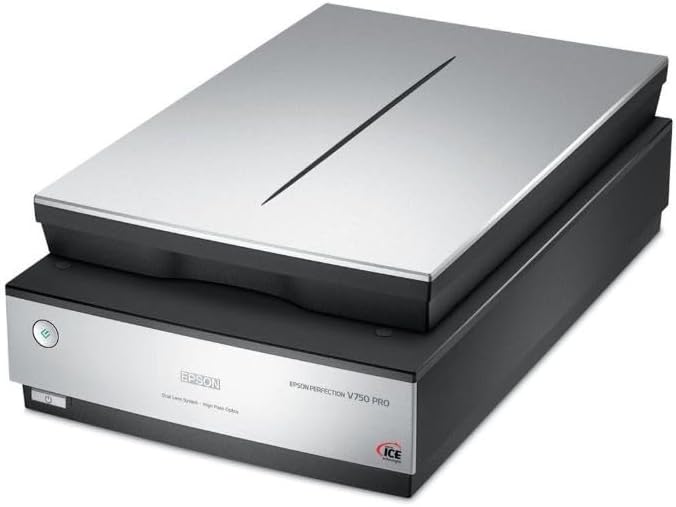
Image: Epson FastFoto FF-680W Wireless Scanner, a compatible device.

Image: Epson PictureMate PM-400 Wireless Compact Color Photo Printer, a compatible device.

Image: Epson Perfection V750 Pro Scanner, a compatible device.
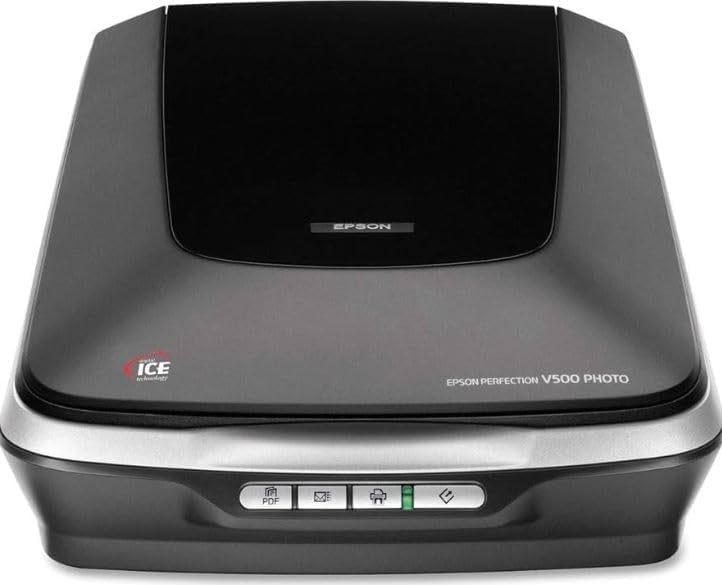
Image: Epson WorkForce Pro Printer, another compatible device.

Image: Epson Perfection V500 Photo Scanner, another compatible device.
Setup Instructions
Follow these steps to correctly set up your T POWER AC DC Adapter with your compatible Epson device.
- Unpack the Adapter: Carefully remove the T POWER AC DC Adapter and its power cord from the packaging.
- Connect the AC Power Cord: Insert the 2-pin end of the AC power cord into the corresponding receptacle on the T POWER adapter brick. Ensure it is firmly seated.
- Connect to Power Outlet: Plug the other end of the AC power cord into a standard wall power outlet (AC 100V - 240V). The adapter may have an indicator light to show it is receiving power.
- Connect to Device: Locate the power input port on your Epson scanner or printer. Insert the DC output connector (center pin connector) from the T POWER adapter into this port. Ensure a secure connection.
- Power On Device: Once connected, you can power on your Epson device.
Important Safety Note:
- • Ensure the power outlet is easily accessible.
- • Do not force connections. If the plug does not fit, check its orientation.
- • Avoid plugging and unplugging the adapter rapidly, as this can cause wear or damage.
Operating Instructions
The T POWER AC DC Adapter operates automatically once connected. It converts the incoming AC voltage to the required 24V DC for your Epson device.
- Voltage Compatibility: The adapter is designed for universal input voltage (AC 100V-240V), making it suitable for use in various regions with appropriate plug adapters (not included).
- Output: Provides a stable 24V DC output, 3 Amps, with a maximum wattage of 90 watts, matching the power requirements of compatible Epson devices.
- Indicator Light: Some adapter models may feature an LED indicator to confirm power is being supplied.
- Disconnection: To disconnect power, first turn off your Epson device, then unplug the adapter from the wall outlet, and finally disconnect the DC connector from your device.
Maintenance and Care
Proper maintenance ensures the longevity and safe operation of your T POWER AC DC Adapter.
- Cleaning: Disconnect the adapter from all power sources and devices before cleaning. Use a soft, dry cloth to wipe the adapter. Do not use liquid cleaners or aerosols.
- Storage: When not in use, store the adapter in a cool, dry place, away from direct sunlight and extreme temperatures. Avoid tightly coiling the cables to prevent damage.
- Cable Inspection: Regularly inspect the power cords and adapter for any signs of damage, such as cuts, fraying, or bent pins. Do not use if damaged.
- Ventilation: Ensure the adapter is placed in a well-ventilated area during operation to prevent overheating. Do not cover the adapter.
Troubleshooting
If you encounter issues with your T POWER AC DC Adapter, refer to the following common problems and solutions.
| Problem | Possible Cause | Solution |
|---|---|---|
| Device not powering on. |
|
|
| Adapter feels hot during use. |
|
|
| Sparking when plugging into outlet. |
|
|
Product Specifications
| Feature | Detail |
|---|---|
| Brand | T POWER |
| Model Number | TP- Epson DA-36E24 EADP-31AB C A411E |
| Input Voltage Range | AC 100V - 240V |
| Output Voltage | 24 Volts (DC) |
| Output Current | 3 Amps |
| Wattage | 90 watts |
| Connector Type | Center Pin Connector |
| Power Source | Corded Electric |
| Frequency Range | 50-60 Hz |
| Main Power Connector Type | 2 Pin (North American Type A plug for AC cord) |
| Item Weight | 4 Ounces |
| Material | Plastic |
| Certifications | CE/FCC/RoHS certified |
Warranty Information
This T POWER AC DC Adapter comes with a 1-year Limited Warranty from the date of purchase. This warranty covers manufacturing defects and ensures the product meets its specified performance standards under normal use.
For warranty claims or inquiries, please retain your proof of purchase and contact customer support.
Customer Support
If you have any questions, require assistance, or need to report an issue with your T POWER AC DC Adapter, please contact our customer support team.
For the quickest resolution, please have your product model number (TP- Epson DA-36E24 EADP-31AB C A411E) and purchase details ready.
You can typically find support contact information on the retailer's website where you purchased the product or on the T POWER brand website.