
Introduction
This manual provides instructions for the installation, operation, and maintenance of the Hillman 853158 Pushbutton Latch. This latch is specifically designed for use with out-swinging wood or metal doors.
Product Overview
The Hillman 853158 Pushbutton Latch is a white, one-piece handle system featuring a push-action button for unlatching. It is suitable for doors with 1-3/4 inch hole spacing and can accommodate doors up to 2 inches thick due to its longer drive shaft and screws.
- Designed for out-swinging wood or metal doors.
- 1-3/4 inch hole spacing compatibility.
- Accommodates doors up to 2 inches thick.
- Push-action button for easy unlatching.
- White finish.
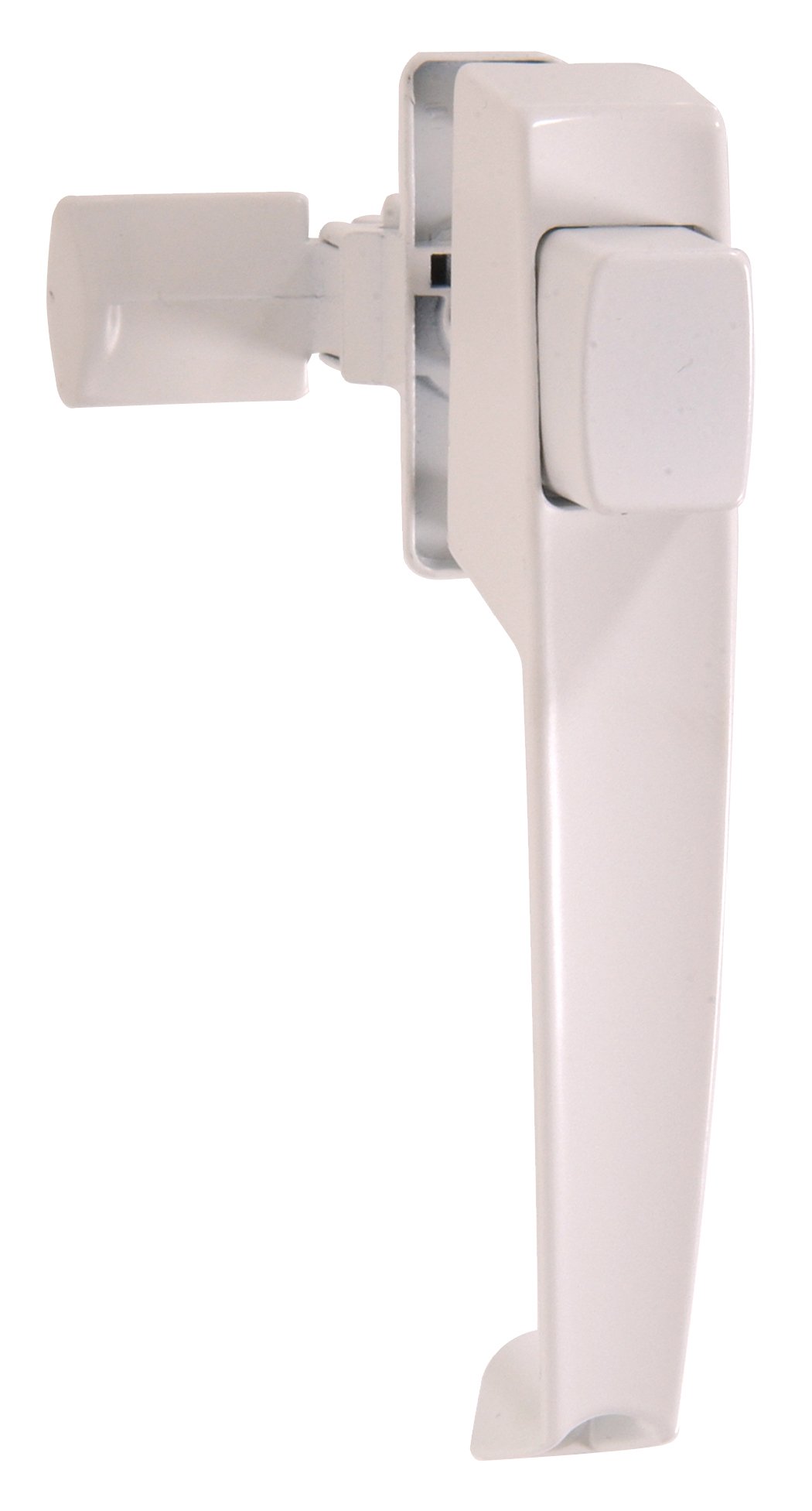
This image displays the Hillman 853158 Pushbutton Latch in white. The one-piece handle and the central pushbutton mechanism are visible.
Package Contents
Verify that all components are present before beginning installation.
- Pushbutton Latch Assembly
- Mounting Hardware (screws)
- Drive Shaft (longer version for thicker doors)
- Installation Instructions (this document)
Installation Instructions
This latch is designed for out-swinging wood or metal doors with 1-3/4 inch hole spacing. It can fit doors up to 2 inches thick.
- Prepare the Door: Ensure your door has the correct 1-3/4 inch hole spacing. If replacing an existing latch, remove the old hardware.
- Position the Latch: Place the pushbutton latch assembly on the exterior side of the door, aligning the spindle with the pre-drilled holes.
- Insert Drive Shaft: Insert the drive shaft through the door and into the latch mechanism.
- Secure Interior Handle (if applicable): If there's an interior handle component, attach it to the drive shaft on the inside of the door.
- Mount the Latch: Use the provided mounting hardware (screws) to securely fasten the latch assembly to the door. Ensure the latch is level and operates smoothly.
- Install Strike Plate: Close the door and mark the position where the latch bolt meets the door frame. Install the strike plate on the door frame, aligning it with the latch bolt for proper engagement.
- Test Operation: Open and close the door several times, pressing the pushbutton to ensure the latch engages and disengages smoothly without binding. Adjust the strike plate if necessary.
Operation
To open the door from the exterior, simply press the pushbutton located on the handle. This action retracts the latch bolt, allowing the door to open. Release the button to allow the latch bolt to extend and secure the door when closed.
Maintenance
The Hillman 853158 Pushbutton Latch requires minimal maintenance.
- Cleaning: Periodically wipe the latch with a soft, damp cloth to remove dust and dirt. Avoid abrasive cleaners or solvents that may damage the finish.
- Lubrication: If the latch mechanism becomes stiff over time, apply a small amount of silicone-based lubricant to the moving parts. Do not over-lubricate.
- Fastener Check: Periodically check all mounting screws for tightness. Tighten any loose screws to ensure secure operation.
Troubleshooting
- Latch does not engage or disengage smoothly:
- Check for proper alignment of the strike plate on the door frame. Adjust its position if needed. Ensure mounting screws are tight and not causing distortion.
- Door does not stay latched:
- Verify that the strike plate is correctly aligned and the latch bolt fully extends into it. Check for any obstructions preventing the door from closing completely.
- Pushbutton is stiff or sticky:
- Apply a small amount of silicone lubricant to the pushbutton mechanism. Clean any accumulated dirt or debris around the button.
Specifications
| Feature | Detail |
|---|---|
| Model Number | 853158 |
| Brand | Hillman |
| Color | White |
| Material | Metal, Wood (Handle) |
| Door Compatibility | Out-swinging wood or metal doors |
| Hole Spacing | 1-3/4 inches |
| Max. Door Thickness | 2 inches |
| Product Dimensions | 12.8"L x 6.1"W |
| Country of Origin | China |
| UPC | 008236988468 |
Warranty and Support
For warranty information or technical support, please contact Hillman customer service directly. Refer to the product packaging or the official Hillman website for current contact details.