
Nilox ROS3001
Nilox USB 3.0 A-B Cable User Manual
Model: ROS3001
Introduction
This manual provides essential information for the proper use and maintenance of your Nilox USB 3.0 A-B cable. This cable is designed for high-speed data transfer and reliable connectivity between compatible devices.
The Nilox USB 3.0 A-B cable features male-to-male connectors and a length of 0.8 meters, supporting a data transfer rate of up to 4.8 Gbit/s. It is suitable for connecting various electronic devices, such as external hard drives, printers, and other peripherals that utilize a USB 3.0 Type-B port to a computer's USB 3.0 Type-A port.
Product Overview
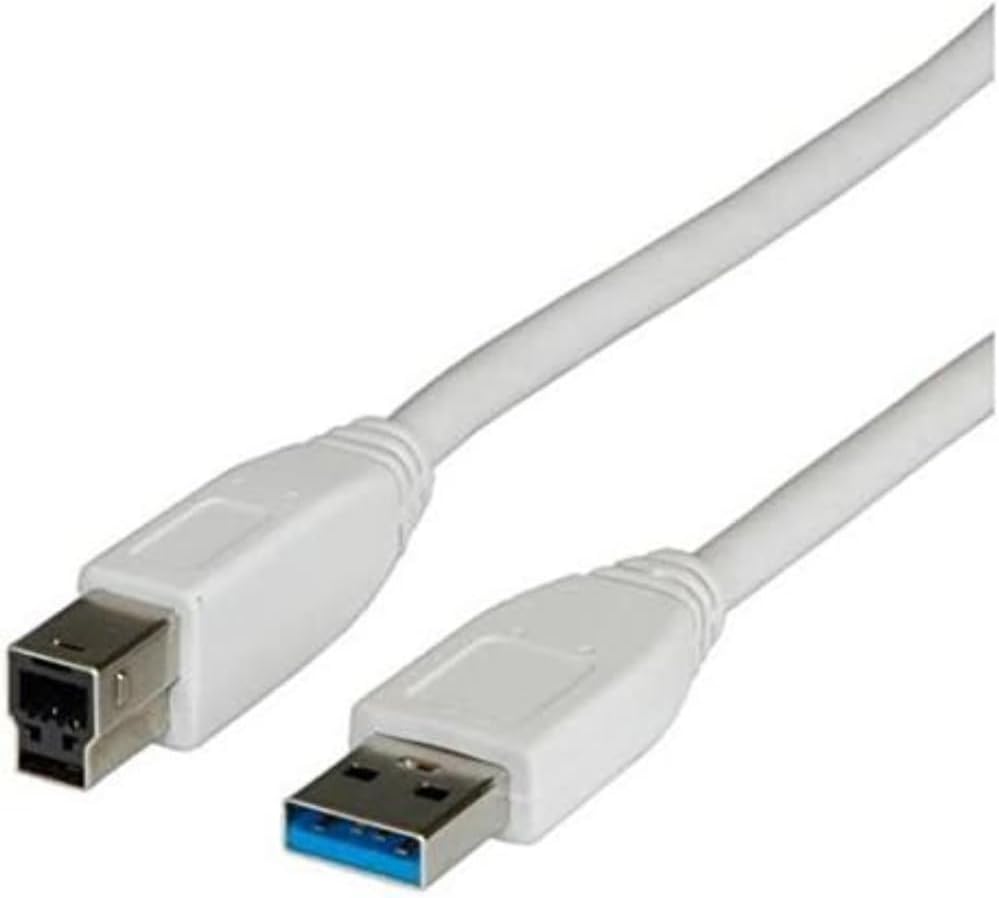
Figure 1: The Nilox USB 3.0 A-B cable, showing the standard USB 3.0 Type-A connector (blue interior) and the USB 3.0 Type-B connector. This cable is white and approximately 0.8 meters long.
Setup and Connection
- Identify Ports: Locate the USB 3.0 Type-A port on your computer or host device. This port is typically rectangular and may have a blue interior. Identify the USB 3.0 Type-B port on your peripheral device (e.g., external hard drive, printer, docking station). This port is often square with an additional section for USB 3.0 pins.
- Connect Type-A: Insert the USB 3.0 Type-A connector of the Nilox cable into the corresponding USB 3.0 Type-A port on your computer. Ensure it is fully seated.
- Connect Type-B: Insert the USB 3.0 Type-B connector of the Nilox cable into the corresponding USB 3.0 Type-B port on your peripheral device. Ensure it is fully seated.
- Verify Connection: Once both ends are connected, your computer should recognize the peripheral device. You may see a notification indicating that a new device has been connected.
Operating Instructions
This cable facilitates high-speed data transfer and power delivery between compatible devices. Once connected, the cable operates automatically, enabling communication between your computer and the peripheral.
- Data Transfer: For optimal performance, ensure both connected devices support USB 3.0. Data transfer speeds can reach up to 4.8 Gbit/s (SuperSpeed USB).
- Power Delivery: The cable can also provide power to compatible devices, eliminating the need for a separate power adapter for some peripherals.
- Backward Compatibility: While designed for USB 3.0, this cable is backward compatible with USB 2.0 and USB 1.1 devices and ports, though data transfer speeds will be limited to the lower standard.
Maintenance and Care
- Storage: Store the cable in a cool, dry place away from direct sunlight and extreme temperatures. Avoid tightly coiling or bending the cable sharply to prevent internal damage.
- Cleaning: Use a soft, dry cloth to clean the cable and connectors. Do not use liquid cleaners or solvents.
- Handling: Always grasp the connector head when plugging or unplugging the cable, rather than pulling on the cable itself, to prevent damage to the wires and connectors.
- Tangle-Free Design: The cable features a tangle-free design to minimize knots and extend its lifespan.
Troubleshooting
- Device not recognized:
- Ensure both ends of the cable are securely connected to their respective ports.
- Try connecting the cable to a different USB port on your computer.
- Verify that the peripheral device is powered on (if applicable).
- Test the cable with another compatible device to rule out a cable issue.
- Update or reinstall the drivers for your peripheral device on your computer.
- Slow data transfer speed:
- Ensure both your computer's port and the peripheral device's port are USB 3.0 compatible. If either is USB 2.0, speeds will be limited to USB 2.0 rates.
- Avoid connecting the cable through unpowered USB hubs, which can sometimes limit performance.
- Check for other high-bandwidth devices connected to the same USB controller on your computer.
Specifications
| Feature | Detail |
|---|---|
| Brand | Nilox |
| Model Name | 0.8m USB 3.0 A - USB 3.0 B M/M (ROS3001) |
| Cable Type | USB 3.0 A-B Male-to-Male |
| Length | 0.8 meters |
| Data Transfer Rate | Up to 4.8 Gbit/s (4800 Megabits Per Second) |
| Connector Gender | Male-to-Male |
| Color | Grey |
| Special Feature | Tangle Free |
| Compatible Devices | Devices with USB 3.0 Type-A and Type-B ports (e.g., external hard drives, printers, smartphones with Type-B ports) |
| Item Weight | 1 Grams (0.035 ounces) |
Warranty and Support
For warranty information and technical support, please refer to the official Nilox website or contact Nilox customer service directly. Keep your purchase receipt as proof of purchase for any warranty claims.
Nilox Official Website: www.nilox.com
Related documentsROS3001


Ask a question about this manual
Ask about setup, troubleshooting, compatibility, parts, safety, or missing instructions. Manuals+ will review the question and use this page’s manual context to help answer it.