
1. Introduction
This manual provides essential information for the safe and effective use of the Eden 57449 Transformer 901. This device is a power adapter designed to supply electrical power to compatible Eden aquarium feeding systems. Please read this manual thoroughly before installation and operation, and retain it for future reference.
2. Safety Instructions
Observe the following safety precautions to prevent injury or damage to the product:
- Read all instructions carefully before using the transformer.
- This transformer is designed for indoor use only. Do not expose it to water, moisture, or extreme temperatures.
- Ensure the voltage rating of the transformer (220 Volts) matches your local power supply before plugging it in.
- Do not attempt to open, modify, or repair the transformer. Refer all servicing to qualified personnel.
- Keep the transformer out of reach of children and pets.
- Always unplug the transformer from the wall outlet before cleaning or when not in use for extended periods.
- Do not operate the transformer if the cable or plug is damaged.
3. Package Contents
Verify that all components are present in the package:
- 1 x Eden 57449 Transformer 901 unit
4. Setup
Follow these steps to set up your Eden 57449 Transformer 901:
- Unpack: Carefully remove the transformer from its packaging.
- Connect to Device: Locate the power input port on your compatible Eden aquarium feeding system. Connect the output cable of the Eden 57449 Transformer 901 to this port. Ensure a secure connection.
- Plug into Power Outlet: Insert the transformer's plug into a standard 220-Volt wall outlet.
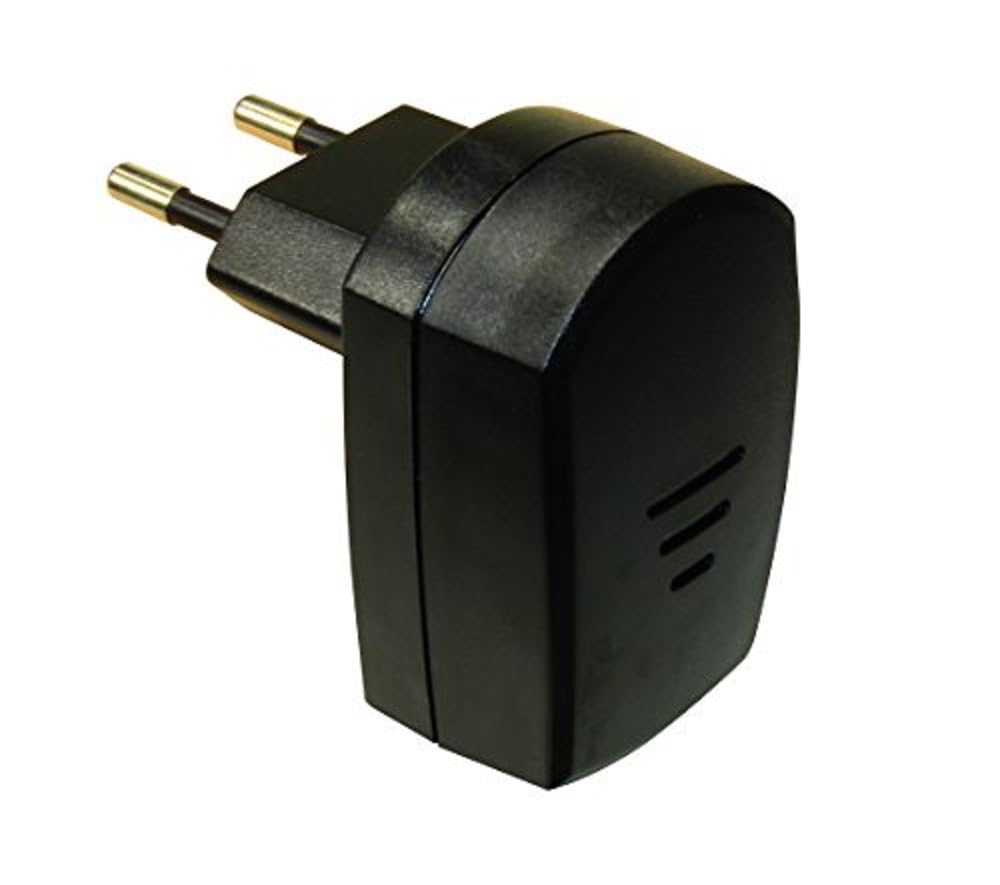
This image displays the black Eden 57449 Transformer 901 power adapter. It features a standard European two-pin plug on one side and a compact rectangular body. The body has three horizontal grooves on one face, indicating a possible ventilation or design element.
5. Operating Instructions
The Eden 57449 Transformer 901 functions as a dedicated power supply. Once properly connected to your compatible Eden aquarium feeding system and plugged into a live electrical outlet, it will provide the necessary power for the device to operate.
For specific operational instructions regarding your aquarium feeding system, please refer to the instruction manual provided with that device.
6. Maintenance
Proper maintenance ensures the longevity and safe operation of your transformer:
- Cleaning: Disconnect the transformer from the power outlet before cleaning. Wipe the exterior with a soft, dry cloth. Do not use liquid cleaners or abrasive materials.
- Storage: When not in use, store the transformer in a cool, dry place, away from direct sunlight and moisture.
- Inspection: Periodically inspect the power cable and plug for any signs of damage. If damage is found, discontinue use immediately and contact support.
7. Troubleshooting
If you encounter issues with your Eden 57449 Transformer 901, refer to the table below:
| Problem | Possible Cause | Solution |
|---|---|---|
| No power to the connected device. | Transformer not plugged in correctly. | Ensure the transformer is securely plugged into a live wall outlet. |
| Wall outlet is not functioning. | Test the wall outlet with another device to confirm it is working. | |
| Connection between transformer and device is loose. | Verify that the power cable is firmly connected to the aquarium feeding system. | |
| Connected device is not working despite power. | Issue with the connected device itself. | Refer to the instruction manual for your aquarium feeding system for troubleshooting specific to that device. |
8. Specifications
| Feature | Detail |
|---|---|
| Brand | Eden |
| Model Number | 57449 |
| Product Name | Transformer 901 |
| Manufacturer | Oase |
| Dimensions (L x W x H) | 6 x 8.3 x 13.5 cm |
| Weight | 110 grams |
| Power Source | Electric Cable |
| Voltage | 220 Volts |
| Country of Origin | Germany |
| Components Included | 1 Transformer unit |
| Compatibility | Designed for compatible Eden aquarium feeding systems |
9. Warranty Information
The Eden 57449 Transformer 901 is covered by a manufacturer's warranty against defects in materials and workmanship. The specific terms and duration of the warranty may vary by region and retailer. Please retain your proof of purchase for warranty claims.
For detailed warranty information, please refer to the documentation provided at the time of purchase or contact Eden customer support.
10. Support
If you require further assistance or have questions not covered in this manual, please contact Eden customer support. Contact details can typically be found on the product packaging, the official Eden website, or through your retailer.
When contacting support, please have your product model number (57449) and a description of the issue ready.


